
Napari plugin for segment anything version 2 model from meta. Plugin primarily useful for segmenting 3d volumetric data or 3d time series data.

Project description
napari-SAMV2
Napari plugin to use segment anything version 2.1 models from Meta.
Plugin made for segmenting 3d volumetric data or 3d time series data.
Installation
The plugin requires the following pre-requisite to be installed :
- Python and pytorch versions
python>=3.10,torch>=2.5.1 and torchvision>=0.20.1 required
To install pytorch with your respective OS please visit - https://pytorch.org/get-started/locally/
- SAM v2 installation from meta
Please refer https://github.com/facebookresearch/sam2
- Install napari
python -m pip install "napari[all]"
Following is a sample conda environment installation with the above pre-req
conda create -n samv2_env python=3.10
conda activate samv2_env
pip3 install torch torchvision

git clone https://github.com/facebookresearch/sam2.git && cd sam2
pip install -e .

python -m pip install "napari[all]"

pip install napari-SAMV2
Usage
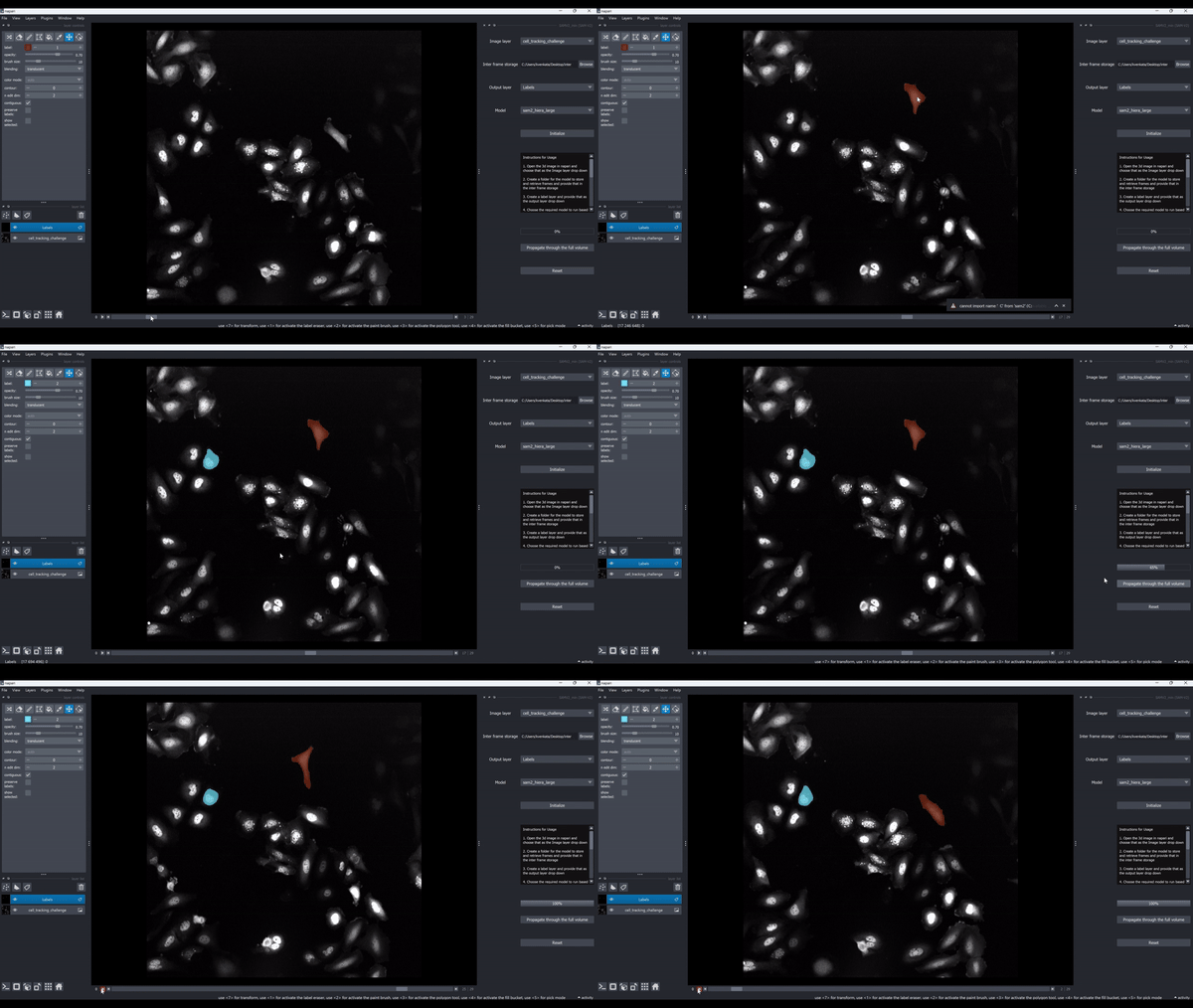
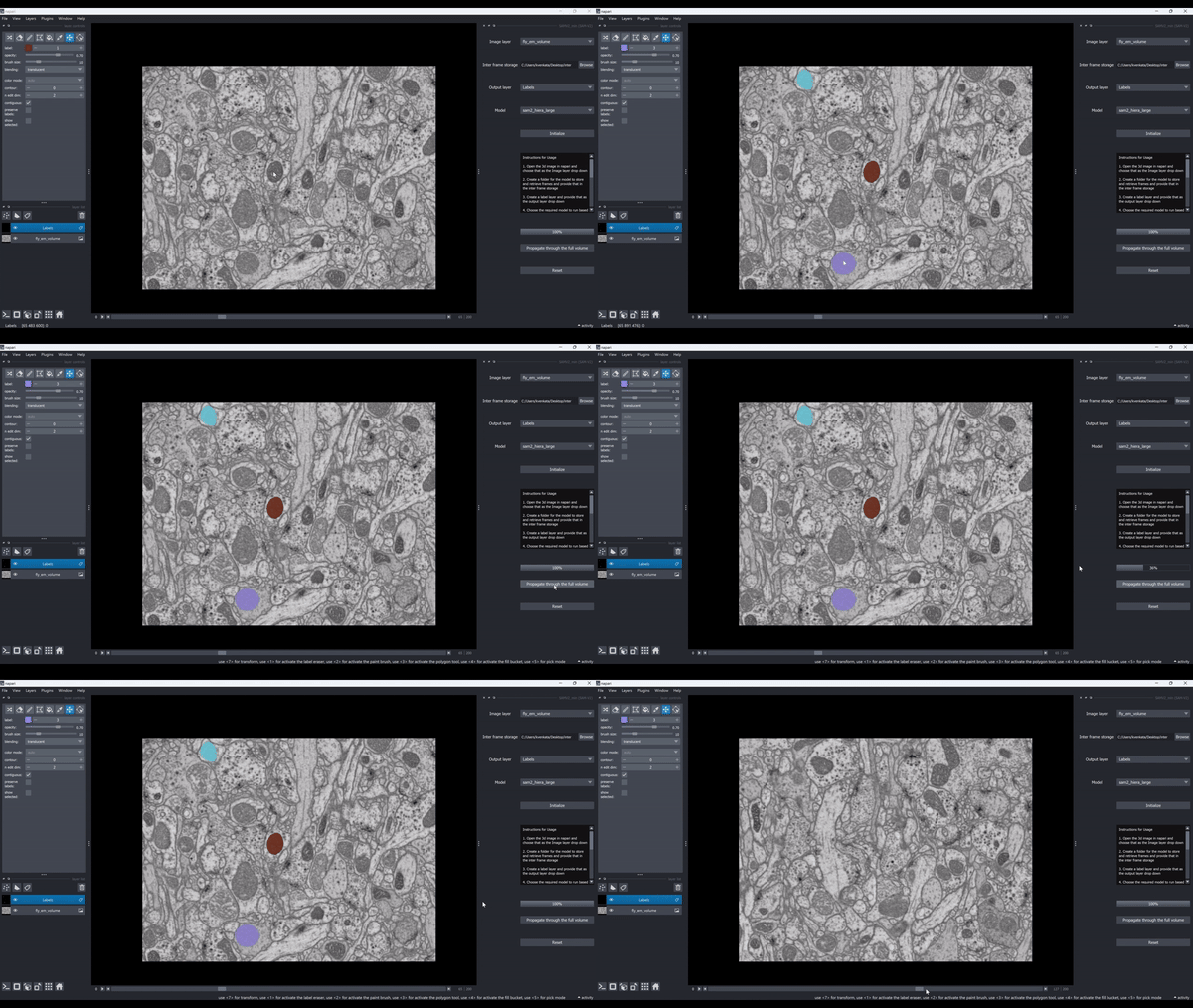
Middle mouse click - positive point or keyboard shortcut "a"
Ctrl + Middle mouse click - negative point or keyboard shortcut "n"
Time Series Segmentation :
Volume Segmentation :
Reference :
Example Data in the demo videos are from,
Cell tracking challenge - https://celltrackingchallenge.net/
and
FlyEM project - https://www.janelia.org/project-team/flyem/hemibrain
License
Distributed under the terms of the BSD-3 license, "napari-SAMV2" is free and open source software
Issues
If you encounter any problems, please file an issue along with a detailed description.
Release history Release notifications | RSS feed


Download files
Download the file for your platform. If you're not sure which to choose, learn more about installing packages.
Source Distribution
Built Distribution
Filter files by name, interpreter, ABI, and platform.
If you're not sure about the file name format, learn more about wheel file names.
Copy a direct link to the current filters
File details
Details for the file napari_samv2-0.1.1.tar.gz.
File metadata
- Download URL: napari_samv2-0.1.1.tar.gz
- Upload date:
- Size: 17.0 kB
- Tags: Source
- Uploaded using Trusted Publishing? No
- Uploaded via: twine/6.1.0 CPython/3.13.5
File hashes
| Algorithm | Hash digest | |
|---|---|---|
| SHA256 |
030859c19e6f51831419787e870f2bf4b2f6c234c6df97afa2a9f48cc3c3f04d
|
|
| MD5 |
783513aece2139494fc575ca382a450a
|
|
| BLAKE2b-256 |
6817282ace0bb7df4587da69d44813751e4517a70fe5f34a00d298bbc21205c8
|
File details
Details for the file napari_samv2-0.1.1-py3-none-any.whl.
File metadata
- Download URL: napari_samv2-0.1.1-py3-none-any.whl
- Upload date:
- Size: 13.8 kB
- Tags: Python 3
- Uploaded using Trusted Publishing? No
- Uploaded via: twine/6.1.0 CPython/3.13.5
File hashes
| Algorithm | Hash digest | |
|---|---|---|
| SHA256 |
63ee67eb742fd9d11ce76e7d5e5a138b4ae79d911b128ebf9475b781f6a684b9
|
|
| MD5 |
fff8c389ed50c6c0e067eeb0b2fd5d72
|
|
| BLAKE2b-256 |
badb50a4e7720069ba2084a41f7ef1eba01e5632da34d4b59dba01ea533878cb
|






