
Nautobot VPN App




An App for Nautobot
Overview
A Nautobot plugin designed to model, visualize, and manage VPN infrastructure, including IPSec tunnels, IKE gateways, crypto profiles, and dynamic topology diagrams sourced from Neo4j.
Key Features
- IKE Gateway and IPSec Tunnel modeling
- Inline or default crypto profile selection
- Dynamic tunnel provisioning form with interface auto-selection
- Topology visualization via Neo4j + Cytoscape
Requirements
- Nautobot >= 3.0,<4.0 (validated on 3.0.1)
- Python >= 3.11
- Neo4j >= 5.0 (for topology view)
Installation
1. Install via pip
pip install nautobot-app-vpn
2. Enable the plugin
In your nautobot_config.py, add to PLUGINS and configure Neo4j settings:
NEO4J_URI = "bolt://neo4j:7687" NEO4J_USER = "neo4j" NEO4J_PASSWORD = os.getenv("NEO4J_PASSWORD", "testneo4j")
PLUGINS = [
    "nautobot_app_vpn",
    # ...
]

PLUGINS_CONFIG = {
    "nautobot_app_vpn": {
        "map": {
        "style_url": "https://basemaps.cartocdn.com/gl/positron-gl-style/style.json",
        "attribution": "© OpenStreetMap contributors © CARTO"
        }
    },
}
Docker/Compose Setup (Optional)
If you are using docker-compose, include this plugin in your plugin_requirements.txt:
nautobot_app_vpn
Then rebuild Nautobot:
docker-compose build nautobot
Usage
Topology View
The plugin provides a Neo4j-powered dashboard under Plugins > VPN Dashboard, enabling visualization of active IPSec tunnels and their metadata using Open Street Map.
Forms for Provisioning
- Auto-select interfaces based on ISP zone tags
- Auto-populate IPs from synced device data
- Support dynamic IP tunnels
- Create or select IKE/IPsec crypto profiles
Screenshots
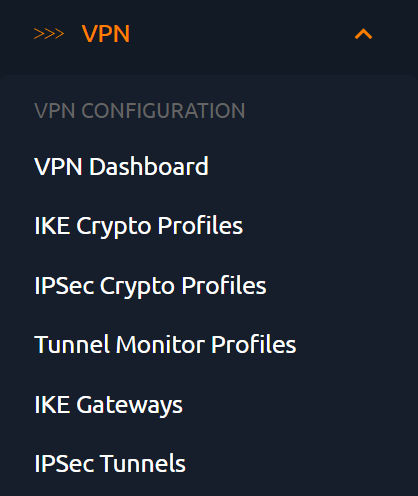
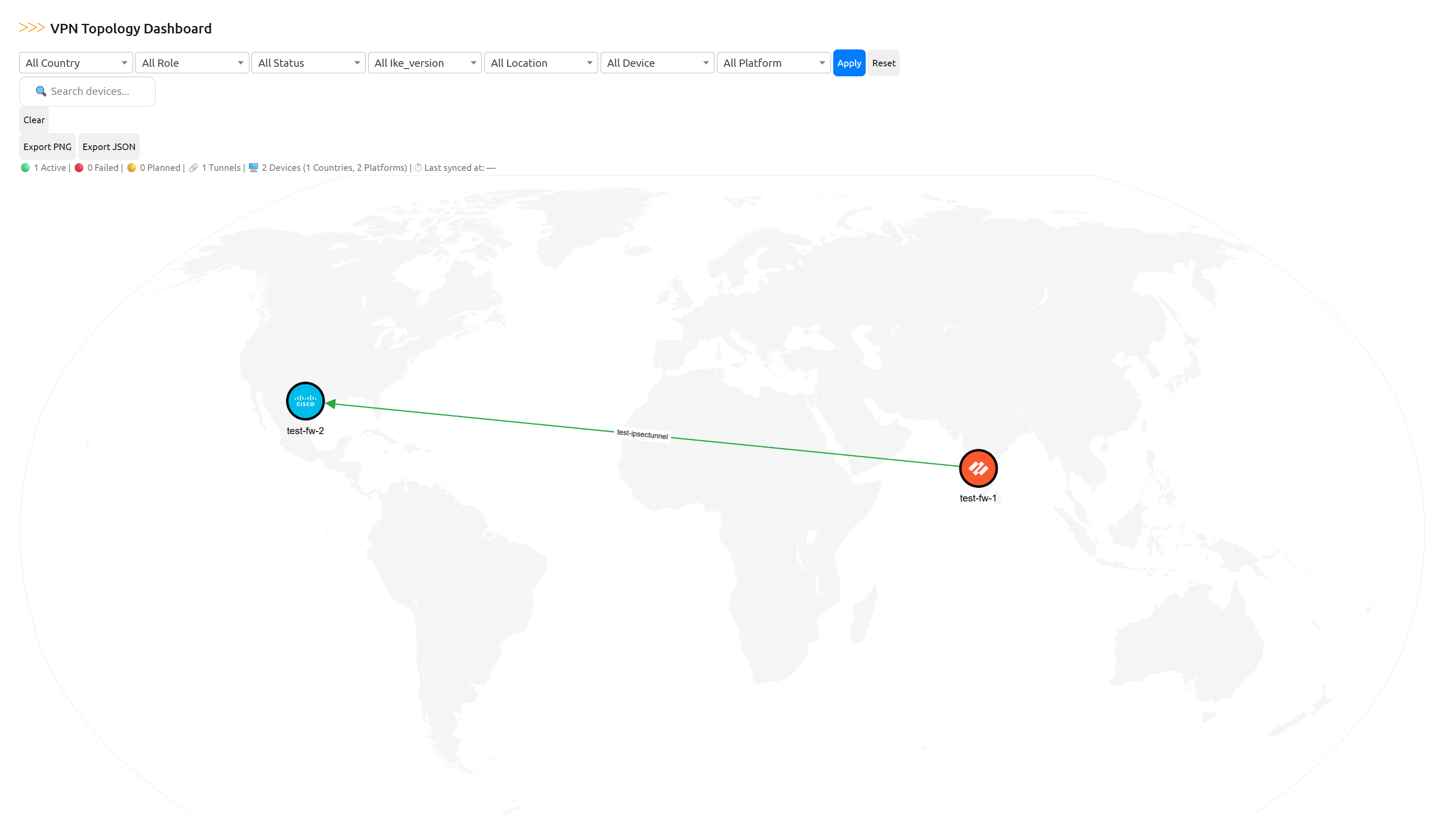





Development
Clone and install in editable mode:
git clone https://github.com/iss-world/nautobot-app-vpn.git
cd nautobot-app-vpn
poetry install
Run linters locally
ruff check .
yamllint .
Contributing
Pull requests are welcome! Please ensure code follows Nautobot plugin guidelines and passes all checks.
License
Apache License 2.0. See LICENSE for details.
Author
Maintained by @npolisetty26
1 maintainer

Metadata
1 maintainer
Release files for nautobot-app-vpn 2.0.1
For a detailed explanation of source distributions (sdists) and built distributions (wheels), please see the package formats documentation.
Source distribution (sdist)
| File | Size | Uploaded | |
|---|---|---|---|
| nautobot_app_vpn-2.0.1.tar.gz | 3.6 MB | Details |
Built distribution (wheel)
| File | Interpreter | ABI | Platform | Reset |
|---|---|---|---|---|
| nautobot_app_vpn-2.0.1-py3-none-any.whl | Python 3 | none | any | Details |
Total release size: 7.3 MB
Release files / nautobot_app_vpn-2.0.1.tar.gz
| Download URL | nautobot_app_vpn-2.0.1.tar.gz |
|---|---|
| Size | 3.6 MB |
| Tags | Source |
|
SHA-256 checksum How to use checksums |
55fab475c3ccce49aab9683eaff44f1c1b696d7967b2483e773b28ebb7ac28a3
|
|
BLAKE2b-256 checksum How to use checksums |
d2ddd9838bf2fd9d1d3b897c74e49cdda00a86cd3ffb519444354bbee15debf1
|
| Upload date | |
|
Uploaded using Trusted Publishing? What is trusted publishing? |
No |
| Uploaded via |
twine/6.1.0 CPython/3.11.13
|
Release files / nautobot_app_vpn-2.0.1-py3-none-any.whl
| Download URL | nautobot_app_vpn-2.0.1-py3-none-any.whl |
|---|---|
| Size | 3.7 MB |
| Tags | Python 3 |
|
SHA-256 checksum How to use checksums |
83e6353d93e0afeed6eb75fb3163dd022c5b55675aec0d54aa3ba039de7c02ee
|
|
BLAKE2b-256 checksum How to use checksums |
5ef2bc3fa0306863d36fc963fbd878ba7f7b834d323e3310a22ca57fa66a6030
|
| Upload date | |
|
Uploaded using Trusted Publishing? What is trusted publishing? |
No |
| Uploaded via |
twine/6.1.0 CPython/3.11.13
|














