
Nepse CLI - Meroshare IPO Automation & Market Data



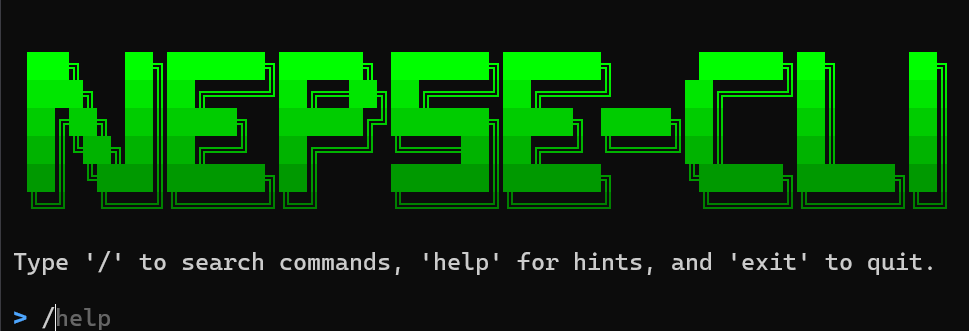
A professional command-line tool for NEPSE market analysis and automated Meroshare IPO applications.
Installation
Install (from source or PyPI):
# From PyPI (recommended when available)
pip install nepse-cli

# Or run directly from the repository for development
python main.py

# On Windows you can also use the bundled start script
start_nepse.bat
Overview
Nepse CLI is a command-line tool for Nepal Stock Exchange (NEPSE) users. It provides automated Meroshare IPO application flows (fast API-based and legacy browser automation), market data, portfolio reporting, and member management.
Key Features
IPO Automation
- Fast API-based IPO application (
applyfor single member,apply-allfor all members) - Legacy browser automation is available but deprecated (
apply-legacy,apply-all-legacy) - Multi-member support and allotment/result checking (
result,ipo-status)
Market Analysis
- Real-time NEPSE indices (Main, Sensitive, Float, Sector-wise)
- Comprehensive stock information and live prices
- Fundamental analysis and company profiles
- Market depth and order book visualization
- Trading signals and price alerts
- Floor sheet with live trade data
- 52-week performance tracking
- Broker rankings and analysis
Portfolio Management
- Multi-member portfolio tracking
- Real-time profit/loss calculation with WACC
- Secure local credential storage
- Interactive member management
- Portfolio visualization and reporting
User Experience
- Interactive shell with searchable command palette (
/) - Autocompletion and persisted history
- Rich-formatted output and progress indicators
Requirements
- Python 3.8 or higher
- Windows, Linux, or macOS
- Internet connection
- Meroshare account (for IPO features)
Optional (legacy flows): Playwright and a browser if you intend to use browser automation commands.
Available Commands (current)
Market Data
nepse— Display NEPSE indicessubidx <name>— Show sub-index detailsmktsum— Display market summarytopgl— Show top gainers and losersstonk <symbol>— Show stock details (supports multiple symbols)ph <symbol>— Interactive price history view52week— Stocks at 52-week high/lownear52— Stocks near 52-week high/lowfloor [symbol] [--date YYYY-MM-DD] [--buyer ID] [--seller ID] [--page N] [--size N]— View floorsheet (with broker names)holidays— Show market holidays
Stock Analysis
profile <symbol>— Company profile & infofundamental <symbol>— Stock fundamentals (EPS, P/E, Book Value)depth <symbol>— Market depth (order book)
Trading Info
signals— Strong buy/sell signalsannounce— Market announcementsbrokers— List all brokersbsum [--1d|--1w|--1m]— Broker net buy/sell summarysectors— List all sectors
IPO Management
ipo— List all open IPOsipo-status [member] [--limit N]— Show IPO application status for a memberapply [member]— Fast API-based IPO application (single member)apply-all— Fast API-based IPO application for all members (parallel)schedule enable [--time HH:MM]— Schedule daily auto-apply for applicable Ordinary Shares IPOs (default09:00)schedule disable— Remove the Nepse CLI scheduler entryschedule status— Show whether the scheduler is registered and at what timeschedule history— Show recent scheduled IPO run historyapply-legacy [member] [--gui]— Deprecated browser-based IPO applicationapply-all-legacy [--gui]— Deprecated browser-based IPO for allresult [member] [--all]— Check IPO allotment results
Notes:
- The modern default is
apply/apply-allwhich use the fast API flows. - Legacy browser automation commands (
apply-legacy,apply-all-legacy) require Playwright and may be removed in future releases.
Member & Account Management
add— Add new family memberlist— List all family membersedit— Edit existing family memberdelete— Delete family membermanage— Member management menu
Meroshare Account & Portfolio
portfolio [name]— Get real-time portfolio with P/L (includes WACC). If no name is provided, you'll be prompted to select a member.wacc [name]— Process pending WACC calculationswacc-report [name]— View WACC holdings report with P/Linfo [name]— Meroshare account informationlogin [name]— Test login for member (GUI/headless depends on flags)dp-list— Search and list available DPs
Interactive Tools
help | ? | /— Show/search command paletteguide— Open the tutorial linkdev— Developer socials and linksclear | cls— Clear the screenexit | quit— Exit the CLI
Links
- PyPI Package: https://pypi.org/project/nepse-cli/
- Documentation / Tutorial: https://youtu.be/S7aOPU2NkIQ
- Report Issues: https://github.com/menaceXnadin/nepse-cli/issues
License
MIT License
Disclaimer
This tool is for educational and personal use only. Users are responsible for complying with Meroshare's terms of service and applicable regulations. The developers are not liable for any misuse or issues arising from the use of this tool.
Acknowledgments
- Data sources: NEPSE, ShareSansar, ShareHubNepal
- Built with: Rich, Playwright, Click, Prompt Toolkit
- Community contributions and feedback
Support: For questions or issues, please open an issue on GitHub
1 maintainer

Metadata
1 maintainer
Release files for nepse-cli 3.1.33.1
For a detailed explanation of source distributions (sdists) and built distributions (wheels), please see the package formats documentation.
Source distribution (sdist)
| File | Size | Uploaded | |
|---|---|---|---|
| nepse_cli-3.1.33.1.tar.gz | 97.3 kB | Details |
Built distribution (wheel)
| File | Interpreter | ABI | Platform | Reset |
|---|---|---|---|---|
| nepse_cli-3.1.33.1-py3-none-any.whl | Python 3 | none | any | Details |
Total release size: 200.1 kB
Release files / nepse_cli-3.1.33.1.tar.gz
| Download URL | nepse_cli-3.1.33.1.tar.gz |
|---|---|
| Size | 97.3 kB |
| Tags | Source |
|
SHA-256 checksum How to use checksums |
4d8d9c146cf792b3417852e679eb0ea41fd9c9aca1c0f147301b440fac0b76c9
|
|
BLAKE2b-256 checksum How to use checksums |
495f6a26372102ea15db0a4bb82bf342a806ff70e1874e64f2258d1164658d4a
|
| Upload date | |
|
Uploaded using Trusted Publishing? What is trusted publishing? |
Yes |
| Uploaded via |
twine/6.1.0 CPython/3.13.14
|
Provenance
Provenance describes where a file came from. On PyPI, provenance is shared via attestations, which provide a verifiable record of the build or publishing details. View details, limitations and caveats.


PyPI Publish Attestation
PyPI verified that this artifact, at this checksum, originated from the publisher listed below.
Signed by GitHub Actions, verified by PyPI on Jul 21, 2026.
Transparency logRelease files / nepse_cli-3.1.33.1-py3-none-any.whl
| Download URL | nepse_cli-3.1.33.1-py3-none-any.whl |
|---|---|
| Size | 102.9 kB |
| Tags | Python 3 |
|
SHA-256 checksum How to use checksums |
29638b5e4e7780ef652c42a386e70a72438dd1baae5b7da9c713a209f16f1541
|
|
BLAKE2b-256 checksum How to use checksums |
92b73ea0b9db343aafae3e42bc0c1ba20146fb65a352fc81f62e3b05b923578c
|
| Upload date | |
|
Uploaded using Trusted Publishing? What is trusted publishing? |
Yes |
| Uploaded via |
twine/6.1.0 CPython/3.13.14
|
Provenance
Provenance describes where a file came from. On PyPI, provenance is shared via attestations, which provide a verifiable record of the build or publishing details. View details, limitations and caveats.
PyPI Publish Attestation
PyPI verified that this artifact, at this checksum, originated from the publisher listed below.
Signed by GitHub Actions, verified by PyPI on Jul 21, 2026.
Transparency log













