
Neptune + XGBoost integration
Experiment tracking, model registry, data versioning, and live model monitoring for XGBoost trained models.
What will you get with this integration?
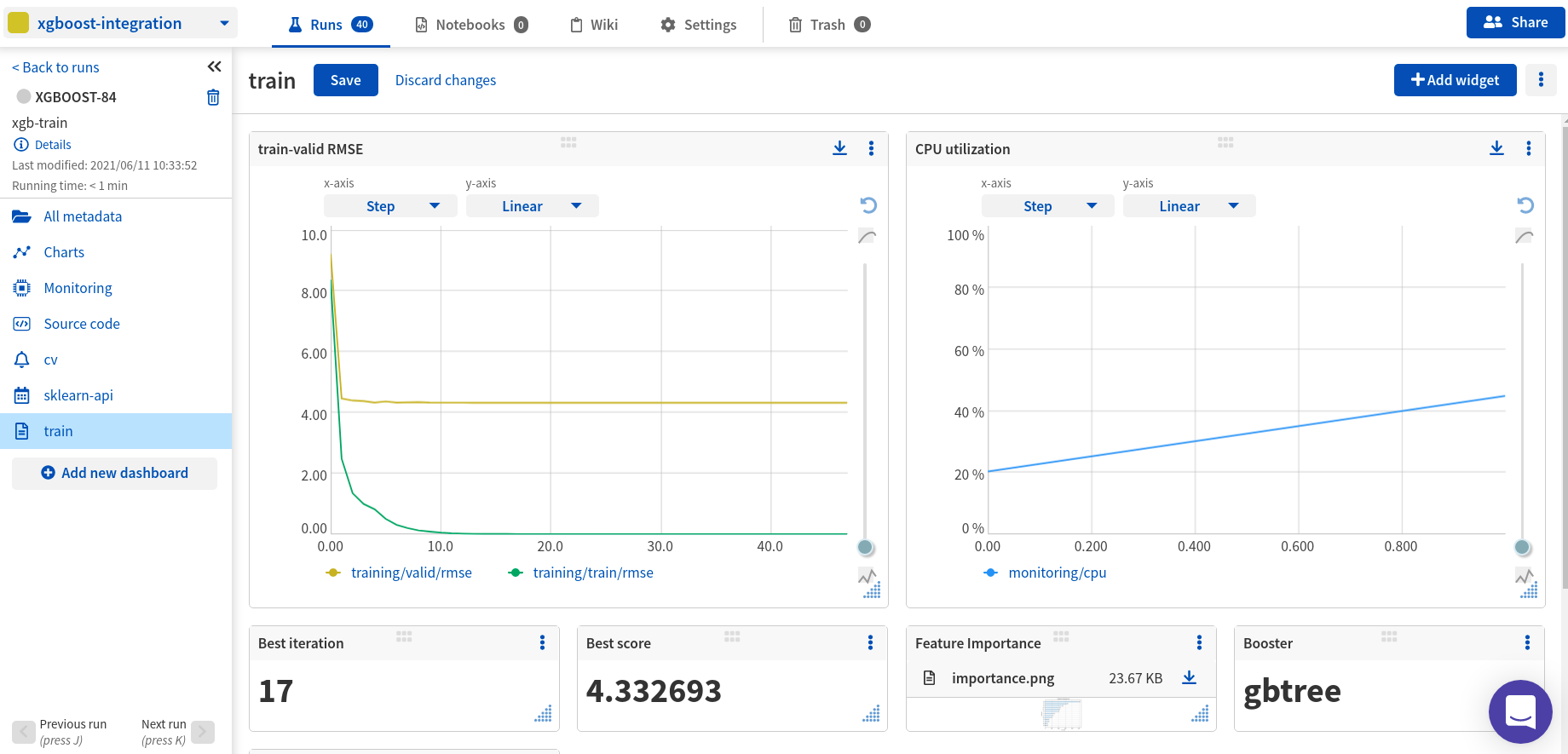
- Log, display, organize, and compare ML experiments in a single place
- Version, store, manage, and query trained models, and model building metadata
- Record and monitor model training, evaluation, or production runs live
What will be logged to Neptune?
- metrics,
- parameters,
- learning rate,
- pickled model,
- visualizations (feature importance chart and tree visualizations),
- hardware consumption (CPU, GPU, Memory),
- stdout and stderr logs,
- training code and Git commit information,
- other metadata
Resources
- Documentation
- Code example on GitHub
- Example of a run logged in the Neptune app
- Run example in Google Colab
Example
On the command line:
pip install xgboost>=1.3.0 neptune-xgboost
In Python:
import neptune
import xgboost as xgb
from neptune.integrations.xgboost import NeptuneCallback

# Start a run
run = neptune.init_run(
    project="common/xgboost-integration",
    api_token=neptune.ANONYMOUS_API_TOKEN,
)

# Create a NeptuneCallback instance
neptune_callback = NeptuneCallback(run=run, log_tree=[0, 1, 2, 3])

# Prepare datasets
...
data_train = xgb.DMatrix(X_train, label=y_train)

# Define model parameters
model_params = {
    "eta": 0.7,
    "gamma": 0.001,
    "max_depth": 9,
    ...
}

# Train the model and log metadata to the run in Neptune
xgb.train(
    params=model_params,
    dtrain=data_train,
    callbacks=[neptune_callback],
)
Support
If you got stuck or simply want to talk to us, here are your options:
- Check our FAQ page
- You can submit bug reports, feature requests, or contributions directly to the repository.
- Chat! When in the Neptune application click on the blue message icon in the bottom-right corner and send a message. A real person will talk to you ASAP (typically very ASAP),
- You can just shoot us an email at support@neptune.ai
1 maintainer

Download files
Download the file for your platform. If you're not sure which to choose, learn more about installing packages.
Source Distribution
neptune_xgboost-1.1.1.tar.gz
(10.5 kB
view details)
Built Distribution
Filter files by name, interpreter, ABI, and platform.
If you're not sure about the file name format, learn more about wheel file names.
Copy a direct link to the current filters
File details
Details for the file neptune_xgboost-1.1.1.tar.gz.
File metadata
- Download URL: neptune_xgboost-1.1.1.tar.gz
- Upload date:
- Size: 10.5 kB
- Tags: Source
- Uploaded using Trusted Publishing? No
- Uploaded via:
twine/4.0.2 CPython/3.9.16
File hashes
| Algorithm | Hash digest | |
|---|---|---|
| SHA256 |
e6dc3f0aa7f7e8d9591b9321d2704fbcd6ccbfe1c840017b8730d8da769f75a0
|
|
| MD5 |
83f8e4174b4398697d5018fb205ece82
|
|
| BLAKE2b-256 |
3c1e20ae6cd96fdece210b058f884cfc5f935d177b50c6d17376df985252f74e
|
File details
Details for the file neptune_xgboost-1.1.1-py3-none-any.whl.
File metadata
- Download URL: neptune_xgboost-1.1.1-py3-none-any.whl
- Upload date:
- Size: 12.0 kB
- Tags: Python 3
- Uploaded using Trusted Publishing? No
- Uploaded via:
twine/4.0.2 CPython/3.9.16
File hashes
| Algorithm | Hash digest | |
|---|---|---|
| SHA256 |
f07bbd61aabbc93167b57414a19a5f4ca9192e6784e1e894e674021b25608805
|
|
| MD5 |
cb7a6c9179a374d530254e27613a9efb
|
|
| BLAKE2b-256 |
2e3da5542594188b312cedcd46a34df3f526c133dff04d2a552d775c9067ccee
|














