
Neptune.ai XGBoost integration library

Project description
Neptune + XGBoost Integration
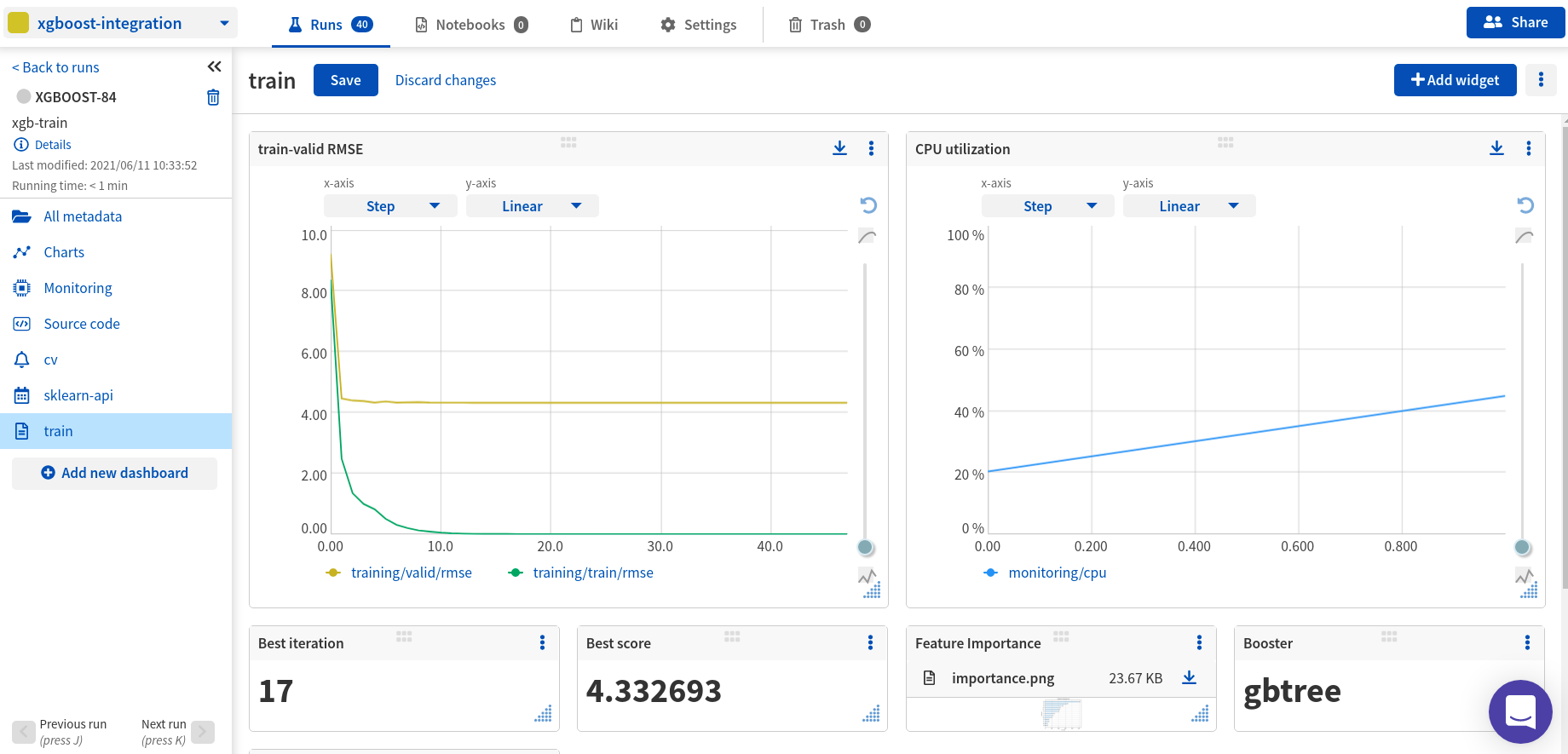
Experiment tracking, model registry, data versioning, and live model monitoring for XGBoost trained models.
What will you get with this integration?
- Log, display, organize, and compare ML experiments in a single place
- Version, store, manage, and query trained models, and model building metadata
- Record and monitor model training, evaluation, or production runs live
What will be logged to Neptune?
- metrics,
- parameters,
- learning rate,
- pickled model,
- visualizations (feature importance chart and tree visualizations),
- hardware consumption (CPU, GPU, Memory),
- stdout and stderr logs, and
- training code and git commit information
- other metadata
Resources
- Documentation
- Code example on GitHub
- Example of a run logged in the Neptune app
- Run example in Google Colab
Example
# On the command line:
pip install neptune-client xgboost>=1.3.0 neptune-xgboost
# In Python:
import neptune.new as neptune
import xgboost as xgb
from neptune.new.integrations.xgboost import NeptuneCallback

# Start a run
run = neptune.init(
    project="common/xgboost-integration",
    api_token="ANONYMOUS",
)

# Create a NeptuneCallback instance
neptune_callback = NeptuneCallback(run=run, log_tree=[0, 1, 2, 3])

# Prepare datasets
...
data_train = xgb.DMatrix(X_train, label=y_train)

# Define model parameters
model_params = {
    "eta": 0.7,
    "gamma": 0.001,
    "max_depth": 9,
    ...
}

# Train the model and log metadata to the run in Neptune
xgb.train(
    params=model_params,
    dtrain=data_train,
    callbacks=[neptune_callback],
)
Support
If you got stuck or simply want to talk to us, here are your options:
- Check our FAQ page
- You can submit bug reports, feature requests, or contributions directly to the repository.
- Chat! When in the Neptune application click on the blue message icon in the bottom-right corner and send a message. A real person will talk to you ASAP (typically very ASAP),
- You can just shoot us an email at support@neptune.ai
Release history Release notifications | RSS feed


Download files
Download the file for your platform. If you're not sure which to choose, learn more about installing packages.
Source Distribution
neptune-xgboost-0.10.0.tar.gz
(25.0 kB
view details)
File details
Details for the file neptune-xgboost-0.10.0.tar.gz.
File metadata
- Download URL: neptune-xgboost-0.10.0.tar.gz
- Upload date:
- Size: 25.0 kB
- Tags: Source
- Uploaded using Trusted Publishing? No
- Uploaded via: twine/4.0.1 CPython/3.8.14
File hashes
| Algorithm | Hash digest | |
|---|---|---|
| SHA256 |
a3829105fc6300309abaceba196de4e0d3efd65b2cb7ffb884384bd508d55e02
|
|
| MD5 |
cc6b36dd403fa8329b7cd20511096382
|
|
| BLAKE2b-256 |
b944255706835c78d97eb9949758629908f1a55896514ee49575f697d0dfda7d
|






