
NetBox Map





A NetBox plugin for interactive floor plan visualization, site maps, rack utilization, and cable tracing.
Links: Documentation | NetBox Ping | Website | Demo

Features
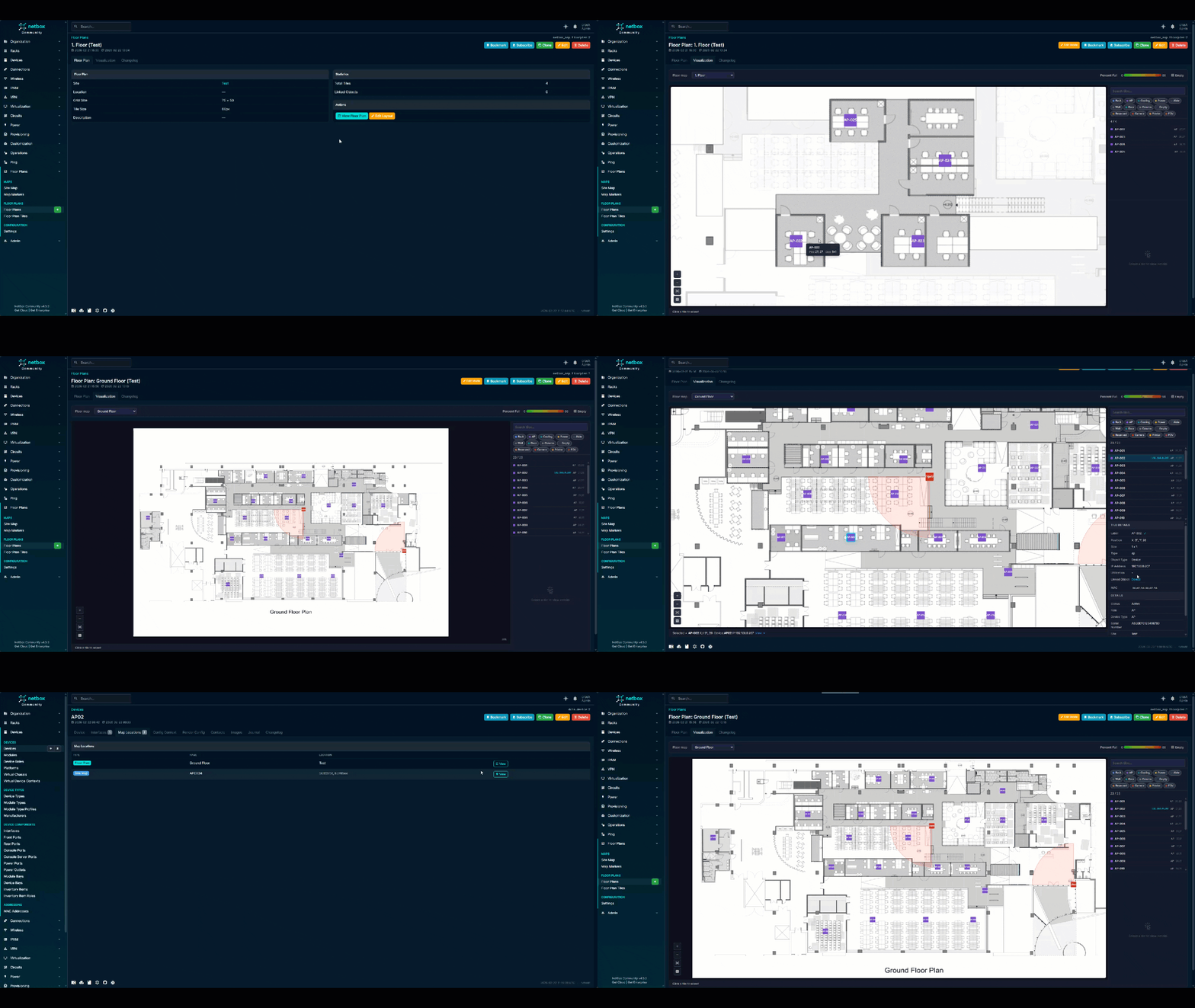
Floor Plans
- Canvas-based editor with drag-and-drop tile placement, pan/zoom, and configurable grids
- 12 tile types -- rack, aisle, wall, column, door, cooling, power, empty, reserved, access point, camera, printer
- Tile orientation (0/90/180/270°) -- text rotates to match, so narrow vertical tiles stay readable
- Link tiles to NetBox objects (racks, devices, power panels, power feeds, ports)
- Background image upload for blueprints or photos
- PDF export with all visible tiles, labels, and FOV cones
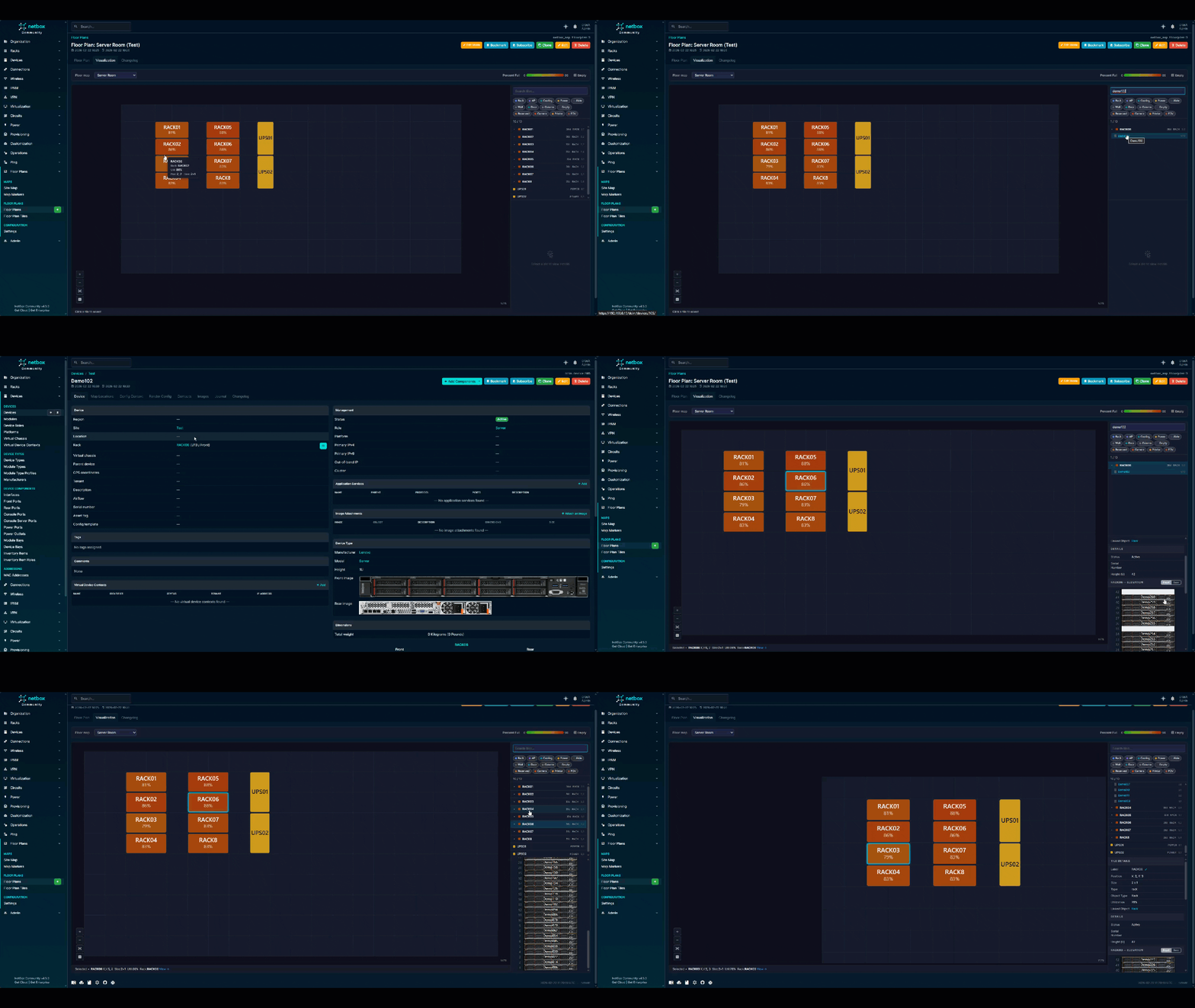
Rack Visualization
- Utilization heatmap -- color gradient from green (0%) to red (90%+) directly on tiles
- Expand racks in the sidebar to see all devices sorted by U-position
- Full rack elevation SVG (front/rear) in the detail panel
- Search across device names and IPs inside racks
Cable Tracing
- Full cable trace for devices, rear ports, and front ports
- Unified traces through patch panels (Server:eth0 → Cable → FrontPort → RearPort → Cable → Switch:Gig1/0/3)
- "Show on map" buttons to zoom to devices that exist on the floor plan
- Rack device traces -- expand a rack, click the cable icon on any device
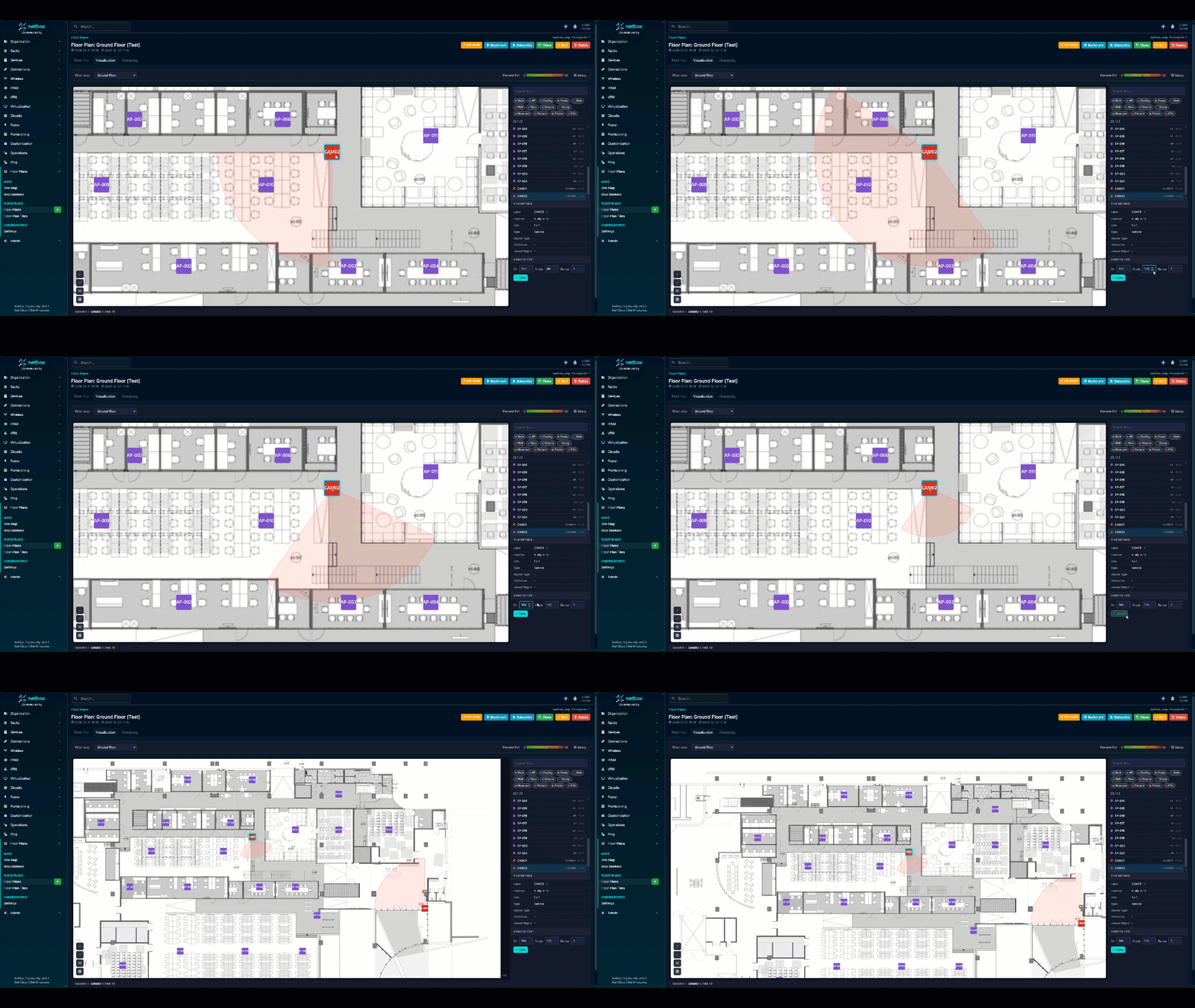
Camera FOV
- Configurable direction (0-360°), angle (10-360°), and distance (1-50 cells)
- Live preview of semi-transparent FOV cones on the canvas
- Toggle all FOV cones on/off
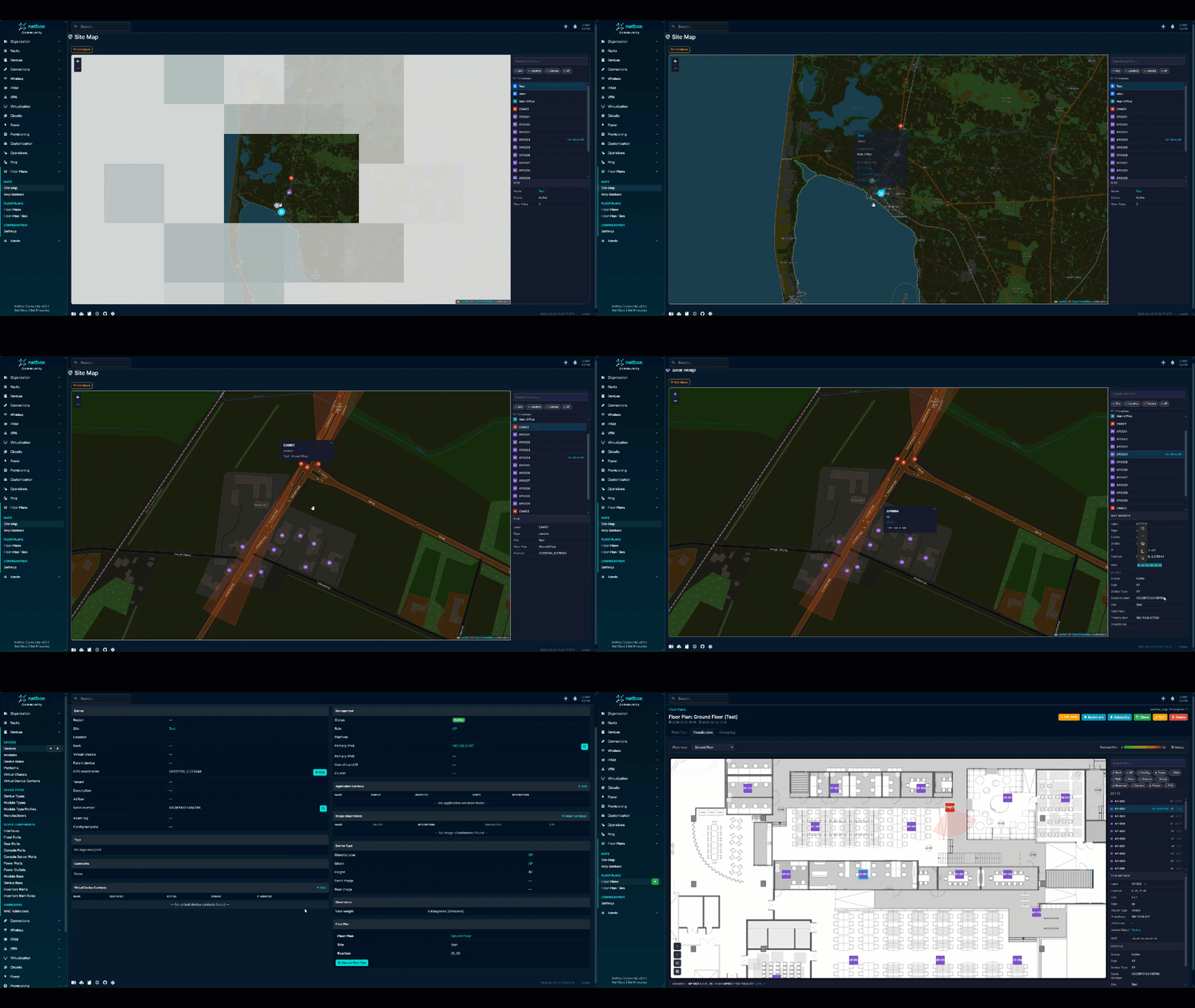
Global Site Map
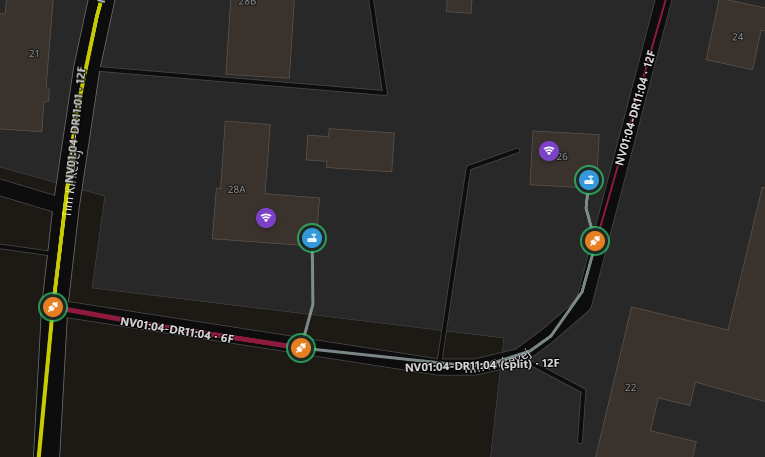
- Leaflet.js geographic map with OpenStreetMap tiles
- Sites, locations, floor plan tiles, and standalone markers on one map
- Edit mode -- place sites, locations, and markers by clicking the map
- Drag to reposition, auto-saves coordinates
- GPS sync -- automatically writes lat/lng to device records when placed on the map
- Early fiber/cable path support (experimental -- expect breaking changes in future releases)
Settings (Web UI)
- Configure detail panel fields per object type from the browser
- Toggle MAC address display, custom fields, GPS sync
- No file editing or restarts needed
Network Topology
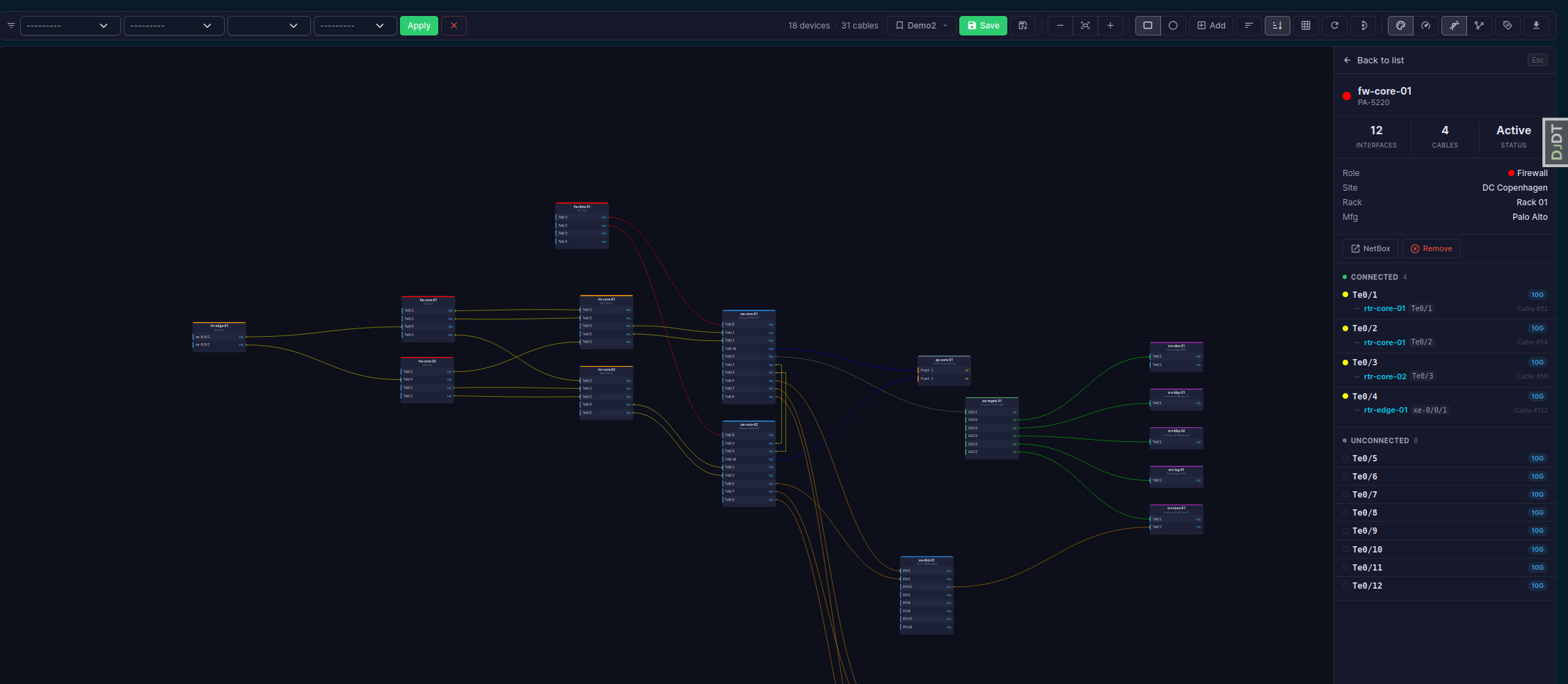
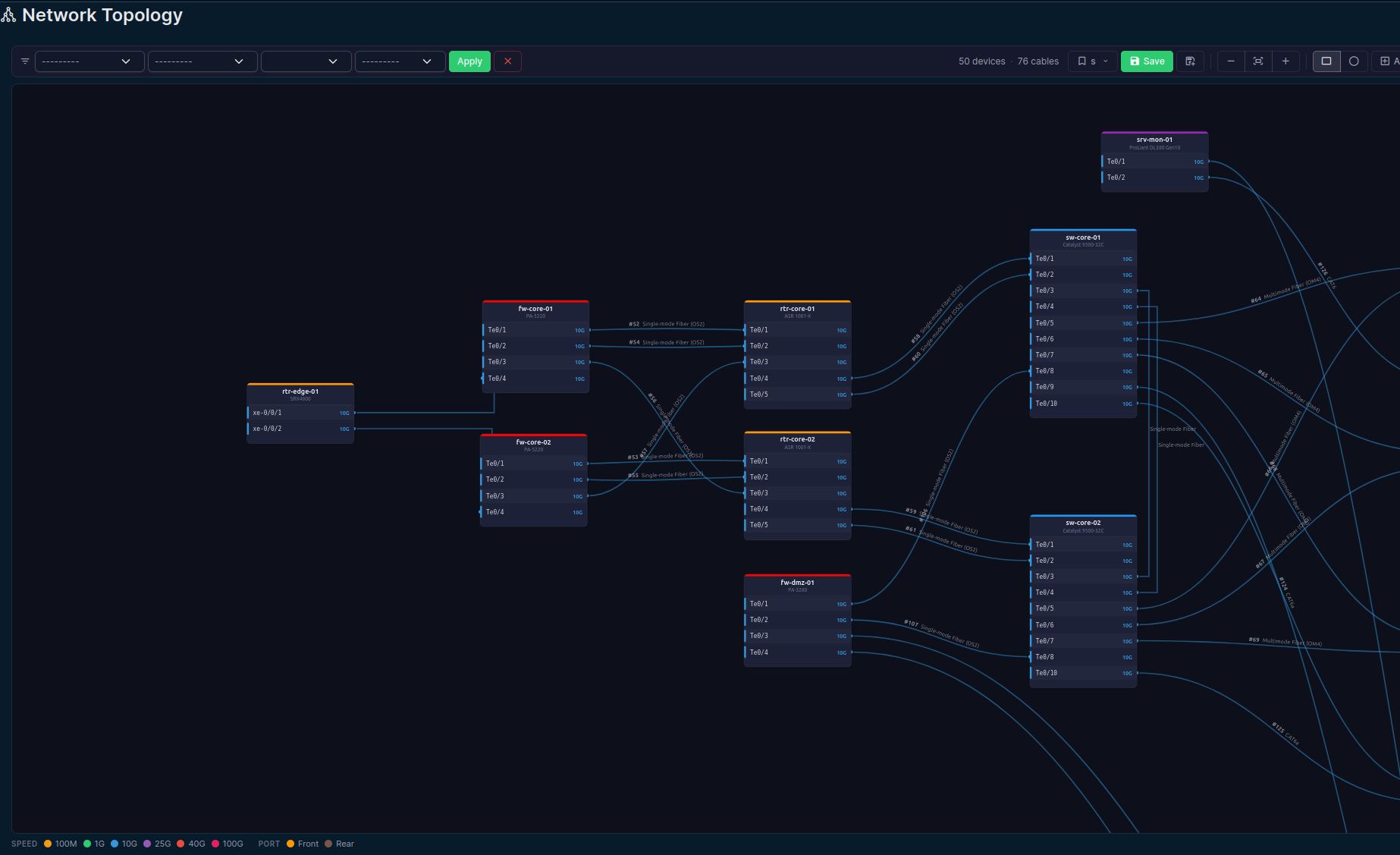
- Interactive topology view with stencil device cards and interface ports
- Hierarchical layout, orthogonal cable routing with obstacle avoidance
- Saved views with position persistence and filters
- PDF export, cable coloring by type or speed, pass-through collapse
Application Mapping

- Model applications, deployments to devices/VMs, and inter-app dependencies
- Application topology view with dependency edges and failure simulation
- Mixed mode: devices + apps + deployed-on connections on one canvas
- Templates for bulk application deployment
- Device/VM detail page integration (Applications tab + panel)
Integration
- Site detail page panel with floor plan links
- Device detail page "Map Locations" tab
- Global search indexing for floor plans, tiles, and markers
- Change logging on all models
- REST API with full CRUD, filtering, and search
- Dark mode support
Screenshots
Installation
source /opt/netbox/venv/bin/activate
pip install netbox-map
Or from source:
source /opt/netbox/venv/bin/activate
pip install git+https://github.com/DenDanskeMine/netbox-map.git
Add to configuration.py:
PLUGINS = [
    'netbox_map',
]
Apply migrations and restart:
cd /opt/netbox/netbox
python3 manage.py migrate
python3 manage.py collectstatic --no-input
sudo systemctl restart netbox
GPS Sync
When enabled, placing a device on a map automatically writes lat/lng to the device record. Clearing the tile/marker clears the GPS if no other map references remain.
Maps URL Deep-Linking
Point NetBox's built-in Map button to this plugin instead of Google Maps:
- Go to Admin > Configuration > Miscellaneous
- Set Maps URL to:
https://your-netbox-url/plugins/map/sitemap/?q= - Save
Now clicking the Map button on any Site or Device opens the plugin's site map centered on that location.
REST API
| Endpoint | Description |
|---|---|
/api/plugins/map/floorplans/ |
Floor plan CRUD |
/api/plugins/map/floorplan-tiles/ |
Tile CRUD |
/api/plugins/map/tile-port-assignments/ |
Tile port assignments |
/api/plugins/map/location-coordinates/ |
Location GPS coordinates |
/api/plugins/map/map-markers/ |
Map marker CRUD |
/api/plugins/map/cable-paths/ |
Fiber/cable paths |
/api/plugins/map/custom-marker-types/ |
Custom marker types |
/api/plugins/map/map-settings/ |
Plugin settings (singleton) |
/api/plugins/map/topology-saved-views/ |
Topology saved views |
/api/plugins/map/applications/ |
Application CRUD |
/api/plugins/map/application-groups/ |
Application groups |
/api/plugins/map/application-templates/ |
Application templates |
/api/plugins/map/application-deployments/ |
App-to-host deployments |
/api/plugins/map/application-dependencies/ |
App dependency edges |
All endpoints support filtering, pagination, and brief mode.
Compatibility
| netbox-map | NetBox | Python |
|---|---|---|
| 0.12.x | 4.5+ · 4.6+ | 3.12+ |
| 0.11.x | 4.5+ | 3.12+ |
| 0.10.x | 4.5+ | 3.12+ |
| 0.9.x | 4.5+ | 3.12+ |
| 0.8.x | 4.5+ | 3.12+ |
| ≤ 0.7.x | 4.5+ | 3.12+ |
Dependencies
- No additional Python packages required (only NetBox itself)
Development
git clone https://github.com/DenDanskeMine/netbox-map.git
cd netbox-map
pip install -e .
License
Apache License 2.0 -- see LICENSE.
Support
Open an issue on GitHub.
1 maintainer

Metadata
1 maintainer
Release files for netbox-map 0.12.0
For a detailed explanation of source distributions (sdists) and built distributions (wheels), please see the package formats documentation.
Source distribution (sdist)
| File | Size | Uploaded | |
|---|---|---|---|
| netbox_map-0.12.0.tar.gz | 1.1 MB | Details |
Built distribution (wheel)
| File | Interpreter | ABI | Platform | Reset |
|---|---|---|---|---|
| netbox_map-0.12.0-py3-none-any.whl | Python 3 | none | any | Details |
Total release size: 2.2 MB
Release files / netbox_map-0.12.0.tar.gz
| Download URL | netbox_map-0.12.0.tar.gz |
|---|---|
| Size | 1.1 MB |
| Tags | Source |
|
SHA-256 checksum How to use checksums |
bc3f5d394f24c362d99ee6775202d4b3b50e88de607335ef4dfffe7121180082
|
|
BLAKE2b-256 checksum How to use checksums |
dfe89390d3ee8509821631aa665157d96786e1623a34e99900fbc2c220177176
|
| Upload date | |
|
Uploaded using Trusted Publishing? What is trusted publishing? |
No |
| Uploaded via |
twine/6.2.0 CPython/3.12.13
|
Release files / netbox_map-0.12.0-py3-none-any.whl
| Download URL | netbox_map-0.12.0-py3-none-any.whl |
|---|---|
| Size | 1.1 MB |
| Tags | Python 3 |
|
SHA-256 checksum How to use checksums |
3521c78cc9df89a12f1f5d10755c78d566e5096cb4e9547f93510bfe0667b7fa
|
|
BLAKE2b-256 checksum How to use checksums |
ff730b02fa9ed4744aa341ae4da075bd85d2ae21ca41e40b240388e21a850e0a
|
| Upload date | |
|
Uploaded using Trusted Publishing? What is trusted publishing? |
No |
| Uploaded via |
twine/6.2.0 CPython/3.12.13
|














