
Interactive floor plan visualization for NetBox sites

Project description
NetBox Map





A NetBox plugin for interactive floor plan visualization, site maps, rack utilization, and cable tracing.
Other plugins: NetBox Ping | Website | Demo

Features
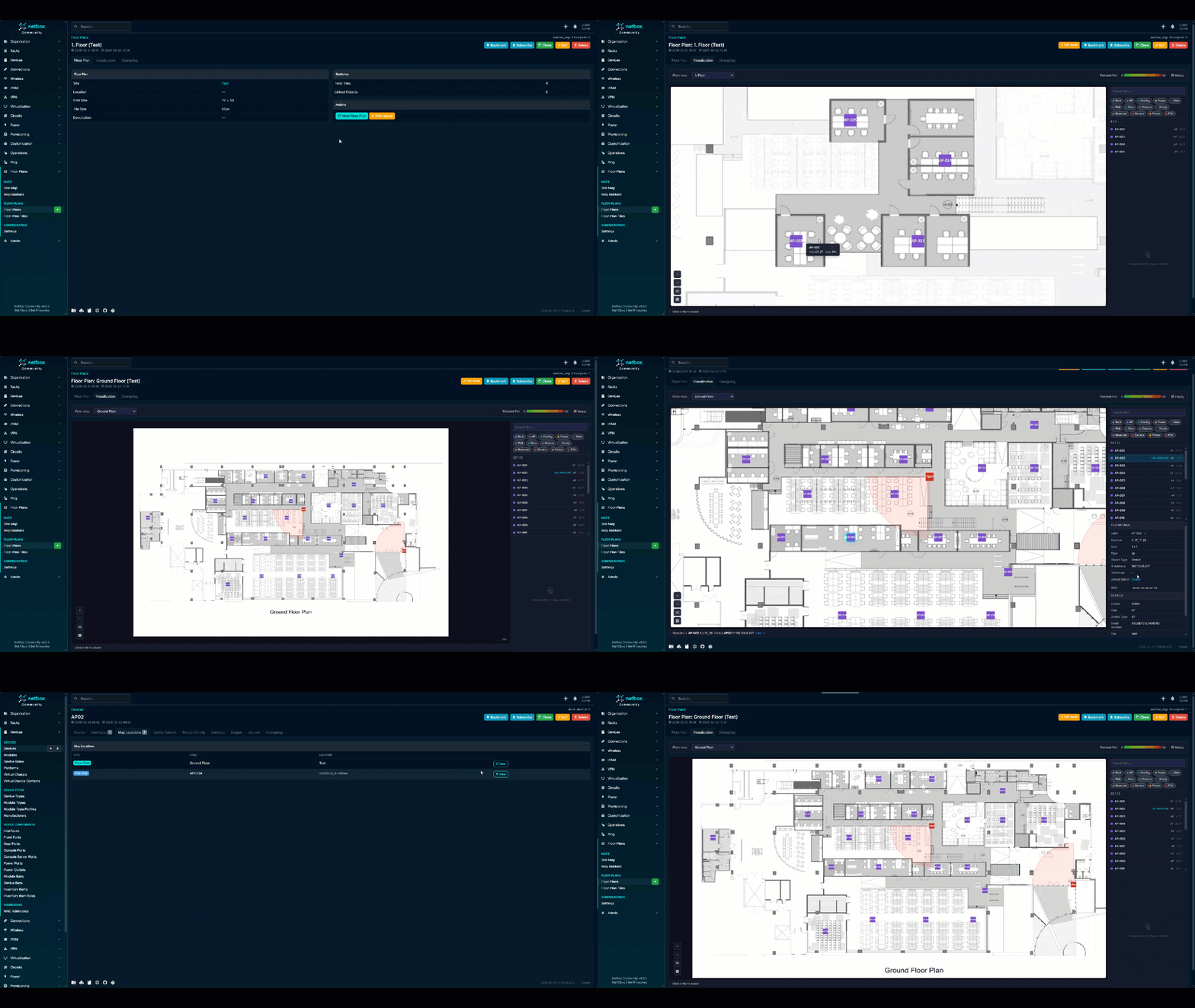
Floor Plans
- Canvas-based editor with drag-and-drop tile placement, pan/zoom, and configurable grids
- 12 tile types -- rack, aisle, wall, column, door, cooling, power, empty, reserved, access point, camera, printer
- Tile orientation (0/90/180/270°) -- text rotates to match, so narrow vertical tiles stay readable
- Link tiles to NetBox objects (racks, devices, power panels, power feeds, ports)
- Background image upload for blueprints or photos
- PDF export with all visible tiles, labels, and FOV cones
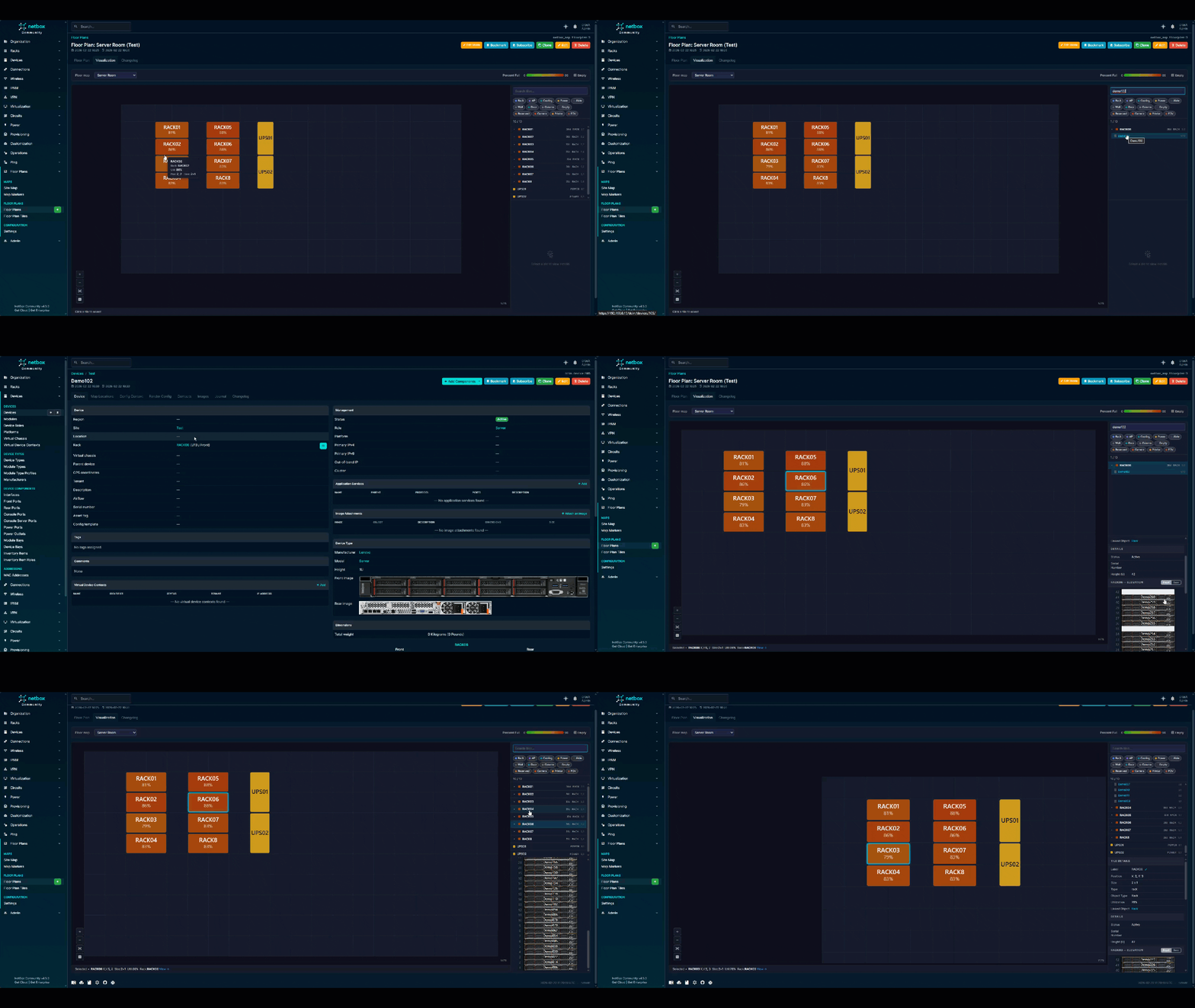
Rack Visualization
- Utilization heatmap -- color gradient from green (0%) to red (90%+) directly on tiles
- Expand racks in the sidebar to see all devices sorted by U-position
- Full rack elevation SVG (front/rear) in the detail panel
- Search across device names and IPs inside racks
Cable Tracing
- Full cable trace for devices, rear ports, and front ports
- Unified traces through patch panels (Server:eth0 → Cable → FrontPort → RearPort → Cable → Switch:Gig1/0/3)
- "Show on map" buttons to zoom to devices that exist on the floor plan
- Rack device traces -- expand a rack, click the cable icon on any device
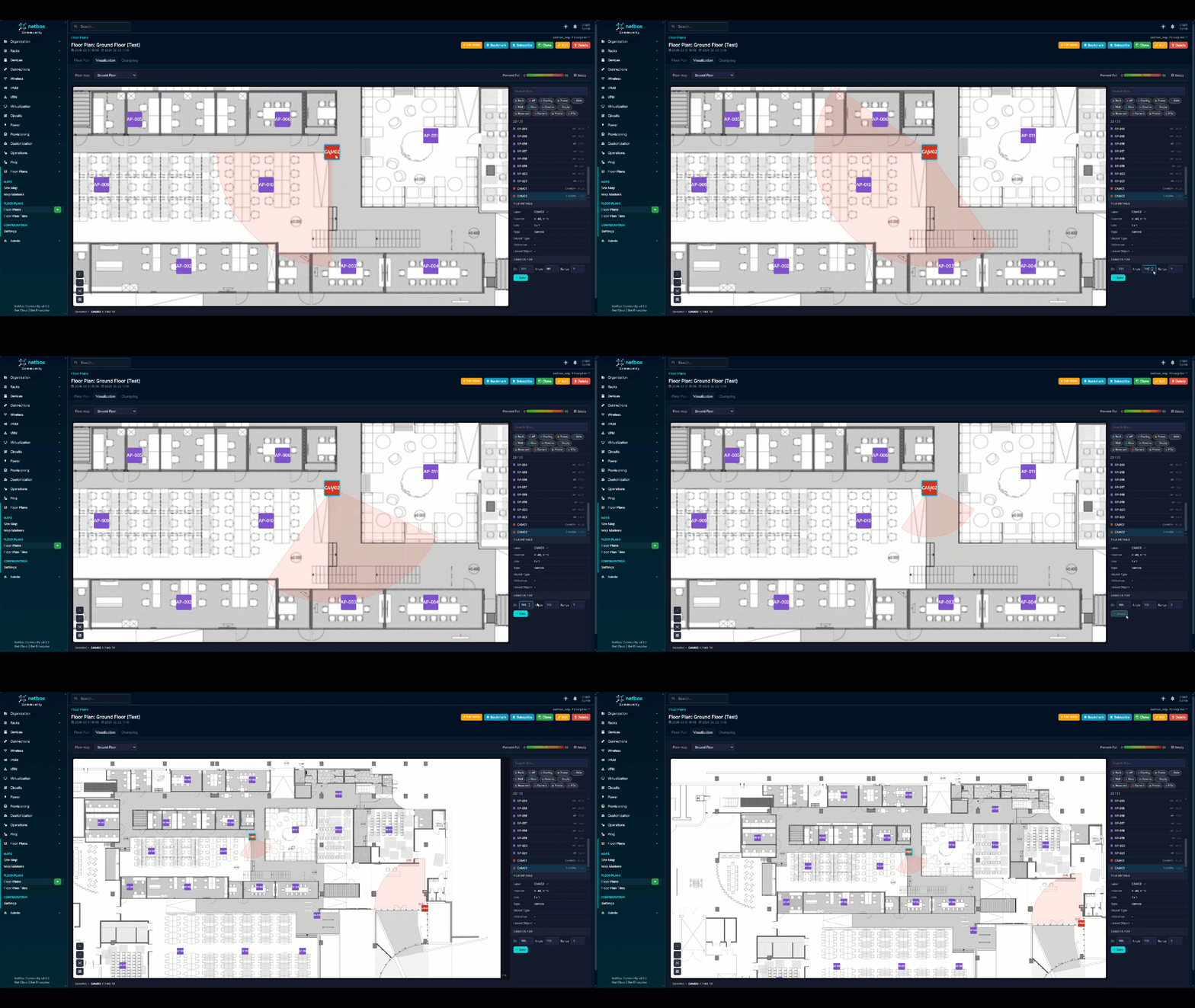
Camera FOV
- Configurable direction (0-360°), angle (10-360°), and distance (1-50 cells)
- Live preview of semi-transparent FOV cones on the canvas
- Toggle all FOV cones on/off
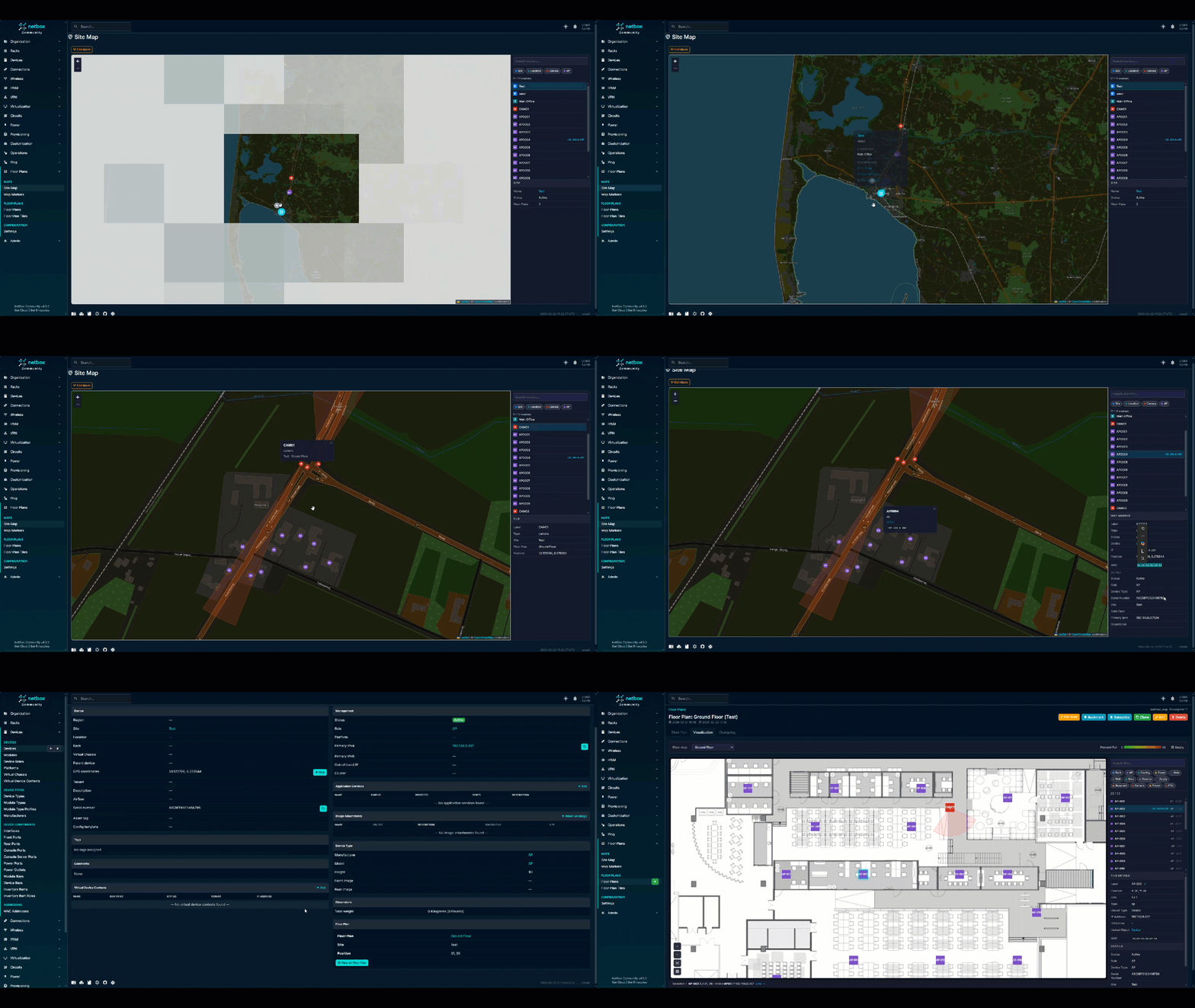
Global Site Map
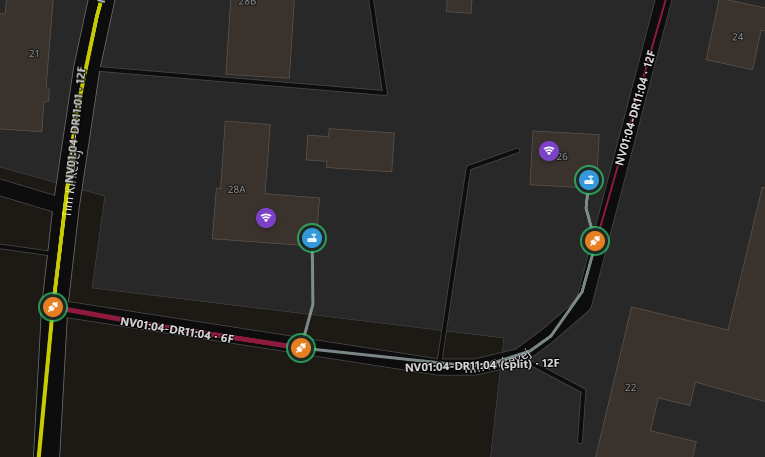
- Leaflet.js geographic map with OpenStreetMap tiles
- Sites, locations, floor plan tiles, and standalone markers on one map
- Edit mode -- place sites, locations, and markers by clicking the map
- Drag to reposition, auto-saves coordinates
- GPS sync -- automatically writes lat/lng to device records when placed on the map
- Early fiber/cable path support (experimental -- expect breaking changes in future releases)
Settings (Web UI)
- Configure detail panel fields per object type from the browser
- Toggle MAC address display, custom fields, GPS sync
- No file editing or restarts needed
Integration
- Site detail page panel with floor plan links
- Device detail page "Map Locations" tab
- Global search indexing for floor plans, tiles, and markers
- Change logging on all models
- REST API with full CRUD, filtering, and search
- Dark mode support
Screenshots
Installation
source /opt/netbox/venv/bin/activate
pip install netbox-map
Or from source:
source /opt/netbox/venv/bin/activate
pip install git+https://github.com/DenDanskeMine/netbox-map.git
Add to configuration.py:
PLUGINS = [
    'netbox_map',
]
Apply migrations and restart:
cd /opt/netbox/netbox
python3 manage.py migrate
python3 manage.py collectstatic --no-input
sudo systemctl restart netbox
GPS Sync
When enabled, placing a device on a map automatically writes lat/lng to the device record. Clearing the tile/marker clears the GPS if no other map references remain.
Maps URL Deep-Linking
Point NetBox's built-in Map button to this plugin instead of Google Maps:
- Go to Admin > Configuration > Miscellaneous
- Set Maps URL to:
https://your-netbox-url/plugins/map/sitemap/?q= - Save
Now clicking the Map button on any Site or Device opens the plugin's site map centered on that location.
REST API
| Endpoint | Description |
|---|---|
/api/plugins/netbox-map/floorplans/ |
Floor plan CRUD |
/api/plugins/netbox-map/floorplan-tiles/ |
Tile CRUD |
/api/plugins/netbox-map/location-coordinates/ |
Location coordinates |
/api/plugins/netbox-map/map-markers/ |
Map marker CRUD |
All endpoints support filtering, pagination, and brief mode.
Requirements
- NetBox 4.5.0+
- Python 3.12+
Development
git clone https://github.com/DenDanskeMine/netbox-map.git
cd netbox-map
pip install -e .
License
Apache License 2.0 -- see LICENSE.
Support
Open an issue on GitHub.
Release history Release notifications | RSS feed


Download files
Download the file for your platform. If you're not sure which to choose, learn more about installing packages.
Source Distribution
Built Distribution
Filter files by name, interpreter, ABI, and platform.
If you're not sure about the file name format, learn more about wheel file names.
Copy a direct link to the current filters
File details
Details for the file netbox_map-0.7.2.tar.gz.
File metadata
- Download URL: netbox_map-0.7.2.tar.gz
- Upload date:
- Size: 279.1 kB
- Tags: Source
- Uploaded using Trusted Publishing? No
- Uploaded via: twine/6.2.0 CPython/3.12.12
File hashes
| Algorithm | Hash digest | |
|---|---|---|
| SHA256 |
d1395beb504a0f21a3e2195a44921c28a978162a70eca51a548e06ce6df4bce5
|
|
| MD5 |
5dd2e898857bcb74bb25232d0562a6ae
|
|
| BLAKE2b-256 |
a21a71ab4fa8d41b8e51177fc41aacadafac5f215391053e9eddfa6f3ec64ac9
|
File details
Details for the file netbox_map-0.7.2-py3-none-any.whl.
File metadata
- Download URL: netbox_map-0.7.2-py3-none-any.whl
- Upload date:
- Size: 303.8 kB
- Tags: Python 3
- Uploaded using Trusted Publishing? No
- Uploaded via: twine/6.2.0 CPython/3.12.12
File hashes
| Algorithm | Hash digest | |
|---|---|---|
| SHA256 |
af0be826e78a9418f3445d0af550ed58ea7ad506348789bb46605febda546fd2
|
|
| MD5 |
8f51a3ed393e5bb8e7f02eb649faa642
|
|
| BLAKE2b-256 |
2d05df4e08adfb78ce7751bc362308405a9bc029b4bafb945476009410818568
|






