
NeuroFly: A framework for single neuron reconstruction at whole-brain scale
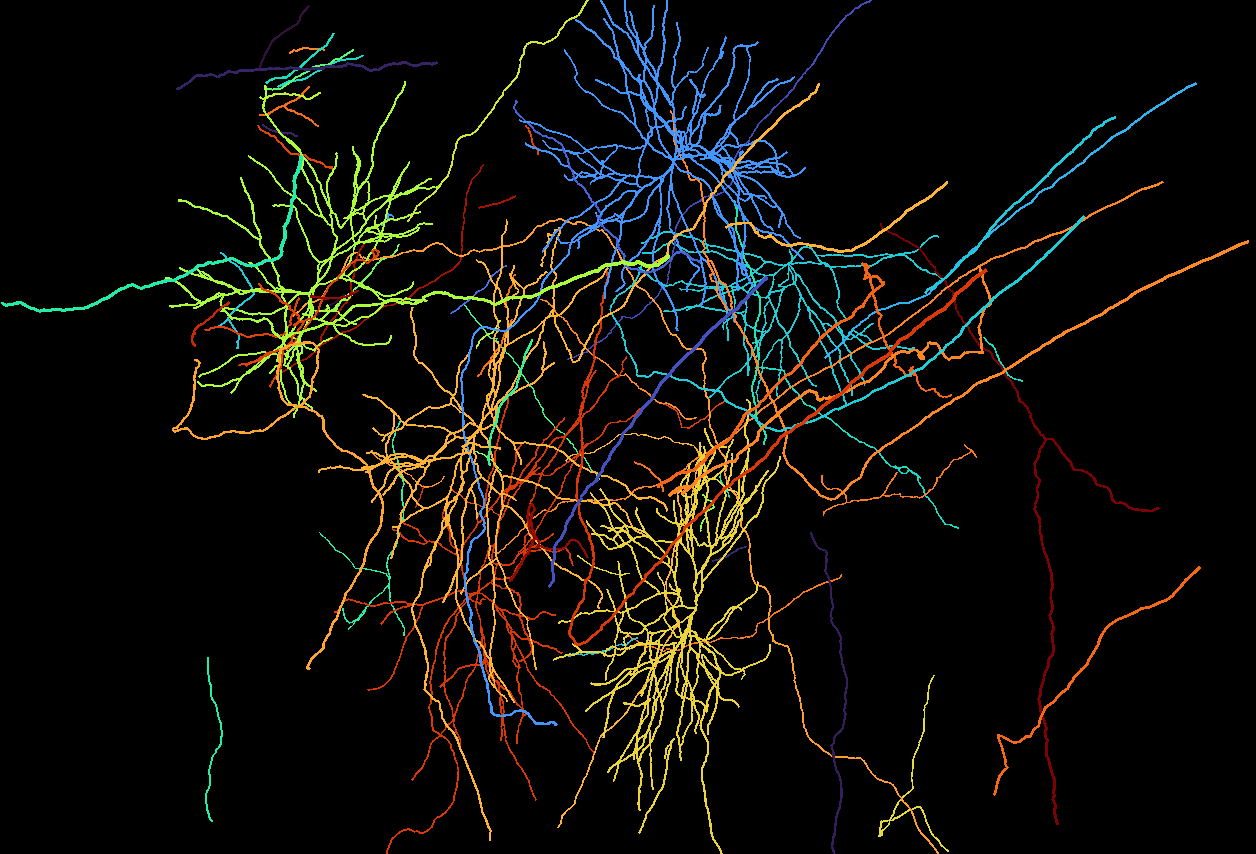
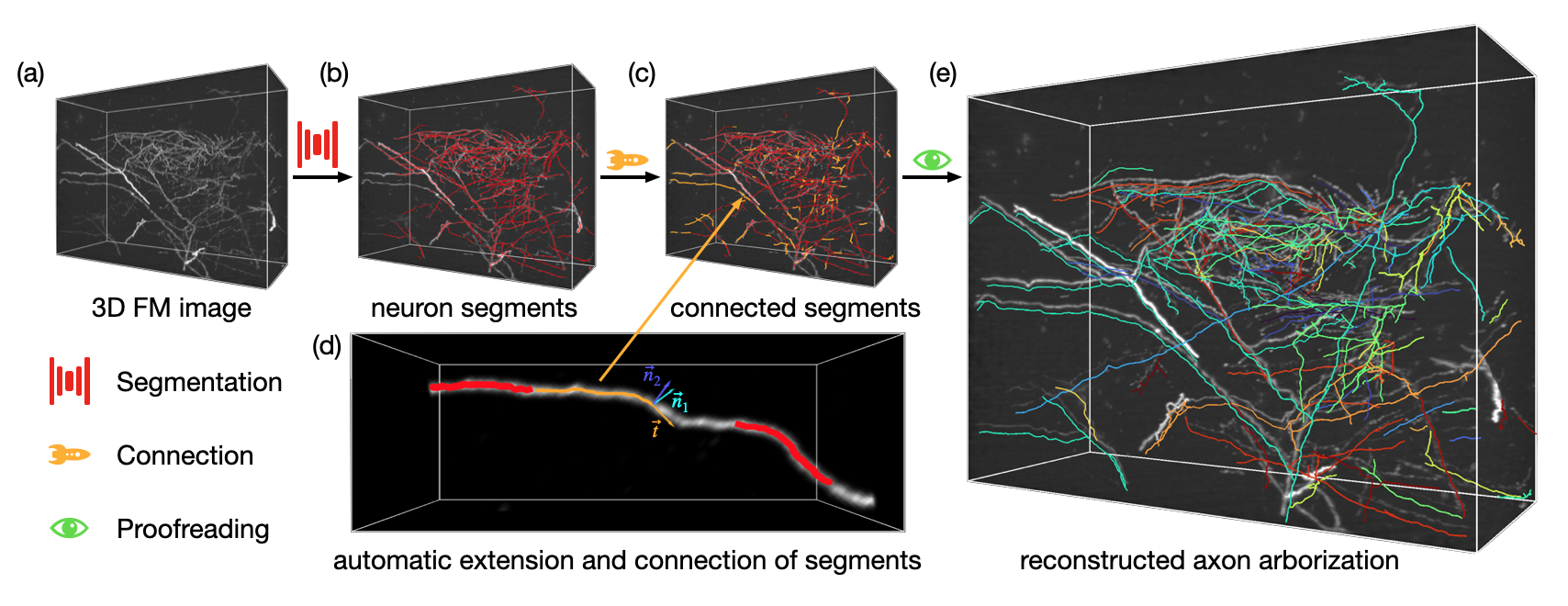
This package provides tools for semi-automatic neuron reconstruction. Features based on deep learning, like image segmentation and deconvolution are implemented in tinygrad, which can run on almost any GPU (NVIDIA, AMD, Apple, Qualcomm, Intel).
Update
Our transformer-based autonomous driving model is available now!
Press shortcut 'd' to automatically extend segments.
Installation
Install the latest version
pip install --upgrade git+https://github.com/beanli161514/neurofly.git
or
pip install neurofly
You can also install from napari hub, using their plugin manager with GUI.
Dataset
We provide several expert-proofread reconstruction results for testing, model training, and evaluation. Zenodo Link
Content of samples
| name | size | species | label type | imaging |
|---|---|---|---|---|
| rm009_labeled | 629MB | macaque | skeleton | VISoR |
| mouse_labeled | 260MB | mouse | skeleton | VISoR |
| z002_labeled | 204MB | mouse | skeleton | VISoR |
| fmost_labeled | 370MB | mouse | skeleton | fMOST |
| RM009_noisy_1 | 65MB | macaque | morphology | VISoR |
| RM009_noisy_2 | 65MB | macaque | morphology | VISoR |
| fmost_test | 65MB | mouse | morphology | fMOST |
| z002_dendrites | 768MB | mouse | morphology | VISoR |
| RM009_arbor_1 | 288MB | macaque | morphology | VISoR |
| RM009_axons_1 | 600MB | macaque | morphology | VISoR |
| RM009_axons_2 | 600MB | macaque | morphology | VISoR |
| z002 | 8.92G | mouse | morphology* | VISoR |
$*$ annotation in progress
Label format
Morphology labels are graphs saved in SQLite database with 3 tables:
| segments | nodes | edges |
|---|---|---|
| sid | nid | src |
| points | coord | des |
| sampled_points | creator | date |
| status | creator | |
| type | ||
| date | ||
| checked |
Segments are results of the segmentation stage, they are used to generate initial nodes and edges.
Basic usage example
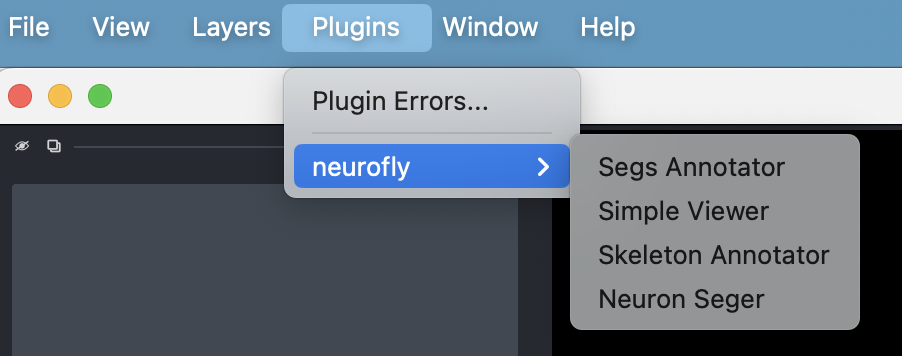
NeuroFly packaged 4 napari plugins for image browsing, image segmentation, and data annotation.
Segmentation
NeuroFly supports whole brain image saved in hierarchical data structures(ims, h5, and zarr) in Imaris File Format and small image volumes saved in single-channel tiff format. Here we use a mouse brain in our dataset named z002.zarr.zip as example.
This brain is sparsely labeled, which means only a tiny puny part of neurons are lighted and imaged. To extract these foreground singals, you can use the provided command line interface 'seg'. We provide a default weight trained on images captured by VISoR and fMOST.
seg -i z002.zarr.zip -vis -d z002.db
or use the graphical interface
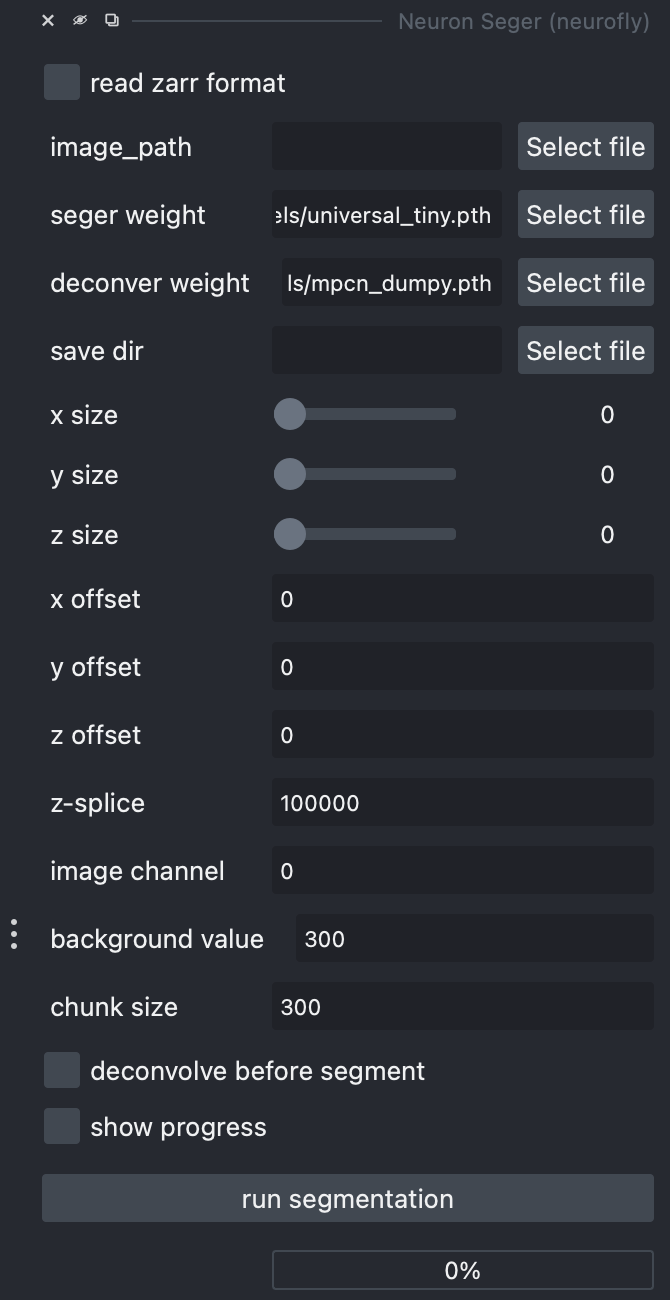
This process may take about 10 hours depending on your you hardware configuration. When finished, you should see the extracted segments and a database file named z002.db in your working dictionary.
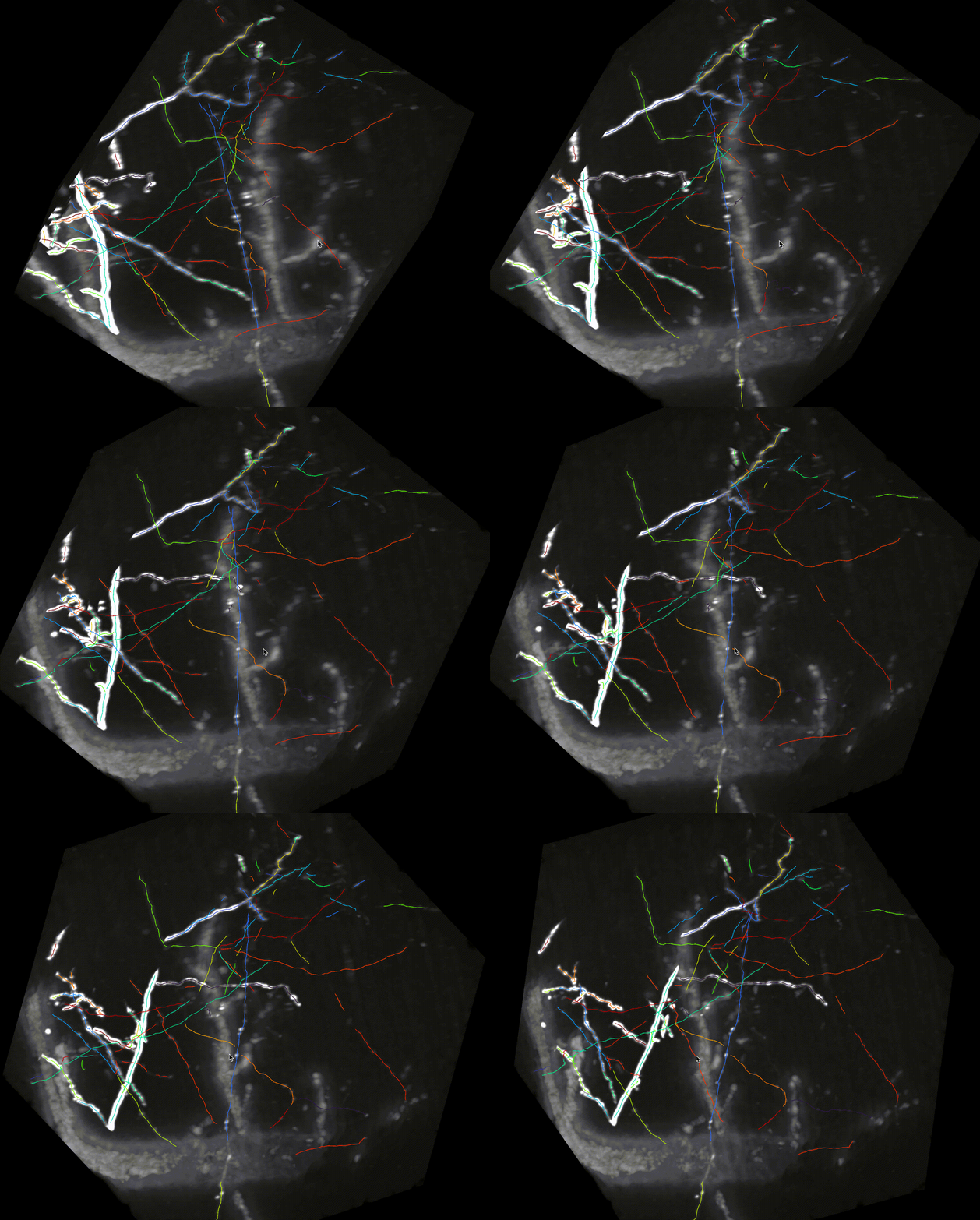
An image block with severe contamination and the segmentation result
Manual connection and proofreading
Launch annotation tool from napari menu, Plugin -> neurofly -> Segs Annotator
Load data
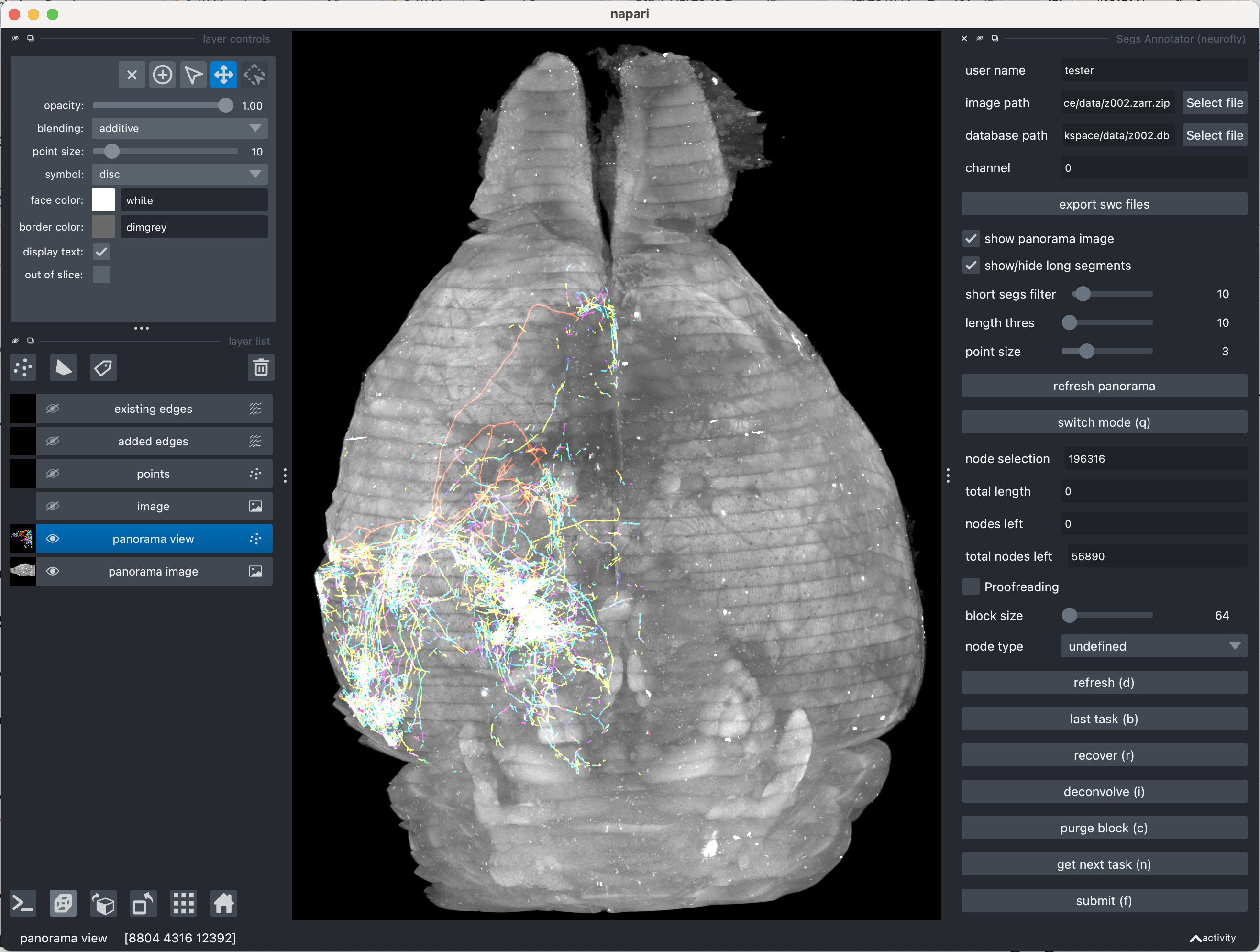
Load image file (z002.zarr.zip) and database file (z002.db), then click refresh panorama button to show the panorama view.
Select one node as start point of annotation
In panorama mode, you can easily identify sparse, bright signals that are promising for reconstruction. The silde bars 'short segs filter', 'length thres', and 'point size' can be adjusted to hide noise and short segments.
If you can clearly identify foreground segments, click on one of the conspicuous segments to select it as start point of annotation. Once selected, the id of picked node will be displayed at node selection. Then click 'switch mode' to switch to labeling mode, and the tasks will be generated automatically.
Task generation
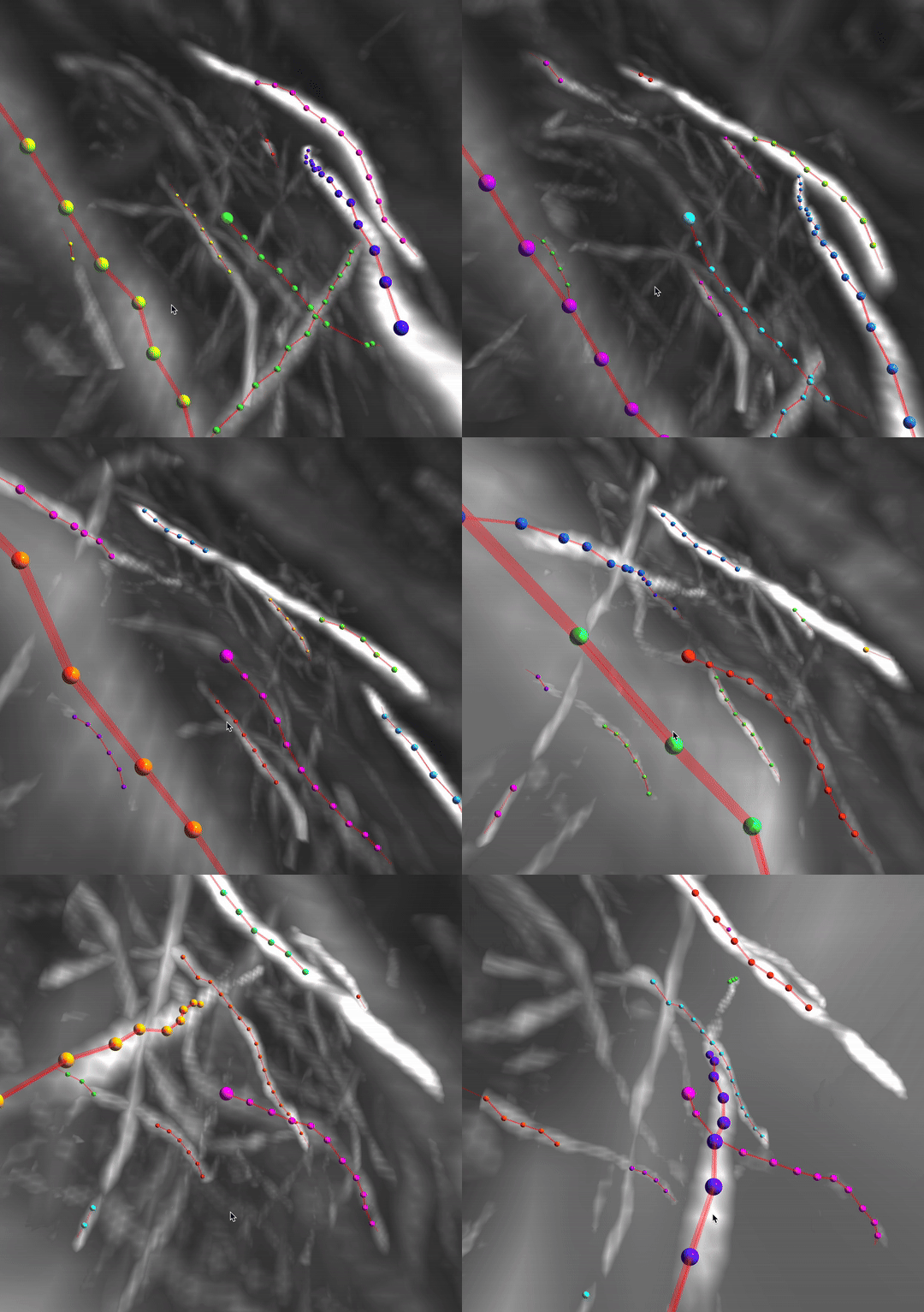
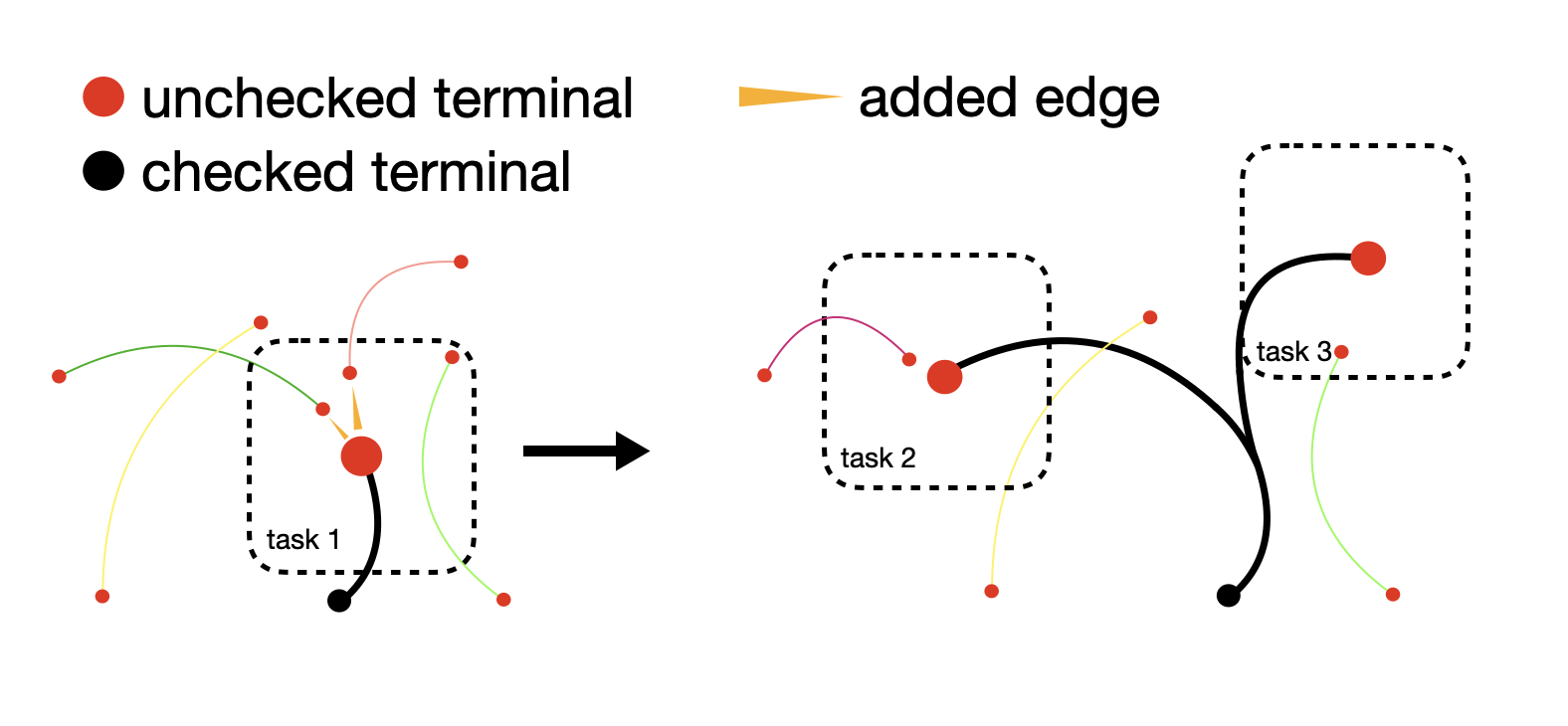
Given a selected node, task generator analyses its connected component and extract all unchecked terminal nodes. The tasks are designed very simple: Connect the center node with the surrounding nodes if there should be an edge. The criterion is whether the edge aligns well with the imaged neuron fibers.
Node operations
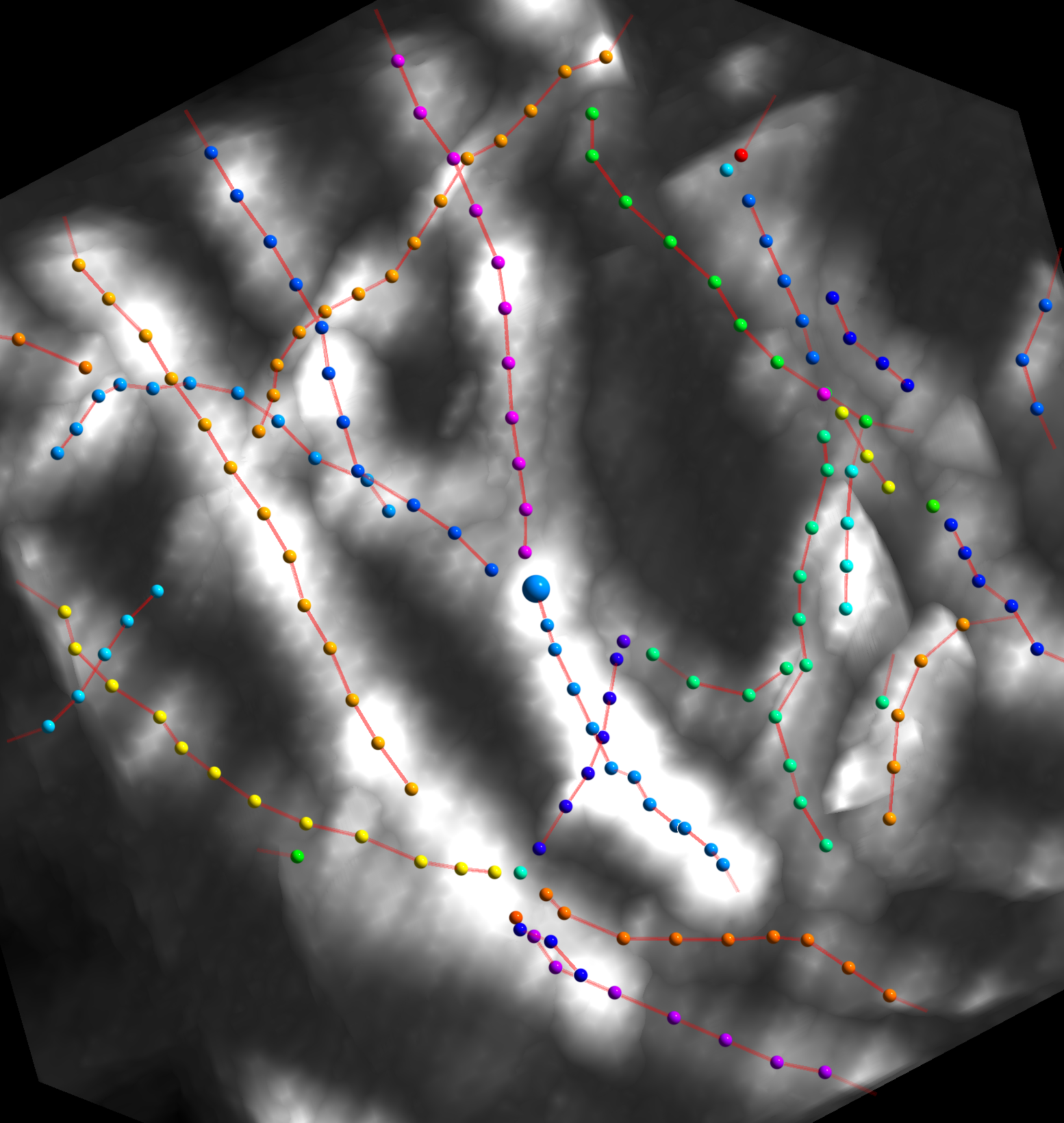
In each task, a center node and nearby segments are rendered, you can add/remove nodes and edges to get a reasonable local structure.
Left click on nodes to add/remove an edge between it and the center node
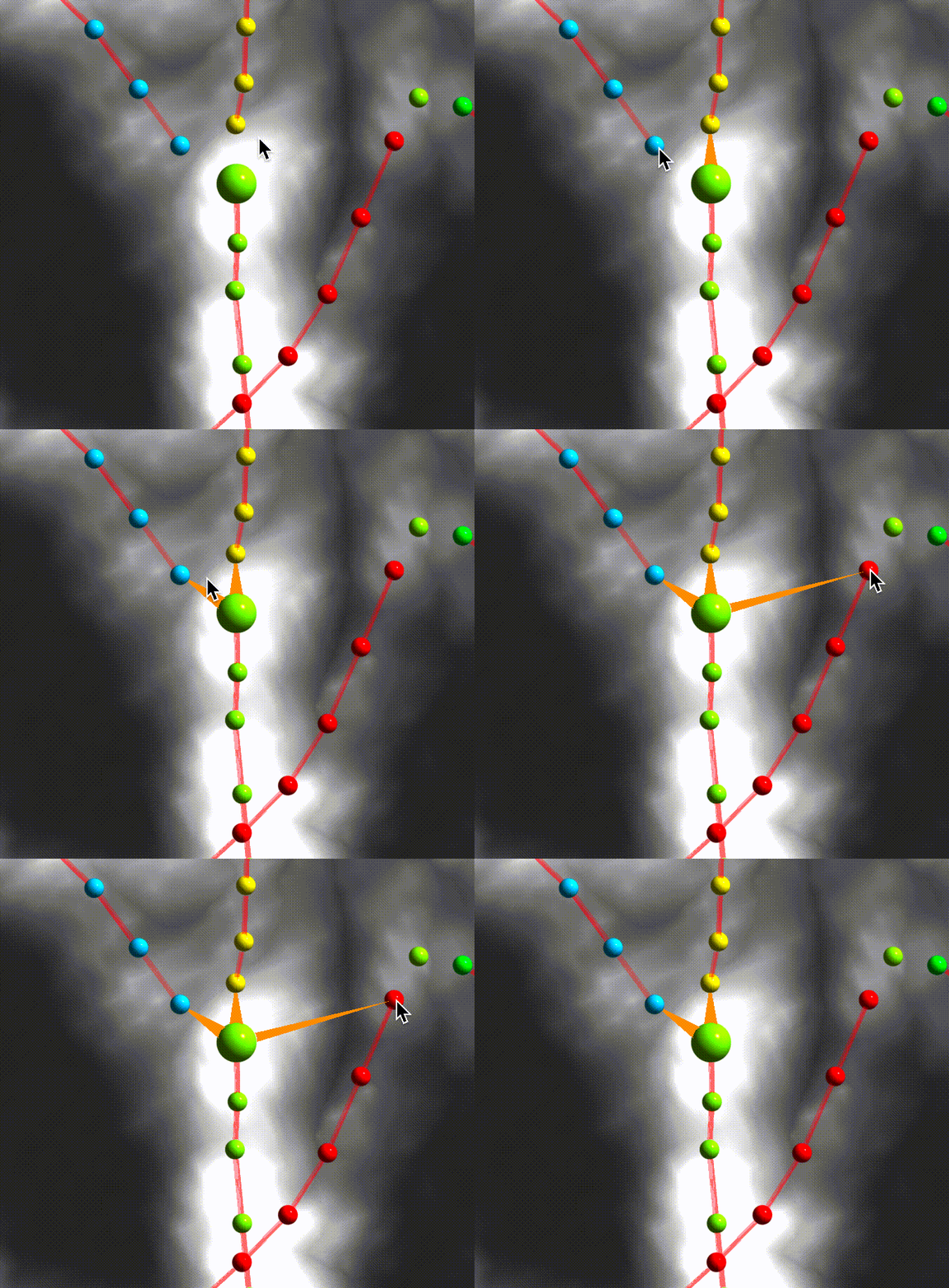
Right click to remove a node
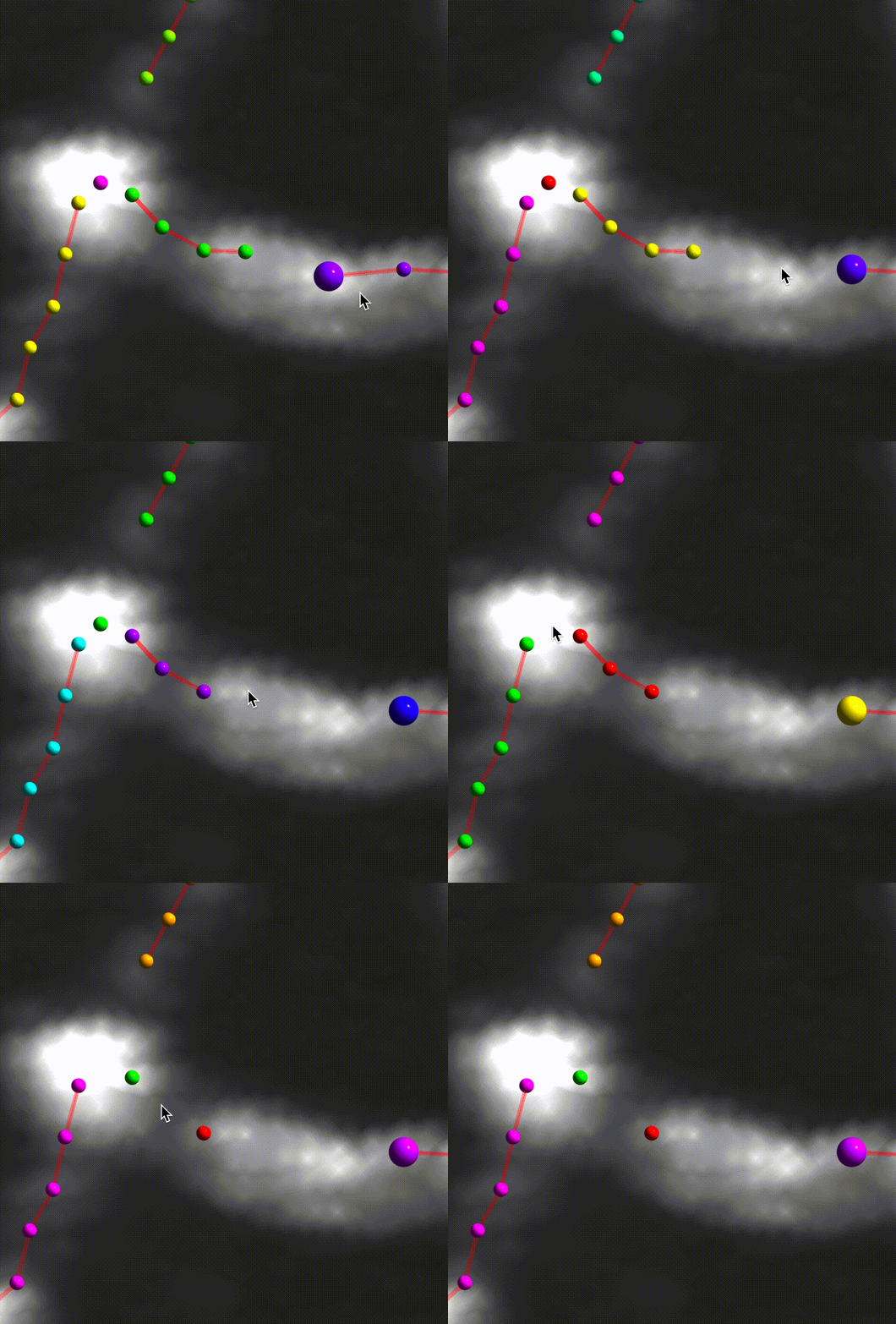
Press 'g' or use left panel to switch to 'image' layer, then right click to add points
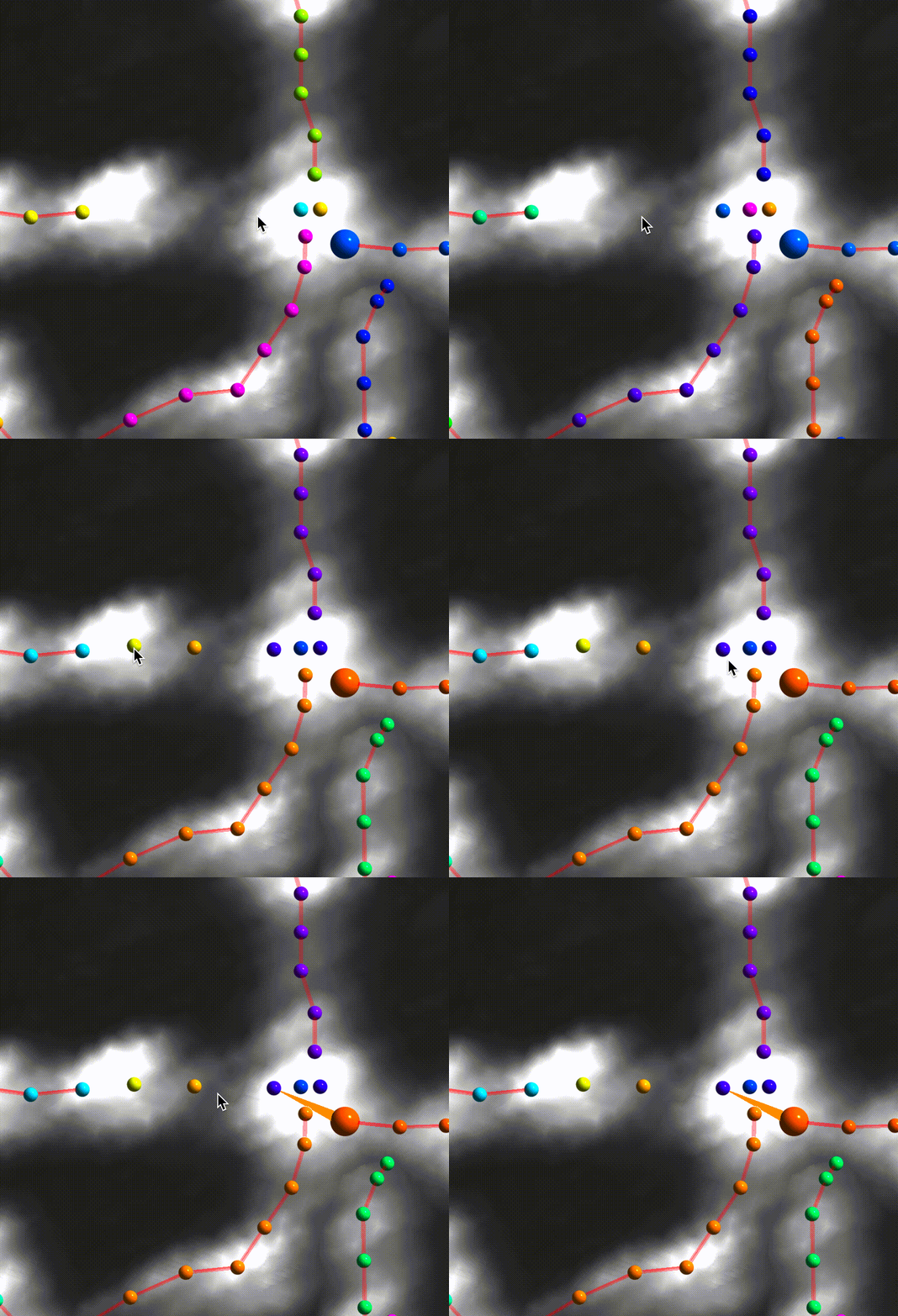
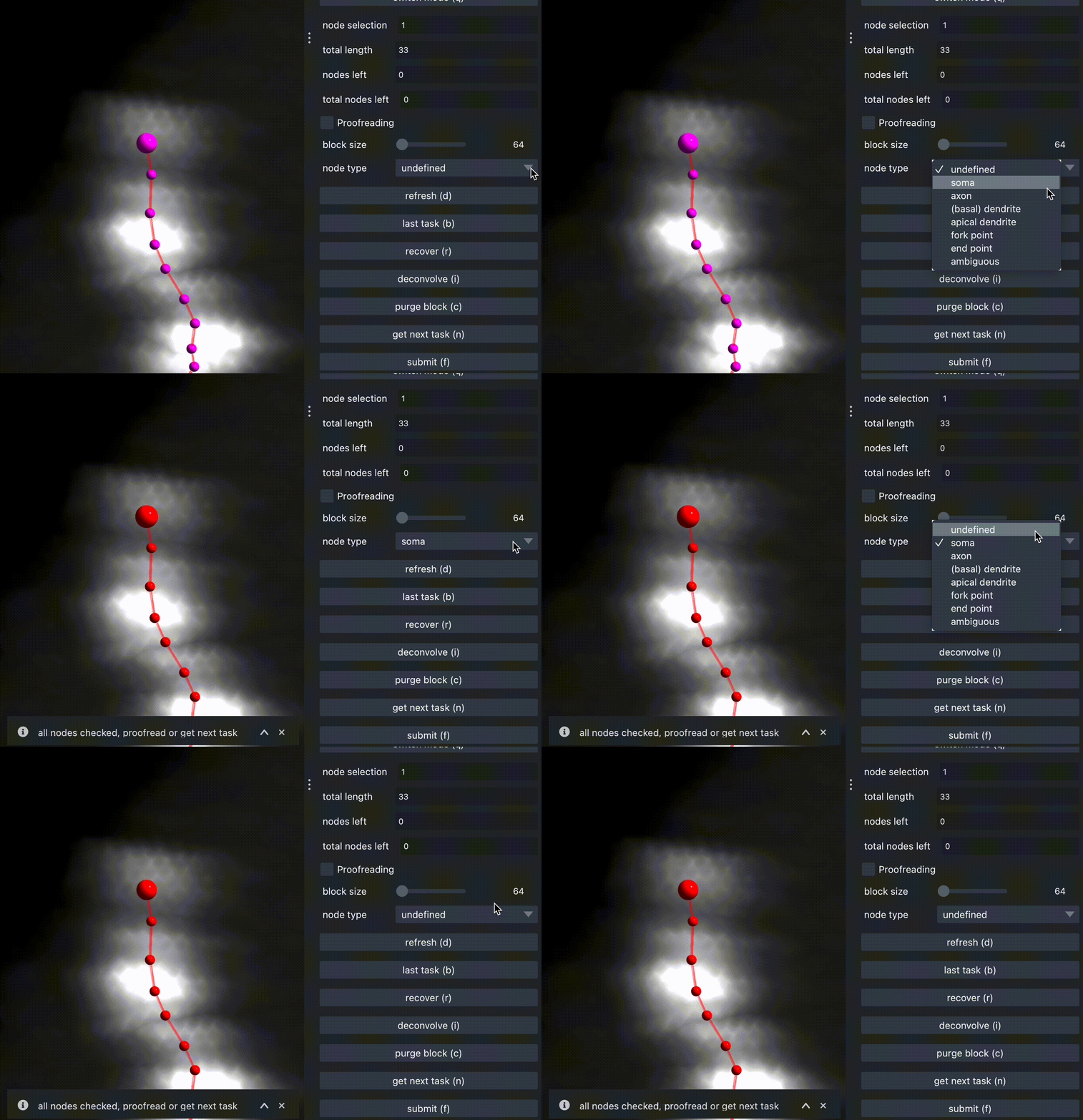
Use dropdown selection in right panel to add type label for center node.
Deconvolution
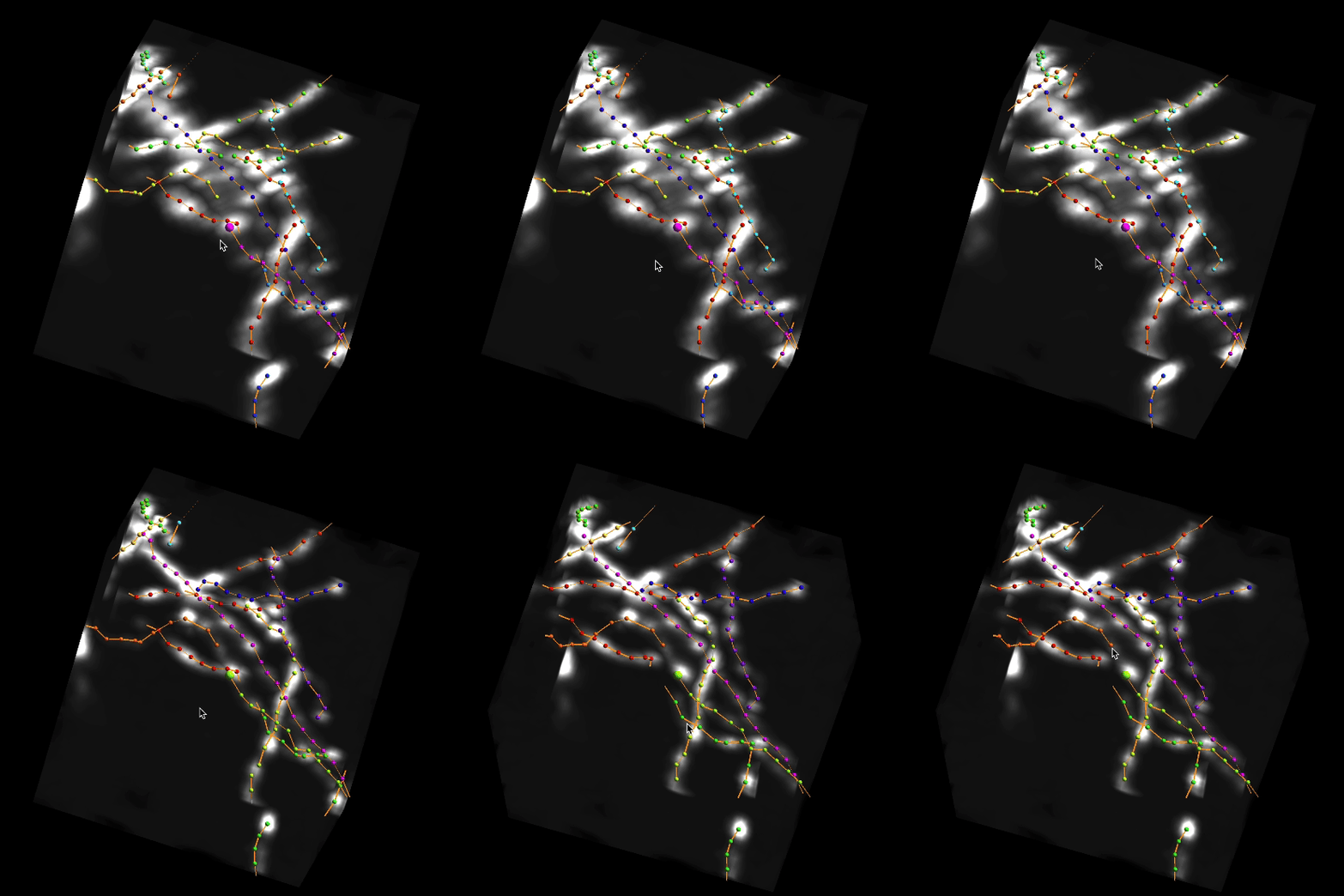
Press 'i' or click on 'deconvolution' to deconvolve the image
Proofreading
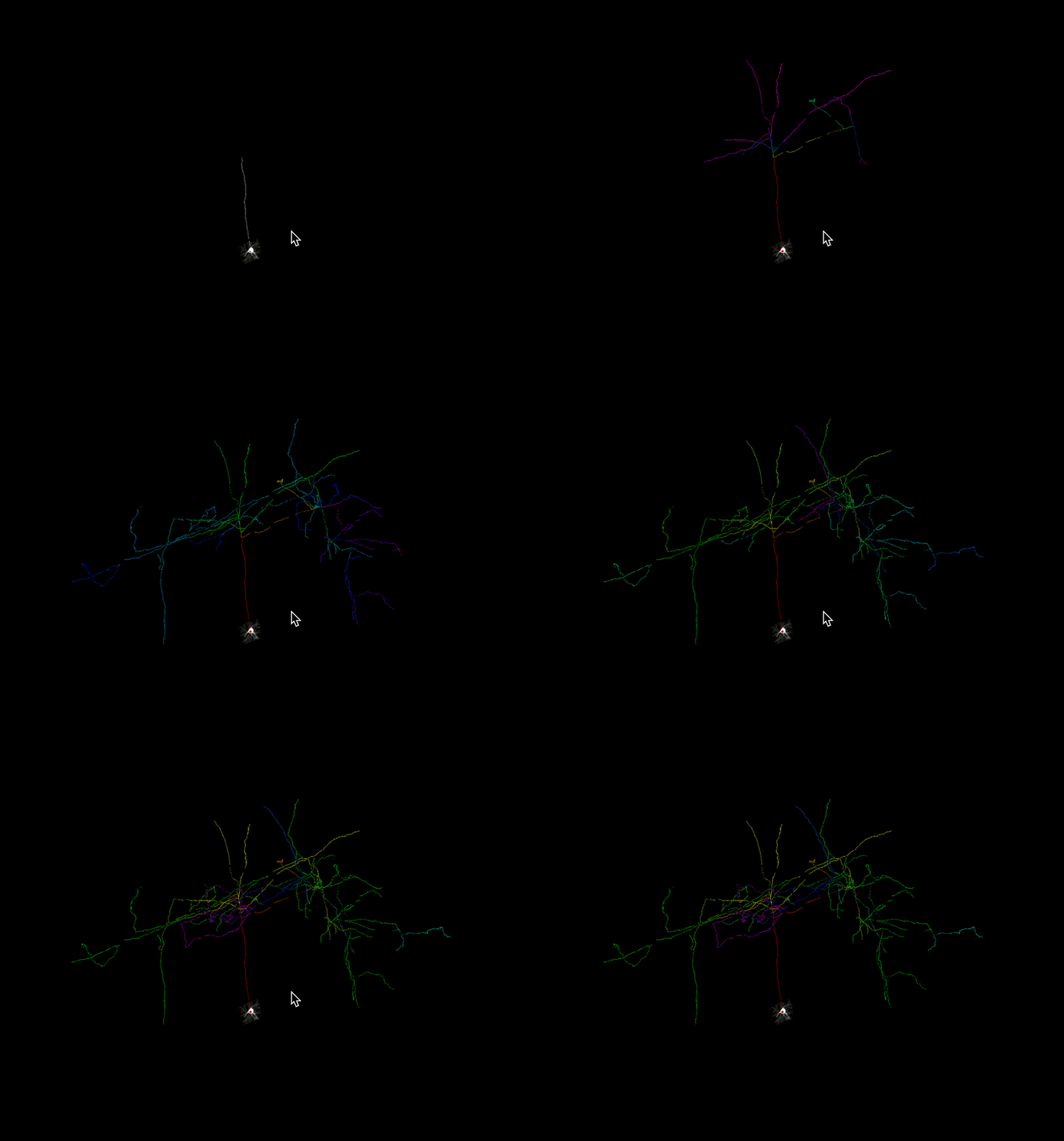
If you find something wrong when labeling, for example, two somas are connected together. You can use proofreading mode to check the neuron branch by branch.
Performance
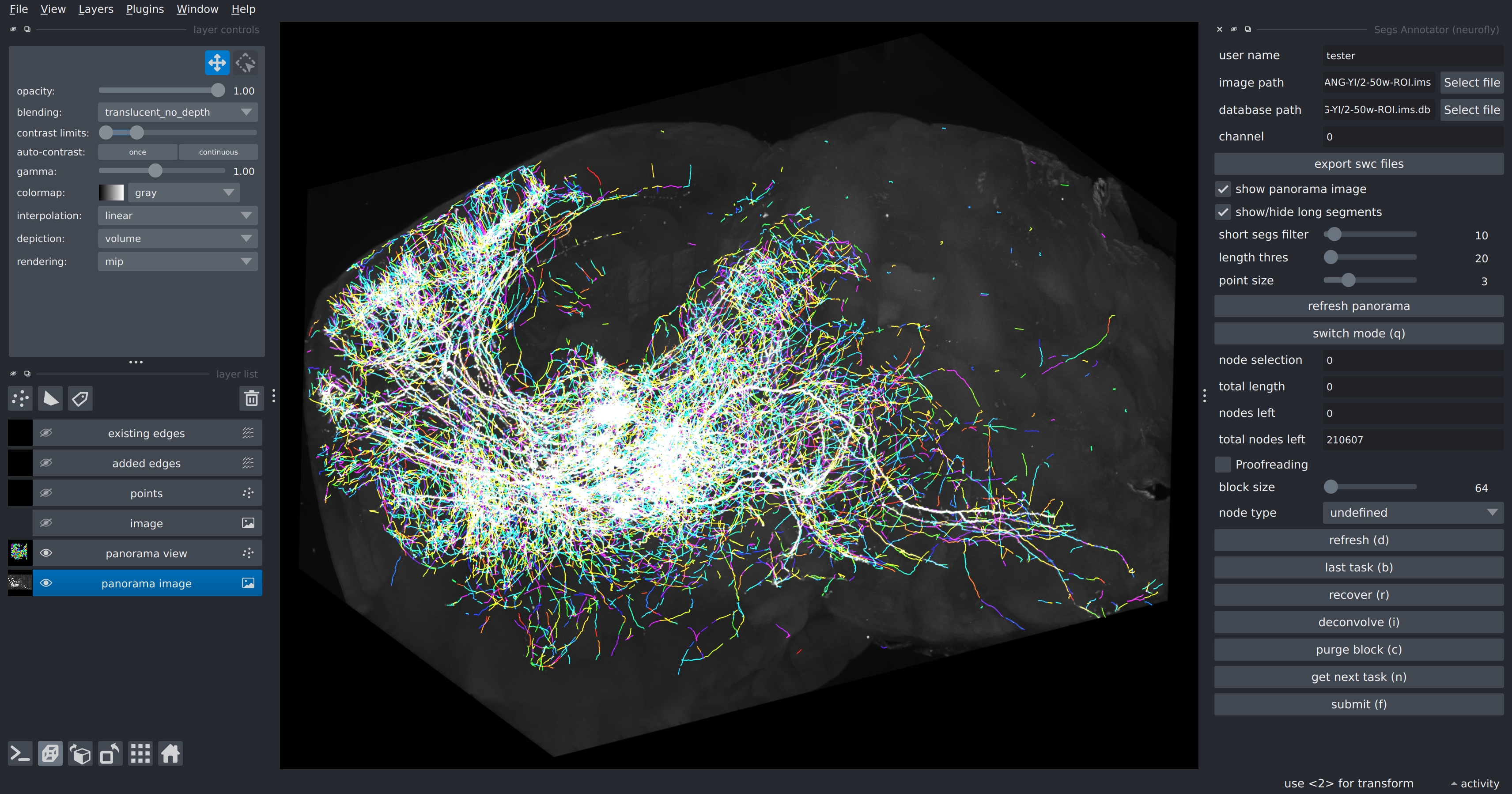
NeuroFly supports rendering of more than ten million points. (tested on M3 Macbook Air and RTX 3090 workstation)
Export as swc file
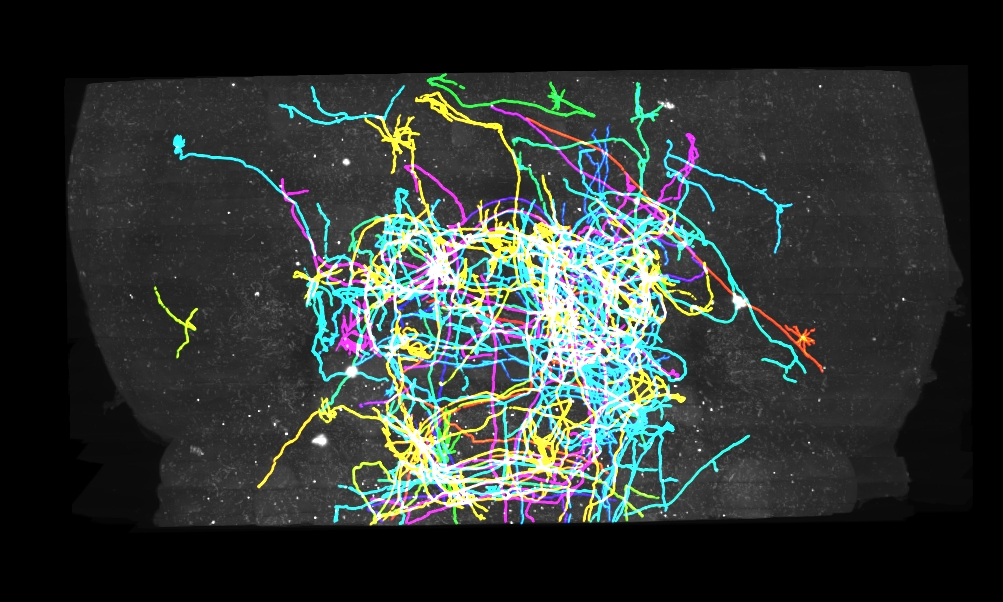
Switch to panorama mode, adjust 'length_thres' to filter out short segments and keep only complete neurons. Then press 'export swc files', each neuron will be saved as one .swc file in your working dictionary.
1 maintainer

Metadata
1 maintainer
Release files for neurofly 0.1.4
For a detailed explanation of source distributions (sdists) and built distributions (wheels), please see the package formats documentation.
Source distribution (sdist)
| File | Size | Uploaded | Provenance | Actions |
|---|---|---|---|---|
| neurofly-0.1.4.tar.gz | 43.8 MB | Without provenance | Details for neurofly-0.1.4.tar.gz |
Built distribution (wheel)
| File | Interpreter | ABI | Platform | Actions Reset |
|---|---|---|---|---|
| neurofly-0.1.4-py3-none-any.whl | Python 3 | none | any | Details for neurofly-0.1.4-py3-none-any.whl |
Total release size: 87.7 MB
Release files / neurofly-0.1.4.tar.gz
| Download URL | neurofly-0.1.4.tar.gz |
|---|---|
| Size | 43.8 MB |
| Tags | Source |
|
SHA-256 checksum How to use checksums |
562efb05255b07c881b6428a47e3026a246aae02ce4fb0d26381f6db3d7e042b
|
|
BLAKE2b-256 checksum How to use checksums |
25dac5a5956fe339a5f5bc42d1ceb77f56e683ca79768592d8fb7e95d806cf6a
|
| Upload date | |
|
Uploaded using Trusted Publishing? What is trusted publishing? |
No |
| Uploaded via |
twine/6.1.0 CPython/3.9.21
|
Release files / neurofly-0.1.4-py3-none-any.whl
| Download URL | neurofly-0.1.4-py3-none-any.whl |
|---|---|
| Size | 43.8 MB |
| Tags | Python 3 |
|
SHA-256 checksum How to use checksums |
01630a1c47b6b0a067acfb8d02339a59f54c0a409f532b0c0ee598330f4dea6e
|
|
BLAKE2b-256 checksum How to use checksums |
763e4b3096bd8bb6e47afd4626713c36fdb1134b98d3235036cac3950cc89d41
|
| Upload date | |
|
Uploaded using Trusted Publishing? What is trusted publishing? |
No |
| Uploaded via |
twine/6.1.0 CPython/3.9.21
|
Security for neurofly 0.1.4
Provenance
Provenance describes where a file came from. On PyPI, provenance is shared via attestations, which provide a verifiable record of the build or publishing details. View details, limitations and caveats.
No provenance found
None of the files in this release were uploaded with provenance metadata.
A note on package security
PyPI is a repository for distributing packages, not a service for auditing them. While third-party security researchers and our staff do their best to detect and remove malicious packages, PyPI cannot guarantee the quality, security or suitability of any given package.
To learn more about protecting yourself from malicious actors, visit our package security documentation.














