
Nexify


Documentation: https://nexify.junah.dev
Source Code: https://github.com/junah201/nexify
Nexify is a lightweight web framework for building APIs on AWS Lambda's Python runtime based on standard Python type hints.
The key features are:
- 🚀 Automatic Parsing: Automatically parses AWS Lambda's Event and Context objects.
- 🔍 Data Validation: Validate user's request and response using Pydantic.
- 📜 OpenAPI Documentation: Generates API documentation with Swagger UI and ReDoc.
- ☁️ Deployment Automation: Deploy AWS Lambda and related infrastructure with a simple command.
Requirements
Nexify requires the following libraries:
- Pydantic for data validation and OpenAPI documentation.
- Boto3 for AWS deployment. (Only required in local development, not in production.)
Installation
First, set up a virtual environment, then install Nexify:
$ pip install "nexify[cli]"

---> 100%
Note: Some terminal environments require quoting "nexify[cli]" for correct installation.
Usage
Creating a Project
$ nexify init
Enter the project name: myapp
🎉 Project myapp created at 'C:\Users\junah\Desktop\myapp'
$ cd myapp
Running nexify init command generates a main.py file, a nexify.json configuration file, and etc.
- Example
main.py:
from typing import Annotated

from nexify import Body, Nexify, Path, Query, status
from pydantic import BaseModel, Field

app = Nexify(title="My Nexify API", version="0.1.0")


class Item(BaseModel):
    id: str
    name: str
    price: Annotated[int, Field(ge=0)]


@app.get("/items")
def read_items(limit: Annotated[int, Query(default=10)]) -> list[Item]:
    return [Item(id=f"{i + 1}", name=f"Item {i}", price=i * 10) for i in range(limit)]


@app.post("/items", status_code=status.HTTP_204_NO_CONTENT)
def create_item(item: Annotated[Item, Body()]): ...


@app.get("/items/{item_id}")
def read_item(item_id: Annotated[str, Path(min_length=2, max_length=8)]) -> Item:
    return Item(id=item_id, name="Foo", price=42)
- Example
nexify.json:
{
  "service": "myapp",
  "provider": {
    "name": "aws",
    "runtime": "python3.10",
    "region": "ap-northeast-2",
    "profile": "default",
    "logRetentionInDays": 14,
    "architecture": "x86_64",
    "memorySize": 128,
    "timeout": 10,
    "stage": "prod",
    "environment": { "YOUR_CUSTOM_ENV": "${env:YOUR_CUSTOM_ENV}" },
    "iamRoleStatements": [
      { "Effect": "Allow", "Action": ["s3:*"], "Resource": "*" }
    ]
  },
  "package": {
    "include": ["main.py"],
    "exclude": [".venv/**", ".git/**", ".gitignore"],
    "pipCmdExtraArgs": [""]
  },
  "resources": {
    "Resources": {
      "APIGatewayRestAPI": {
        "Type": "AWS::ApiGateway::RestApi",
        "Properties": {
          "Name": "myapp-API",
          "EndpointConfiguration": { "Types": ["EDGE"] },
          "Policy": "",
          "Description": "API for myapp"
        }
      }
    }
  }
}
Deploying
$ nexify deploy
✔ App imported successfully!
✔ Config loaded successfully!
✔ App analyzed successfully!
✔ Requirements installed successfully!
✔ Lambda functions packaged successfully!
✔ Basic stack created successfully!
✔ Template created successfully!
✔ Stack updated successfully!

🎉 Deployment successful!

Endpoints:
    - GET   https://apigatewayid.execute-api.ap-northeast-2.amazonaws.com/prod/items
    - POST  https://apigatewayid.execute-api.ap-northeast-2.amazonaws.com/prod/items
    - GET   https://apigatewayid.execute-api.ap-northeast-2.amazonaws.com/prod/items/{item_id}


Functions:
    - read_items
    - create_item
    - read_item
Once deployment is complete, API endpoints are generated.
Checking the API
Open the following URL in a browser to check the API response:
https://apigatewayid.execute-api.ap-northeast-2.amazonaws.com/prod/items/12
Note: Use the URL displayed after executing nexify deploy command.
Response example:
{"id":"12","name":"Foo","price":42}
Congratulations 🎉 You have already created an API.
- The
/itemsand/items/{item_id}endpoints can now receive HTTP requests. - The
/itemsendpoint handlesGETandPOSTrequests, while/items/{item_id}handlesGETrequests. - The
/itemsendpoint has aintquery parameterlimitwith a default value of10. - The
/items/{item_id}endpoint has astrpath parameteritem_idwith a length constraint between2and8characters.
Nexify uses Pydantic internally to validate the input and output data.
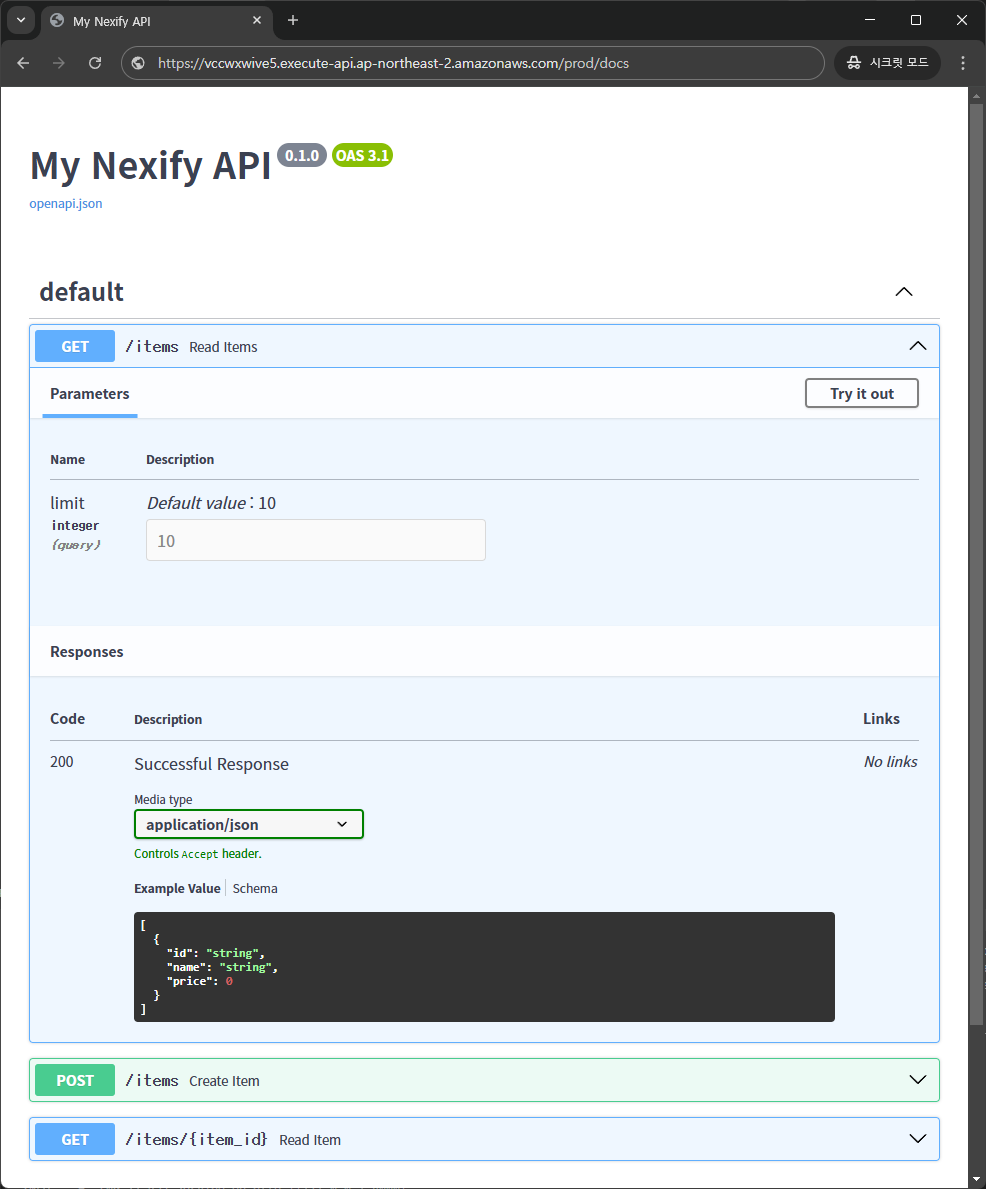
Swagger UI
Now go to https://apigatewayid.execute-api.ap-northeast-2.amazonaws.com/prod/docs.
Note: Please use the output URL after running the nexify deploy command.
You will see the automatic interactive API documentation (provided by Swagger UI):
ReDoc
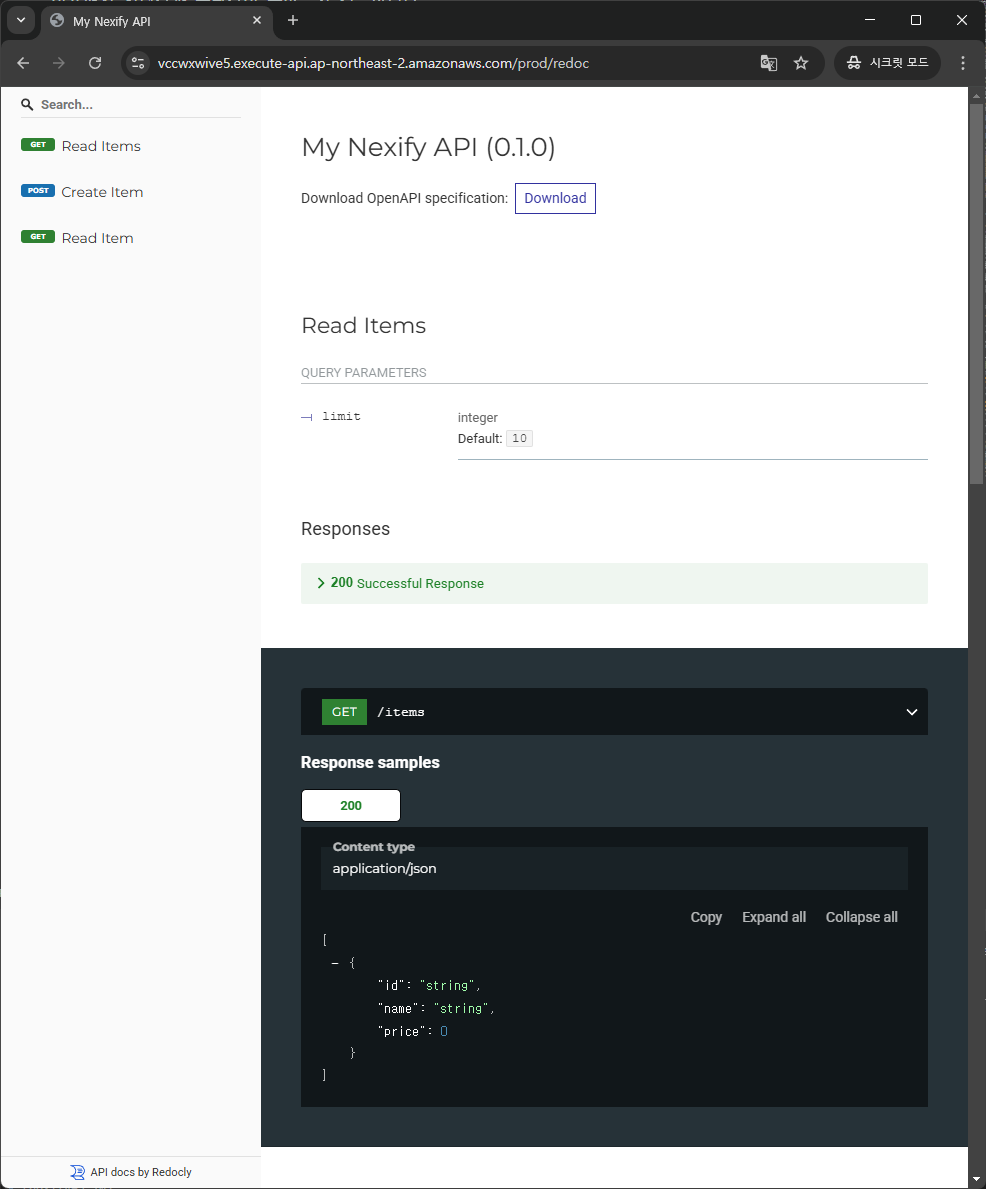
And now, go to https://apigatewayid.execute-api.ap-northeast-2.amazonaws.com/prod/redoc.
Note: Please use the output URL after running the nexify deploy command.
You will see the automatic interactive API documentation (provided by ReDoc):
Summary
With Nexify, you can easily develop APIs on AWS Lambda using standard Python type hints.
- 🔍 Data Validation: Uses Pydantic for input and response validation.
- Automatically generates clear errors for invalid data.
- Supports validation for nested JSON objects.
- 📦 Automatic Parsing: Extracts body, pathParameters, queryStringParameters, and more from the Event object.
- 🔄 Response Conversion: Supports conversion of standard Python types (str, int, float, bool, list) as well as datetime, UUID, dataclass, and more.
- 📜 OpenAPI Documentation: Supports Swagger UI and ReDoc.
- ☁️ Deployment Automation: Deploy AWS Lambda with a single nexify deploy command.
License
This project is licensed under the terms of the MIT license.
1 maintainer

Release files for nexify 0.7.3
For a detailed explanation of source distributions (sdists) and built distributions (wheels), please see the package formats documentation.
Source distribution (sdist)
| File | Size | Uploaded | |
|---|---|---|---|
| nexify-0.7.3.tar.gz | 59.8 kB | Details |
Built distribution (wheel)
| File | Interpreter | ABI | Platform | Reset |
|---|---|---|---|---|
| nexify-0.7.3-py3-none-any.whl | Python 3 | none | any | Details |
Total release size: 112.5 kB
Release files / nexify-0.7.3.tar.gz
| Download URL | nexify-0.7.3.tar.gz |
|---|---|
| Size | 59.8 kB |
| Tags | Source |
|
SHA-256 checksum How to use checksums |
e6183120543173bbad2569febc5674ad27205acf7cbb6bb7456a1ee1d6ab5700
|
|
BLAKE2b-256 checksum How to use checksums |
8101d85404e7493ee4b96567d153187ff8705c5465376bf8603a7920f0461be6
|
| Upload date | |
|
Uploaded using Trusted Publishing? What is trusted publishing? |
No |
| Uploaded via |
pdm/2.22.4 CPython/3.10.16 Linux/6.8.0-1021-azure
|
Release files / nexify-0.7.3-py3-none-any.whl
| Download URL | nexify-0.7.3-py3-none-any.whl |
|---|---|
| Size | 52.7 kB |
| Tags | Python 3 |
|
SHA-256 checksum How to use checksums |
24c845369a4727065e3e92ed0b91dee07e847665e128bef27979ebe50c7e8d5c
|
|
BLAKE2b-256 checksum How to use checksums |
2df30ee63779e94e0f8e10e16281b181e29412fa90c675a1f7e7523abc844b35
|
| Upload date | |
|
Uploaded using Trusted Publishing? What is trusted publishing? |
No |
| Uploaded via |
pdm/2.22.4 CPython/3.10.16 Linux/6.8.0-1021-azure
|














