

Niamoto
Turn ecological data into a biodiversity portal from a native desktop app or a Python CLI.





Build collections and publish a biodiversity portal from one desktop app.
|
|
What Niamoto does
- Import ecological tables, layers, and rasters into one project.
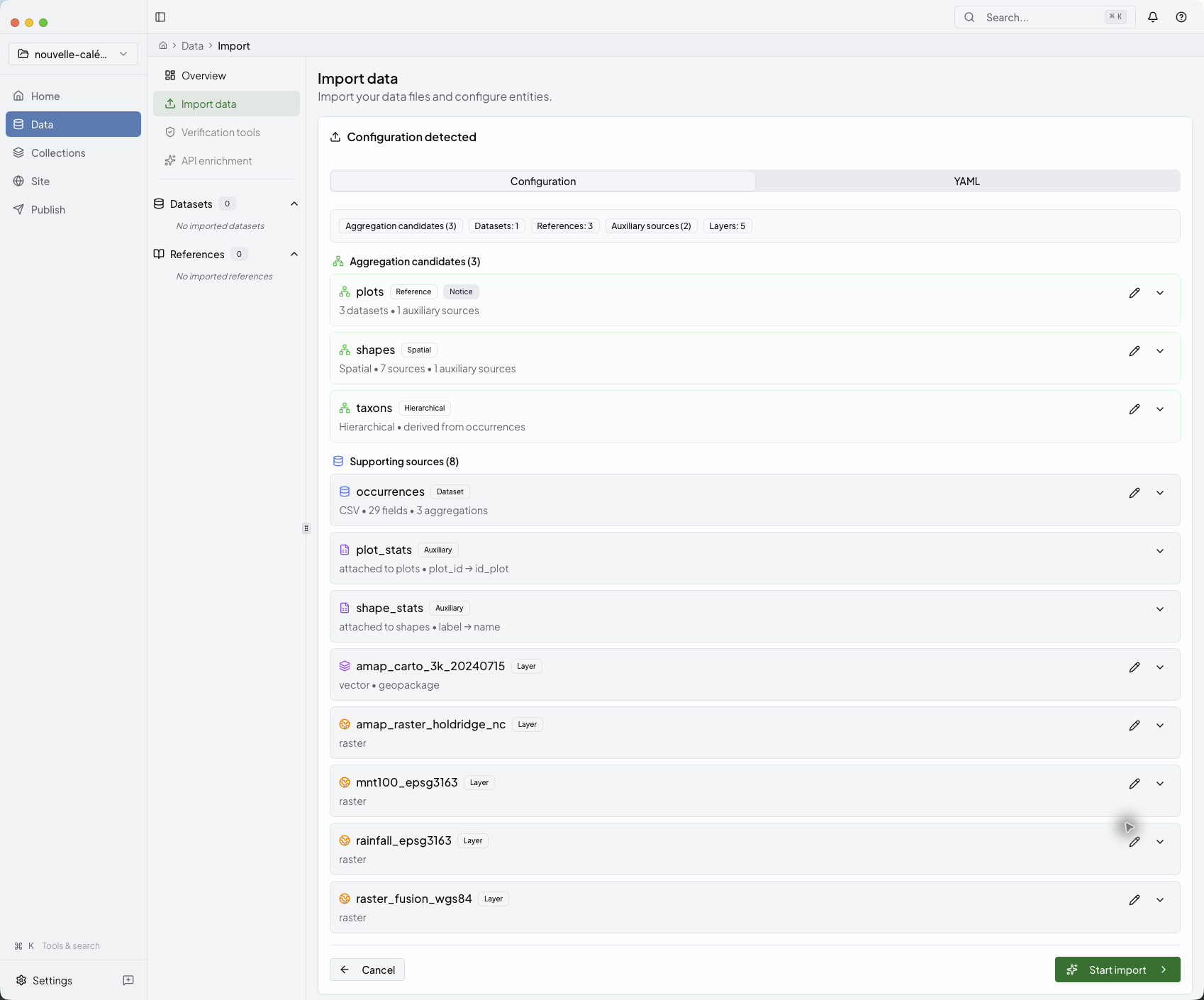
- Suggest file and column roles, so you can start from a working configuration.
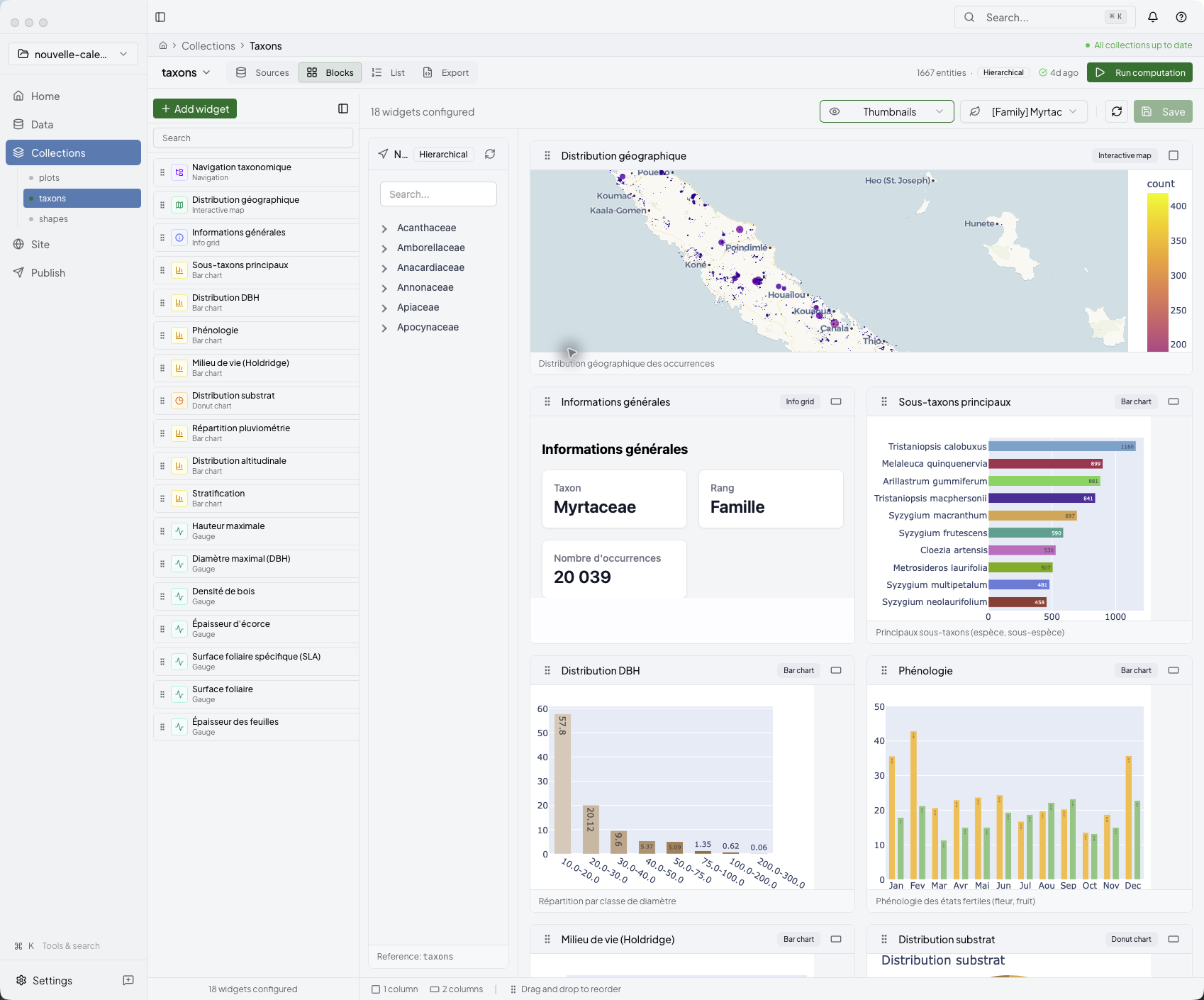
- Build collections, widgets, statistics, and maps from that data.
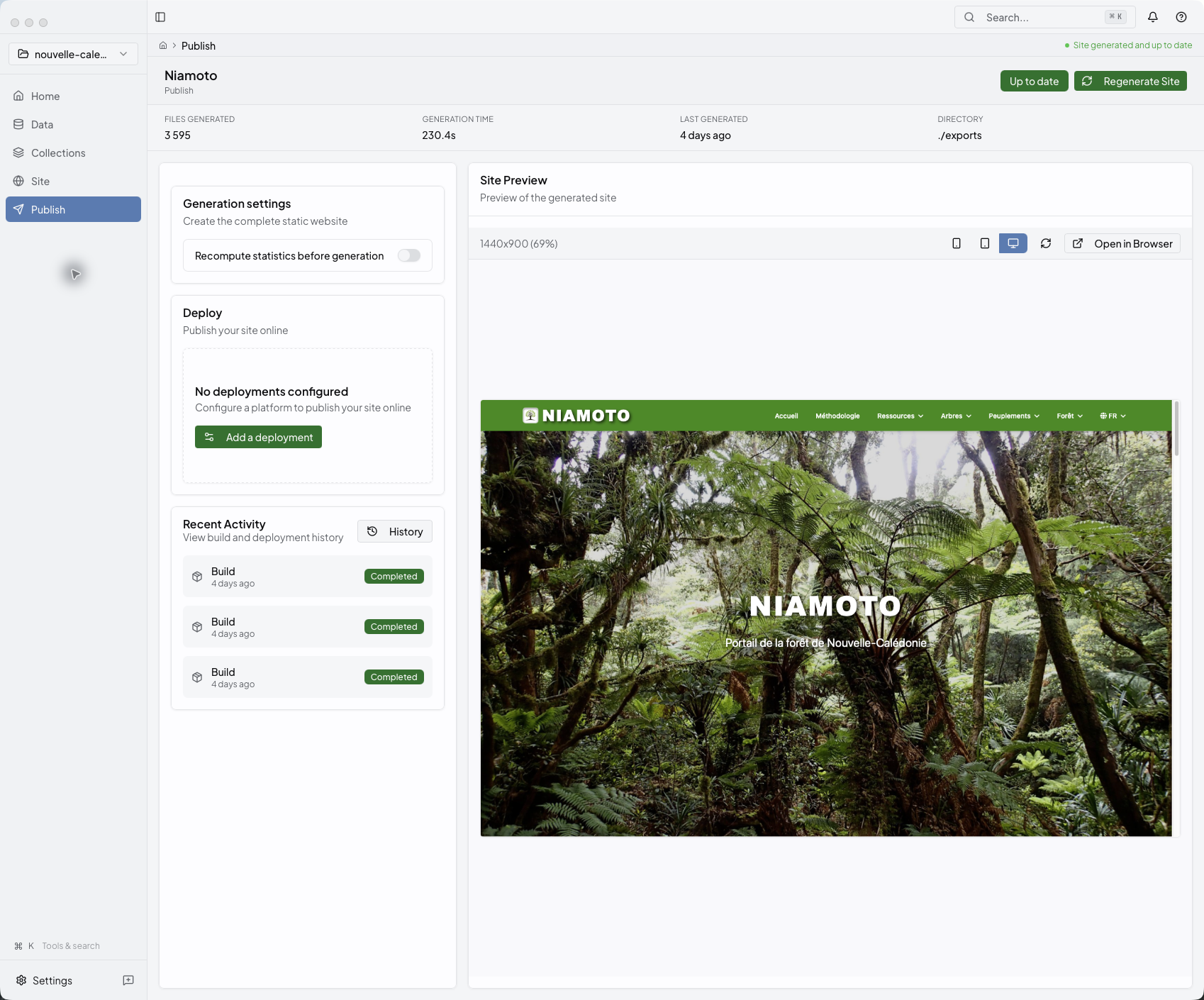
- Publish a static biodiversity portal to GitHub Pages, Cloudflare Workers, Netlify, Vercel, Render, or your own server over SSH.
The desktop app is the main interface. The Python CLI handles automation, CI, and repeatable runs.
Pick your path
| You are… | Start here |
|---|---|
| A researcher | Desktop onboarding |
| A project lead | User guide |
| A developer | Plugin development guide |
Install
Desktop (recommended)
Signed builds for macOS, Windows, and Linux live on the releases page.
Command line (automation, CI)
pip install niamoto
niamoto --help
Requires Python 3.12 or newer. See CLI & automation docs for scripting recipes.
Quick start
Desktop path
- Download the latest desktop build from the releases page.
- Grab a sample dataset from niamoto-example-data or open your own CSVs, layers, and rasters.
- Continue with Desktop onboarding and then the Desktop App Tour.
CLI path
- Install the package with
pip install niamoto. - Run
niamoto --help. - Follow the CLI & automation docs for project init, scripted runs, and CI.
Inside the desktop studio
The desktop app takes you from source review to collections, widgets, and publication in one place. The full walk-through lives in the Desktop App Tour. If you want to see the generated result first, the live demo shows what the published portal looks like.
Resources
- Documentation — niamoto.github.io/niamoto
- Live demo — New Caledonia forests portal
- Discussions — GitHub Discussions
- Issues — GitHub Issues
- Roadmap — ROADMAP.md · vision, current priorities, and the GBIF Challenge 2026 milestone
- Changelog — CHANGELOG.md
- Contributing — CONTRIBUTING.md · STYLE_GUIDE.md
About Niamoto
Niamoto is developed by a small interdisciplinary team and supported by institutional partners committed to biodiversity conservation.
Niamoteam
Open-source collaborative project for biodiversity conservation.
- Philippe Birnbaum — CIRAD · UMR AMAP
- Dimitri Justeau-Allaire — IRD · UMR AMAP
- Gilles Dauby — IRD · UMR AMAP
- Julien Barbe — Developer
Partners & funders
Niamoto was developed within the ADMIRE research project ("Partnership for the Analysis of Reforestation Dynamics and Forest Resilience"), established by Province Nord, IAC, and Cirad. The project develops software that supports decision-making for the management of natural areas in Province Nord, New Caledonia.









Province Nord · Province Sud · Endemia · UMR AMAP · Herbarium · IAC · IRD · Cirad · OFB
License
niamoto is distributed under
GPL-3.0-or-later.
1 maintainer

Metadata
1 maintainer
Release files for niamoto 0.20.5
For a detailed explanation of source distributions (sdists) and built distributions (wheels), please see the package formats documentation.
Source distribution (sdist)
| File | Size | Uploaded | |
|---|---|---|---|
| niamoto-0.20.5.tar.gz | 51.8 MB | Details |
Built distribution (wheel)
| File | Interpreter | ABI | Platform | Reset |
|---|---|---|---|---|
| niamoto-0.20.5-py3-none-any.whl | Python 3 | none | any | Details |
Total release size: 88.9 MB
Release files / niamoto-0.20.5.tar.gz
| Download URL | niamoto-0.20.5.tar.gz |
|---|---|
| Size | 51.8 MB |
| Tags | Source |
|
SHA-256 checksum How to use checksums |
2d513e125cd2ba7aeec54d12d50e118bc066edebdeede0251802eb20190ef490
|
|
BLAKE2b-256 checksum How to use checksums |
5aed6d49a959c88705a67e6462f697179de6478c35a78f4385c183a87d690306
|
| Upload date | |
|
Uploaded using Trusted Publishing? What is trusted publishing? |
Yes |
| Uploaded via |
twine/6.1.0 CPython/3.13.12
|
Provenance
Provenance describes where a file came from. On PyPI, provenance is shared via attestations, which provide a verifiable record of the build or publishing details. View details, limitations and caveats.


PyPI Publish Attestation
PyPI verified that this artifact, at this checksum, originated from the publisher listed below.
Signed by GitHub Actions, verified by PyPI on Jun 6, 2026.
Transparency logRelease files / niamoto-0.20.5-py3-none-any.whl
| Download URL | niamoto-0.20.5-py3-none-any.whl |
|---|---|
| Size | 37.1 MB |
| Tags | Python 3 |
|
SHA-256 checksum How to use checksums |
cfe4e3feb2342a5afa188e4586f78494ca001311bc0667f0325d382d7c999542
|
|
BLAKE2b-256 checksum How to use checksums |
83934c004fb7d329dd9621dfa368b41ef4313ce5388044d68bc312cb5683349f
|
| Upload date | |
|
Uploaded using Trusted Publishing? What is trusted publishing? |
Yes |
| Uploaded via |
twine/6.1.0 CPython/3.13.12
|
Provenance
Provenance describes where a file came from. On PyPI, provenance is shared via attestations, which provide a verifiable record of the build or publishing details. View details, limitations and caveats.
PyPI Publish Attestation
PyPI verified that this artifact, at this checksum, originated from the publisher listed below.
Signed by GitHub Actions, verified by PyPI on Jun 6, 2026.
Transparency log













