
NiftiWidget
NiftiWidget brings the 3D image viewing capabilities of NiftiView into Jupyter notebooks 👩💻
NiftiWidget is build around the niftiview Python package, that allows users to
- View multiple 3D images in a beautiful layout 🧩
- Add custom image layers and overlays (crosshair, colorbar...) 📑
- Save the view as a high-quality figure or as a GIF 💾
- ...and much more...
Learn to use it via the niftiview examples and this YouTube-Tutorial 💡
Install it via pip install niftiwidget 🛠️
- In Colab, run
apt install libcairo2-dev pkg-config python3-devthenpip install niftiwidget - On other systems these tips might help to make it work
Usage 💡
To view saved files, pass the filepaths to Config which is passed to NiftiWidget
from niftiview import TEMPLATES, Config
from niftiwidget import NiftiWidget

filepaths = [[TEMPLATES['ch2']], [TEMPLATES['T1']]]
# filepaths = [['/path/to/nifti1.nii.gz'], ['/path/to/nifti2.nii.gz']]
config = Config(filepaths_view1=filepaths)
NiftiWidget(config=config)
Alternatively, one can also pass a list of nibabel images directly to NiftiWidget
import nibabel as nib
from niftiview import TEMPLATES, Config
from niftiwidget import NiftiWidget

nib_images = [[nib.load(TEMPLATES['ch2'])], [nib.load(TEMPLATES['T1'])]]
config = Config()
NiftiWidget(nib_images1=nib_images)
To avoid the widget getting to large you can limit the image width by passing a Layout
from ipywidgets import Layout
...
NiftiWidget(..., layout=Layout(max_width='1000px'))
Start exploring by pasting the below code into a cell and try different settings by changing the config...
from ipywidgets import Layout
from niftiview import TEMPLATES
from niftiview.config import Config
from niftiwidget import NiftiWidget

filepaths = [[TEMPLATES['ch2']], [TEMPLATES['T1']]]
# filepaths = [['/path/to/nifti1.nii.gz'], ['/path/to/nifti2.nii.gz']]
config = Config(filepaths_view1=filepaths, layout='all', fpath=1, crosshair=True)
NiftiWidget(config=config, layout=Layout(max_width='1000px'))
...or interacting with the widget itself!
Pitfall: Use ; at the end of filepaths!
Inside the NiftiView widget, instead of hitting Enter to confirm a filepath, write ; at the end of it. If you write
/path/to/figures/figure1.pdf
in the Save image or GIF textbox and hit Enter, nothing will happen. Write ; at the end of it
/path/to/figures/figure1.pdf;
and the figure will be saved 🎉 This also applies to the Filepattern textboxes!
If you change a filepath, make sure to
- delete the
; - change the filepath
- add the
;
because modifying the filepath while keeping the ; will result in e.g. unwanted figures being saved!
Colab 🐌
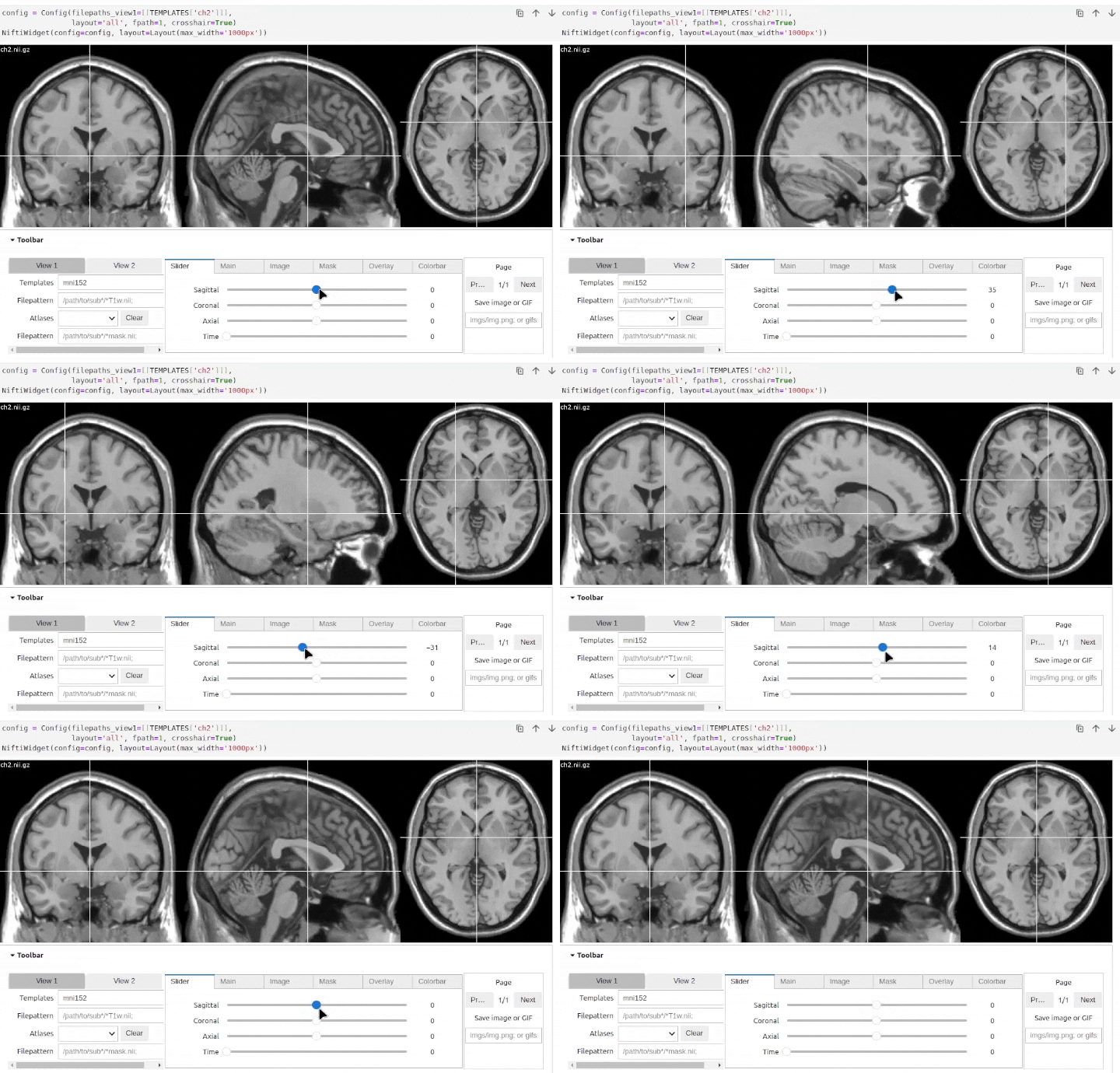
Since NiftiWidget does not use the GPU (like e.g. ipyniivue) image refreshes in Colab are slow 🐌
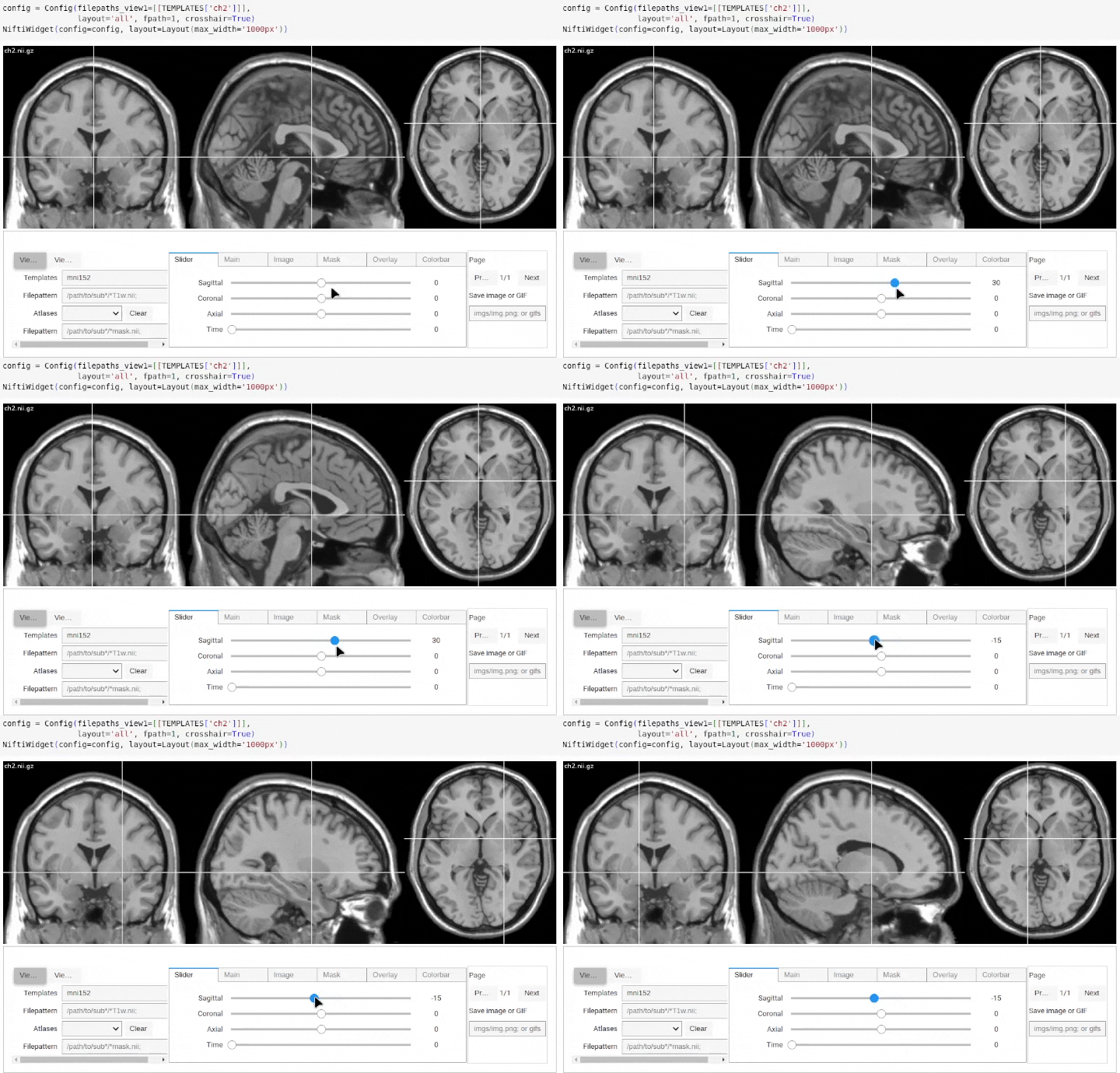
However, if used inside a local Jupyter notebook this is not an issue 🐇
1 maintainer

Release files for niftiwidget 0.0.1
For a detailed explanation of source distributions (sdists) and built distributions (wheels), please see the package formats documentation.
Source distribution (sdist)
| File | Size | Uploaded | |
|---|---|---|---|
| niftiwidget-0.0.1.tar.gz | 9.7 kB | Details |
Built distribution (wheel)
| File | Interpreter | ABI | Platform | Reset |
|---|---|---|---|---|
| niftiwidget-0.0.1-py3-none-any.whl | Python 3 | none | any | Details |
Total release size: 18.8 kB
Release files / niftiwidget-0.0.1.tar.gz
| Download URL | niftiwidget-0.0.1.tar.gz |
|---|---|
| Size | 9.7 kB |
| Tags | Source |
|
SHA-256 checksum How to use checksums |
97920c04789bbecae4d590c3072ce5cc89e88a67ff0ab3aa223e783cab5fab86
|
|
BLAKE2b-256 checksum How to use checksums |
3a222ad9824f3b91cbc73c240f1695a7a1ab0a7417ae934605cec6d880f5c4f6
|
| Upload date | |
|
Uploaded using Trusted Publishing? What is trusted publishing? |
No |
| Uploaded via |
poetry/1.8.5 CPython/3.12.3 Linux/5.15.0-56-generic
|
Release files / niftiwidget-0.0.1-py3-none-any.whl
| Download URL | niftiwidget-0.0.1-py3-none-any.whl |
|---|---|
| Size | 9.1 kB |
| Tags | Python 3 |
|
SHA-256 checksum How to use checksums |
2ffb3a55dc22c519f013188ddea07c32d3bf561e93f2ad1e63b8fe8a63534eec
|
|
BLAKE2b-256 checksum How to use checksums |
32dc7cbb63b1a67b4bdfd8375befac32ee71bb1faaac0464457a1ca3d065f9cd
|
| Upload date | |
|
Uploaded using Trusted Publishing? What is trusted publishing? |
No |
| Uploaded via |
poetry/1.8.5 CPython/3.12.3 Linux/5.15.0-56-generic
|













