
View volumetric images in Jupyter 🧠

Project description
NiftiWidget
NiftiWidget brings the 3D image viewing capabilities of NiftiView into Jupyter notebooks 👩💻
NiftiWidget is build around the niftiview Python package, that allows users to
- View multiple 3D images in a beautiful layout 🧩
- Add custom image layers and overlays (crosshair, colorbar...) 📑
- Save the view as a high-quality figure or as a GIF 💾
- ...and much more...
Learn to use it via the niftiview examples and this YouTube-Tutorial 💡
Install it via pip install niftiwidget 🛠️
- In Colab, run
apt install libcairo2-dev pkg-config python3-devthenpip install niftiwidget - On other systems these tips might help to make it work
Usage 💡
To view saved files, pass the filepaths to Config which is passed to NiftiWidget
from niftiview import TEMPLATES, Config
from niftiwidget import NiftiWidget

filepaths = [[TEMPLATES['ch2']], [TEMPLATES['T1']]]
# filepaths = [['/path/to/nifti1.nii.gz'], ['/path/to/nifti2.nii.gz']]
config = Config(filepaths_view1=filepaths)
NiftiWidget(config=config)
Alternatively, one can also pass a list of nibabel images directly to NiftiWidget
import nibabel as nib
from niftiview import TEMPLATES, Config
from niftiwidget import NiftiWidget

nib_images = [[nib.load(TEMPLATES['ch2'])], [nib.load(TEMPLATES['T1'])]]
config = Config()
NiftiWidget(nib_images1=nib_images)
To avoid the widget getting to large you can limit the image width by passing a Layout
from ipywidgets import Layout
...
NiftiWidget(..., layout=Layout(max_width='1000px'))
Start exploring by pasting the below code into a cell and try different settings by changing the config...
from ipywidgets import Layout
from niftiview import TEMPLATES
from niftiview.config import Config
from niftiwidget import NiftiWidget

filepaths = [[TEMPLATES['ch2']], [TEMPLATES['T1']]]
# filepaths = [['/path/to/nifti1.nii.gz'], ['/path/to/nifti2.nii.gz']]
config = Config(filepaths_view1=filepaths, layout='all', fpath=1, crosshair=True)
NiftiWidget(config=config, layout=Layout(max_width='1000px'))
...or interacting with the widget itself!
Pitfall: Use ; at the end of filepaths!
Inside the NiftiView widget, instead of hitting Enter to confirm a filepath, write ; at the end of it. If you write
/path/to/figures/figure1.pdf
in the Save image or GIF textbox and hit Enter, nothing will happen. Write ; at the end of it
/path/to/figures/figure1.pdf;
and the figure will be saved 🎉 This also applies to the Filepattern textboxes!
If you change a filepath, make sure to
- delete the
; - change the filepath
- add the
;
because modifying the filepath while keeping the ; will result in e.g. unwanted figures being saved!
Colab 🐌
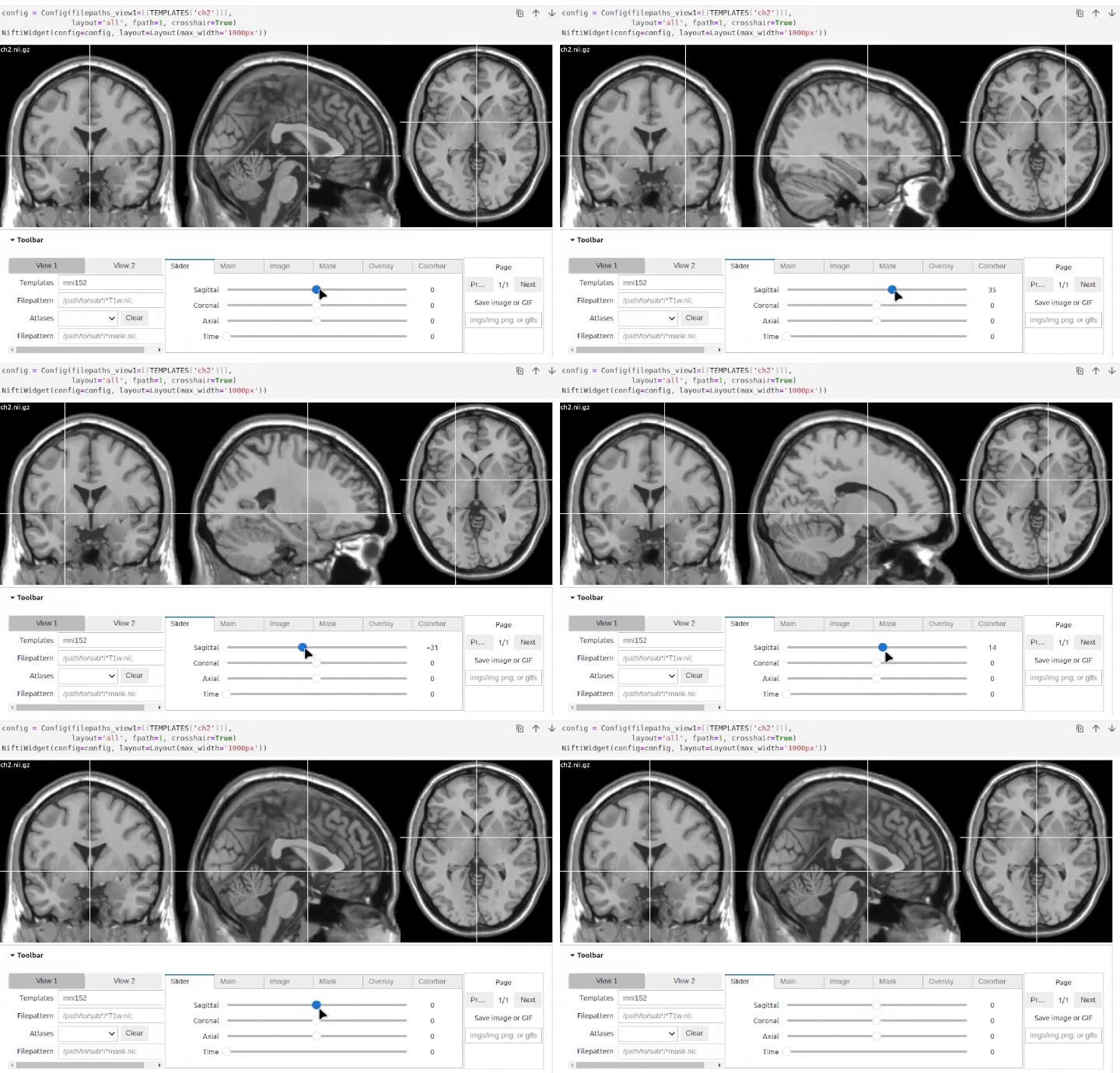
Since NiftiWidget does not use the GPU (like e.g. ipyniivue) image refreshes in Colab are slow 🐌
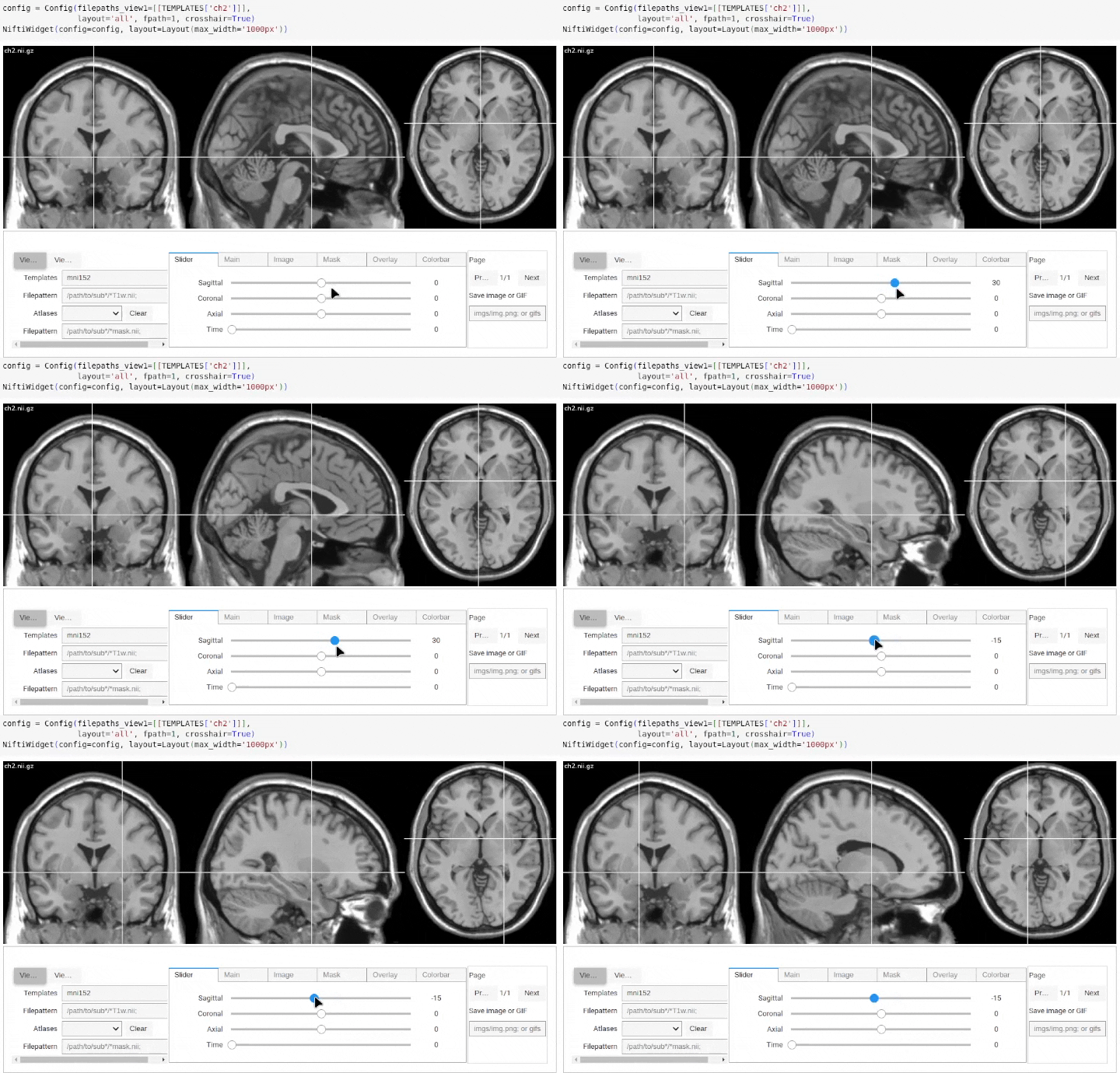
However, if used inside a local Jupyter notebook this is not an issue 🐇
Release history Release notifications | RSS feed

Download files
Download the file for your platform. If you're not sure which to choose, learn more about installing packages.
Source Distribution
Built Distribution
Filter files by name, interpreter, ABI, and platform.
If you're not sure about the file name format, learn more about wheel file names.
Copy a direct link to the current filters
File details
Details for the file niftiwidget-0.0.1.tar.gz.
File metadata
- Download URL: niftiwidget-0.0.1.tar.gz
- Upload date:
- Size: 9.7 kB
- Tags: Source
- Uploaded using Trusted Publishing? No
- Uploaded via: poetry/1.8.5 CPython/3.12.3 Linux/5.15.0-56-generic
File hashes
| Algorithm | Hash digest | |
|---|---|---|
| SHA256 |
97920c04789bbecae4d590c3072ce5cc89e88a67ff0ab3aa223e783cab5fab86
|
|
| MD5 |
336134f415bc1a9524b6fda6ae1ff08b
|
|
| BLAKE2b-256 |
3a222ad9824f3b91cbc73c240f1695a7a1ab0a7417ae934605cec6d880f5c4f6
|
File details
Details for the file niftiwidget-0.0.1-py3-none-any.whl.
File metadata
- Download URL: niftiwidget-0.0.1-py3-none-any.whl
- Upload date:
- Size: 9.1 kB
- Tags: Python 3
- Uploaded using Trusted Publishing? No
- Uploaded via: poetry/1.8.5 CPython/3.12.3 Linux/5.15.0-56-generic
File hashes
| Algorithm | Hash digest | |
|---|---|---|
| SHA256 |
2ffb3a55dc22c519f013188ddea07c32d3bf561e93f2ad1e63b8fe8a63534eec
|
|
| MD5 |
e2e00e2842da9f1b3bc6a3586b0c99fc
|
|
| BLAKE2b-256 |
32dc7cbb63b1a67b4bdfd8375befac32ee71bb1faaac0464457a1ca3d065f9cd
|






