
Slice Android style 9-patch images, resize and preview them interactively.
See https://developer.android.com/tools/help/draw9patch.html for a 9-patch description.

Installation
If you want to use the interactive viewer read the additional installation notes under "Interactive viewer".
$ pip install ninepatch
Python usage
from ninepatch import Ninepatch
ninepatch = Ninepatch('ninepatch_bubble.9.png')
print(ninepatch.content_area)  # content_area(left=23, top=20, right=27, bottom=59)

# render the image to a specific size
scaled_image = ninepatch.render(500, 400) # creates a new PIL image

# render the image so it's content area fits (width, height)
image_fit = ninepatch.render_fit(300, 200)

# render the image so it wraps another PIL image
image_to_wrap = Image.open('image_to_wrap.png')
wrapped_image = ninepatch.render_wrap(image_to_wrap)
Command line usage
Your image must be a PNG image with a transparent background. The scale and fill guide color must be 100% opaque black.
Scale and open image in a viewer (PIL image.show()):
$ ninepatch render ninepatch_bubble.9.png 300 300
Save the scaled image to a new file:
$ ninepatch render ninepatch_bubble.9.png 300 300 scaled.png
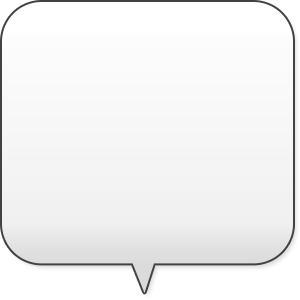
Render an image so it's content area fits a given width and height
$ ninepatch fit ninepatch_bubble.9.png 150 150 fit.png

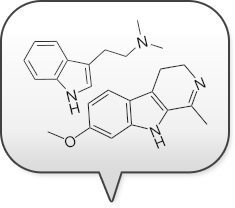
Render an image to include another image
$ ninepatch wrap ninepatch_bubble.9.png image_to_wrap.png wrapped.png
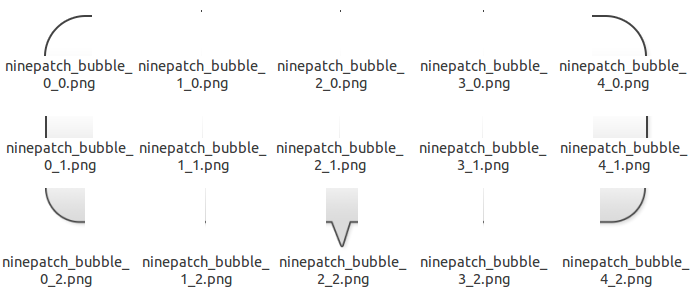
Slice the 9patch into tiles:
$ ninepatch slice ninepatch_bubble.9.png ./outputdir
Slice the 9patch and return a JSON reprensentation of the slicing data:
$ ninepatch info ninepatch_bubble.9.png
{
    "marks": {
        "fill": {
            "x": [
                23,
                231
            ],
            "y": [
                20,
                82
            ]
        },
        "scale": {
            "x": [
                [
                    49,
                    49
                ],
                [
                    89,
                    196
                ]
            ],
            "y": [
                [
                    42,
                    63
                ]
            ]
        }
    },
    "size": [
        258,
        141
    ]
}
Interactive viewer
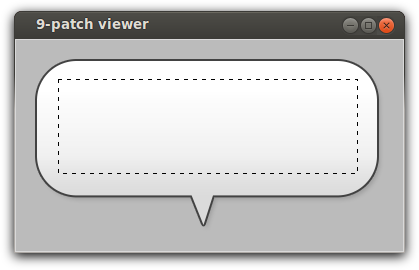
Interactively resize and preview an image in a Tkinter viewer:
$ ninepatch_viewer ninepatch_bubble.9.png

or just:

$ ninepatch_viewer

without arguments to see the demo image
If you want to use the viewer then python-pil.imagetk has to be installed.
On Ubuntu do:
$ sudo apt-get install python-pil.imagetk
If you want to install into a virtualenv, pip needs the following packages to compile PIL with Tkinter support:
$ sudo apt-get install python-tk tk8.6-dev
(You can trigger a recompile of PIL with: "pip install -I ninepatch")
Changelog
0.2.0
: - allow 0-size tiles, now works with pillow >=10.0.0
0.1.22
: - fixed error that prevented the ninepatch_viewer to work
0.1.21
: - fixed bug in wrap()
0.1.20
: - new commands fit and wrap courtesy of Nicolas Laurance
0.1.19
: - fixed error in caching
0.1.18
: - optional caching for slice() and render()
0.1.17
: - new method export_slices() - changed command line parameters (render/slice)
...
1 maintainer

Metadata
1 maintainer
Release files for ninepatch 0.2.0
For a detailed explanation of source distributions (sdists) and built distributions (wheels), please see the package formats documentation.
Built distribution (wheel)
| File | Interpreter | ABI | Platform | Reset |
|---|---|---|---|---|
| ninepatch-0.2.0-py3-none-any.whl | Python 3 | none | any | Details |
Release files / ninepatch-0.2.0-py3-none-any.whl
| Download URL | ninepatch-0.2.0-py3-none-any.whl |
|---|---|
| Size | 9.1 kB |
| Tags | Python 3 |
|
SHA-256 checksum How to use checksums |
41f6a54de9d2efb0ed77a32e7e1336f790694579d052278bdff87f525c427102
|
|
BLAKE2b-256 checksum How to use checksums |
2b7badcfd12ab1b94a8573c259e6cf4dcd6416c955125f1cfcd92eb29cc0042b
|
| Upload date | |
|
Uploaded using Trusted Publishing? What is trusted publishing? |
No |
| Uploaded via |
twine/4.0.2 CPython/3.10.12
|














