
Convert Nmap Vulners script output to CSV

Project description

nmapvulners2csv


Table of Contents
Getting Started
Run nmap with enabled script Vulners and save xml output, for example:
nmap -sV --script vulners -oX <nmap_output.xml>
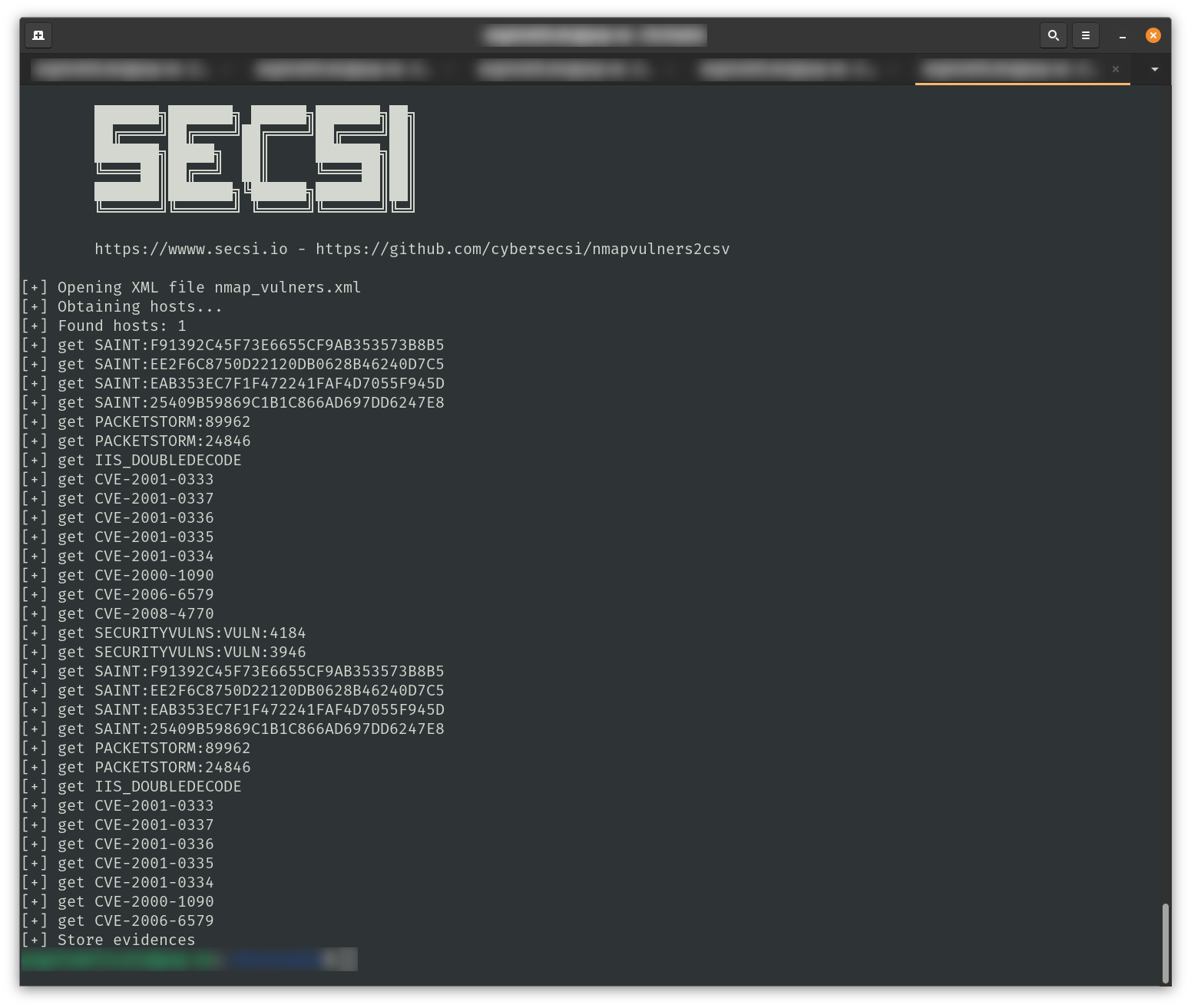
Example
The output of the tool is like the following:
Install & Run
To install it you just need to run:
pip install nmapvulners2csv
Run without installing
Prerequisites
Install dependencies by using the following command:
pip install -r requirements.txt
chmod +x nmapvulners2csv/nmapvulners2csv.py
Usage: nmapvulners2csv.py NMAP_XML_FILE <flags>
  optional flags:        --output | --descr
To run the converter:
nmapvulners2csv.py <nmap_output.xml>
the script will generate a file output.csv in output dir. If you want to set the output file:
nmapvulners2csv.py <nmap_output.xml> --output <output_csv_file> --dir <output_directory>
For multiple data:
for i in `ls -1 vulners*`; do python nmapvulners2csv.py $i ${i%%.xml}.csv ; done
Evidences Description
nmapvulners2csv does not generate descriptions for vulnerabilities. You can add --descr flag to add descriptions in CSV. The script scrapes description information from Vulners site. The command is more time-expensive and send several HTTP requests against Vulners website. Not tested for IP ban and network issues.
Contributing
Contributions are what make the open source community such an amazing place to be learn, inspire, and create. Any contributions you make are greatly appreciated.
- Fork the Project
- Create your Feature Branch (
git checkout -b feature/AmazingFeature) - Commit your Changes (
git commit -m 'Add some AmazingFeature') - Push to the Branch (
git push origin feature/AmazingFeature) - Open a Pull Request
Credits
nmapvulners2csv is proudly developed @SecSI by:
License
Distributed under Apache 2 License. See LICENSE for more information.


Download files
Download the file for your platform. If you're not sure which to choose, learn more about installing packages.
Source Distribution
Built Distribution
Filter files by name, interpreter, ABI, and platform.
If you're not sure about the file name format, learn more about wheel file names.
Copy a direct link to the current filters
File details
Details for the file nmapvulners2csv-1.0.8.tar.gz.
File metadata
- Download URL: nmapvulners2csv-1.0.8.tar.gz
- Upload date:
- Size: 8.1 kB
- Tags: Source
- Uploaded using Trusted Publishing? No
- Uploaded via: poetry/2.1.3 CPython/3.11.0 Linux/6.11.0-1018-azure
File hashes
| Algorithm | Hash digest | |
|---|---|---|
| SHA256 |
e03127fd5c96d6608422fbddd9b8f3ae8633ea0279b559b0b989f00d6b79793c
|
|
| MD5 |
0a0f3f7f9ce1904d1e8b00eed04c8ec0
|
|
| BLAKE2b-256 |
3665f1b4b1065baf9f8e73561ca1cade689f22c0adfe2ed3fada5a6daec1b2cb
|
File details
Details for the file nmapvulners2csv-1.0.8-py3-none-any.whl.
File metadata
- Download URL: nmapvulners2csv-1.0.8-py3-none-any.whl
- Upload date:
- Size: 9.3 kB
- Tags: Python 3
- Uploaded using Trusted Publishing? No
- Uploaded via: poetry/2.1.3 CPython/3.11.0 Linux/6.11.0-1018-azure
File hashes
| Algorithm | Hash digest | |
|---|---|---|
| SHA256 |
2e6322d3efa369136911e555300f15520902d6fddba8d61705343160d24fd157
|
|
| MD5 |
4dced26186147eaef2ac22c7f7fbfa38
|
|
| BLAKE2b-256 |
ad9ab87ed26045a9739f5e27a30e6e486813c9d7ea0fc2417638d37462902944
|






