
nonebot-plugin-onething-monitor
网心云多账号在线状态监控 NoneBot2 插件。支持短信登录、Cookie 登录、多账号多设备聚合查询、基础信息查询、网络状态图生成和定时批量检测。
主要是为了防止设备莫名其妙死机(网心centos定制版系统在某些设备上不兼容的恶性bug,3-40小时必宕机一次,平均为20小时,表现为设备硬件看起来运行正常,风扇转速无明显变化,但输入无反应,屏幕不动,输入输出彻底死机,且不自动重启。app端显示掉线,且不发送任何通知。通知似乎只有某条线路异常才发。设备掉线居然不发。)
此插件每半小时查一次设备网络状态,确保异常能及时通知到管理员。
安装
pip install nonebot-plugin-onething-monitor
或使用nb:
nb plugin install nonebot-plugin-onething-monitor
然后在 NoneBot 项目中加载插件:
nonebot.load_plugin("nonebot_plugin_onething_monitor")
配置
在 NoneBot 项目的 .env 或对应环境配置文件中填写:
ONETHING_TARGET_QQ="123456789"
ONETHING_TARGET_GROUP=123456789
ONETHING_BOT_ID="123456789"
ONETHING_DEFAULT_PHONE="13800000000"
| 配置项 | 必填 | 说明 |
|---|---|---|
ONETHING_TARGET_QQ |
是 | 管理员 QQ,用于接收验证码请求和重要设备掉线提醒 |
ONETHING_TARGET_GROUP |
是 | 默认通知群,定时任务会发送到该群 |
ONETHING_BOT_ID |
是 | 发送通知消息的 Bot QQ |
ONETHING_DEFAULT_PHONE |
是 | 不带参数执行“登录”时使用的默认手机号 |
插件运行数据默认保存在 NoneBot 运行目录下的 onething/ 文件夹中,包括登录 session 和生成的状态图片(循环覆盖)。
命令
| 命令(注意加上命令头如/) | 说明 |
|---|---|
登录 |
使用默认手机号登录 |
登录 138xxxx |
使用指定手机号短信登录 |
登录 userid=xxx; sessionid=xxx |
使用 Cookie 登录 |
列表 |
聚合查看所有账号设备并获取全局编号 |
基础 1 |
查看指定编号设备的基础信息,也支持直接传 SN |
网络 |
批量查看所有设备网络状态 |
网络 1 |
查看指定编号设备网络状态,也支持直接传 SN |
重置设备信息 |
清空设备列表、归属和失败次数缓存,保留登录态 |
命令权限为超级用户、群管理员或群主。
文件结构
nonebot_plugin_onething_monitor/
├─ nonebot_plugin_onething_monitor/
│  ├─ __init__.py          # 插件入口:PluginMetadata、导入命令/定时任务
│  ├─ config.py            # 读取 .env 配置,定义 Config
│  ├─ state.py             # 运行态缓存:会话、验证码、设备映射、失败统计
│  ├─ session.py           # 会话文件读写、启动加载、清理 session
│  ├─ api.py               # 网心云登录、设备列表、基础信息、网络状态请求
│  ├─ render.py            # 图片生成、网络表格图、设备信息图、图片合并
│  ├─ commands.py          # /登录 /列表 /基础 /网络 /重置设备信息
│  └─ scheduler.py         # 定时批量检测任务
├─ pyproject.toml          # 商店发布需要的包元数据、依赖、构建配置
├─ README.md               # 插件说明、安装、配置、命令、截图
├─ LICENSE
├─ .gitignore
└─ .env.example            # 配置示例
功能展示
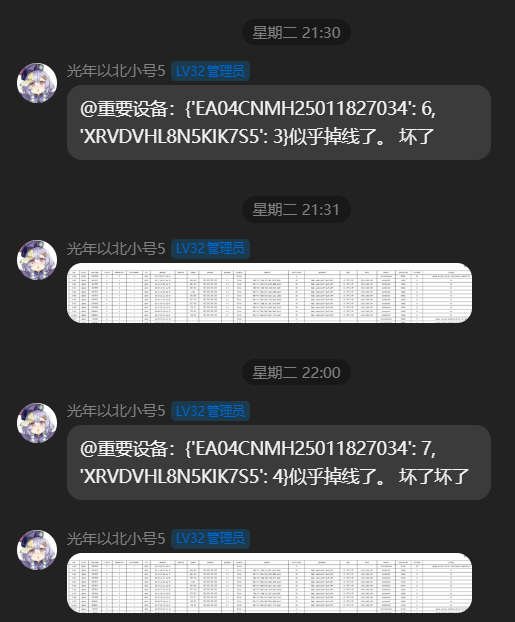
每半小时监测一次。如果全部正常,只发送设备网络状态总结图;如果有设备异常,会反馈异常信息。
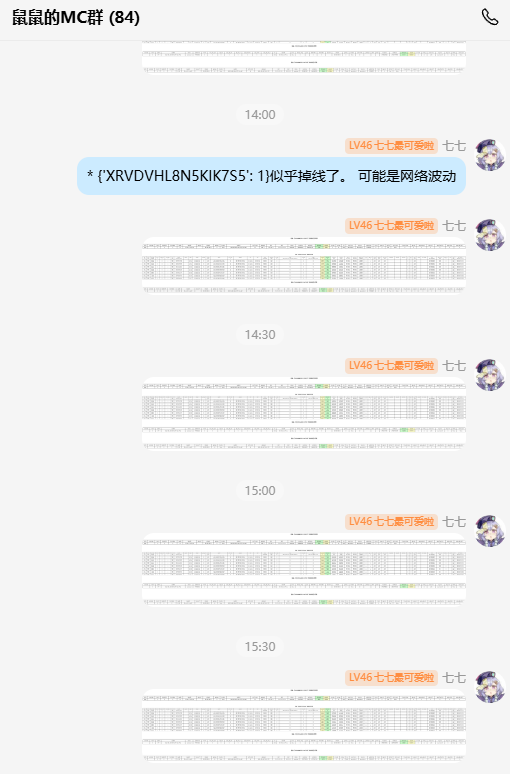
设备网络状态图示例:
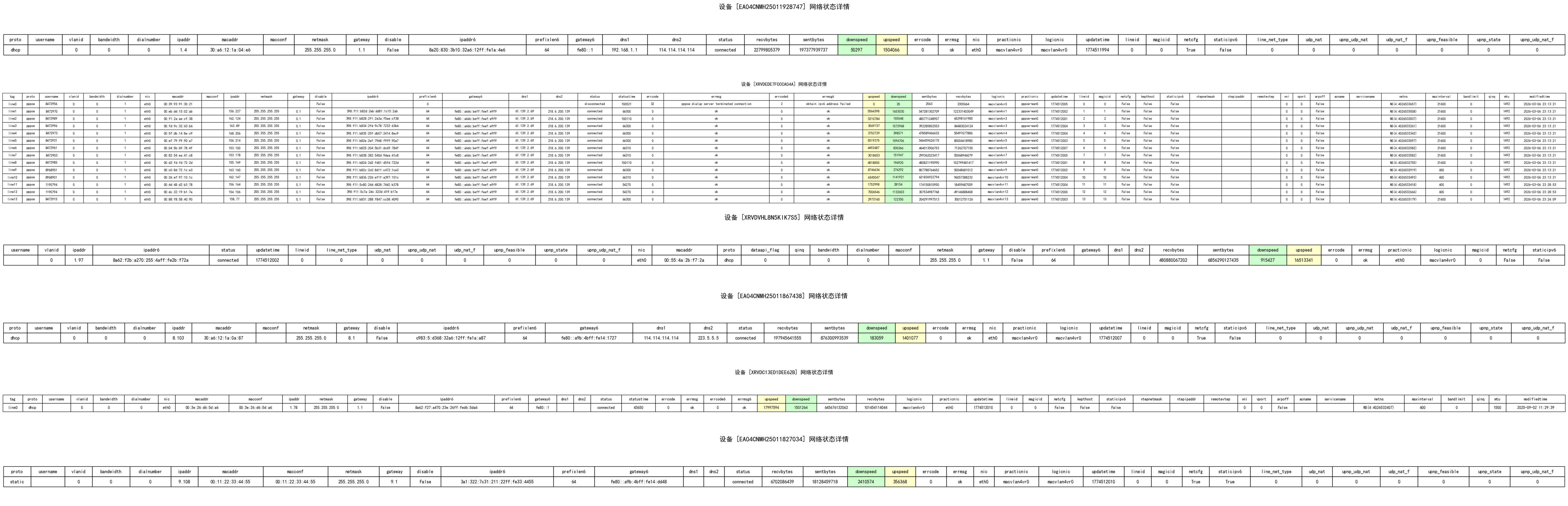
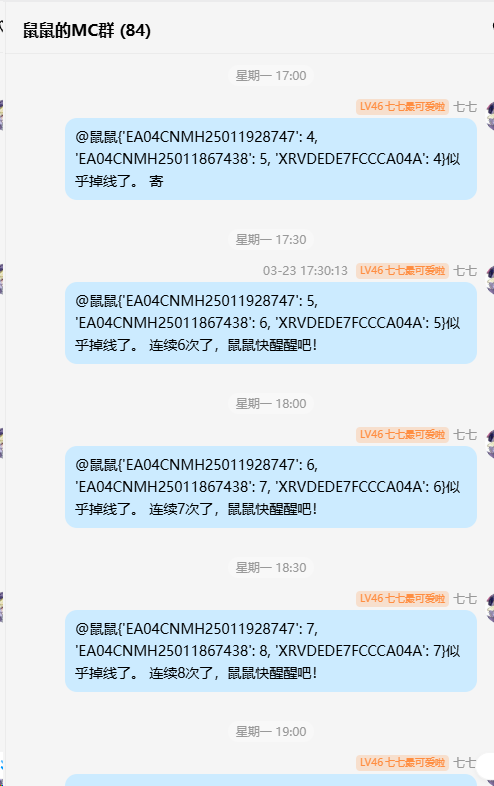
连续多次掉线时的提醒:
手机号验证码登录:

网页抓取 Cookie 登录:(只有微信,不能收验证码时此方法很方便。登录consolepro控制台后查看json获取请求找到类似键值即可)
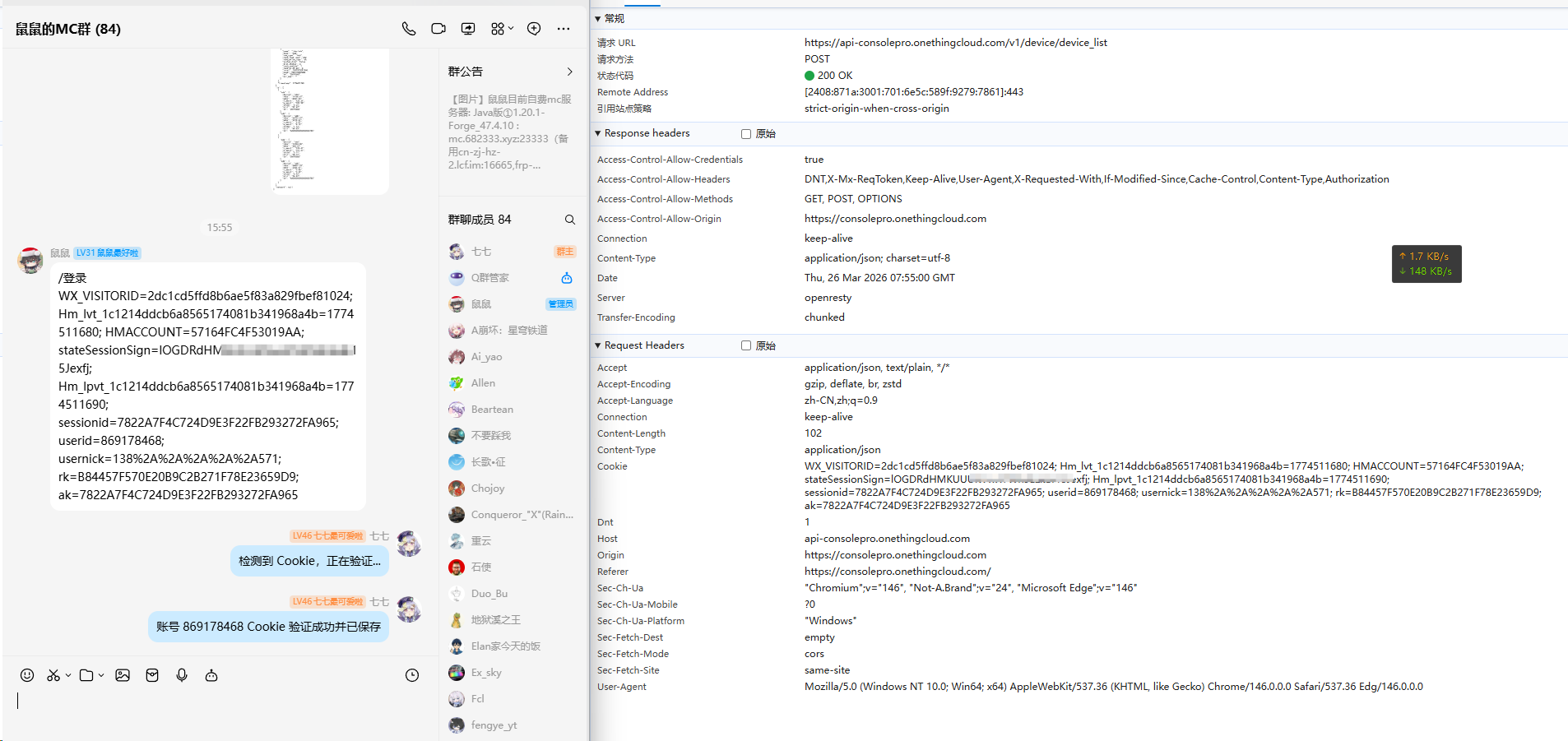
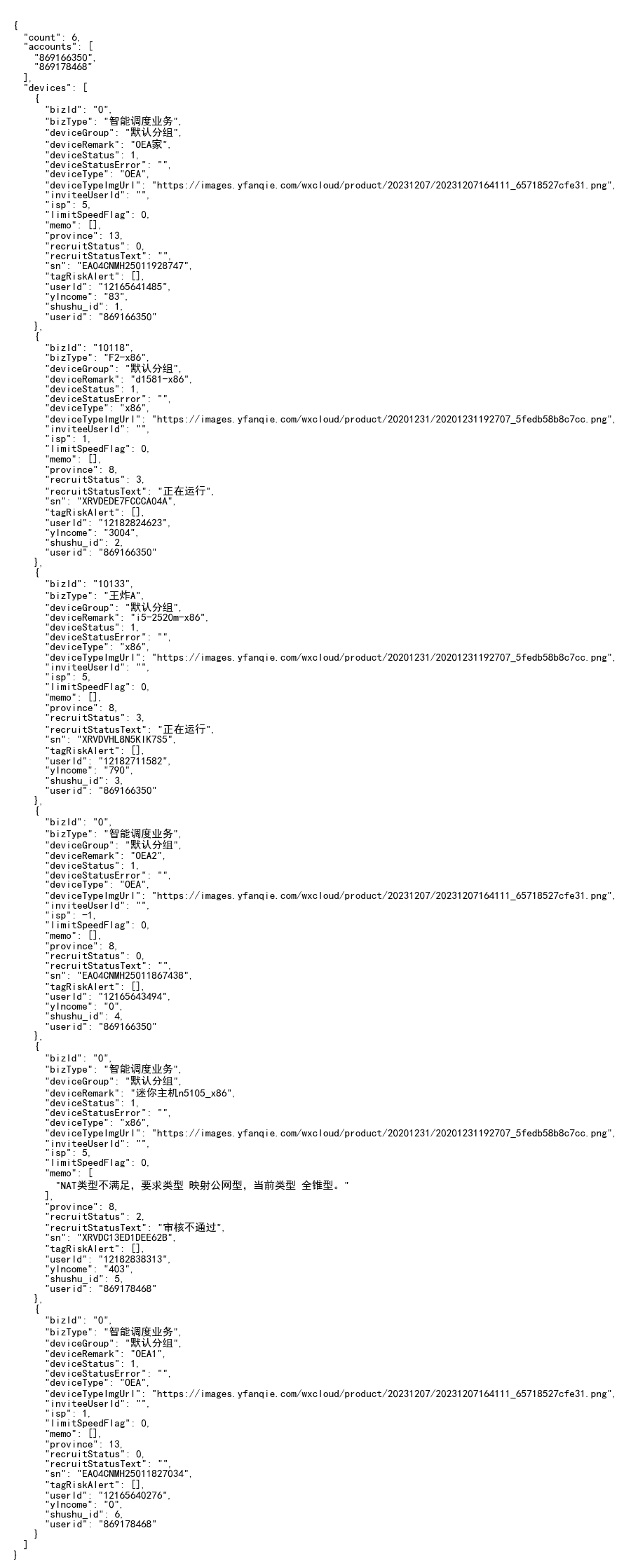
设备列表反馈:

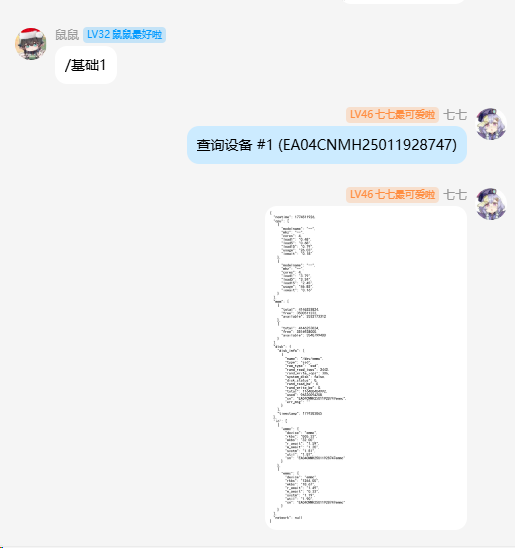
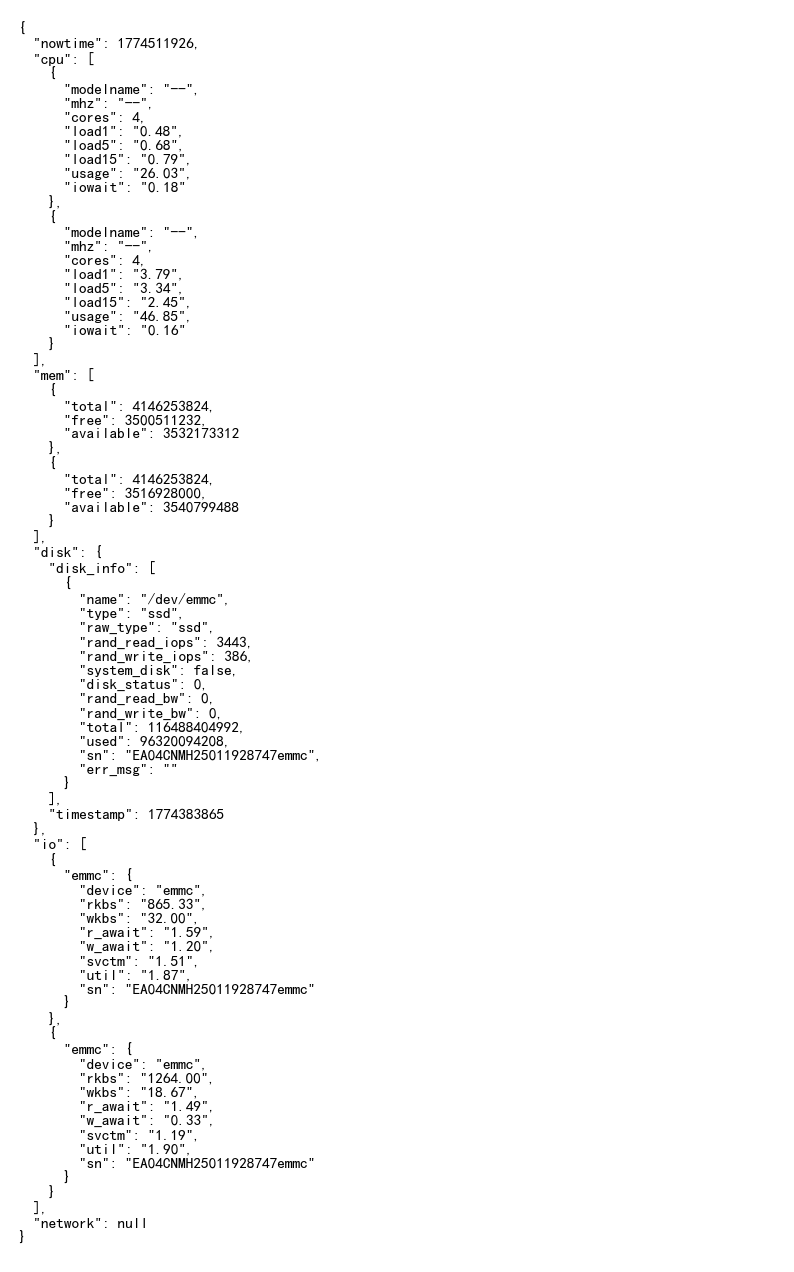
设备 CPU、内存、硬盘等基础信息查询:
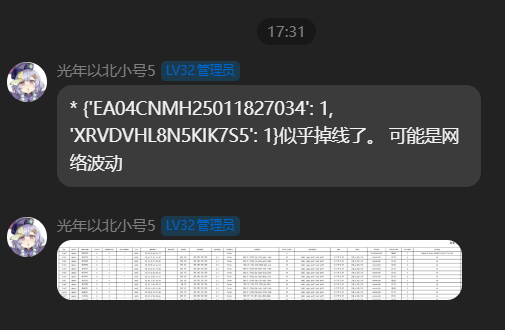
设备异常告警:
1 maintainer

Metadata
1 maintainer
Release files for nonebot-plugin-onething-monitor 0.6.2
For a detailed explanation of source distributions (sdists) and built distributions (wheels), please see the package formats documentation.
Source distribution (sdist)
| File | Size | Uploaded | |
|---|---|---|---|
| nonebot_plugin_onething_monitor-0.6.2.tar.gz | 32.5 kB | Details |
Built distribution (wheel)
| File | Interpreter | ABI | Platform | Reset |
|---|---|---|---|---|
| nonebot_plugin_onething_monitor-0.6.2-py3-none-any.whl | Python 3 | none | any | Details |
Total release size: 66.1 kB
Release files / nonebot_plugin_onething_monitor-0.6.2.tar.gz
| Download URL | nonebot_plugin_onething_monitor-0.6.2.tar.gz |
|---|---|
| Size | 32.5 kB |
| Tags | Source |
|
SHA-256 checksum How to use checksums |
69f14841d0880e16d087db7be032009aa1a0d84562e7cc85e3c2f7bd356a5307
|
|
BLAKE2b-256 checksum How to use checksums |
48a811a8c8d98794e4f646c12bcc138f99db50edd73b2fb9f10bacea95693e6f
|
| Upload date | |
|
Uploaded using Trusted Publishing? What is trusted publishing? |
No |
| Uploaded via |
twine/6.2.0 CPython/3.10.11
|
Release files / nonebot_plugin_onething_monitor-0.6.2-py3-none-any.whl
| Download URL | nonebot_plugin_onething_monitor-0.6.2-py3-none-any.whl |
|---|---|
| Size | 33.5 kB |
| Tags | Python 3 |
|
SHA-256 checksum How to use checksums |
ad853db35ce1dc945ea674ac95b4a1d67841fc25b65befc901fb04d495e4304e
|
|
BLAKE2b-256 checksum How to use checksums |
df93b1b3fa756dd54240df51dfd08fbbb8101190092a7dc24ab4d1ac0871d765
|
| Upload date | |
|
Uploaded using Trusted Publishing? What is trusted publishing? |
No |
| Uploaded via |
twine/6.2.0 CPython/3.10.11
|














