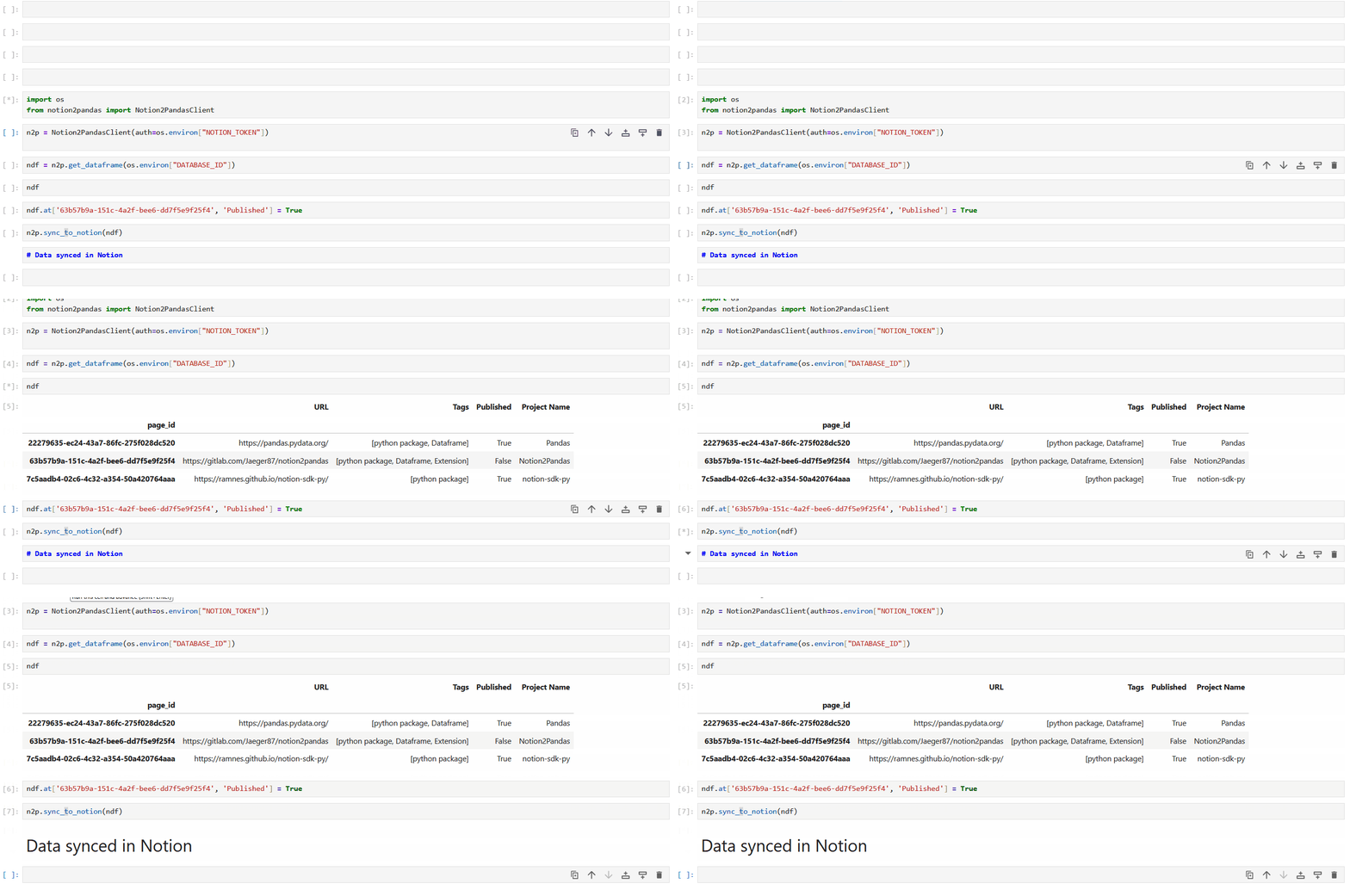



Notion Client extension to import notion Database into pandas Dataframe

Project description

Notion2Pandas

Notion2Pandas is a Python 3 package that extends the capabilities of the excellent notion-sdk-py by Ramnes. It enables the seamless import of a Notion database into a pandas dataframe and vice versa, requiring just a single line of code.

Installation

pip install notion2pandas

Quick Start

Synchronous Client

from notion2pandas import Notion2PandasClient

# Create client
n2p = Notion2PandasClient(auth=os.environ["NOTION_TOKEN"])

# Import database to DataFrame
df = n2p.from_notion_DB_to_dataframe(os.environ["DATABASE_ID"])

# Work with your data
df.loc[df['Name'] == 'Task 1', 'Status'] = 'Done'

# Save changes back to Notion
n2p.update_notion_DB_from_dataframe(os.environ["DATABASE_ID"], df)

Asynchronous Client

from notion2pandas.async_client import AsyncNotion2PandasClient

# Create async client
async_n2p = AsyncNotion2PandasClient(auth=os.environ["NOTION_TOKEN"])

# Import database to DataFrame (concurrent processing)
df = await async_n2p.from_notion_DB_to_dataframe(os.environ["DATABASE_ID"])

# Work with your data
df.loc[df['Name'] == 'Task 1', 'Status'] = 'Done'

# Save changes back to Notion (concurrent updates)
await async_n2p.update_notion_DB_from_dataframe(os.environ["DATABASE_ID"], df)

Usage

Choosing Between Sync and Async

Use the synchronous client (Notion2PandasClient) when:

  • Working in Jupyter notebooks or simple scripts
  • You prefer straightforward, blocking code

Use the asynchronous client (AsyncNotion2PandasClient) when:

  • You need concurrent operations for better performance
  • Your application is already async

Basic Usage (Sync)

  • Import the Notion2PandasClient class:
from notion2pandas import Notion2PandasClient
  • Create an instance by passing your authentication token:
n2p = Notion2PandasClient(auth=os.environ["NOTION_TOKEN"])
  • Use the from_notion_DB_to_dataframe method to get the data into a dataframe:
df = n2p.from_notion_DB_to_dataframe(os.environ["DATABASE_ID"])
  • When you're done working with your dataframe, use the update_notion_DB_from_dataframe method to save the data back to Notion:
n2p.update_notion_DB_from_dataframe(os.environ["DATABASE_ID"], df)

Basic Usage (Async)

  • Import the AsyncNotion2PandasClient class:
from notion2pandas.async_client import AsyncNotion2PandasClient
  • Create an instance by passing your authentication token:
async_n2p = AsyncNotion2PandasClient(auth=os.environ["NOTION_TOKEN"])
  • Use the from_notion_DB_to_dataframe method with await:
df = await async_n2p.from_notion_DB_to_dataframe(os.environ["DATABASE_ID"])
  • Save changes back to Notion with await:
await async_n2p.update_notion_DB_from_dataframe(os.environ["DATABASE_ID"], df)

Configuring Concurrent Requests (Async Only)

Control the number of concurrent API requests to balance speed and rate limits:

# Conservative (safer for rate limits)
async_n2p = AsyncNotion2PandasClient(
    auth=os.environ["NOTION_TOKEN"],
    max_concurrent_requests=5
)

# Aggressive (faster, but might hit rate limits)
async_n2p = AsyncNotion2PandasClient(
    auth=os.environ["NOTION_TOKEN"],
    max_concurrent_requests=20
)

# Default is 10 concurrent requests

Working with Filters and Sorts

Sync

published_filter = {
    "filter": {
        "property": "Published",
        "checkbox": {
            "equals": True
        }
    }
}

df = n2p.from_notion_DB_to_dataframe(os.environ["DATABASE_ID"], published_filter)

Async

published_filter = {
    "filter": {
        "property": "Published",
        "checkbox": {
            "equals": True
        }
    }
}

df = await async_n2p.from_notion_DB_to_dataframe(os.environ["DATABASE_ID"], published_filter)

🆕 Working with Data Sources (API 2025-09-03)

Starting with Notion API version 2025-09-03, databases can contain multiple data sources. Notion2Pandas now fully supports this feature!

Understanding Data Sources

Each Notion database now contains one or more data sources. When you use the basic methods without specifying a data source, Notion2Pandas automatically uses the first data source in the database.

Getting Data Source Information

Sync

# Get list of all data sources in a database
data_sources = n2p.get_data_source_ids(database_id)
# Returns: [{'id': 'ds_abc123...', 'name': 'Main Tasks'}, 
#           {'id': 'ds_def456...', 'name': 'Archive'}]

Async

# Get list of all data sources in a database
data_sources = await async_n2p.get_data_source_ids(database_id)
# Returns: [{'id': 'ds_abc123...', 'name': 'Main Tasks'}, 
#           {'id': 'ds_def456...', 'name': 'Archive'}]

Working with Specific Data Sources

Sync

# Import from a specific data source
df = n2p.from_notion_DB_to_dataframe_kwargs(
    database_id=os.environ["DATABASE_ID"],
    data_source_id="your_data_source_id"
)

# Update a specific data source
n2p.update_notion_DB_from_dataframe(
    database_id=os.environ["DATABASE_ID"],
    df=df,
    data_source_id="your_data_source_id"
)

Async

# Import from a specific data source
df = await async_n2p.from_notion_DB_to_dataframe_kwargs(
    database_id=os.environ["DATABASE_ID"],
    data_source_id="your_data_source_id"
)

# Update a specific data source
await async_n2p.update_notion_DB_from_dataframe(
    database_id=os.environ["DATABASE_ID"],
    df=df,
    data_source_id="your_data_source_id"
)

🎯 New Methods for Multi-Source Databases

Get All Data Sources as DataFrames (Sync)

# Get all data sources from a database
dataframes_dict = n2p.from_notion_database_to_dataframes(
    database_id=os.environ["DATABASE_ID"]
)

# Access individual data sources
for data_source_id, df in dataframes_dict.items():
    print(f"Data Source: {data_source_id}")
    print(df.head())

Get All Data Sources as DataFrames (Async)

# Get all data sources from a database (processed concurrently)
dataframes_dict = await async_n2p.from_notion_database_to_dataframes(
    database_id=os.environ["DATABASE_ID"]
)

# Access individual data sources
for data_source_id, df in dataframes_dict.items():
    print(f"Data Source: {data_source_id}")
    print(df.head())

Get Specific Data Sources (Sync)

# Get specific data sources
data_source_ids = ["ds_abc123...", "ds_def456..."]
dataframes_dict = n2p.from_notion_data_sources_to_dataframes(
    data_source_ids=data_source_ids,
    filter_params=published_filter  # Optional: apply filters
)

Get Specific Data Sources (Async)

# Get specific data sources (processed concurrently)
data_source_ids = ["ds_abc123...", "ds_def456..."]
dataframes_dict = await async_n2p.from_notion_data_sources_to_dataframes(
    data_source_ids=data_source_ids,
    filter_params=published_filter  # Optional: apply filters
)

Backward Compatibility

All existing code continues to work! If you don't specify a data_source_id, Notion2Pandas automatically:

  1. Retrieves all data sources for the database
  2. Selects the first one
  3. Logs which data source is being used

This ensures seamless migration to the new API version.

PageID and Row_Hash

In the pandas dataframe, you'll find two additional columns compared to those in the original database: PageID and Row_Hash.

  • PageID: The unique ID of the Notion page for that entry
  • Row_Hash: A calculated value based on the row's field values, used by update_notion_DB_from_dataframe to detect changes and avoid unnecessary API calls

⚠️ Important: Do not modify these columns, as changes can lead to malfunctions!

Utility Functions

Notion2Pandas extends the Client (or AsyncClient) class from notion_client, so all notion_client features are available. Additionally, Notion2Pandas provides convenient wrapper functions:

Database and Data Source Methods

All methods are available in both sync and async versions. Async methods require await.

  • get_data_source_ids(database_id) - Get all data sources in a database
  • get_database_columns(database_id, data_source_id=None) - Get columns/properties
  • from_notion_database_to_dataframes(database_id, **kwargs) - Get all data sources as dict of DataFrames
  • from_notion_data_sources_to_dataframes(data_source_ids, **kwargs) - Get specific data sources as dict

Page Methods

All methods are available in both sync and async versions. Async methods require await.

  • create_page(parent_id, properties=None, parent_type='data_source_id')
  • update_page(page_id, **kwargs)
  • retrieve_page(page_id)
  • delete_page(page_id)
  • delete_rows_and_pages(dataframe, rows_to_delete_indexes)

Block Methods

All methods are available in both sync and async versions. Async methods require await.

  • retrieve_block(block_id)
  • retrieve_block_children_list(block_id)
  • update_block(block_id, field, field_value_updated)

Read Write Functions

Notion2Pandas automatically parses Notion data types, but you can customize this behavior. Each Notion data type is associated with a tuple of two functions: one for reading and one for writing.

Example: Custom Date Parsing

Parse only the start date from date ranges:

def date_read_only_start(notion_property):
    return notion_property.get('date').get('start') if notion_property.get('date') is not None else '' 

def date_write_only_start(row_value):
    return {'date': {'start': row_value} if row_value != '' else None}, True

# Works for both sync and async clients
n2p.set_lambdas('date', date_read_only_start, date_write_only_start)
# or
async_n2p.set_lambdas('date', date_read_only_start, date_write_only_start)

Function Signatures

Read and write functions can accept up to three arguments:

  • Primary argument: notion_property (read) or row_value (write) - the data being processed
  • column_name (optional): the column name, useful for column-specific logic
  • n2p (optional): the Notion2PandasClient instance

Return values:

  • Read functions: Return the value to insert into the DataFrame
  • Write functions: Return a tuple (value_for_notion, should_update_bool)

⚠️ Important: Arguments must always be in this order: (notion_property/row_value, column_name, n2p)

Example: Column-Specific Logic

Handle different columns differently:

import ast

def relation_read(notion_property: dict, column_name: str) -> str:
    relations = notion_property.get('relation', [])
    relation_ids = [relation.get('id') for relation in relations]
    
    # Special handling for single-relation columns
    if column_name == 'Test table 1':
        if len(relation_ids) > 0:
            return relation_ids[0]
        return ''
    
    return str(relation_ids)

def relation_write(row_value: str, column_name: str):
    if row_value == '':
        return {"relation": []}, True
    
    if column_name == 'Test table 1':
        return {"relation": [{"id": row_value}]}, True
    
    notion_relations = ast.literal_eval(row_value)
    relation_ids = [{"id": notion_relation} for notion_relation in notion_relations]
    
    return {"relation": relation_ids}, True

n2p.set_lambdas('relation', relation_read, relation_write)

Rich Text and Title Handling

Notion2Pandas preserves formatting and mentions in rich_text and title fields using Markdown-like syntax:

  • Bold: **text**
  • Italic: *text*
  • Underline: <u>text</u>
  • Strikethrough: ~~text~~
  • Code: <code>text</code>
  • Color: <span style="color:{color}">text</span>
  • Links: [text](url)
  • Equations: $expression$
  • Mentions:
    • Users: <notion-user id="{user_id}" name="{name}" />
    • Pages: <notion-page id="{page_id}" title="{title}" href="{url}" />

This allows you to edit formatted text in DataFrames while preserving all formatting when writing back to Notion.

💡 Tip: To implement custom parsing, start with the original functions from n2p_read_write.py and modify them.

Supported Data Types

Notion Data Type Function Key
Title title
Rich Text rich_text
Checkbox checkbox
Number number
Date date
Date Range date_range
Select select
Multi Select multi_select
Status status
Email email
People people
Phone Number phone_number
URL url
Relation relation
Rollup rollup
Files files
Formula formula
String string
Unique ID unique_id
Button button
Created By created_by
Created Time created_time
Last Edited By last_edited_by
Last Edited Time last_edited_time
Place place

Adding and Removing Rows

Adding Rows

When you add a row to the DataFrame and call update_notion_DB_from_dataframe, Notion2Pandas automatically creates a new page in Notion.

Both sync and async clients work the same way - just remember to use await with the async client.

Removing Rows (Sync)

Deleting rows from the DataFrame doesn't automatically delete pages from Notion. Use the delete_rows_and_pages method:

# Delete specific rows and their corresponding Notion pages
rows_to_delete = [0, 5, 10]  # DataFrame row indices
n2p.delete_rows_and_pages(df, rows_to_delete)

Removing Rows (Async)

# Delete specific rows and their corresponding Notion pages
rows_to_delete = [0, 5, 10]  # DataFrame row indices
await async_n2p.delete_rows_and_pages(df, rows_to_delete)

This method:

  1. Deletes the pages from Notion
  2. Removes the rows from the DataFrame

Adding Page Data to the DataFrame

Sometimes you need data from the Notion page itself (not just database properties). You can add custom columns during DataFrame creation:

Sync Example

from notion2pandas import Notion2PandasClient

def get_cover_page(notion_page):
    """Extract the cover image URL from a Notion page"""
    cover_obj = notion_page.get('cover')
    if cover_obj is None:
        return ''
    cover_type = cover_obj.get('type')
    if cover_type == 'external':
        return cover_obj.get('external').get('url')
    if cover_type == 'file':
        return cover_obj.get('file').get('url')
    return ''

def get_icon_page(notion_page):
    """Extract the icon from a Notion page"""
    icon_obj = notion_page.get('icon')
    if icon_obj is None:
        return ''
    icon_type = icon_obj.get('type')
    if icon_type == 'external':
        return icon_obj.get('external').get('url')
    if icon_type == 'file':
        return icon_obj.get('file').get('url')
    if icon_type == 'emoji':
        return icon_obj.get('emoji')
    return ''

def get_image_url(notion_blocks):
    """Extract the first image URL from page blocks"""
    if notion_blocks is None:
        return ''
    for block in notion_blocks.get('results'):
        if block.get('type') == 'image':
            image = block.get('image')
            image_type = image.get('type')
            if image_type == 'file':
                return image.get('file').get('url')
    return ''

# Define custom columns
custom_page_prop = {
    'icon': get_icon_page,
    'cover': get_cover_page
}

custom_block_prop = {
    'inside_image': get_image_url
}

# Create DataFrame with custom columns
n2p = Notion2PandasClient(auth='token')
df = n2p.from_notion_DB_to_dataframe_kwargs(
    'database_id',
    columns_from_page=custom_page_prop,
    columns_from_blocks=custom_block_prop
)

Async Example

from notion2pandas.async_client import AsyncNotion2PandasClient

# Use the same custom functions as above

# Define custom columns
custom_page_prop = {
    'icon': get_icon_page,
    'cover': get_cover_page
}

custom_block_prop = {
    'inside_image': get_image_url
}

# Create DataFrame with custom columns (processes pages concurrently)
async_n2p = AsyncNotion2PandasClient(auth='token')
df = await async_n2p.from_notion_DB_to_dataframe_kwargs(
    'database_id',
    columns_from_page=custom_page_prop,
    columns_from_blocks=custom_block_prop
)

Important Notes

⚠️ Performance Warning: Using columns_from_page or columns_from_blocks results in:

  • One API call per row for columns_from_page
  • One API call per row for columns_from_blocks
  • Using both means two API calls per row

💡 Async Advantage: The async client processes these calls concurrently, significantly reducing total execution time for large databases.

🔒 Read-Only: Custom columns are read-only. Modifying their values in the DataFrame will not update Notion. Use the appropriate Notion API methods to update this data.

Notion Executor

The _notion_executor method handles all Notion API calls with automatic retry logic for:

  • Network issues
  • Rate limits
  • Internal server errors
  • Other transient failures

Configuration (Sync)

n2p = Notion2PandasClient(
    auth=token,
    secondsToRetry=20,        # Wait 20 seconds between retries
    maxAttemptsExecutioner=10  # Try up to 10 times
)

Configuration (Async)

async_n2p = AsyncNotion2PandasClient(
    auth=token,
    secondsToRetry=20,         # Wait 20 seconds between retries
    maxAttemptsExecutioner=10,  # Try up to 10 times
    max_concurrent_requests=10  # Async-specific: concurrent requests limit
)

Default values:

  • secondsToRetry: 30 seconds
  • maxAttemptsExecutioner: 3 attempts
  • max_concurrent_requests: 10 (async only)

Logging

Both Notion2PandasClient and AsyncNotion2PandasClient use the built-in logger from NotionClient to provide helpful debug and info messages during execution.

Option 1: Set Log Level (Simple)

import logging
from notion2pandas import Notion2PandasClient
from notion2pandas.async_client import AsyncNotion2PandasClient

# Sync
n2p = Notion2PandasClient(auth="your_token", log_level=logging.DEBUG)

# Async
async_n2p = AsyncNotion2PandasClient(auth="your_token", log_level=logging.DEBUG)

Option 2: Custom Logger (Advanced)

For full control over logging behavior:

import logging
from notion2pandas import Notion2PandasClient

# Create a custom logger
logger = logging.getLogger("notion2pandas")
logger.setLevel(logging.DEBUG)

# Create handler (e.g., output to stdout)
handler = logging.StreamHandler()

# Define custom format
formatter = logging.Formatter("[%(levelname)s] %(asctime)s - %(message)s")
handler.setFormatter(formatter)

# Add handler to logger
logger.addHandler(handler)

# Pass the logger to the client (works for both sync and async)
n2p = Notion2PandasClient(auth="your_token", logger=logger)

Note: If both logger and log_level are provided, the custom logger takes precedence.

Migration Guide: API 2025-09-03

What Changed?

The Notion API now supports multi-source databases, where a single database can contain multiple data sources. This is a significant architectural change.

Do I Need to Change My Code?

No! Notion2Pandas maintains full backward compatibility. Existing code will:

  1. Automatically detect and use the first data source
  2. Log which data source is being used
  3. Work exactly as before

When Should I Specify data_source_id?

Specify data_source_id when you need to:

  • Work with a specific data source in a multi-source database
  • Ensure you're querying the correct data source
  • Work with multiple data sources programmatically

Example Migration

Before (still works):

df = n2p.from_notion_DB_to_dataframe(database_id)
# Async
df = await async_n2p.from_notion_DB_to_dataframe(database_id)

After (explicit data source):

# Get available data sources
data_sources = n2p.get_data_source_ids(database_id)
# Async
data_sources = await async_n2p.get_data_source_ids(database_id)

print(f"Available sources: {data_sources}")

# Use specific data source
df = n2p.from_notion_DB_to_dataframe_kwargs(
    database_id=database_id,
    data_source_id=data_sources[0]['id']
)
# Async
df = await async_n2p.from_notion_DB_to_dataframe_kwargs(
    database_id=database_id,
    data_source_id=data_sources[0]['id']
)

Working with all data sources:

# Get all data sources as separate DataFrames
all_dfs = n2p.from_notion_database_to_dataframes(database_id)
# Async (processed concurrently)
all_dfs = await async_n2p.from_notion_database_to_dataframes(database_id)

for ds_id, df in all_dfs.items():
    print(f"Processing data source: {ds_id}")
    # Work with each DataFrame separately

Roadmap

Planned features for upcoming releases:

  • Managing the 2700 API calls / 15 minutes rate limit
  • Custom DataFrame implementations

Changelog

View the complete version history on the changelog page.

Support

Notion2Pandas is an open-source project. Contributions are welcome!

  • Report Issues: Found a bug? Open an issue
  • Propose Changes: Have an improvement? Submit a merge request
  • Fork the Project: Disagree with the direction? You're free to fork with our blessing!

All proposals will be evaluated and responded to.

License

This project is open-source and available under the MIT License.

Project details


Download files

Download the file for your platform. If you're not sure which to choose, learn more about installing packages.

Source Distribution

notion2pandas-1.10.0.tar.gz (186.2 kB view details)

Uploaded Source

Built Distribution

If you're not sure about the file name format, learn more about wheel file names.

notion2pandas-1.10.0-py3-none-any.whl (32.2 kB view details)

Uploaded Python 3

File details

Details for the file notion2pandas-1.10.0.tar.gz.

File metadata

  • Download URL: notion2pandas-1.10.0.tar.gz
  • Upload date:
  • Size: 186.2 kB
  • Tags: Source
  • Uploaded using Trusted Publishing? No
  • Uploaded via: twine/6.2.0 CPython/3.12.12

File hashes

Hashes for notion2pandas-1.10.0.tar.gz
Algorithm Hash digest
SHA256 544614685cbe3f89c8c46b1fd9a5b88975afa6b455542a609008c2c523b7075e
MD5 162490243d8dd9810a6b72953454517d
BLAKE2b-256 45ef403f06616523752f5213848cffa99ce15dd9e0eb5d5963b7462455921d10

See more details on using hashes here.

File details

Details for the file notion2pandas-1.10.0-py3-none-any.whl.

File metadata

  • Download URL: notion2pandas-1.10.0-py3-none-any.whl
  • Upload date:
  • Size: 32.2 kB
  • Tags: Python 3
  • Uploaded using Trusted Publishing? No
  • Uploaded via: twine/6.2.0 CPython/3.12.12

File hashes

Hashes for notion2pandas-1.10.0-py3-none-any.whl
Algorithm Hash digest
SHA256 50a9c2043780b7603619ed3e1c7f566f6aa94fcb00fc9aeec30a5e4c2176cb27
MD5 238e429e504d8898125b48df5a0448bc
BLAKE2b-256 efceaf967271248e025ad3e319d63c7102f826026d019d6b393e3b535a9aea49

See more details on using hashes here.

Supported by

AWS Cloud computing and Security Sponsor Datadog Monitoring Depot Continuous Integration Fastly CDN Google Download Analytics Pingdom Monitoring Sentry Error logging StatusPage Status page