
npmctl-cloudflare
Cloudflare DNS provider plugin for npmctl
Extend npmctl with Cloudflare-backed DNS record management for declarative workflows, provider discovery, and DNS-aware automation.







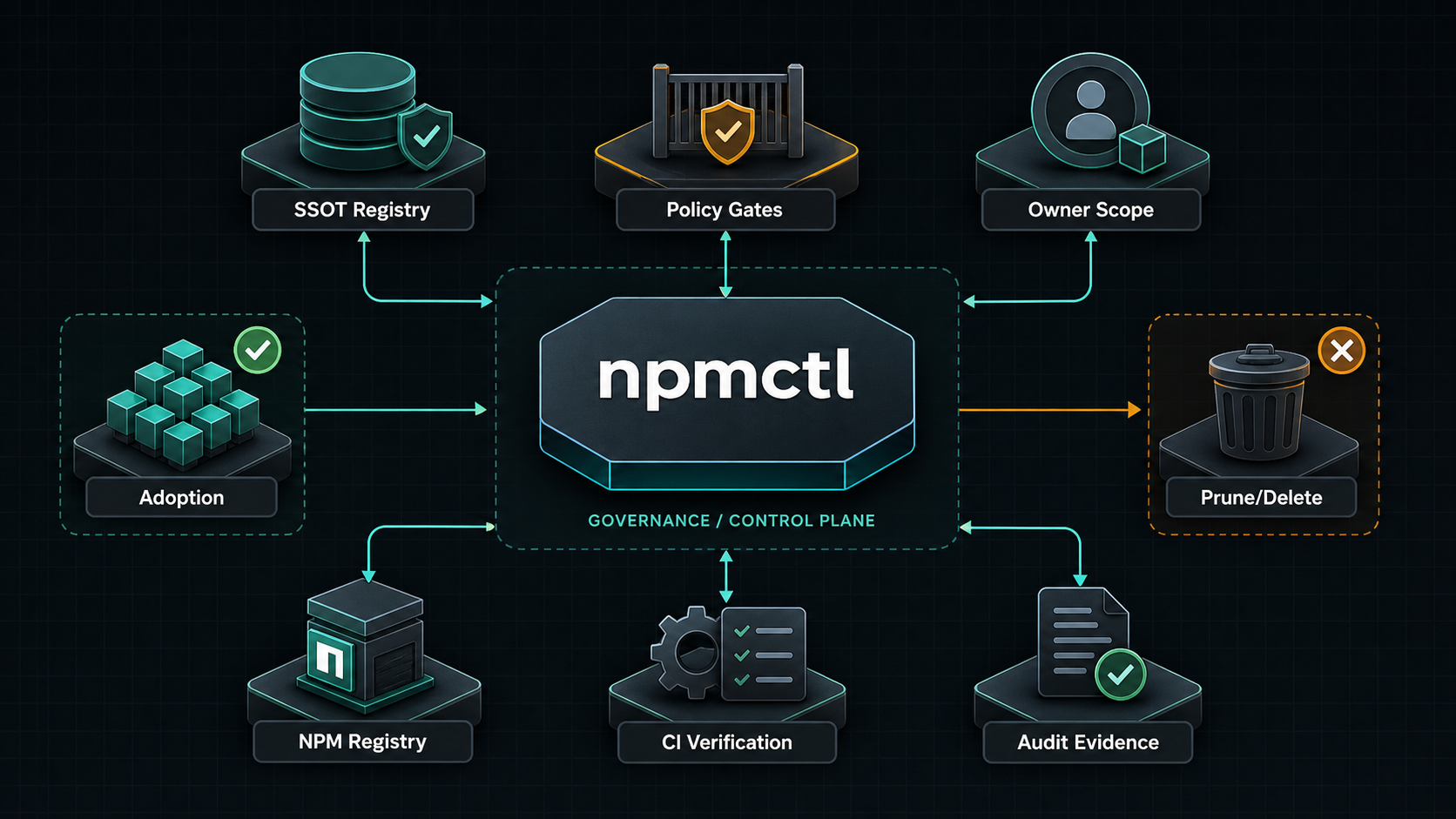
npmctl-cloudflare is the Cloudflare DNS provider package for npmctl. Install it when you want desired-state DNS records or DNS diagnostics to resolve through Cloudflare instead of using only the base npmctl package.
Supported Python Versions
npmctl-cloudflare supports Python 3.10, 3.11, 3.12, 3.13, and 3.14.
Why npmctl-cloudflare
- Adds Cloudflare DNS provider discovery to
npmctl - Lets DNS workflows live beside proxy and certificate desired state
- Keeps Cloudflare API tokens out of the core CLI package
- Supports operator diagnostics through
npmctl dns doctor - Provides client helpers for Cloudflare DNS record workflows
FAQ
What is npmctl-cloudflare?
Answer: npmctl-cloudflare is a plugin package that teaches npmctl how to talk to the Cloudflare DNS Records API for DNS record operations and DNS provider diagnostics.
When do I need npmctl-cloudflare?
Answer: You need npmctl-cloudflare when your npmctl workflow includes Cloudflare-managed DNS records or when you want npmctl to validate Cloudflare DNS connectivity and credentials.
Does npmctl-cloudflare work without npmctl?
Answer: No. npmctl-cloudflare is an extension package for npmctl, not a standalone CLI.
Can npmctl-cloudflare set DNS records?
Answer: Yes. The Cloudflare provider supports declarative A, AAAA, CNAME, TXT, MX, SRV, and CAA writes. MX records require priority.
What credentials are required?
Answer: Cloudflare API access requires CLOUDFLARE_API_TOKEN. For diagnostics, grant zone read and DNS read access. For record changes, grant DNS write access to the target zone.
Install
Install the base CLI and the Cloudflare provider package together:
pipx install npmctl
pipx inject npmctl npmctl-cloudflare
npmctl plugins list
With uv:
uv tool install npmctl
uv tool install npmctl-cloudflare
npmctl plugins list
Inside a virtual environment:
python -m venv .venv
. .venv/bin/activate
python -m pip install npmctl npmctl-cloudflare
npmctl plugins list
Configure Cloudflare
Set the required environment variable:
export CLOUDFLARE_API_TOKEN=your-cloudflare-api-token
Optional for tests, proxies, or alternate endpoints:
export CLOUDFLARE_API_BASE_URL=https://api.cloudflare.com/client/v4
Verify Plugin Discovery
Check that npmctl can discover the provider:
npmctl plugins list
npmctl dns doctor --provider cloudflare
Minimal DNS Workflow
Once the provider is installed and configured, npmctl can validate, plan, apply, or diagnose Cloudflare-backed DNS behavior through the base CLI:
npmctl validate desired-state/dns.yaml
npmctl plan desired-state/dns.yaml --owner site-a
npmctl apply desired-state/dns.yaml --owner site-a
npmctl dns providers
npmctl dns zones --provider cloudflare
npmctl dns records --provider cloudflare --zone example.com
Cloudflare API Surface
The provider follows the Cloudflare DNS Records API:
GET /zones: discover zones available to the token.GET /zones/{zone_id}/dns_records: list DNS records in one zone.POST /zones/{zone_id}/dns_records: create supported DNS records.PUT /zones/{zone_id}/dns_records/{dns_record_id}: overwrite an existing record.PATCH /zones/{zone_id}/dns_records/{dns_record_id}: partially update an existing record.DELETE /zones/{zone_id}/dns_records/{dns_record_id}: delete a record.
Programmatic Record Operations
The npmctl DNS provider contract requires zones() and records(zone). This package also exposes client helpers for API-backed record mutation:
from npmctl_cloudflare import CloudflareClient, CloudflareConfig

client = CloudflareClient(CloudflareConfig.from_env())
record = client.create_record("example.com", type="A", name="www", value="192.0.2.10", ttl=300)
client.patch_record("example.com", str(record.record_id), value="192.0.2.11")
client.delete_record("example.com", str(record.record_id))
CNAME and other supported record types use the same method. MX records pass
priority:
client.create_record("example.com", type="CNAME", name="app", value="target.example.net", ttl=300)
client.create_record("example.com", type="MX", name="@", value="mail.example.com", ttl=300, priority=10)
Safety Notes
- Only operate on zones that are authoritative in Cloudflare.
- Use least-privilege API tokens scoped to the intended zone.
- Keep
CLOUDFLARE_API_TOKENout of desired-state files and logs. - Cloudflare prevents CNAME records from coexisting with A or AAAA records on the same name.
- Use npmctl owner metadata for desired DNS records so apply remains owner-scoped.
More Documentation
- Related PyPI package: https://pypi.org/project/npmctl/
- Repository: https://github.com/groupsum/npmctl
- DNS provider docs: https://github.com/groupsum/npmctl/tree/master/docs/dns-providers.md
1 maintainer

Metadata
1 maintainer
Release files for npmctl-cloudflare 0.4.1
For a detailed explanation of source distributions (sdists) and built distributions (wheels), please see the package formats documentation.
Source distribution (sdist)
| File | Size | Uploaded | |
|---|---|---|---|
| npmctl_cloudflare-0.4.1.tar.gz | 4.0 kB | Details |
Built distribution (wheel)
| File | Interpreter | ABI | Platform | Reset |
|---|---|---|---|---|
| npmctl_cloudflare-0.4.1-py3-none-any.whl | Python 3 | none | any | Details |
Total release size: 10.3 kB
Release files / npmctl_cloudflare-0.4.1.tar.gz
| Download URL | npmctl_cloudflare-0.4.1.tar.gz |
|---|---|
| Size | 4.0 kB |
| Tags | Source |
|
SHA-256 checksum How to use checksums |
498a34ac1280650671be3a88bb3a381ca5eb74c5882dae343d1cec4a98882c05
|
|
BLAKE2b-256 checksum How to use checksums |
4285f99f974be65aa34e886f0b9d84e58c8c9d972f67edaf4316baf4dbfb2b96
|
| Upload date | |
|
Uploaded using Trusted Publishing? What is trusted publishing? |
Yes |
| Uploaded via |
uv/0.12.1 {"installer":{"name":"uv","version":"0.12.1","subcommand":["publish"]},"python":null,"implementation":{"name":null,"version":null},"distro":{"name":"Ubuntu","version":"24.04","id":"noble","libc":null},"system":{"name":null,"release":null},"cpu":null,"openssl_version":null,"setuptools_version":null,"rustc_version":null,"ci":true}
|
Release files / npmctl_cloudflare-0.4.1-py3-none-any.whl
| Download URL | npmctl_cloudflare-0.4.1-py3-none-any.whl |
|---|---|
| Size | 6.3 kB |
| Tags | Python 3 |
|
SHA-256 checksum How to use checksums |
4219277f81c40b9c1806de04c671966ba6393500dad3b413954ed2e89712482e
|
|
BLAKE2b-256 checksum How to use checksums |
edcaf0aa8027d067a316ed68582603ee00efb999300014ad17585e5d412895be
|
| Upload date | |
|
Uploaded using Trusted Publishing? What is trusted publishing? |
Yes |
| Uploaded via |
uv/0.12.1 {"installer":{"name":"uv","version":"0.12.1","subcommand":["publish"]},"python":null,"implementation":{"name":null,"version":null},"distro":{"name":"Ubuntu","version":"24.04","id":"noble","libc":null},"system":{"name":null,"release":null},"cpu":null,"openssl_version":null,"setuptools_version":null,"rustc_version":null,"ci":true}
|














