
npmctl-namecheap
Namecheap DNS provider plugin for npmctl
Extend npmctl with Namecheap-backed DNS record management for declarative workflows, provider discovery, and DNS-aware automation.







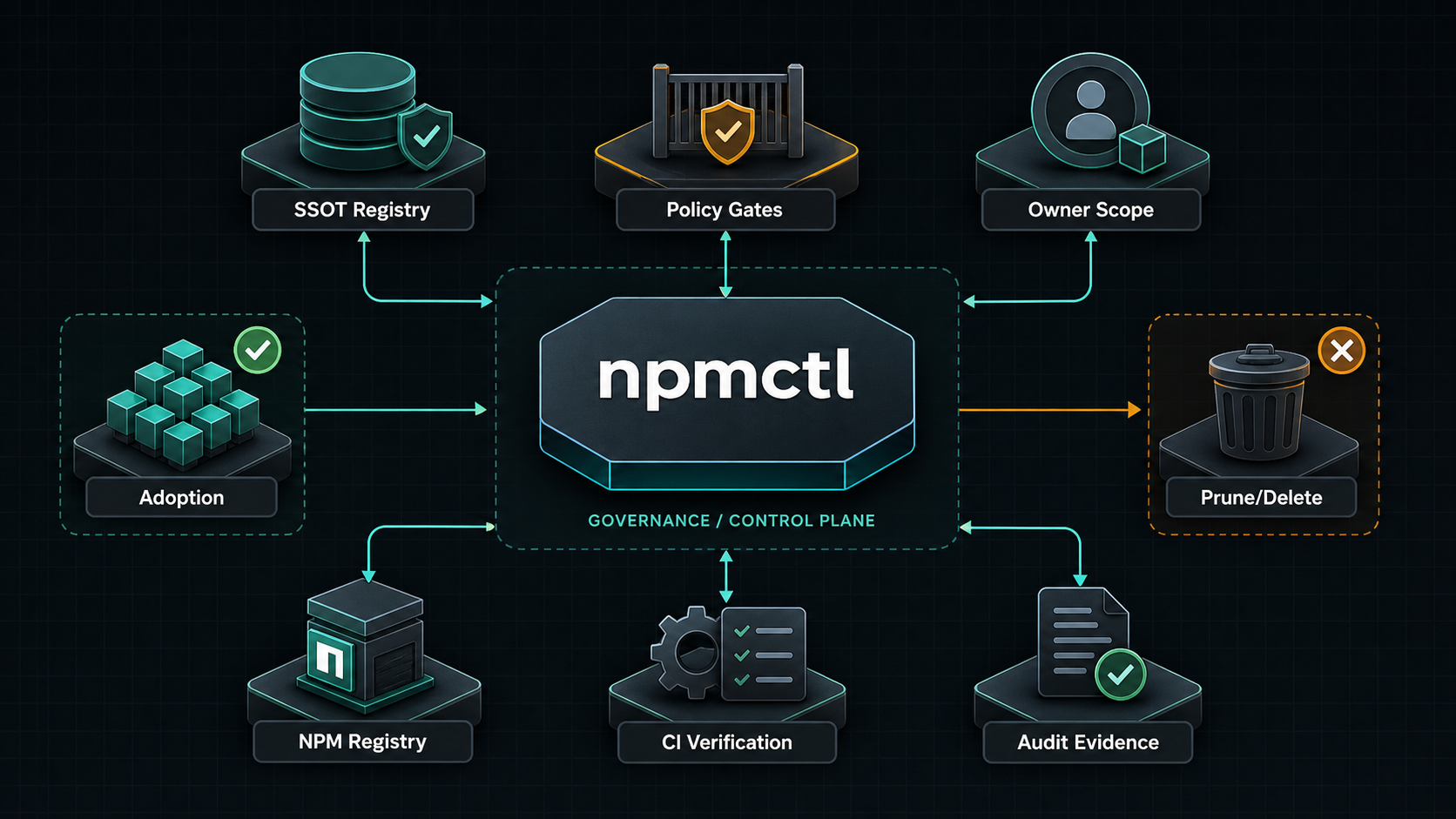
npmctl-namecheap is the Namecheap DNS provider package for npmctl. Install it when you want desired-state DNS records or DNS diagnostics to resolve through Namecheap instead of using only the base npmctl package.
Supported Python Versions
npmctl-namecheap supports Python 3.10, 3.11, 3.12, 3.13, and 3.14.
Why npmctl-namecheap
- Adds Namecheap DNS provider discovery to
npmctl - Lets DNS workflows live beside proxy and certificate desired state
- Keeps provider-specific credentials out of the core CLI package
- Supports operator diagnostics through
npmctl dns doctor - Persists A, AAAA, CNAME, TXT, MX, SRV, and CAA records through Namecheap
setHostsduringnpmctl apply
FAQ
What is npmctl-namecheap?
Answer: npmctl-namecheap is a plugin package that teaches npmctl how to talk to the Namecheap DNS API for DNS record operations and DNS provider diagnostics.
When do I need npmctl-namecheap?
Answer: You need npmctl-namecheap when your npmctl workflow includes Namecheap-managed DNS records or when you want npmctl to validate Namecheap DNS connectivity and credentials.
Does npmctl-namecheap work without npmctl?
Answer: No. npmctl-namecheap is an extension package for npmctl, not a standalone CLI.
What credentials are required?
Answer: Namecheap API access requires NAMECHEAP_API_USER, NAMECHEAP_API_KEY, NAMECHEAP_USERNAME, and NAMECHEAP_CLIENT_IP. You can also override the endpoint with NAMECHEAP_API_BASE_URL for tests or non-default environments.
Install
Install the base CLI and the Namecheap provider package together:
pipx install npmctl
pipx inject npmctl npmctl-namecheap
npmctl plugins list
With uv:
uv tool install npmctl
uv tool install npmctl-namecheap
npmctl plugins list
Inside a virtual environment:
python -m venv .venv
. .venv/bin/activate
python -m pip install npmctl npmctl-namecheap
npmctl plugins list
Configure Namecheap
Set the required environment variables:
export NAMECHEAP_API_USER=your-api-user
export NAMECHEAP_API_KEY=your-api-key
export NAMECHEAP_USERNAME=your-username
export NAMECHEAP_CLIENT_IP=your-public-ip
Optional for tests or alternate endpoints:
export NAMECHEAP_API_BASE_URL=https://api.namecheap.com/xml.response
Verify Plugin Discovery
Check that npmctl can discover the provider:
npmctl plugins list
npmctl dns doctor --provider namecheap
Minimal DNS Workflow
Once the provider is installed and configured, npmctl can validate, plan, apply,
and diagnose Namecheap-backed DNS behavior through the base CLI:
npmctl validate desired-state/dns.yaml
npmctl plan desired-state/dns.yaml --owner site-a
npmctl apply desired-state/dns.yaml --owner site-a
npmctl dns doctor --provider namecheap
npmctl dns records --provider namecheap --zone example.com
Namecheap apply uses namecheap.domains.dns.setHosts, so npmctl sends the full
zone host set required by the Namecheap XML API. Unmanaged records returned by
Namecheap are preserved; stale npmctl-owned records can be removed with
owner-scoped prune behavior when they are omitted from desired state.
The supported declarative record types are A, AAAA, CNAME, TXT, MX, SRV, and
CAA. MX records require priority.
More Documentation
- Related PyPI package: https://pypi.org/project/npmctl/
- Repository: https://github.com/groupsum/npmctl
- Provider docs: https://github.com/groupsum/npmctl/tree/master/docs/namecheap.md
1 maintainer

Metadata
1 maintainer
Release files for npmctl-namecheap 0.4.1
For a detailed explanation of source distributions (sdists) and built distributions (wheels), please see the package formats documentation.
Source distribution (sdist)
| File | Size | Uploaded | Provenance | |
|---|---|---|---|---|
| npmctl_namecheap-0.4.1.tar.gz | 7.5 kB | Without provenance | Details |
Built distribution (wheel)
| File | Interpreter | ABI | Platform | Reset |
|---|---|---|---|---|
| npmctl_namecheap-0.4.1-py3-none-any.whl | Python 3 | none | any | Details |
Total release size: 17.2 kB
Release files / npmctl_namecheap-0.4.1.tar.gz
| Download URL | npmctl_namecheap-0.4.1.tar.gz |
|---|---|
| Size | 7.5 kB |
| Tags | Source |
|
SHA-256 checksum How to use checksums |
9e542b741c39889c27f1c94f335d18c72f93c12825a8da988475b9ecc117c7dc
|
|
BLAKE2b-256 checksum How to use checksums |
945fb28ae88e67105d8be601a5e88f7b835b8d4f2078faad69a2611a3cfed3bc
|
| Upload date | |
|
Uploaded using Trusted Publishing? What is trusted publishing? |
Yes |
| Uploaded via |
uv/0.12.1 {"installer":{"name":"uv","version":"0.12.1","subcommand":["publish"]},"python":null,"implementation":{"name":null,"version":null},"distro":{"name":"Ubuntu","version":"24.04","id":"noble","libc":null},"system":{"name":null,"release":null},"cpu":null,"openssl_version":null,"setuptools_version":null,"rustc_version":null,"ci":true}
|
Release files / npmctl_namecheap-0.4.1-py3-none-any.whl
| Download URL | npmctl_namecheap-0.4.1-py3-none-any.whl |
|---|---|
| Size | 9.7 kB |
| Tags | Python 3 |
|
SHA-256 checksum How to use checksums |
13ac4eb85ce07a0ee8f2ba4378fe69bcac12faca672facc234f02b01a0234c23
|
|
BLAKE2b-256 checksum How to use checksums |
7d1ea79d744619b62ec3563f1a0fbdda0e0970325b7de2a5e112885f329e7d6d
|
| Upload date | |
|
Uploaded using Trusted Publishing? What is trusted publishing? |
Yes |
| Uploaded via |
uv/0.12.1 {"installer":{"name":"uv","version":"0.12.1","subcommand":["publish"]},"python":null,"implementation":{"name":null,"version":null},"distro":{"name":"Ubuntu","version":"24.04","id":"noble","libc":null},"system":{"name":null,"release":null},"cpu":null,"openssl_version":null,"setuptools_version":null,"rustc_version":null,"ci":true}
|
Security for npmctl-namecheap 0.4.1
Provenance
Provenance describes where a file came from. On PyPI, provenance is shared via attestations, which provide a verifiable record of the build or publishing details. View details, limitations and caveats.
No provenance found
None of the files in this release were uploaded with provenance metadata.
A note on package security
PyPI is a repository for distributing packages, not a service for auditing them. While third-party security researchers and our staff do their best to detect and remove malicious packages, PyPI cannot guarantee the quality, security or suitability of any given package.
To learn more about protecting yourself from malicious actors, visit our package security documentation.














