
AWS Route 53 DNS provider extension for npmctl.

Project description
npmctl-route53
AWS Route 53 DNS provider plugin for npmctl
Extend npmctl with Route 53-backed DNS record management for declarative workflows, provider discovery, and DNS-aware automation.






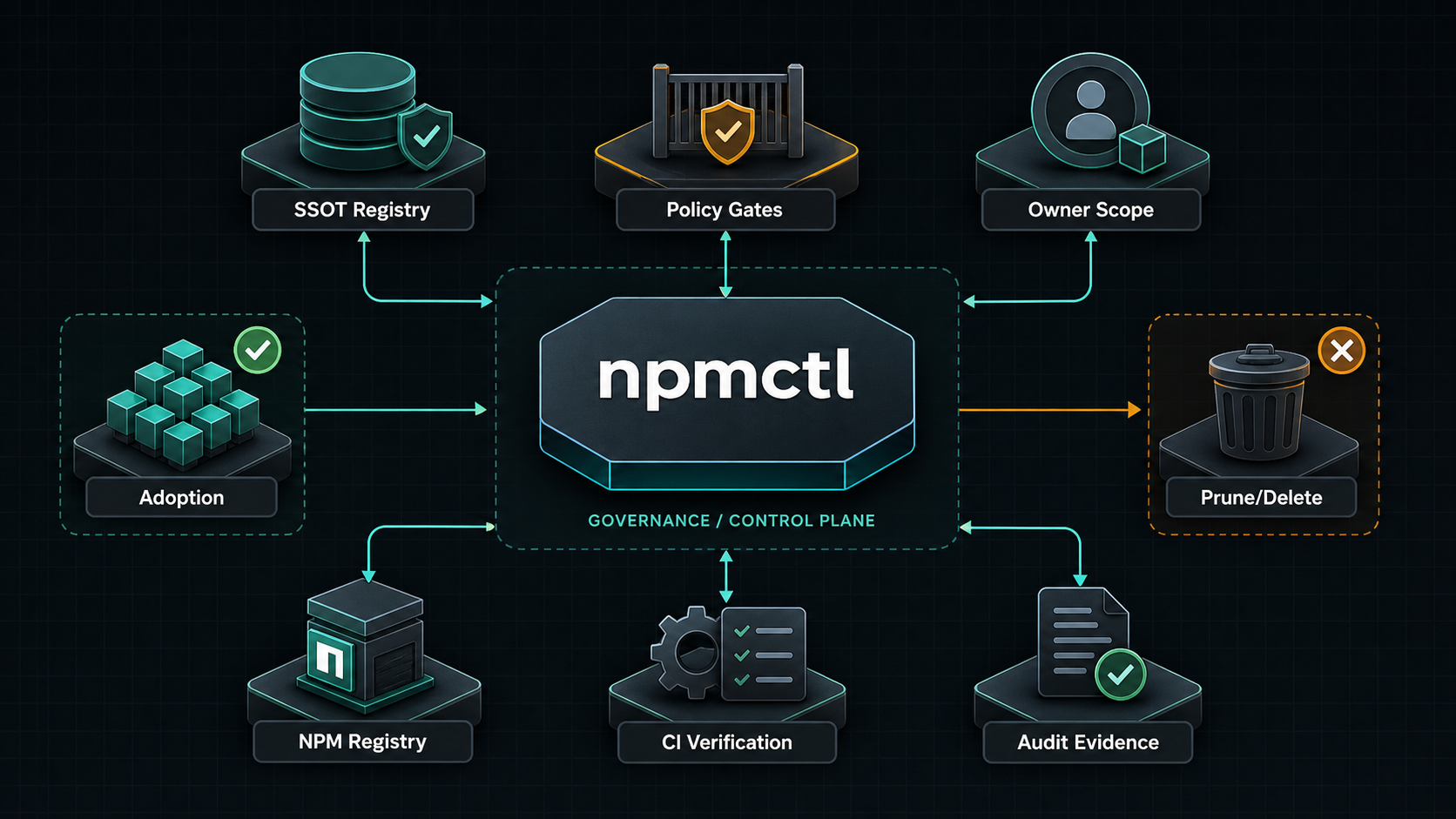
npmctl-route53 is the AWS Route 53 DNS provider package for npmctl. Install it when you want desired-state DNS records or DNS diagnostics to resolve through Route 53 instead of using only the base npmctl package.
Supported Python Versions
npmctl-route53 supports Python 3.10, 3.11, 3.12, 3.13, and 3.14.
Why npmctl-route53
- Adds Route 53 DNS provider discovery to
npmctl - Lets DNS workflows live beside proxy and certificate desired state
- Keeps AWS DNS dependencies out of the core CLI package
- Supports operator diagnostics through
npmctl dns doctor - Provides client helpers for Route 53 A and CNAME change-batch workflows
FAQ
What is npmctl-route53?
Answer: npmctl-route53 is a plugin package that teaches npmctl how to talk to AWS Route 53 through boto3 for DNS record operations and DNS provider diagnostics.
When do I need npmctl-route53?
Answer: You need npmctl-route53 when your npmctl workflow includes Route 53 hosted-zone DNS records or when you want npmctl to validate Route 53 DNS connectivity and credentials.
Does npmctl-route53 work without npmctl?
Answer: No. npmctl-route53 is an extension package for npmctl, not a standalone CLI.
Can npmctl-route53 set A and CNAME records?
Answer: Yes. Route 53 supports A and CNAME record sets through ChangeResourceRecordSets, and this package exposes helpers for CREATE, UPSERT, and DELETE batches.
What credentials are required?
Answer: Route 53 access uses the standard AWS credential chain or ROUTE53_PROFILE. Diagnostics require hosted-zone and record-set list permissions; mutation helpers require route53:ChangeResourceRecordSets.
Install
Install the base CLI and the Route 53 provider package together:
pipx install npmctl
pipx inject npmctl npmctl-route53
npmctl plugins list
With uv:
uv tool install npmctl
uv tool install npmctl-route53
npmctl plugins list
Inside a virtual environment:
python -m venv .venv
. .venv/bin/activate
python -m pip install npmctl npmctl-route53
npmctl plugins list
Configure Route 53
Use the standard AWS credential chain:
export AWS_ACCESS_KEY_ID=...
export AWS_SECRET_ACCESS_KEY=...
export AWS_SESSION_TOKEN=...
Or use a named profile:
export AWS_PROFILE=production-dns
Optional package-specific override:
export ROUTE53_PROFILE=production-dns
Verify Plugin Discovery
Check that npmctl can discover the provider:
npmctl plugins list
npmctl dns doctor --provider route53
Minimal DNS Workflow
Once the provider is installed and configured, npmctl can validate or diagnose Route 53-backed DNS behavior through the base CLI:
npmctl dns providers
npmctl dns zones --provider route53
npmctl dns records --provider route53 --zone example.com
Route 53 API Surface
The provider follows the AWS Route 53 API through boto3:
ListHostedZones: discover hosted zones.ListResourceRecordSets: list records in one hosted zone.ChangeResourceRecordSetswithCREATE: create record sets.ChangeResourceRecordSetswithUPSERT: create or update record sets.ChangeResourceRecordSetswithDELETE: delete record sets.
Required IAM actions for diagnostics:
route53:ListHostedZonesroute53:ListResourceRecordSets
Required IAM action for mutation helpers:
route53:ChangeResourceRecordSets
Programmatic Record Operations
from npmctl_route53 import Route53Client, Route53Config

client = Route53Client(Route53Config.from_env())
client.create_record("example.com", type="A", name="www", value="192.0.2.10", ttl=300)
client.upsert_record("example.com", type="CNAME", name="app", value="target.example.net", ttl=300)
client.delete_record("example.com", type="A", name="www", value="192.0.2.10", ttl=300)
Safety Notes
- Route 53 changes are hosted-zone scoped. Confirm the selected hosted zone before mutation.
- Prefer IAM policies scoped to the intended hosted zone ARN.
UPSERTcan overwrite live DNS answers. Use create-only workflows when adoption is not explicit.- Use npmctl owner metadata for desired DNS records so future apply support can remain owner-scoped.
More Documentation
- Related PyPI package: https://pypi.org/project/npmctl/
- Repository: https://github.com/groupsum/npmctl
- DNS provider docs: https://github.com/groupsum/npmctl/tree/master/docs/dns-providers.md


Download files
Download the file for your platform. If you're not sure which to choose, learn more about installing packages.
Source Distribution
Built Distribution
Filter files by name, interpreter, ABI, and platform.
If you're not sure about the file name format, learn more about wheel file names.
Copy a direct link to the current filters
File details
Details for the file npmctl_route53-0.3.6.tar.gz.
File metadata
- Download URL: npmctl_route53-0.3.6.tar.gz
- Upload date:
- Size: 5.4 kB
- Tags: Source
- Uploaded using Trusted Publishing? No
- Uploaded via: twine/6.1.0 CPython/3.13.12
File hashes
| Algorithm | Hash digest | |
|---|---|---|
| SHA256 |
38f625f1e0605fda03106ceafb56d5fa2dce17e963c70a73f32012f28d482870
|
|
| MD5 |
fd6d55264152a9b2a27ed95d0e1fbd46
|
|
| BLAKE2b-256 |
6f8ee5a82a9f6a615b0b2938e5bad82ff9c538f0ffd53bd624c42de88a1cb147
|
File details
Details for the file npmctl_route53-0.3.6-py3-none-any.whl.
File metadata
- Download URL: npmctl_route53-0.3.6-py3-none-any.whl
- Upload date:
- Size: 8.2 kB
- Tags: Python 3
- Uploaded using Trusted Publishing? No
- Uploaded via: twine/6.1.0 CPython/3.13.12
File hashes
| Algorithm | Hash digest | |
|---|---|---|
| SHA256 |
baf773582421406a5ae000a918ef63ac94a0746fdabc8735668725e1fa2a1176
|
|
| MD5 |
941ce3666c5a4256fa646a36b8942318
|
|
| BLAKE2b-256 |
186466e621fb6cbdaf18f609ae6f15b41a93333456bfc167afea7a5d93a71f66
|






