
Modern SSH terminal widget for PyQt6 with credential vault and jump host support

Project description
nterm
A modern SSH terminal for network engineers
PyQt6 terminal widget with encrypted credential vault, jump host chaining, YubiKey/FIDO2 support, and legacy device compatibility.
Built for managing hundreds of devices through bastion hosts with hardware security keys.
Features
Terminal
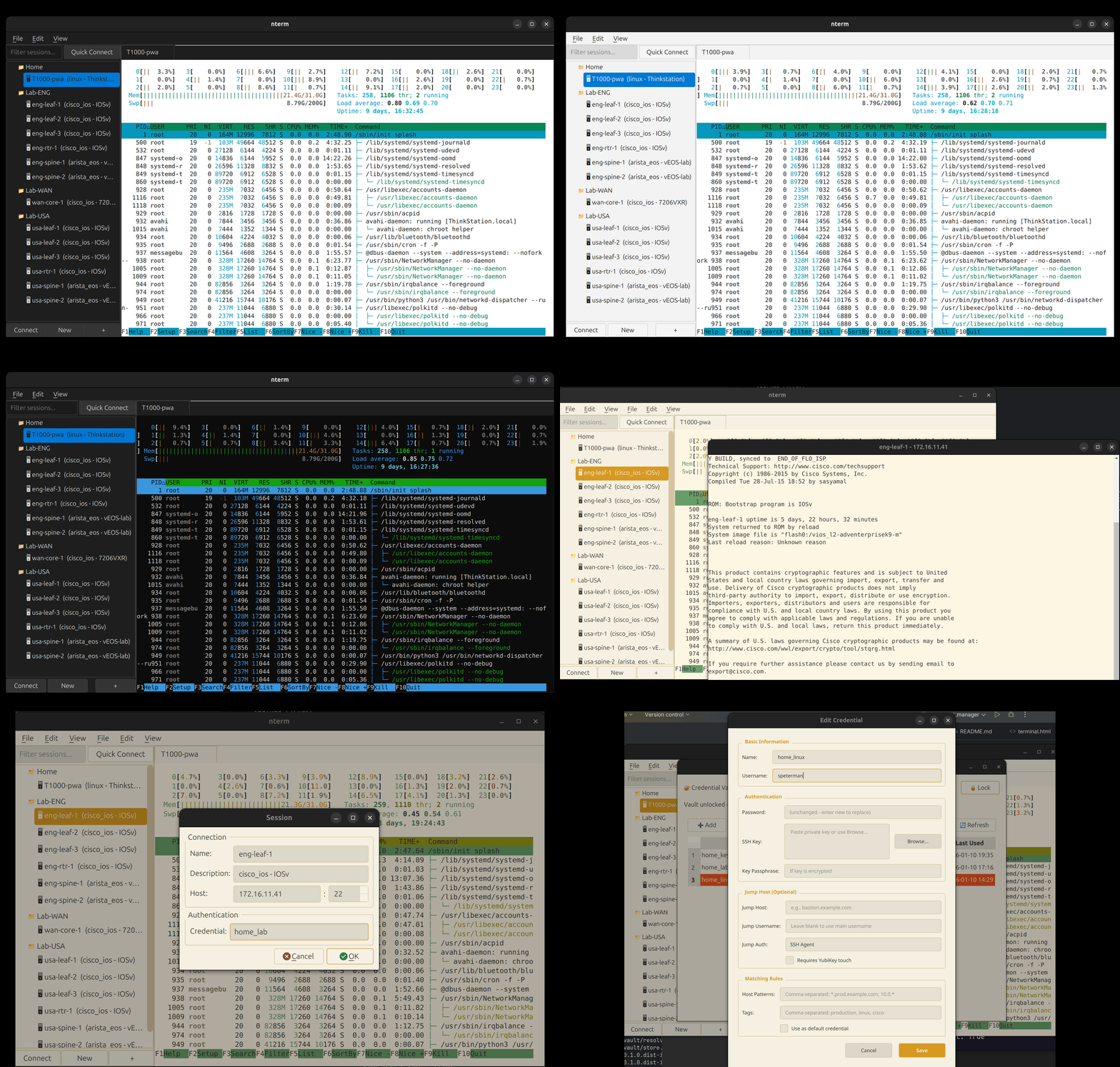
- xterm.js rendering via QWebEngineView — full VT100/ANSI support
- 12 built-in themes: Catppuccin, Dracula, Nord, Solarized, Gruvbox, Enterprise variants
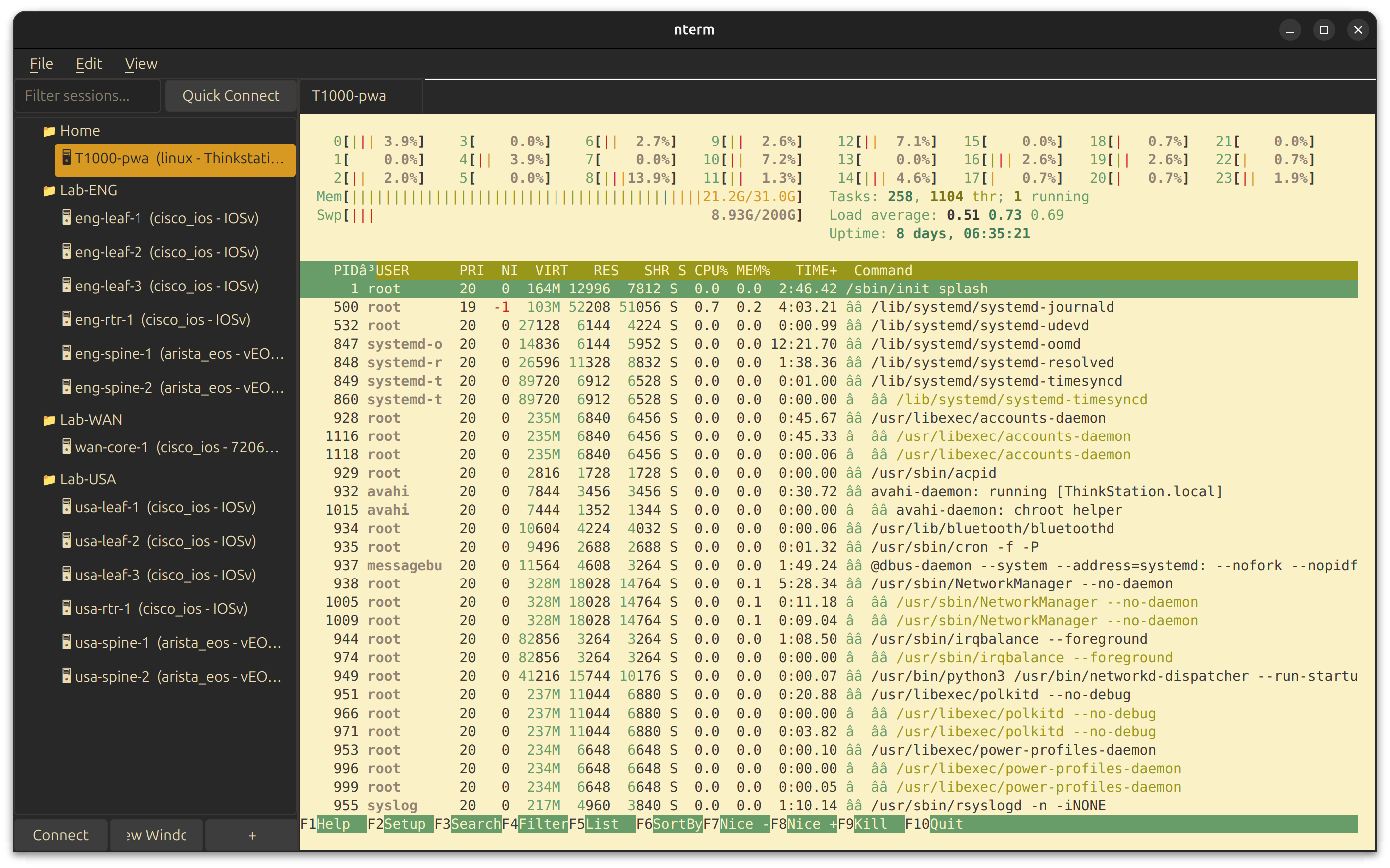
- Hybrid themes: dark UI chrome with light terminal for readability
- Custom YAML themes with independent terminal and UI colors
- Tab or window per session — pop sessions to separate windows
- Session capture to file (clean text, ANSI stripped)
- Unicode, emoji, box-drawing characters
Authentication
- SSH Agent with YubiKey/FIDO2 hardware keys
- Password, key file, keyboard-interactive, certificate auth
- Multiple auth methods with automatic fallback
- RSA SHA-1 fallback for legacy devices (OpenSSH < 7.2)
- Legacy crypto support for old Juniper/Cisco gear
Connection Management
- Jump host chaining (unlimited hops)
- Auto-reconnection with exponential backoff
- Connection profiles in YAML/JSON
- Pattern-based credential resolution
Credential Vault
- AES-256 encryption with PBKDF2 (480,000 iterations)
- Pattern matching — map credentials to hosts by wildcard or tag
- Cross-platform keychain: macOS Keychain, Windows Credential Locker, Linux Secret Service
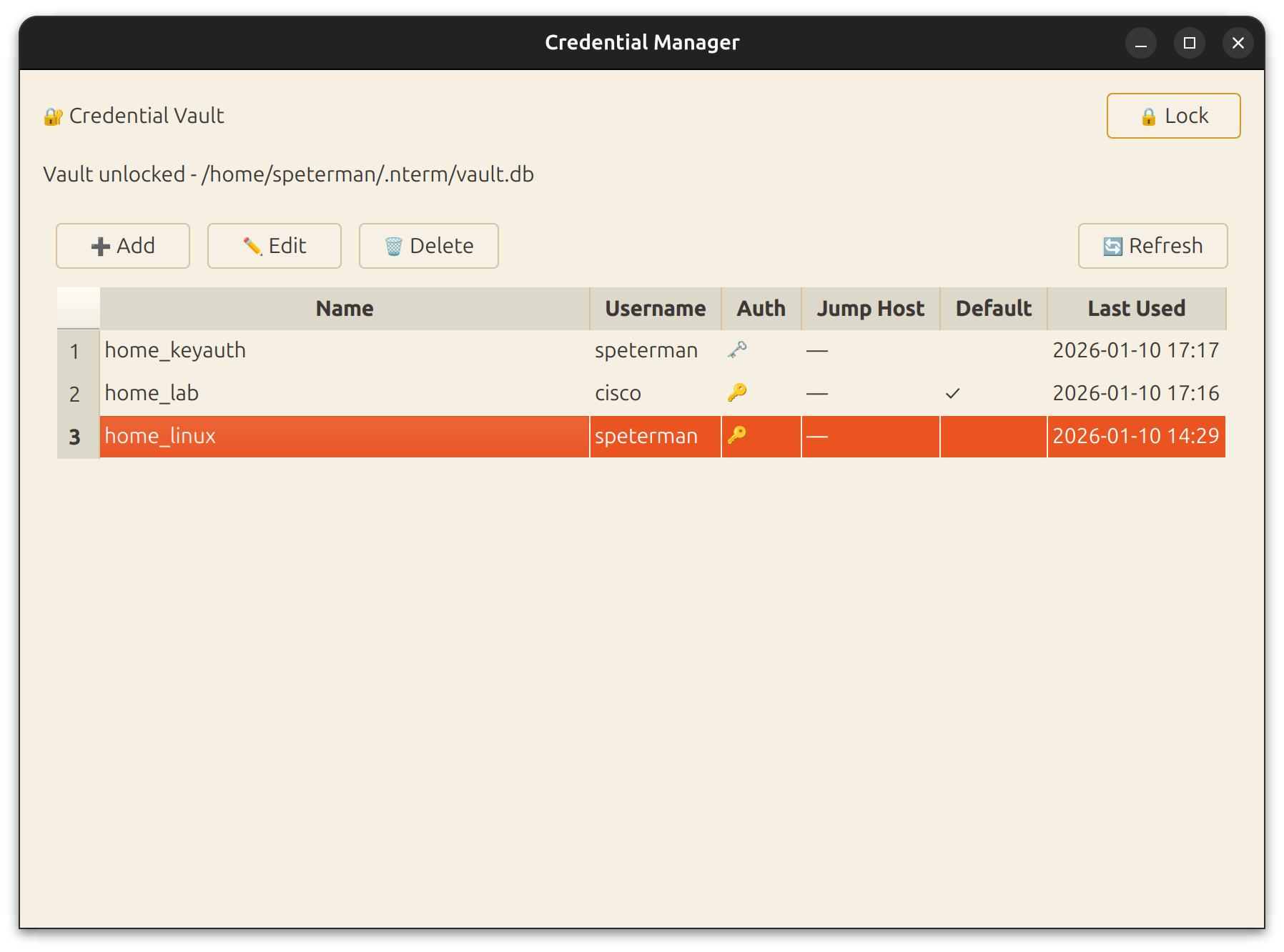
- Full PyQt6 management UI
Scripting API (Experimental)
- Query device inventory and credentials programmatically
- Built-in IPython console with API pre-loaded
- CLI for shell scripts and automation
- Foundation for MCP tools and agentic workflows
Screenshots
| Gruvbox Hybrid Theme | Credential Manager |
|---|---|
 |
 |
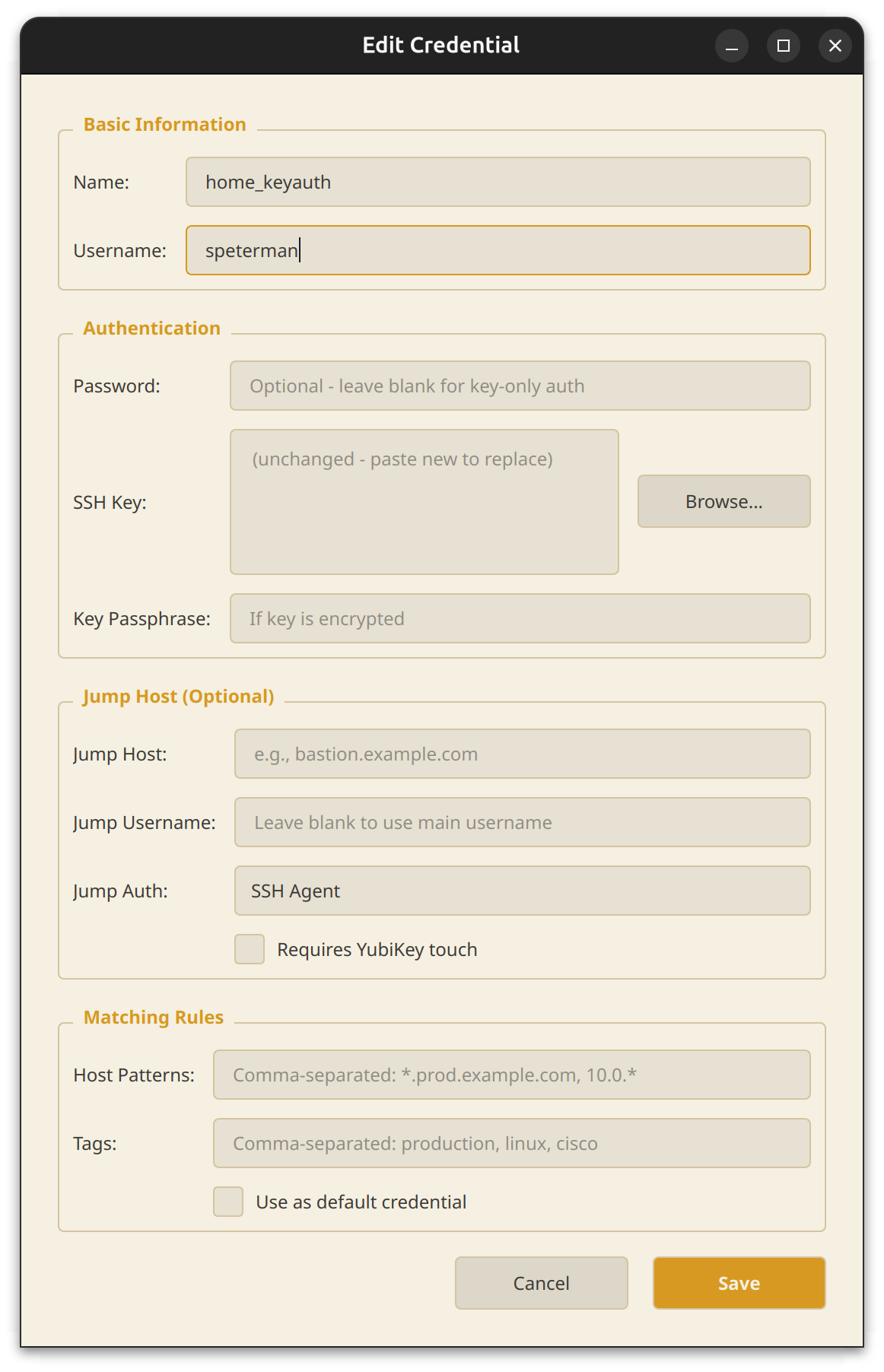
| Connection Dialog | Multi-vendor Support |
|---|---|
 |
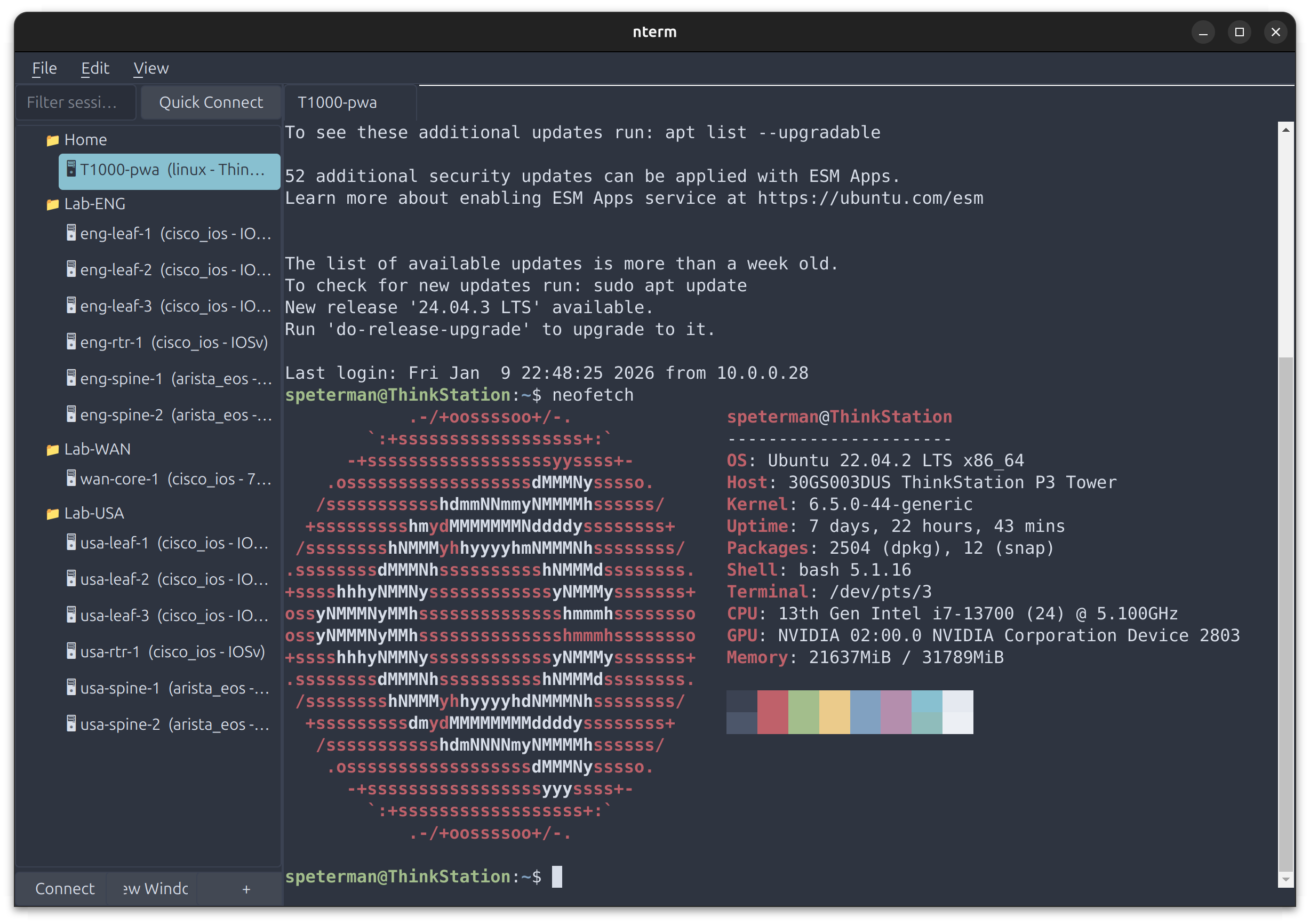 |
Dev Console
nterm includes a built-in development console accessible via Dev → IPython or Dev → Shell. Open in a tab alongside your SSH sessions, or pop out to a separate window.
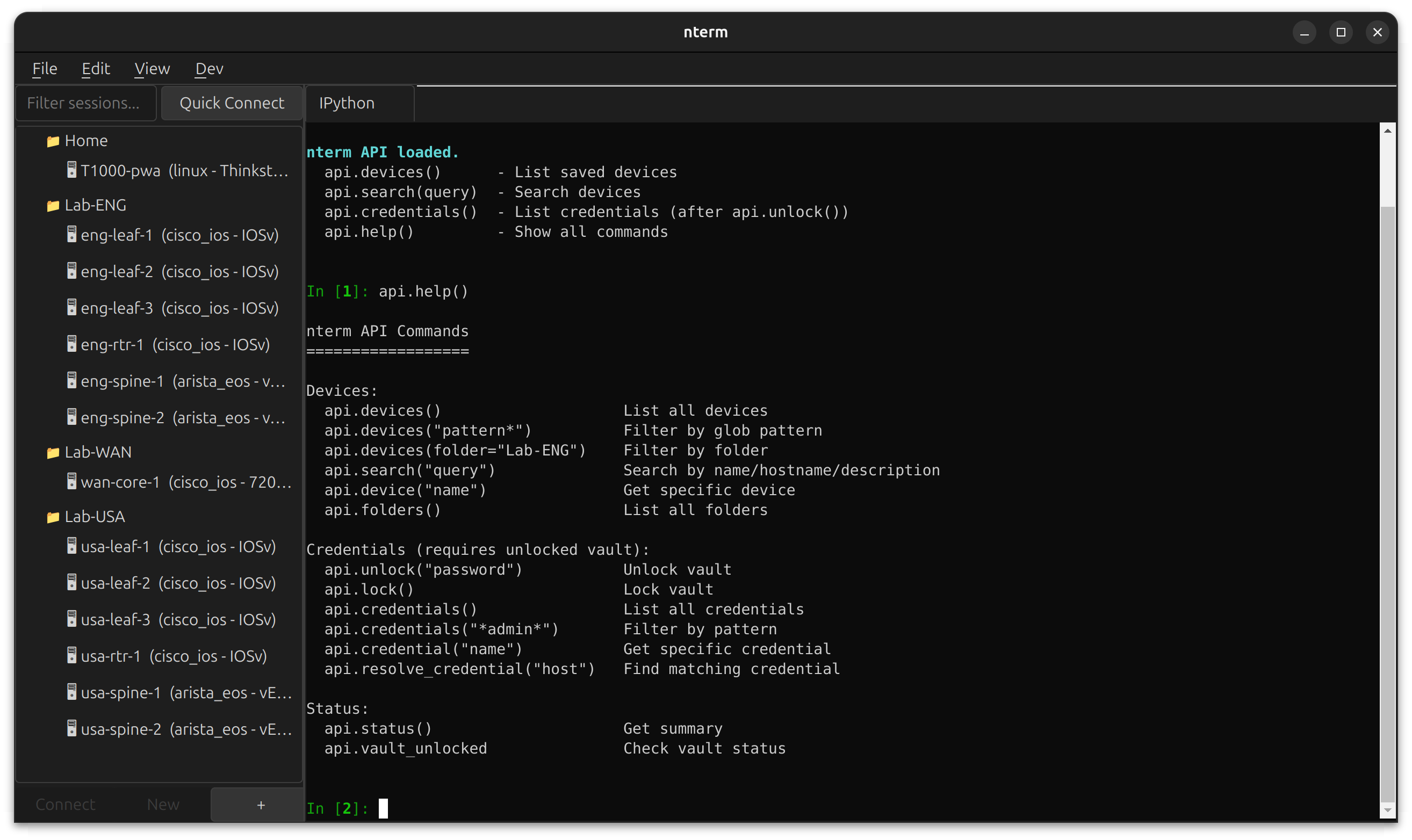
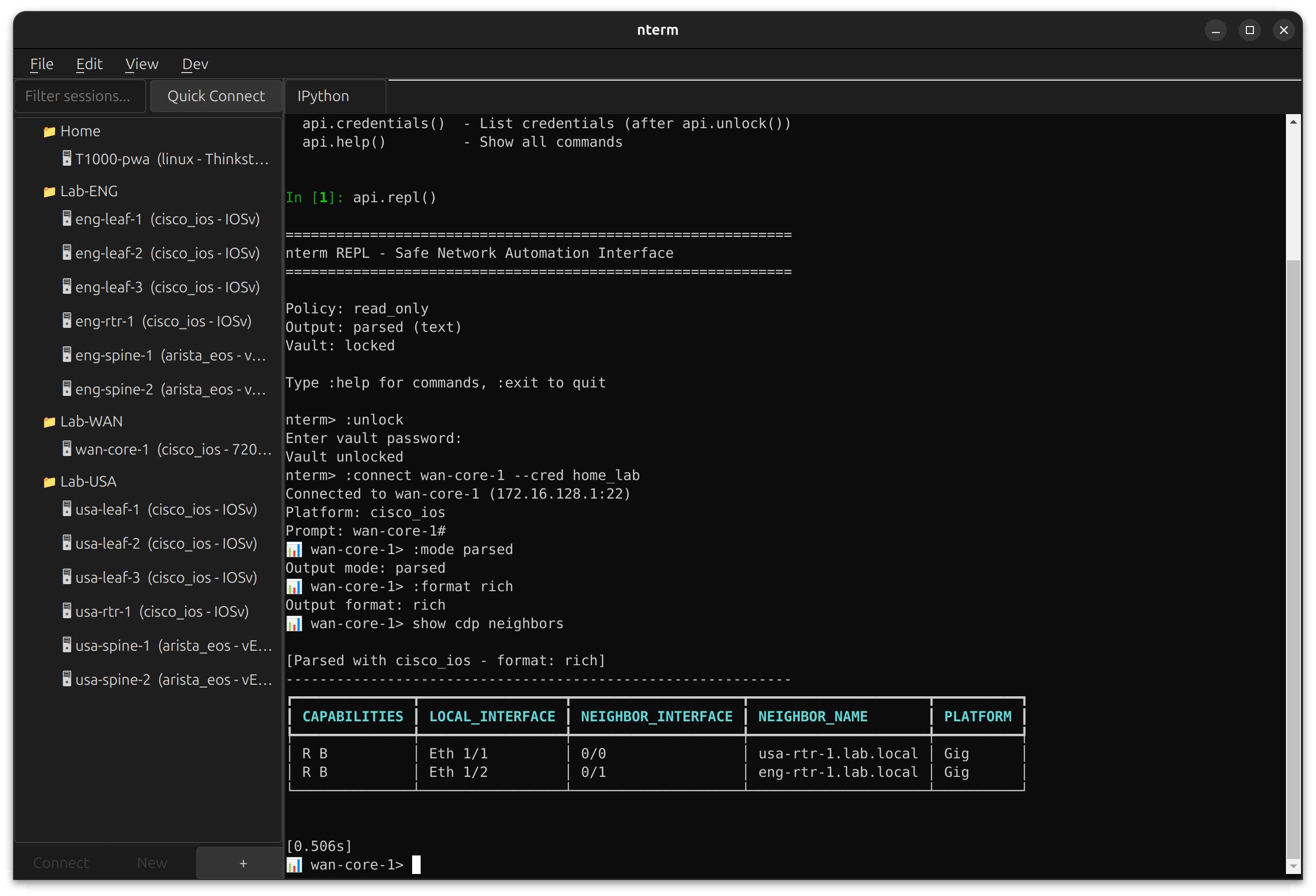
The IPython console runs in the same Python environment as nterm, with the scripting API pre-loaded. Query your device inventory, inspect credentials, and prototype automation workflows without leaving the app.
# Available immediately when IPython opens
api.devices()                    # List all saved devices
api.search("leaf")               # Search by name/hostname
api.credentials()                # List credentials (after api.unlock())
api.help()                       # Show all commands
Use cases:
- Debug connection issues with live access to session objects
- Prototype automation scripts against your real device inventory
- Test credential resolution patterns
- Build and test MCP tools interactively
Requires the scripting extra: pip install ntermqt[scripting]
Installation
Be aware due to a naming conflict, the pypi package is actually "ntermqt"
From PyPI
https://pypi.org/project/ntermqt/
pip install ntermqt

# With optional scripting support (IPython)
pip install ntermqt[scripting]

# With all optional features
pip install ntermqt[all]

# Run
nterm
From Source
git clone https://github.com/scottpeterman/nterm.git
cd nterm

# Create virtual environment
python -m venv .venv
source .venv/bin/activate  # Linux/macOS
# .venv\Scripts\activate   # Windows

# Install in development mode
pip install -e ".[all]"

# Run
nterm
# or
python -m nterm
Requirements
- Python 3.10+
- PyQt6 with WebEngine
- paramiko
- cryptography
- pyyaml
Platform Support
| Platform | PTY | Keychain |
|---|---|---|
| Linux | ✅ pexpect | Secret Service |
| macOS | ✅ pexpect | macOS Keychain |
| Windows 10+ | ✅ pywinpty | Credential Locker |
Scripting API (Experimental)
nterm includes a scripting API for programmatic access to your device inventory and credential vault. Use it from IPython, CLI, or Python scripts.
IPython Console
Open Dev → IPython → Open in Tab to get an interactive console with the API pre-loaded:
api.devices()                    # List all saved devices
api.search("leaf")               # Search by name/hostname
api.devices("eng-*")             # Glob pattern filter

api.unlock("vault-password")     # Unlock credential vault
api.credentials()                # List credentials (metadata only)

api.help()                       # Show all commands
CLI
nterm-cli devices                     # List all devices
nterm-cli search leaf                 # Search devices
nterm-cli device eng-leaf-1           # Device details
nterm-cli credentials --unlock        # List credentials
nterm-cli --json devices              # JSON output for scripting
Python Scripts
from nterm.scripting import NTermAPI

api = NTermAPI()

# Query devices
for device in api.devices("*spine*"):
    print(f"{device.name}: {device.hostname}")

# Work with credentials
api.unlock("vault-password")
cred = api.credential("lab-admin")
print(f"Username: {cred.username}")
Roadmap
The scripting API is the foundation for:
- Command execution —
api.connect()andapi.send()for programmatic device interaction - Batch operations — Fan out commands across device groups
- MCP tool integration — Expose nterm capabilities to AI agents
See scripting/README.md for full API documentation.
Quick Start
As a Widget
from PyQt6.QtWidgets import QApplication, QMainWindow
from nterm import ConnectionProfile, AuthConfig, SSHSession, TerminalWidget, Theme

app = QApplication([])

terminal = TerminalWidget()
terminal.set_theme(Theme.gruvbox_hybrid())

profile = ConnectionProfile(
    name="router",
    hostname="192.168.1.1",
    auth_methods=[AuthConfig.password_auth("admin", "secret")],
)

session = SSHSession(profile)
terminal.attach_session(session)
session.connect()

window = QMainWindow()
window.setCentralWidget(terminal)
window.resize(1000, 700)
window.show()

app.exec()
With Credential Vault
from nterm.vault import CredentialStore, CredentialResolver

store = CredentialStore()
store.unlock("master-password")

# Add credential with pattern matching
store.add_credential(
    name="network-devices",
    username="admin",
    password="secret",
    match_hosts=["*.network.corp", "192.168.1.*"],
    match_tags=["cisco", "juniper"],
)

# Auto-resolve credentials by hostname
resolver = CredentialResolver(store)
profile = resolver.resolve_for_device("switch01.network.corp", tags=["cisco"])

session = SSHSession(profile)
session.connect()
Themes
nterm includes 12 built-in themes covering dark, light, and hybrid styles.
Built-in Themes
# Dark themes
Theme.default()           # Catppuccin Mocha
Theme.dracula()           # Dracula
Theme.nord()              # Nord
Theme.solarized_dark()    # Solarized Dark
Theme.gruvbox_dark()      # Gruvbox Dark
Theme.enterprise_dark()   # Microsoft-inspired dark

# Light themes
Theme.gruvbox_light()     # Gruvbox Light
Theme.enterprise_light()  # Microsoft-inspired light
Theme.clean()             # Warm paper tones

# Hybrid themes (dark UI + light terminal)
Theme.gruvbox_hybrid()    # Gruvbox dark chrome, light terminal
Theme.nord_hybrid()       # Nord polar night chrome, snow storm terminal
Theme.enterprise_hybrid() # VS Code-style dark/light split
Hybrid themes combine a dark application chrome (menus, tabs, sidebars) with a light terminal for maximum readability — ideal for long sessions reviewing configs or logs.
Custom YAML Themes
# ~/.nterm/themes/my-theme.yaml
name: my-theme

terminal_colors:
  background: "#1a1b26"
  foreground: "#c0caf5"
  cursor: "#c0caf5"
  black: "#15161e"
  red: "#f7768e"
  green: "#9ece6a"
  yellow: "#e0af68"
  blue: "#7aa2f7"
  magenta: "#bb9af7"
  cyan: "#7dcfff"
  white: "#a9b1d6"
  # ... bright variants

# UI chrome (can differ from terminal)
background_color: "#1a1b26"
foreground_color: "#c0caf5"
border_color: "#33467c"
accent_color: "#7aa2f7"
Session Capture
Capture session output to a file for documentation, auditing, or extracting config snippets.
Right-click in terminal → Start Capture... to begin recording. Output is saved as clean text with ANSI escape sequences stripped — ready for grep, diff, or pasting into tickets.
- Per-session capture (each tab independent)
- File dialog for save location
- Menu shows active capture filename
- Auto-stops when session closes
Jump Hosts
profile = ConnectionProfile(
    name="internal-db",
    hostname="db01.internal.corp",
    auth_methods=[AuthConfig.agent_auth("dbadmin")],
    jump_hosts=[
        JumpHostConfig(
            hostname="bastion.corp.com",
            auth=AuthConfig.agent_auth("youruser"),
            requires_touch=True,
            touch_prompt="Touch YubiKey for bastion...",
        ),
    ],
)
Legacy Device Support
nterm automatically handles old network equipment:
- RSA SHA-1 fallback for OpenSSH < 7.2 servers
- Legacy KEX algorithms: diffie-hellman-group14-sha1, group1-sha1
- Legacy ciphers: aes128-cbc, 3des-cbc
- Auto-detection: tries modern crypto first, falls back as needed
Tested with:
- Junos 14.x (2016)
- Cisco IOS 12.2
- Old Arista EOS
- Any device running OpenSSH 6.x
Architecture
nterm/
├── connection/        # ConnectionProfile, AuthConfig, JumpHostConfig
├── session/
│   ├── ssh.py         # SSHSession (Paramiko) with legacy fallback
│   ├── interactive_ssh.py   # Native SSH + PTY
│   ├── local_terminal.py    # Local shell/IPython sessions
│   └── pty_transport.py     # Cross-platform PTY
├── terminal/
│   ├── widget.py      # TerminalWidget (PyQt6 + xterm.js)
│   └── bridge.py      # Qt ↔ JavaScript bridge
├── theme/
│   ├── engine.py      # Theme system
│   └── themes/        # YAML theme files
├── vault/
│   ├── store.py       # Encrypted credential storage
│   ├── resolver.py    # Pattern-based resolution
│   └── manager_ui.py  # PyQt6 credential manager
├── manager/           # Session tree, connection dialogs
└── scripting/         # API, CLI, automation support
    ├── api.py         # NTermAPI class
    └── cli.py         # nterm-cli entry point
Related Projects
- TerminalTelemetry — PyQt6 terminal with network monitoring
- Secure Cartography — Network discovery and mapping
License
GPLv3
Contributing
Contributions welcome:
- Additional themes
- Windows testing
- Session recording/playback
- Telnet/serial support
Release history Release notifications | RSS feed


Download files
Download the file for your platform. If you're not sure which to choose, learn more about installing packages.
Source Distribution
Built Distribution
Filter files by name, interpreter, ABI, and platform.
If you're not sure about the file name format, learn more about wheel file names.
Copy a direct link to the current filters
File details
Details for the file ntermqt-0.1.6.tar.gz.
File metadata
- Download URL: ntermqt-0.1.6.tar.gz
- Upload date:
- Size: 214.7 kB
- Tags: Source
- Uploaded using Trusted Publishing? No
- Uploaded via: twine/6.2.0 CPython/3.12.3
File hashes
| Algorithm | Hash digest | |
|---|---|---|
| SHA256 |
82ff9d8c2c878bcfa019a08767b350fa583a6f7de6971d3e006093d8478d1a57
|
|
| MD5 |
a6074f9c83c14be7a9c9dab83ce04d32
|
|
| BLAKE2b-256 |
43a9a1e38811234047eb13d5676702dcb3e32a4ea37f90926b240480a23e3b74
|
File details
Details for the file ntermqt-0.1.6-py3-none-any.whl.
File metadata
- Download URL: ntermqt-0.1.6-py3-none-any.whl
- Upload date:
- Size: 237.1 kB
- Tags: Python 3
- Uploaded using Trusted Publishing? No
- Uploaded via: twine/6.2.0 CPython/3.12.3
File hashes
| Algorithm | Hash digest | |
|---|---|---|
| SHA256 |
dbe40e9cb012dffcfd13f81e6bf38b11aa560c35da5d3185c20525c57ed6ee80
|
|
| MD5 |
b644b0d824d29826bec39e585b20bb35
|
|
| BLAKE2b-256 |
11bcf28982f8bd9a77481bb409b094751178a1c6c3ed96c1f29e3fd98372fef8
|






