
Nuc2D
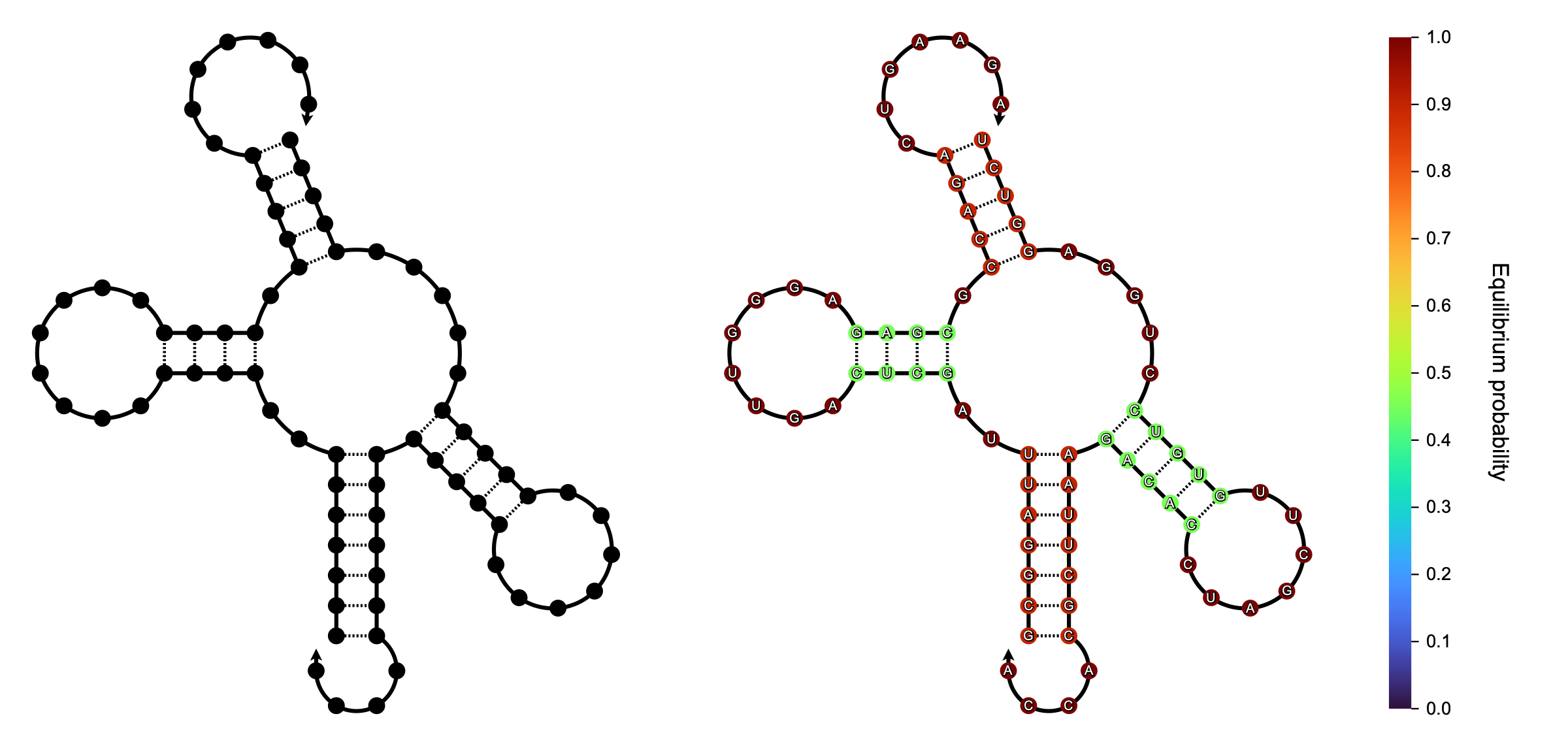
Nuc2D visualizes RNA and DNA secondary structures as publication-ready SVG images. The output stays sharp at any size and remains editable in tools such as Illustrator or Inkscape, so a figure can be adjusted without being redrawn.
Installation
pip install nuc2d
Quick start
from nuc2d import draw_svg

drawing = draw_svg("(((..+...)))")

drawing.saveas("output.svg")
Structures are written in dot-parens-plus notation: ( and ) for the two
halves of a base pair, . for an unpaired nucleotide, and + for a break
between strands.
In Jupyter Notebook or JupyterLab the result can be displayed directly:
from IPython.display import SVG, display

display(SVG(drawing.tostring()))
An input that is not a well-formed structure raises ParseError:
from nuc2d import ParseError

try:
    draw_svg("(((")
except ParseError as error:
    print(error)
Sequence annotation
Nucleotide sequences can be provided through the sequences argument, one per
strand, in the order the strands appear in the structure.
drawing = draw_svg(
    "(((..+...)))",
    sequences=["AUGCA", "UGCCAU"],
)
A wrong number of sequences, or a sequence that is not as long as its strand,
raises ValueError rather than drawing something misleading.
Base-pair probability visualization
Base-pair probabilities are visualized by passing a symmetric probability
matrix through the probs argument. A colorbar is placed beside the structure.
# Base-pair probability matrix from a structure prediction tool.
# probs[i][j] is the probability of nucleotides i and j forming a base pair.
# The diagonal probs[i][i] is the probability that nucleotide i is unpaired.
probs = ...

drawing = draw_svg(
    "(((..+...)))",
    probs=probs,
)
The colorbar is labelled Base-pair probability unless another label is given:
drawing = draw_svg(
    "(((..+...)))",
    probs=probs,
    colorbar_label="Pairing probability",
)
Output size
drawing = draw_svg("(((..+...)))", width_px=600)
Giving width_px or height_px alone lets the other follow from the aspect
ratio of the drawing. Giving neither defaults the height to 500 px.
Style and layout
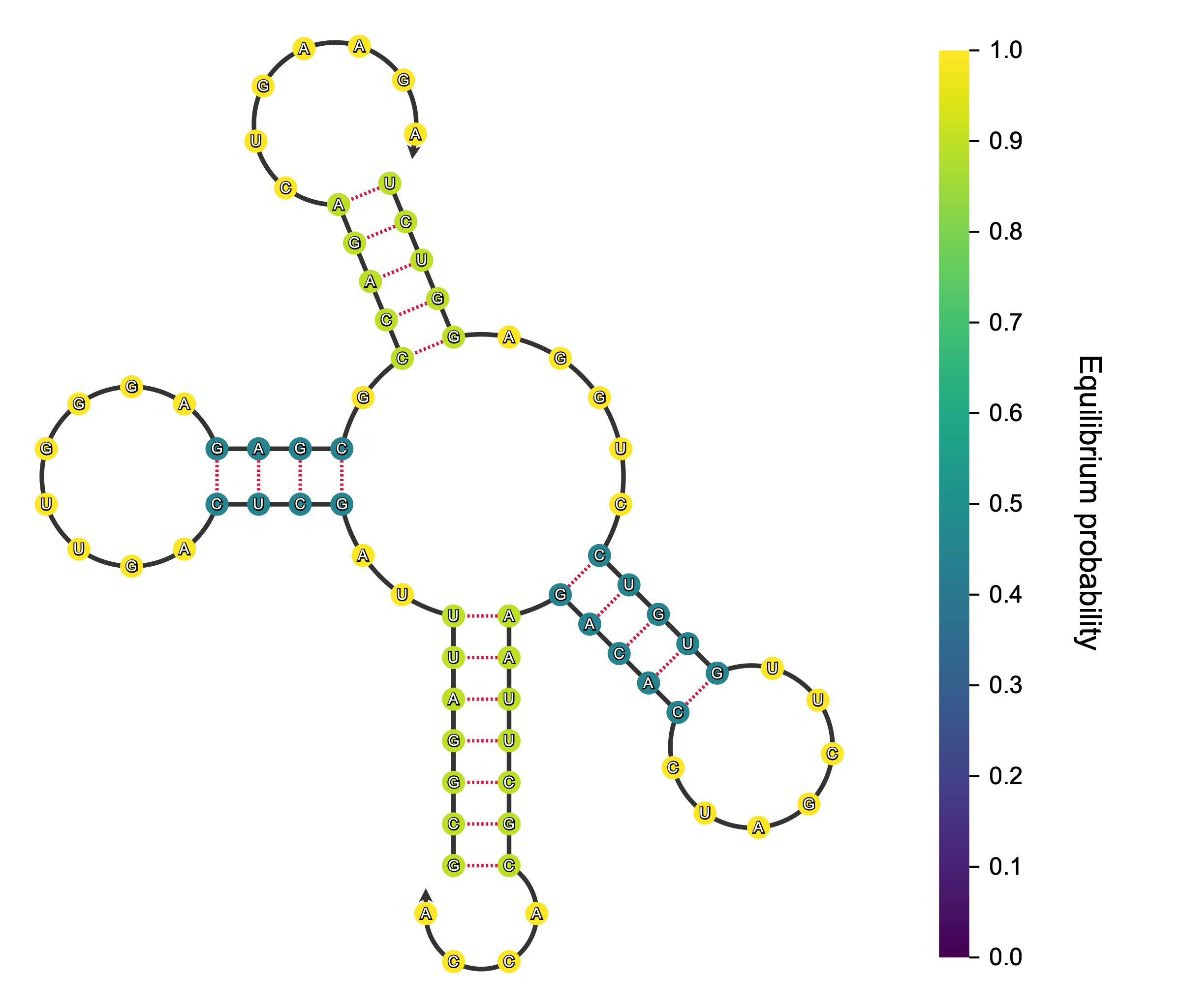
DrawingStyle controls appearance — colors, stroke widths, node size, fonts,
and the colormap used for probabilities. RadialLayoutEngine controls
geometry — how far apart nucleotides are placed.
import matplotlib as mpl

from nuc2d import DrawingStyle, RadialLayoutEngine, draw_svg

drawing = draw_svg(
    "(((..+...)))",
    style=DrawingStyle(
        node_fill="steelblue",
        edge_color="dimgray",
        node_radius=5.0,
        cmap=mpl.colormaps["viridis"],
    ),
    layout_engine=RadialLayoutEngine(
        backbone_spacing=20.0,
        loop_spacing=25.0,
    ),
)
The defaults are on the left, the settings above on the right.
Combining several structures
draw_component renders one structure into an SVG component without deciding
where it goes, so several structures can share a single drawing. Each component
carries the bounding box it occupies, and compose collects placed components
into one group whose bounding box encloses them all.
import svgwrite

from nuc2d import Placement, compose, draw_component

drawing = svgwrite.Drawing()

components = [
    draw_component(drawing, "(((...)))"),
    draw_component(drawing, "((..((...))..))"),
    draw_component(drawing, "((((....))))"),
]

# Lay the structures out in a row, with a gap between them.
placements = []
x = 0.0
for component in components:
    placements.append(
        Placement(component=component, x=x - component.bbox.xmin, y=0.0, scale=1.0)
    )
    x += component.bbox.width + 10.0

panel = compose(drawing.g(), placements)

drawing.add(panel.group)
drawing.viewbox(*panel.bbox.to_viewbox())
drawing.saveas("panel.svg")

Changes in 0.4.0
Version 0.4.0 changes the public API. Existing code written against 0.3.0 needs the following adjustments.
draw_groupis nowdraw_component. It returns a singleSVGComponentinstead of a(Group, BoundingBox)tuple; usecomponent.groupandcomponent.bbox.BoundingBox(xmin, ymin, width, height)is nowBBox(xmin, ymin, xmax, ymax), withwidthandheightas derived properties. A component's bounding box now reports where the component actually sits, instead of always starting at the origin.draw_svganddraw_componentacceptlayout_engineandcolorbar_label. Ondraw_svgthese come beforewidth_pxandheight_px, so any call that passes those two positionally needs updating.- Malformed structures raise
ParseError, and sequences or probability matrices that do not match the structure raiseValueError. Both previously surfaced asIndexError, or as a silently wrong drawing. DrawingStyle.colorbar_spacingis gone; it never affected the output.
License
This project is licensed under the MIT License.
1 maintainer

Release files for nuc2d 0.4.1
For a detailed explanation of source distributions (sdists) and built distributions (wheels), please see the package formats documentation.
Source distribution (sdist)
| File | Size | Uploaded | |
|---|---|---|---|
| nuc2d-0.4.1.tar.gz | 28.8 kB | Details |
Built distribution (wheel)
| File | Interpreter | ABI | Platform | Reset |
|---|---|---|---|---|
| nuc2d-0.4.1-py3-none-any.whl | Python 3 | none | any | Details |
Total release size: 54.3 kB
Release files / nuc2d-0.4.1.tar.gz
| Download URL | nuc2d-0.4.1.tar.gz |
|---|---|
| Size | 28.8 kB |
| Tags | Source |
|
SHA-256 checksum How to use checksums |
2cf19a65c5c6471e5beccd69da5216062eedf637ed30650388a5965f84ca77bf
|
|
BLAKE2b-256 checksum How to use checksums |
736c5a4170864c0d9aa14deb9363c64e7ce96896914cbce14985712f7f11d0ec
|
| Upload date | |
|
Uploaded using Trusted Publishing? What is trusted publishing? |
No |
| Uploaded via |
uv/0.12.15 {"installer":{"name":"uv","version":"0.12.15","subcommand":["publish"]},"python":null,"implementation":{"name":null,"version":null},"distro":{"name":"macOS","version":null,"id":null,"libc":null},"system":{"name":null,"release":null},"cpu":null,"openssl_version":null,"setuptools_version":null,"rustc_version":null,"ci":null}
|
Release files / nuc2d-0.4.1-py3-none-any.whl
| Download URL | nuc2d-0.4.1-py3-none-any.whl |
|---|---|
| Size | 25.5 kB |
| Tags | Python 3 |
|
SHA-256 checksum How to use checksums |
c7e91d5be4171498dbb9dee0392338555ee36279a4c7234cf034e5a5ca707a5e
|
|
BLAKE2b-256 checksum How to use checksums |
610a335d888d1a44bf4f32d8219c1a318976def9c6bf937b41b9e4b277ca9ba9
|
| Upload date | |
|
Uploaded using Trusted Publishing? What is trusted publishing? |
No |
| Uploaded via |
uv/0.12.15 {"installer":{"name":"uv","version":"0.12.15","subcommand":["publish"]},"python":null,"implementation":{"name":null,"version":null},"distro":{"name":"macOS","version":null,"id":null,"libc":null},"system":{"name":null,"release":null},"cpu":null,"openssl_version":null,"setuptools_version":null,"rustc_version":null,"ci":null}
|














