
Nuru



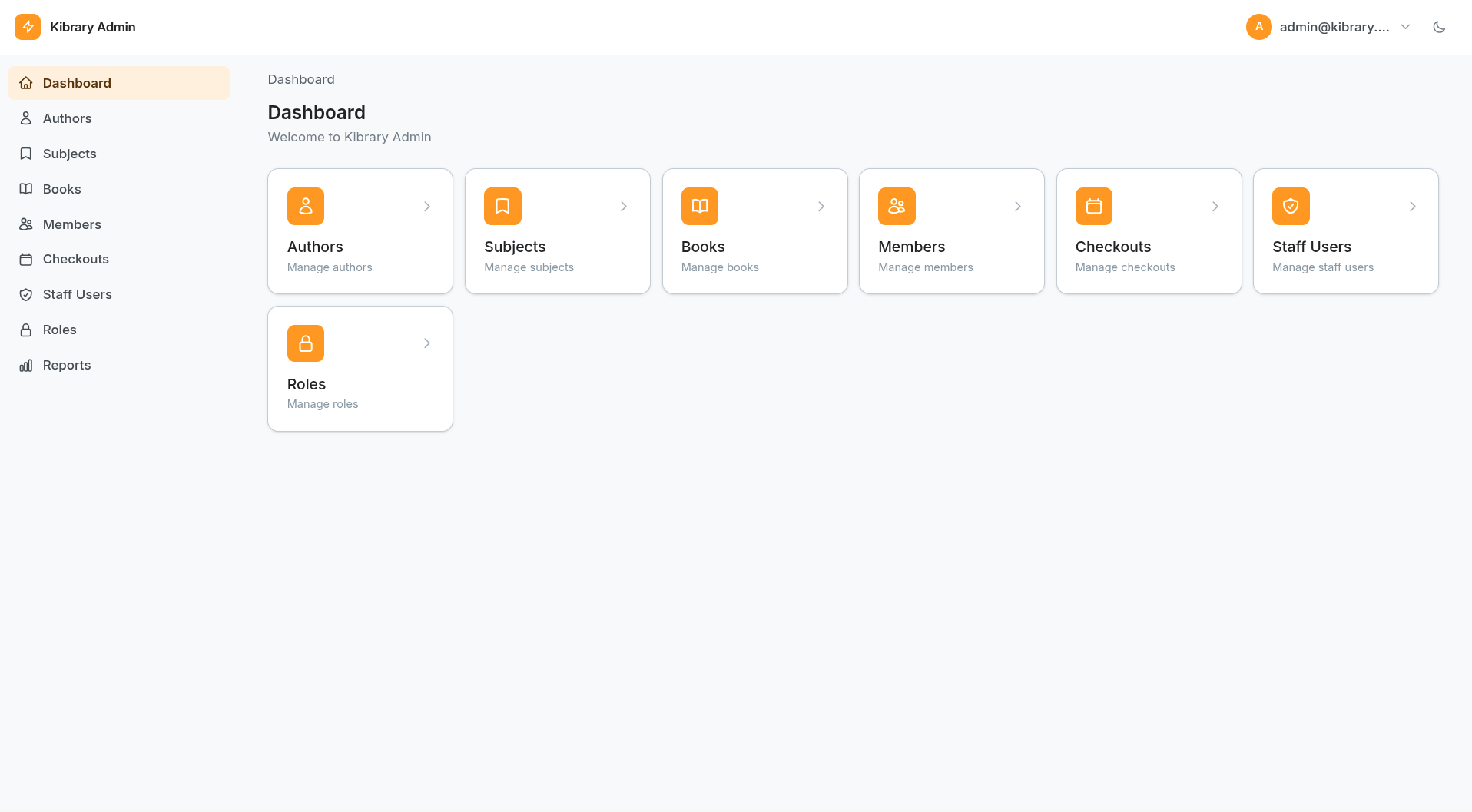
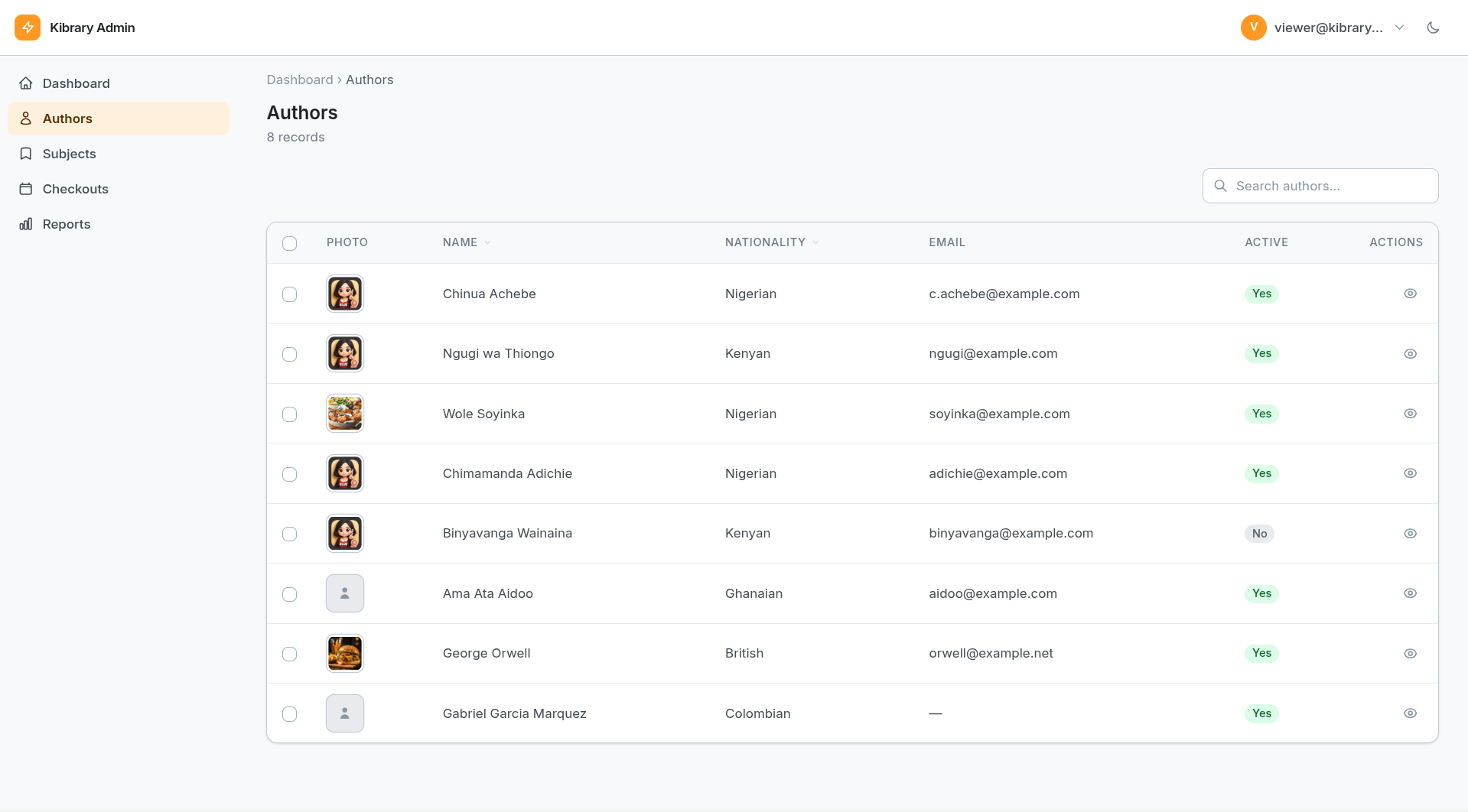
A declarative admin panel framework for FastAPI. Define your resources once in Python — get a full admin UI with tables, forms, detail views, search, sorting, file uploads, actions, and role-based access control. No HTML, no JS, no separate frontend process.
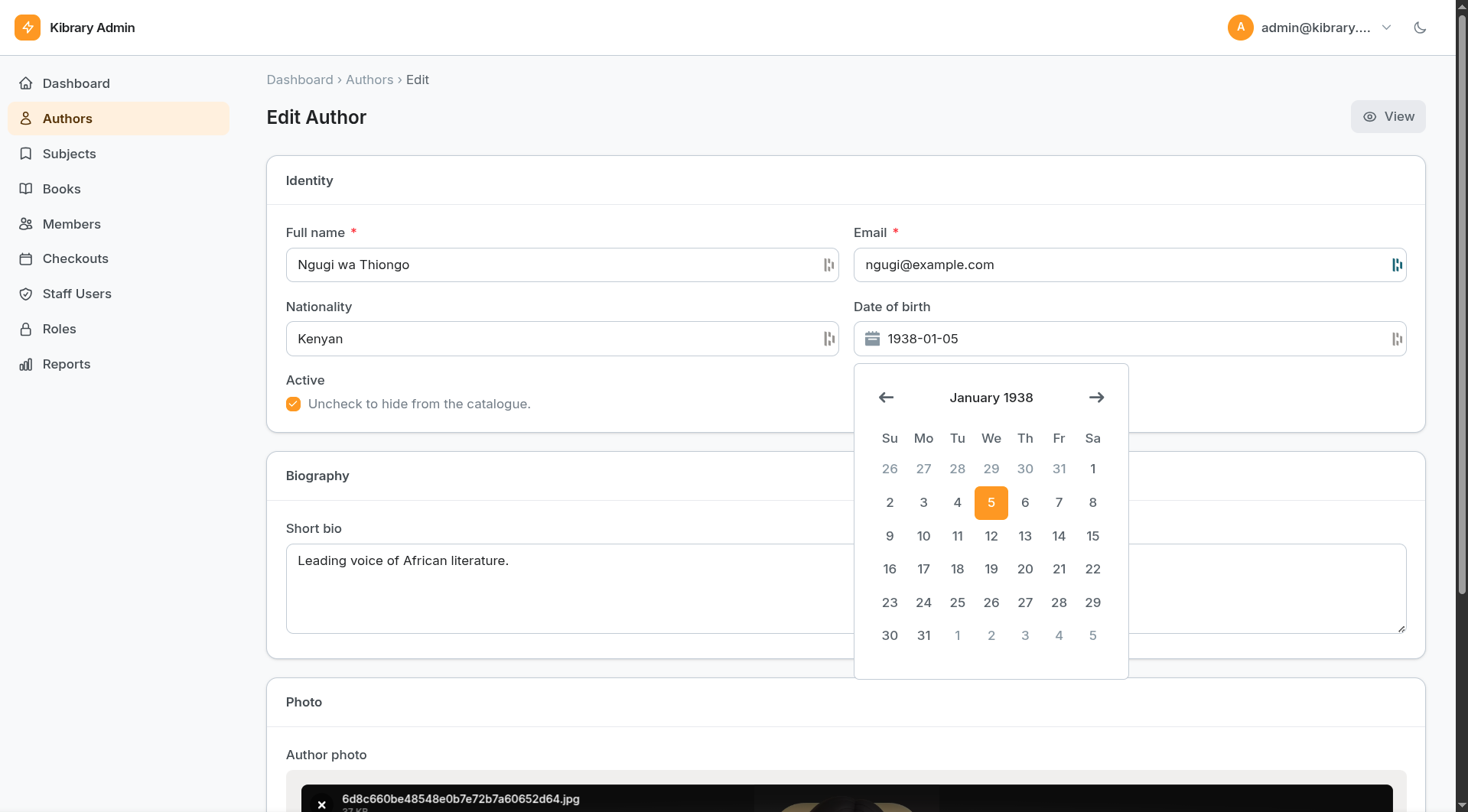
Installation
pip install nuru
Or from source:
git clone https://github.com/coolsam726/nuru
cd nuru
pip install -e .
Quickstart
from fastapi import FastAPI
from nuru import Panel, Resource, Form, Table
from nuru import forms
from nuru.columns import Text, Badge

app = FastAPI()

# 1. Define a resource
class BookResource(Resource):
    label = "Book"
    label_plural = "Books"
    search_fields = ["title", "isbn"]

    def table(self) -> Table:
        return Table().schema([
            Text("title",  "Title",  sortable=True),
            Text("author", "Author", sortable=True),
            Badge("status", "Status", colors={
                "available": "green", "checked_out": "blue", "lost": "red",
            }),
        ])

    def form(self) -> Form:
        return Form().schema([
            forms.TextInput("title").label("Title").required(),
            forms.TextInput("author").label("Author").required(),
            forms.Select("status").label("Status").options([
                ("available",   "Available"),
                ("checked_out", "Checked Out"),
                ("lost",        "Lost"),
            ]).native(),
        ])

    async def get_list(self, *, page, per_page, search, **kwargs):
        return {"records": await book_service.list(page=page, search=search), "total": ...}

    async def get_record(self, id):
        return await book_service.get(id)

    async def save_record(self, id, data):
        return await book_service.create(data) if id is None else await book_service.update(id, data)

    async def delete_record(self, id):
        await book_service.delete(id)

# 2. Create the panel
class MyPanel(Panel):
    title = "My App"
    prefix = "/admin"
    primary_color = "#6366f1"
    resources = [BookResource]

# 3. Mount
panel = MyPanel()
panel.mount(app)
Open http://localhost:8000/admin — done.
Nuru never touches your existing routes, middleware, OpenAPI docs, or dependency injection setup. All admin routes are excluded from your OpenAPI schema by default.
Architecture overview
Panel                      — Subclass to configure your panel (title, prefix, auth, resources, pages)
├── Resource               — One per model/entity; define table(), form(), infolist()
│   ├── Table              — Fluent builder for the list-page column layout
│   ├── Form               — Fluent builder for create/edit forms
│   ├── Infolist           — Fluent builder for read-only detail views
│   └── Action             — Server-side action buttons (row, form, list-header)
└── Page                   — Free-form pages with custom templates and context
All builders use a fluent API — every setter returns self for chaining. Template-facing reads always use explicit get_*() / is_*() getter methods.
Panel
Define your panel by subclassing Panel:
from nuru import Panel
from nuru.auth import SimpleAuthBackend

class MyPanel(Panel):
    title = "Kibrary"
    prefix = "/admin"
    primary_color = "#6366f1"
    per_page = 20
    resources = [BookResource, AuthorResource, MemberResource]
    pages = [ReportsPage]
    auth_backend = SimpleAuthBackend(
        username="admin",
        password="secret",
        secret_key="change-me",
    )

panel = MyPanel()
panel.mount(app)
Or configure fluently at runtime:
panel = Panel()
panel.title("Kibrary").prefix("/admin").per_page(20).auth_backend(my_auth)
panel.register(BookResource)
panel.register_page(ReportsPage)
panel.mount(app)
Panel options
| Option | Type | Description |
|---|---|---|
title |
str |
Sidebar header and browser tab title |
prefix |
str |
URL prefix for all admin routes (default: /admin) |
primary_color |
str |
Hex colour for accent elements (buttons, sidebar) |
per_page |
int |
Default pagination page size (default: 25) |
auth_backend |
AuthBackend |
Auth backend instance (omit for no auth) |
permission_checker |
callable | (user, codename, resource) → bool |
upload_backend |
FileBackend |
Storage backend for file uploads |
upload_dir |
str | Path |
Upload root directory (used by LocalFileBackend) |
extra_css |
str | list[str] |
Additional stylesheet URL(s) loaded after Nuru's CSS |
extra_js |
str | list[str] |
Additional script URL(s) |
Resource
Subclass Resource and define table(), form(), and optionally infolist():
from nuru import Resource, Form, Table, Infolist

class AuthorResource(Resource):
    label = "Author"
    label_plural = "Authors"
    slug = "authors"               # auto-derived from label if omitted
    nav_icon = "user"
    nav_sort = 10
    model = Author                 # SQLModel class — enables auto-CRUD
    session_factory = get_session  # async context-manager factory
    search_fields = ["name", "bio"]
    load_options = [selectinload(Author.books)]

    def table(self) -> Table: ...
    def form(self)  -> Form:  ...
    def infolist(self) -> Infolist: ...   # optional; falls back to form fields
Resource options
| Option | Type | Description |
|---|---|---|
label / label_plural |
str |
Display names |
slug |
str |
URL segment (auto-derived from label if blank) |
nav_icon / nav_sort / show_in_nav |
Sidebar navigation | |
model |
SQLModel |
Enables automatic CRUD and column/field generation |
session_factory |
callable | Zero-arg async context-manager yielding AsyncSession |
search_fields |
list[str] |
Column names for ILIKE search |
load_options |
list |
SQLAlchemy loader options (selectinload, etc.) |
can_create / can_edit / can_delete / can_view |
bool |
Toggle CRUD operations |
options_label_field |
str |
Attribute used as label in BelongsTo selectors |
Data hooks
Override these to connect your own service/ORM layer:
| Method | When called | Must return |
|---|---|---|
get_list(page, per_page, search, sort_by, sort_dir, filters) |
List page | {"records": [...], "total": int} |
get_record(id) |
Edit/view page load | single record |
save_record(id, data) |
Form submit (id=None = create) |
saved record |
delete_record(id) |
Delete action | None |
after_save(record_id, data) |
After save_record |
None (M2M, side-effects) |
get_options(q) |
BelongsTo selector search | [{"value": ..., "label": ...}] |
When model and session_factory are set all hooks have a default implementation — override only what you need.
SQLModel auto-CRUD
class MemberResource(Resource):
    label = "Member"
    model = Member
    session_factory = get_session
    search_fields = ["name", "email", "member_number"]
    load_options = [selectinload(Member.checkouts)]
Columns and form fields are auto-generated from model annotations when neither table() nor form() is defined.
Table (list view)
from nuru import Table
from nuru.columns import Text, Badge, Boolean, Currency, DateTime, Image

def table(self) -> Table:
    return (
        Table()
        .schema([
            Image("avatar",     "Photo"),
            Text("name",        "Name",   sortable=True),
            Text("email",       "Email"),
            Badge("status",     "Status", colors={"active": "green", "suspended": "red"}),
            Boolean("active",   "Active"),
            Currency("balance", "Balance", currency="KES"),
            DateTime("joined",  "Joined",  date_only=True),
        ])
        .row_actions([
            Action.make("suspend").label("Suspend").style("danger")
                .handler("do_suspend").confirm("Suspend this member?"),
        ])
    )
Column types
| Class | Description | Extra fluent options |
|---|---|---|
Text |
Plain text | .max_length(n) |
Badge |
Colored pill | .colors({"value": "color_name"}) |
Boolean |
Yes/No badge | .labels("Yes", "No") |
Currency |
Formatted number | .currency("KES"), .decimals(2) |
DateTime |
Date or datetime | .format("%d %b %Y"), .date_only() |
Image |
Thumbnail | .url_prefix("/uploads"), .img_class("…") |
All columns accept dot-notation keys for traversing relationships: Text("author.name", "Author").
Column fluent API
Text.make("isbn").label("ISBN").sortable()
Badge.make("status").colors({"draft": "amber", "published": "green"})
Image.make("cover").url_prefix("/admin/uploads").img_class("w-12 h-16 rounded")
Every column exposes explicit getters: get_label(), get_key(), is_sortable(), get_img_class(), etc.
Form (create / edit view)
from nuru import Form
from nuru import forms

def form(self) -> Form:
    return (
        Form()
        .schema([
            forms.Section(
                [
                    forms.TextInput("name").label("Full name").required(),
                    forms.TextInput("email").email().label("Email").required(),
                    forms.Select("membership").label("Type").options([
                        ("standard", "Standard"),
                        ("student",  "Student"),
                        ("senior",   "Senior"),
                        ("staff",    "Staff"),
                    ]).native(),
                    forms.Checkbox("active").label("Active"),
                ],
                title="Details", cols=2,
            ),
            forms.Section(
                [
                    forms.FileUpload("avatar").label("Photo").image()
                        .directory("members")
                        .accept_file_types(["image/jpeg", "image/png"])
                        .max_file_size(5 * 1024 * 1024)
                        .image_crop_aspect_ratio("1:1")
                        .col_span("full"),
                ],
                title="Photo",
            ),
        ])
        .actions([
            Action.make("export").label("Export PDF")
                .handler("export_pdf").placement("header"),
        ])
    )
Field types
| Class | Description |
|---|---|
TextInput |
Single-line text (base for Email, Password) |
Email |
Text + type="email" + email validator |
Password |
Text + type="password" |
Number |
Numeric input |
Textarea |
Multi-line text |
Select |
Static list, tuple pairs, callable, or model-backed combobox |
Checkbox |
Single boolean checkbox |
CheckboxGroup |
Multi-select checkbox group |
Radio |
Radio button group |
RadioButtons |
Pill-style radio buttons |
Toggle |
Styled on/off toggle |
DatePicker |
Date picker widget |
TimePicker |
Time picker widget |
DateTimePicker |
Combined date + time picker |
FileUpload |
FilePond-powered file/image upload |
Hidden |
Hidden input |
Section |
Groups fields under a titled card (cols, col_span) |
Common field fluent API
forms.TextInput("username")
    .label("Username")
    .placeholder("johndoe")
    .help_text("Used for login.")
    .required()
    .max_length(64)
    .col_span("full")   # "full", 1, 2, 3, 4
    .disabled()
    .readonly()
Field.make("key") factory is available on every field class.
Select options — all formats accepted
Select, Radio, RadioButtons, and CheckboxGroup all normalise options to {"value": …, "label": …} dicts automatically:
# Tuple pairs  (recommended for readability)
.options([("draft", "Draft"), ("published", "Published")])

# Plain dicts
.options([{"value": "draft", "label": "Draft"}, ...])

# Bare strings  (value == label)
.options(["draft", "published", "archived"])

# Callable — resolved at render time, may return any format above
.options(lambda record=None: [("a", "Alpha"), ("b", "Beta")])
Model-backed combobox
For foreign-key fields, use a model-backed Select that queries the built-in /_model_search endpoint as the user types:
forms.Select.make("author_id").label("Author")
    .model(Author, label_field="name")
    .relationship("author")   # attr on the record for pre-populating the label
    .required()
    .remote_search()
Server-side validation
All form submissions are validated before save_record() is called. Errors appear inline next to each field (HTTP 422, no separate error page).
| Validator | How to enable | What it checks |
|---|---|---|
| required | .required() |
Non-empty value present |
| max_length | .max_length(n) |
String length ≤ n |
.email() |
RFC-style user@host.tld pattern |
|
| url | .url() |
Has scheme + netloc |
| numeric | .add_validator("numeric") |
Float-coercible |
| integer | .add_validator("integer") |
Integer-coercible (no decimals) |
The same validation fires for Action modal fields before the handler is called.
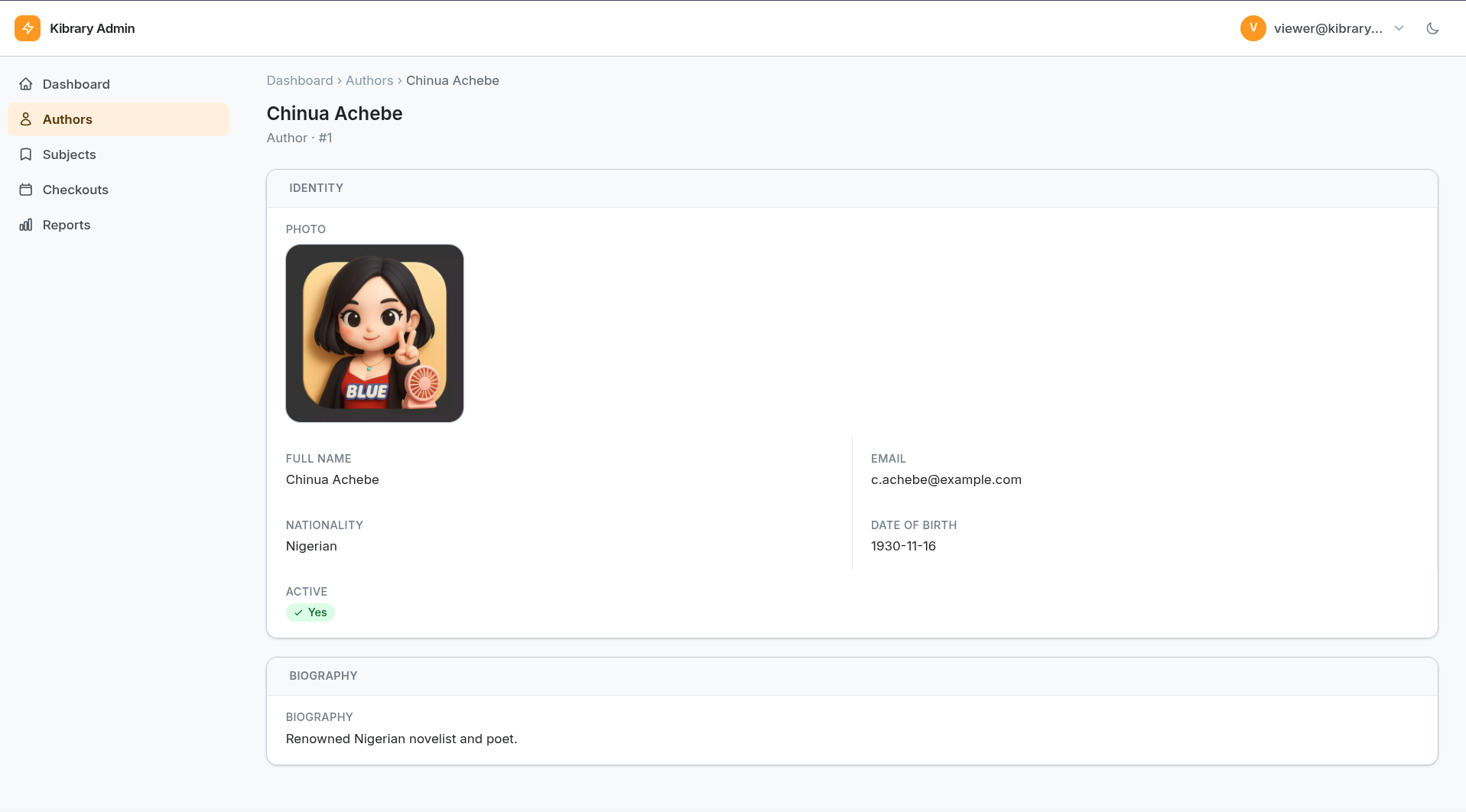
Infolist (detail / view)
Infolist renders a read-only detail page. Without an infolist() override, it falls back to the form fields.
from nuru import Infolist
from nuru.infolists.components import (
    TextEntry, ImageEntry, BooleanEntry, BadgeEntry, DateEntry, FileEntry,
)

def infolist(self) -> Infolist:
    return Infolist().schema([
        forms.Section(
            [
                ImageEntry.make("avatar").label("Photo")
                    .img_class("size-24 rounded-full object-cover")
                    .url_prefix("/admin/uploads"),
                TextEntry.make("name").label("Full name"),
                TextEntry.make("email").label("Email"),
                DateEntry.make("joined_on").label("Joined on"),
                BadgeEntry.make("status").label("Status").colors({
                    "active": "green", "suspended": "red",
                }),
                BooleanEntry.make("active").label("Active"),
            ],
            title="Details", cols=2,
        ),
    ])
Infolist entry types
| Class | Description |
|---|---|
TextEntry |
Plain text value |
ImageEntry |
Image thumbnail with optional URL prefix |
BooleanEntry |
Yes/No badge |
BadgeEntry |
Colored pill |
DateEntry |
Formatted date |
FileEntry |
Download link |
Actions
Actions are server-side button handlers that appear in three locations:
row_actions— per-row buttons in the tablelist_actions— buttons in the list-page headerform_actions— buttons in the form header or inline
from nuru import Action
from nuru import forms

def form(self) -> Form:
    return (
        Form()
        .actions([
            Action.make("mark_returned")
                .label("Mark Returned")
                .style("success")
                .handler("mark_returned")
                .placement("header")
                .confirm("Mark this book as returned?")
                .icon("M5 13l4 4L19 7"),

            Action.make("add_note")
                .label("Add Note")
                .handler("add_note")
                .placement("inline")
                .fields([
                    forms.Textarea("note").label("Note").required(),
                ]),
        ])
        .schema([...])
    )

async def mark_returned(self, record_id, data, request):
    async with get_session() as session:
        record = await session.get(MyModel, int(record_id))
        record.status = "returned"
        await session.commit()

async def add_note(self, record_id, data, request):
    note = data.get("note", "")
    ...
Action fluent API
| Method | Description |
|---|---|
.label("…") |
Button label |
.icon("svg_path") |
SVG path data for a 24×24 icon |
.style("danger") |
default, primary, secondary, success, warning, danger |
.confirm("…") |
Show a confirmation prompt before executing |
.handler("method_name") |
Name of the method to call on the Resource |
.placement("header") |
"row", "header", or "inline" |
.fields([…]) |
Form fields shown in a modal before executing |
.modal_title("…") |
Modal window title |
.submit_label("…") |
Modal submit button label |
Handler signature: async def my_handler(self, record_id, data, request).
Return None for the default redirect, or a URL string to redirect elsewhere.
Pages
Free-form admin pages beyond the standard CRUD views:
from fastapi import Request
from fastapi.responses import Response, RedirectResponse
from nuru import Page

class ReportsPage(Page):
    label = "Reports"
    slug = "reports"
    nav_icon = "chart-bar"
    nav_sort = 100

    async def get_context(self, request: Request) -> dict:
        return {
            "total_books": await book_service.count(),
            "recent": await book_service.recent(10),
        }

    async def handle_post(self, request: Request) -> Response:
        form = await request.form()
        ...
        return RedirectResponse(f"{self.panel.prefix}/{self.slug}?success=1", status_code=303)
Place your template at templates/pages/reports.html relative to your app's template directory. The template extends layout.html.
Standalone table widget
Render a table inside any custom page template without a Resource:
{% set _columns = [
    columns.Text("name",   "Name"),
    columns.Badge("status","Status", colors={"ok": "green", "err": "red"}),
] %}
{% set _rows = recent_records %}
{% include "partials/table_widget.html" %}
Authentication
SimpleAuthBackend — single user
from nuru.auth import SimpleAuthBackend

class MyPanel(Panel):
    auth_backend = SimpleAuthBackend(
        username="admin",
        password="secret",
        secret_key="change-me-in-production",
    )
DatabaseAuthBackend — multi-user
from nuru.auth import DatabaseAuthBackend
from passlib.context import CryptContext

_pwd = CryptContext(schemes=["bcrypt"])

class MyPanel(Panel):
    auth_backend = DatabaseAuthBackend(
        user_model=StaffUser,
        session_factory=get_session,
        username_field="email",
        password_field="password",
        verify_password=_pwd.verify,
        secret_key="change-me-in-production",
        extra_fields=["name", "role"],
    )
Both backends sign a session cookie with itsdangerous.
Roles & Permissions
Concepts
| Concept | Description |
|---|---|
| Permission | Fixed codename scoped to a resource + action — e.g. books:list, books:delete |
| Role | Named group of permissions (many-to-many) |
| UserRole | Which roles a user holds (identified by str(pk)) |
Codename format
{resource_slug}:{action} — for example:
| Codename | Meaning |
|---|---|
books:list |
Browse the Books list page |
books:create |
Create a new Book |
books:edit |
Edit an existing Book |
books:view |
View Book detail |
books:delete |
Delete a Book |
books:action |
Run any action on Books |
books:action:export_csv |
Run only the export_csv action |
books:* |
All operations on Books |
* |
Superuser — everything |
Setup
import nuru.roles   # registers the 4 nuru_* tables with SQLModel.metadata
from nuru.roles import db_permission_checker

class MyPanel(Panel):
    auth_backend = DatabaseAuthBackend(...)
    permission_checker = db_permission_checker
Sync the schema and upsert permission rows at startup:
from nuru.migrations import sync_schema

@app.on_event("startup")
async def on_startup():
    await sync_schema(engine, SQLModel.metadata)   # creates nuru_* tables
    await panel.sync_permissions(get_session)      # upserts permission codenames
Seeding roles programmatically
from sqlmodel import select
from nuru.roles import Permission, Role, RolePermission, UserRole

async def seed_roles(session):
    admin  = Role(name="Super Admin")
    viewer = Role(name="Read Only")
    session.add_all([admin, viewer])
    await session.flush()

    star = (await session.exec(select(Permission).where(Permission.codename == "*"))).first()
    session.add(RolePermission(role_id=admin.id, permission_id=star.id))

    view_perms = (await session.exec(
        select(Permission).where(Permission.codename.in_(["books:list", "books:view"]))
    )).all()
    for p in view_perms:
        session.add(RolePermission(role_id=viewer.id, permission_id=p.id))

    session.add(UserRole(user_id=str(user.id), role_id=admin.id))
    await session.commit()
Custom permission checker
async def my_checker(user, codename, resource):
    if user is None:
        return False
    if user.get("is_superuser"):
        return True
    return codename in user.get("_permissions", set())

class MyPanel(Panel):
    permission_checker = my_checker
File Upload
Nuru's FileUpload field is powered by FilePond (loaded from CDN — no build step needed).
from nuru.forms import FileUpload

# Single image upload with crop
FileUpload("avatar")
    .label("Profile Photo")
    .image()
    .directory("avatars")
    .accept_file_types(["image/jpeg", "image/png", "image/webp"])
    .max_file_size(2 * 1024 * 1024)
    .image_crop_aspect_ratio("1:1")
    .required()

# Multiple PDF attachments
FileUpload("documents")
    .label("Attachments")
    .multiple()
    .max_files(5)
    .accept_file_types(["application/pdf"])
    .max_file_size(10 * 1024 * 1024)
Storage backend
from pathlib import Path
from nuru.storage import LocalFileBackend

class MyPanel(Panel):
    upload_backend = LocalFileBackend(Path("/var/www/myapp/media"))
Uploaded files are served at {prefix}/uploads/<server_id> automatically.
FileUpload options
| Method | Description |
|---|---|
.image() |
Enable image preview + EXIF orientation fix |
.multiple() |
Allow multiple file selection |
.max_files(n) |
Max number of files (requires .multiple()) |
.accept_file_types([…]) |
List of MIME types to accept |
.max_file_size(bytes) |
Maximum file size in bytes |
.directory("path") |
Sub-directory under upload root |
.image_crop_aspect_ratio("1:1") |
Lock crop to a ratio |
.image_resize(w, h, mode) |
Resize client-side before upload |
.can_reorder(True) |
Allow drag-to-reorder |
.can_download(True) |
Show download button (default: True) |
Custom Tailwind classes
Nuru ships a pre-built tailwind.css that only scans Nuru's own templates. If your Resources or Pages use Tailwind classes not present in Nuru's templates, add a supplemental stylesheet:
/* my_app/static/admin-extra.input.css */
@import "tailwindcss";
@source "../**/*.py";
@source "../templates/**/*.html";
@variant dark (&:where(.dark, .dark *));
./node_modules/.bin/tailwindcss \
  -i my_app/static/admin-extra.input.css \
  -o my_app/static/admin-extra.css --minify
class MyPanel(Panel):
    extra_css = "/static/admin-extra.css"
    # extra_css = ["/static/a.css", "/static/b.css"]  # or a list
Running the example app
git clone https://github.com/coolsam726/nuru
cd nuru
pip install -e .

# Build the Tailwind CSS (requires Node ≥ 18)
npm install
npm run build:css

uvicorn example_app.main:app --reload
# open http://localhost:8000/admin
Developing? Run
npm run watch:cssin a second terminal to rebuild the stylesheet automatically as you edit templates.
CSS build commands
| Command | Effect |
|---|---|
npm install |
Install tailwindcss + @tailwindcss/cli |
npm run build:css |
One-off minified build → nuru/static/tailwind.css |
npm run watch:css |
Rebuild on every template save |
What's included
- ✅ Fluent builder API —
Panel,Resource,Table,Form,Infolist,Actionall chain cleanly; noset_prefixes; getters exposed asget_*()/is_*() - ✅ Typed columns —
Text,Badge,Currency,DateTime,Boolean,Image; dot-notation for relationship traversal ("author.name") - ✅ Typed form fields —
TextInput(+Email,Password),Number,Textarea,Select,Checkbox,CheckboxGroup,Radio,RadioButtons,Toggle,DatePicker,TimePicker,DateTimePicker,FileUpload,Hidden,Section - ✅ Typed infolist entries —
TextEntry,ImageEntry,BooleanEntry,BadgeEntry,DateEntry,FileEntry - ✅ Select options normalisation — tuple pairs
("val","Label"), plain dicts, bare strings, and callables all accepted bySelect,Radio,RadioButtons, andCheckboxGroup - ✅ SQLModel auto-CRUD — set
model+session_factoryfor zero-boilerplate list/get/create/update/delete; columns and fields auto-generated from model annotations - ✅ Actions — row, list-header, form-header, and inline actions with confirm modals and optional form fields; action-specific validation before handler call
- ✅ Server-side validation — required, max_length, email, url, numeric, integer; field-level errors in the form UI (HTTP 422)
- ✅ File upload (FilePond) — drag-and-drop, image preview, content-type and size validation, single/multiple modes, pluggable storage backends
- ✅ Auth — signed-cookie session,
SimpleAuthBackend,DatabaseAuthBackend, customAuthBackend - ✅ Roles & Permissions —
Permission,Role,RolePermission,UserRoletables;db_permission_checker; role management UI in the panel - ✅ Pages — free-form pages with custom templates,
get_context()/handle_post(), standalonetable_widget.htmlpartial - ✅ HTMX — live search, sort, pagination without full-page reloads
- ✅ Alpine.js 3.x — sidebar, theme toggle, dialog, combobox — no custom JS required
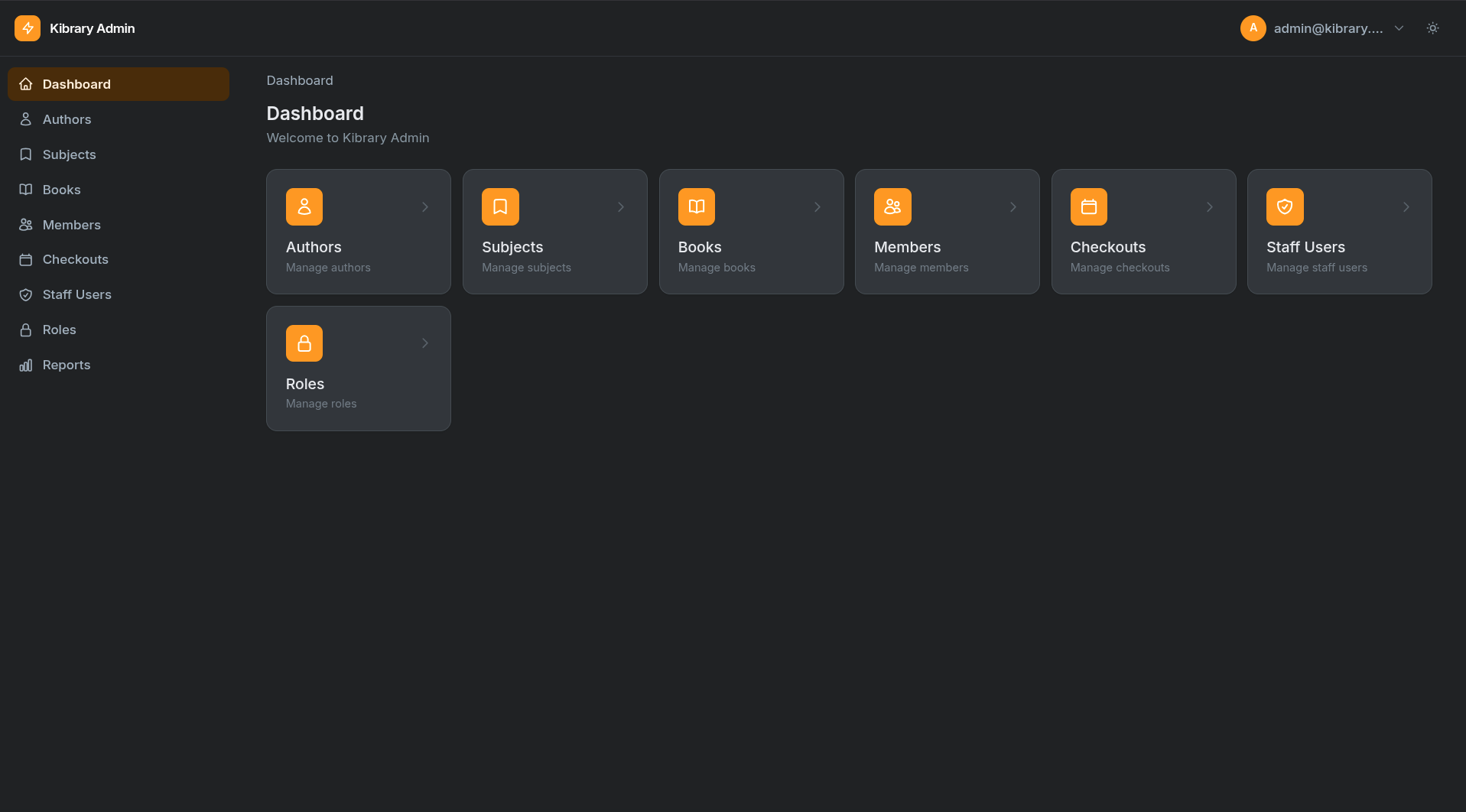
- ✅ Dark mode — built-in,
localStorage-persisted - ✅ Responsive — mobile sidebar, Tailwind CSS v4
What's coming
- Dashboard widgets — stat cards, line/pie charts (Chart.js adapter)
- Repeater field — repeatable sub-forms backed by JSON
- Reactive field rules —
visible_when,depends_on,compute(Alpine bindings + server mirror) - Bulk actions — checkbox selection + bulk operation handlers
1 maintainer

Metadata
1 maintainer
Release files for nuru 0.4.0
For a detailed explanation of source distributions (sdists) and built distributions (wheels), please see the package formats documentation.
Source distribution (sdist)
| File | Size | Uploaded | |
|---|---|---|---|
| nuru-0.4.0.tar.gz | 154.1 kB | Details |
Built distribution (wheel)
| File | Interpreter | ABI | Platform | Reset |
|---|---|---|---|---|
| nuru-0.4.0-py3-none-any.whl | Python 3 | none | any | Details |
Total release size: 342.6 kB
Release files / nuru-0.4.0.tar.gz
| Download URL | nuru-0.4.0.tar.gz |
|---|---|
| Size | 154.1 kB |
| Tags | Source |
|
SHA-256 checksum How to use checksums |
f550a5cad575bb2cc5938c085565ecaebf7c196f521755b7379e7db1fe42ed9c
|
|
BLAKE2b-256 checksum How to use checksums |
8196af6bc2164c42d483eb2142a0c939c5b898cbcb6dd057ce7479c437275149
|
| Upload date | |
|
Uploaded using Trusted Publishing? What is trusted publishing? |
No |
| Uploaded via |
twine/6.2.0 CPython/3.14.4
|
Release files / nuru-0.4.0-py3-none-any.whl
| Download URL | nuru-0.4.0-py3-none-any.whl |
|---|---|
| Size | 188.5 kB |
| Tags | Python 3 |
|
SHA-256 checksum How to use checksums |
3a62e98b59702d53f629f9cedf45ac4f31fd1c007399e4612392a6205e8a4079
|
|
BLAKE2b-256 checksum How to use checksums |
be4b9e42a5a6bda060b3e5155dcb8f1334fa39e007047888eb02bd55fd83ed62
|
| Upload date | |
|
Uploaded using Trusted Publishing? What is trusted publishing? |
No |
| Uploaded via |
twine/6.2.0 CPython/3.14.4
|














