
A declarative UI framework for FastAPI, inspired by FilamentPHP

Project description
Nuru



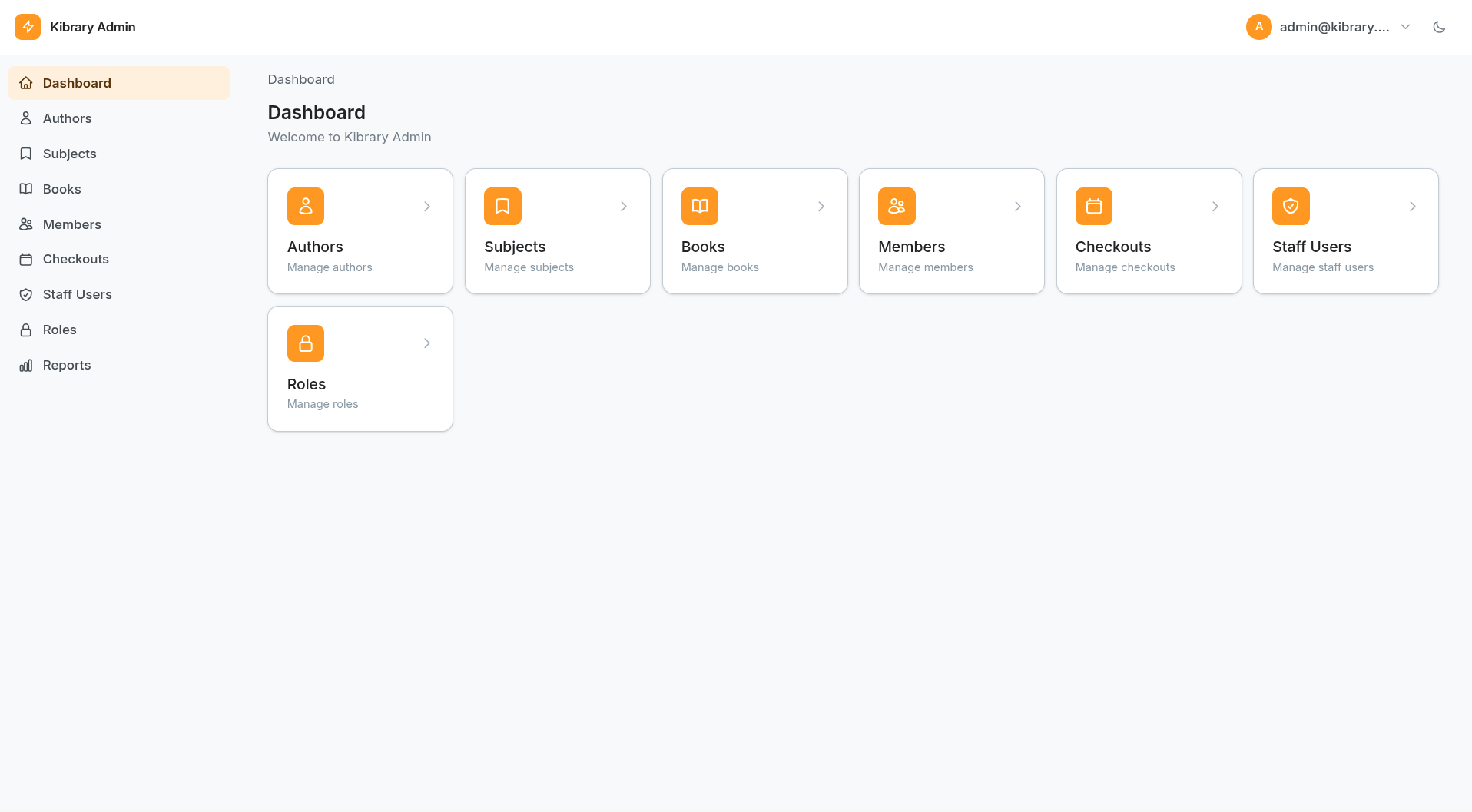
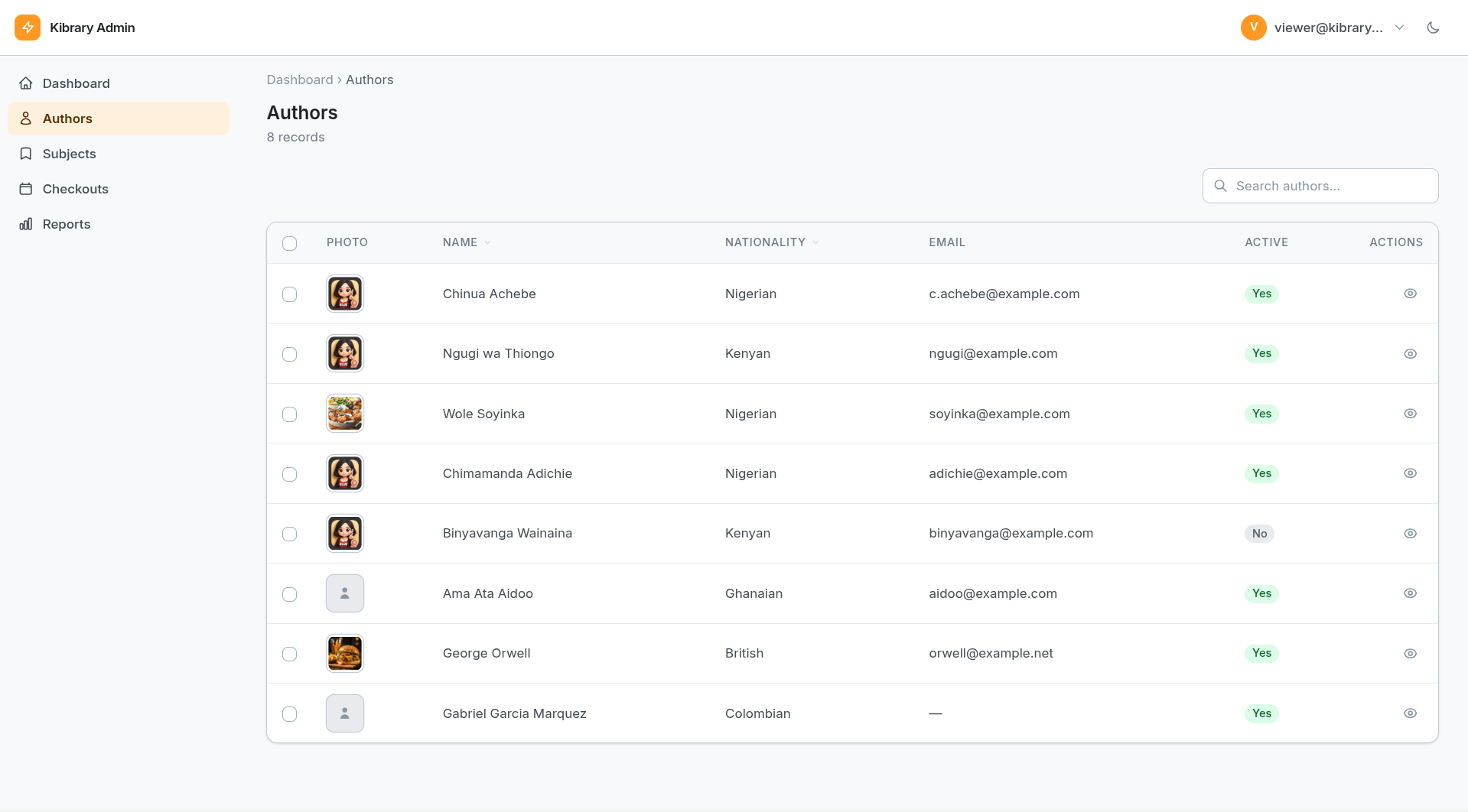
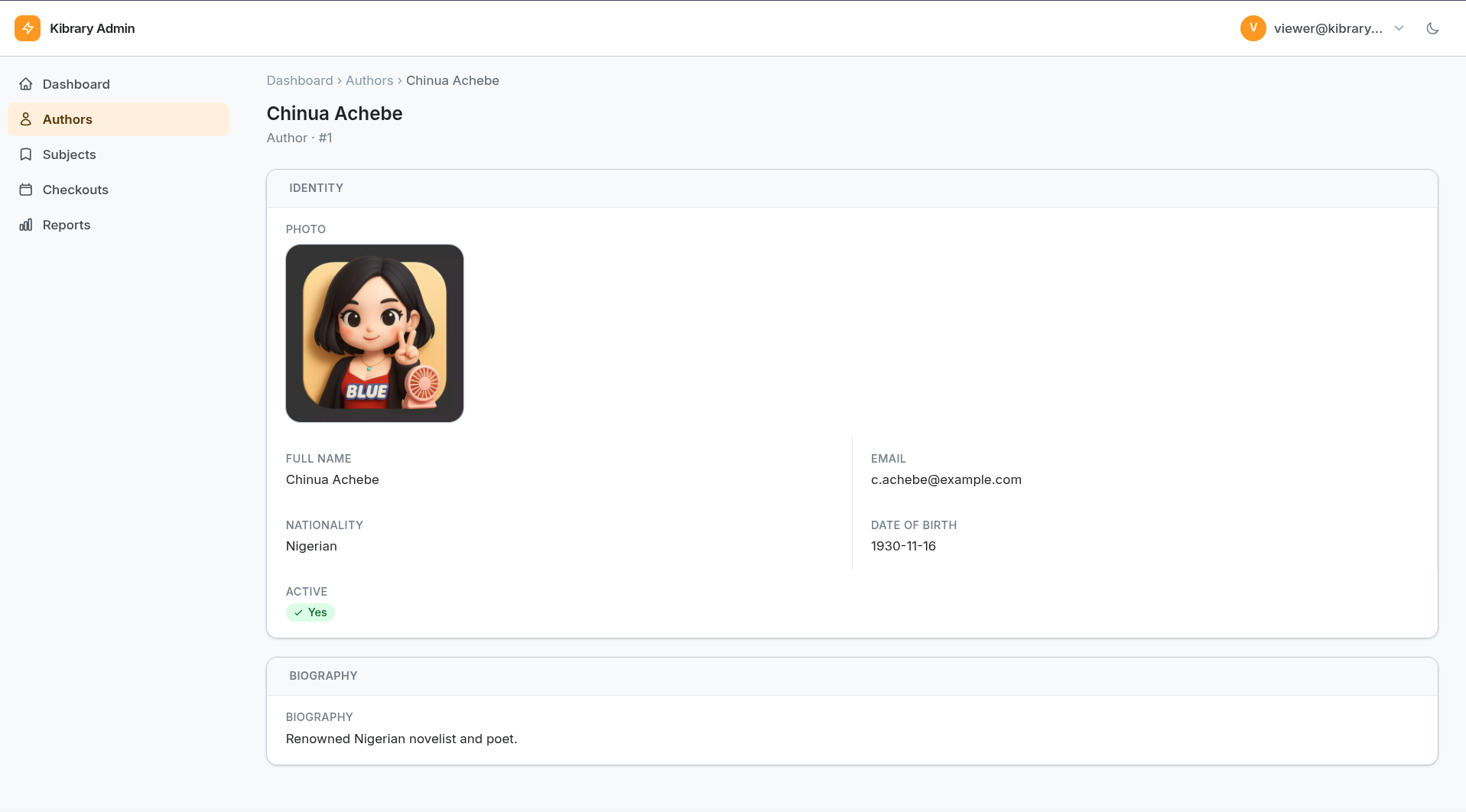
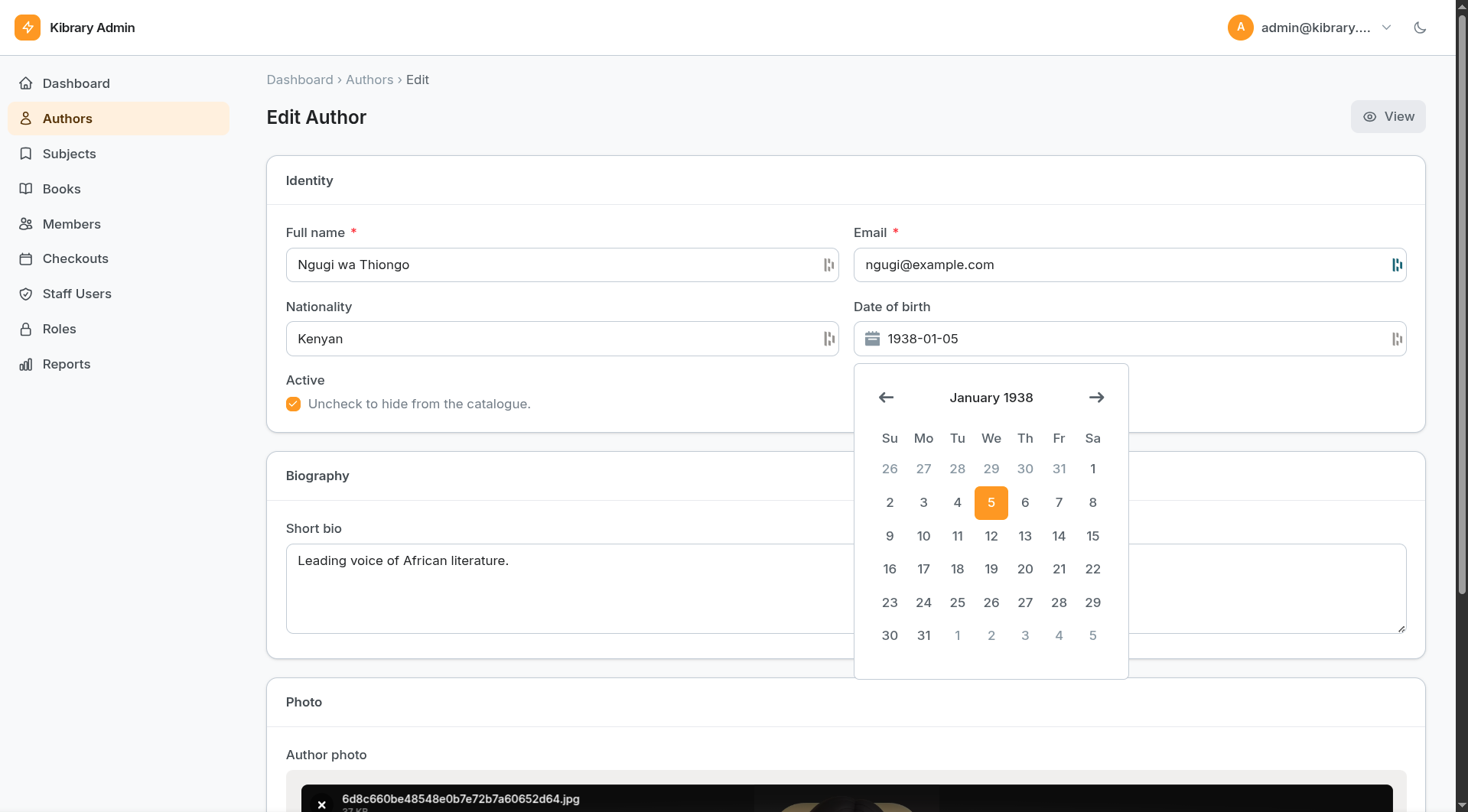
A declarative admin panel framework for FastAPI. Define your resources once in Python — get a full admin UI with tables, forms, search, sorting, and dashboards. No HTML, no JS, no separate frontend process.
Installation
pip install nuru
Or from source:
git clone https://github.com/yourname/nuru
cd nuru
pip install -e .
Drop-in usage
Add three lines to your existing FastAPI project:
from fastapi import FastAPI
from nuru import AdminPanel, Resource

app = FastAPI()          # your existing app — unchanged

# 1. Define a resource
class UserResource(Resource):
    label = "User"
    label_plural = "Users"

    async def get_list(self, *, page, per_page, search, **kwargs):
        users = await user_service.list(page=page, search=search)
        return {"records": users, "total": users.total}

    async def get_record(self, id):
        return await user_service.get(id)

    async def save_record(self, id, data):
        if id is None:
            return await user_service.create(data)
        return await user_service.update(id, data)

    async def delete_record(self, id):
        await user_service.delete(id)

# 2. Create the panel
panel = AdminPanel(
    title="My App",
    prefix="/admin",          # default, change to anything
    brand_color="#6366f1",    # your brand colour
)

# 3. Register resources and mount
panel.register(UserResource)
panel.mount(app)              # attaches to your existing FastAPI app
Open http://localhost:8000/admin — done.
Nuru never touches your existing routes, middleware, OpenAPI docs, or dependency injection setup. All admin routes are excluded from your OpenAPI schema by default.
Resource data hooks
Override these methods to connect your service or ORM layer:
| Method | When called | Must return |
|---|---|---|
get_list(page, per_page, search, sort_by, sort_dir, filters) |
List page load & search | {"records": [...], "total": int} |
get_record(id) |
Edit page load | single record (dict or model) |
save_record(id, data) |
Form submit (id=None for create) | saved record |
delete_record(id) |
Delete action | None |
Records can be plain dicts or any ORM model instance (SQLModel,
SQLAlchemy, dataclass). The template layer handles both transparently.
Declaring columns and fields
from nuru import columns, fields

class OrderResource(Resource):
    label = "Order"
    label_plural = "Orders"

    table_columns = [
        columns.Text("order_number", "Order #", sortable=True),
        columns.Text("customer", "Customer"),
        columns.Badge("status", "Status", colors={
            "pending": "amber", "shipped": "blue", "delivered": "green",
        }),
        columns.Currency("total", "Total", currency="USD"),
    ]

    form_fields = [
        fields.Text("order_number", required=True),
        fields.Select("status", options=["pending", "processing", "shipped", "delivered"]),
        fields.Textarea("notes"),
    ]
Select / Combobox options
Select fields support three option sources:
- Relationship / model (remote URL): Point
Selectat a SQLModel class to enable the combobox which queries the built-in/_model_searchendpoint. Example:
fields.Select(
    "author_id",
    "Author",
    model=Author,           # SQLModel class
    label_field="name",
    relationship="author",  # pre-loaded relation attr for detail display
)
- Static list: Provide a concrete list of strings or
{value,label}dicts for a native<select>.
fields.Select("status", "Status", options=["draft", "published", "archived"])
- Callable options: Pass a callable that returns a list of
{value,label}dicts. The callable is invoked at render time so templates receive concrete option data.
def dynamic_options(record=None):
    # record is the current record being edited (or None for new)
    return [{"value": "a", "label": "Alpha"}, {"value": "b", "label": "Beta"}]

fields.Select("kind", "Kind", options=dynamic_options)
Note: callable options are executed synchronously at render time; async callables are not invoked.
Actions
from nuru import actions, fields

class OrderResource(Resource):
    row_actions = [
        actions.Action(
            key="mark_shipped",
            label="Mark Shipped",
            style="primary",
            confirm="Mark this order as shipped?",
            handler="handle_mark_shipped",
        ),
    ]

    form_actions = [
        actions.Action(
            key="add_note",
            label="Add Note",
            placement="inline",
            form_fields=[fields.Textarea("note", label="Note", required=True)],
            handler="handle_add_note",
        ),
    ]

    async def handle_mark_shipped(self, record_id, data, request):
        # update the record, return optional redirect URL
        ...

    async def handle_add_note(self, record_id, data, request):
        note = data.get("note")
        ...
SQLModel integration
Set model and session_factory for zero-boilerplate CRUD — columns and
fields are auto-generated from model annotations:
from nuru import AdminPanel, Resource
from nuru.migrations import sync_schema

class UserResource(Resource):
    label = "User"
    label_plural = "Users"
    model = User                    # your SQLModel class
    session_factory = get_session   # async context-manager factory
    search_fields = ["name", "email"]
Authentication
Simple (single-user)
from nuru import AdminPanel
from nuru.auth import SimpleAuthBackend

panel = AdminPanel(
    title="My App",
    prefix="/admin",
    auth=SimpleAuthBackend(
        username="admin",
        password="secret",
        secret_key="change-me-in-production",
    ),
)
SimpleAuthBackend signs a session cookie with itsdangerous. Because there is only one user with no _permissions key, the built-in default_permission_checker grants full access — no permission setup required.
Roles & Permissions
Nuru includes a Spatie-style Role/Permission system for multi-user panels.
How it works
| Concept | Description |
|---|---|
| Permission | Fixed codename scoped to a resource+action, e.g. users:list, orders:delete |
| Role | User-defined group of permissions (many-to-many) |
| UserRole | Which roles a user holds (many-to-many, user identified by str(pk)) |
At runtime, nuru checks permissions — not role names, which can change freely.
Codename format
{resource_slug}:{action} — e.g.:
| Codename | Meaning |
|---|---|
users:list |
Browse the Users list page |
users:create |
Create a new User |
users:edit |
Edit an existing User |
users:view |
View User detail |
users:delete |
Delete a User |
users:action |
Run any row/list action on Users |
users:action:export_csv |
Run the specific export_csv action only |
users:* |
All actions on Users |
* |
Superuser — everything |
Setup
import nuru.roles  # registers the 4 nuru_* tables with SQLModel.metadata
from nuru import AdminPanel, DatabaseAuthBackend, db_permission_checker
from passlib.context import CryptContext

_pwd = CryptContext(schemes=["bcrypt"])

panel = AdminPanel(
    title="My App",
    prefix="/admin",
    auth=DatabaseAuthBackend(
        user_model=User,
        session_factory=get_session,
        username_field="email",
        password_field="password",
        verify_password=_pwd.verify,   # omit for plaintext (dev only)
        secret_key="change-me-in-production",
        extra_fields=["name"],         # extra User fields to expose in templates
    ),
    permission_checker=db_permission_checker,
)
At startup, sync the schema and upsert permission rows:
from nuru.migrations import sync_schema

@app.on_event("startup")
async def on_startup():
    await sync_schema(engine, SQLModel.metadata)   # creates nuru_* tables too
    await panel.sync_permissions(get_session)      # upserts permission codenames
Seeding roles programmatically
from nuru.roles import Permission, Role, RolePermission, UserRole

async def seed_roles(session):
    admin_role = Role(name="Super Admin", description="Full access")
    viewer_role = Role(name="Read Only",  description="View only")
    session.add_all([admin_role, viewer_role])
    await session.flush()

    star = (await session.exec(select(Permission).where(Permission.codename == "*"))).first()
    session.add(RolePermission(role_id=admin_role.id, permission_id=star.id))

    view_perms = (await session.exec(
        select(Permission).where(Permission.codename.in_(["users:list", "users:view"]))
    )).all()
    for p in view_perms:
        session.add(RolePermission(role_id=viewer_role.id, permission_id=p.id))

    # Assign a role to a user
    session.add(UserRole(user_id=str(user.id), role_id=admin_role.id))
    await session.commit()
Custom permission checker
Pass any (user, codename, resource) -> bool callable (sync or async) to override the built-in logic:
async def my_checker(user, codename, resource):
    if user is None:
        return False
    if user.get("is_superuser"):
        return True
    return codename in user.get("_permissions", set())

panel = AdminPanel(
    auth=...,
    permission_checker=my_checker,
)
Configuration
AdminPanel(
    title="Acme Admin",       # shown in sidebar header and browser tab
    prefix="/admin",          # URL prefix for all admin routes
    brand_color="#6366f1",    # hex colour for sidebar and buttons
    logo_url="/static/logo.png",  # optional logo, replaces text title
    per_page=25,              # default pagination size
)
Running the example app
git clone https://github.com/yourname/nuru
cd nuru
pip install -e .

# Build the Tailwind CSS (requires Node ≥ 18)
npm install
npm run build:css

uvicorn example_app.main:app --reload
# open http://localhost:8000/admin
Developing? Run
npm run watch:cssin a second terminal while uvicorn is running to rebuild the stylesheet automatically as you edit templates.
CSS build
Nuru uses Tailwind CSS v4 compiled to a single static file (nuru/static/tailwind.css) shipped with the package. The pre-built stylesheet is committed to the repo so end-users need no Node toolchain to use Nuru — only contributors who edit templates need to rebuild it.
| Command | Effect |
|---|---|
npm install |
Install tailwindcss + @tailwindcss/cli |
npm run build:css |
One-off minified build → nuru/static/tailwind.css |
npm run watch:css |
Rebuild on every template save |
The input CSS lives at nuru/static/tailwind.input.css and uses Tailwind 4's CSS-first configuration. All Tailwind theme colors (--color-indigo-500, --color-gray-200, etc.) are exposed as native CSS custom properties on :root by the built stylesheet — no JavaScript probing needed.
Custom Tailwind classes
Nuru's pre-built tailwind.css only scans Nuru's own templates. If your Resource, Page, or custom Jinja templates use Tailwind utility classes that aren't already present in Nuru's templates, those classes won't be included in the built stylesheet.
Option 1 — supplemental stylesheet (recommended)
Build a second, project-level stylesheet that covers only your application code, then pass it to AdminPanel via extra_css:
/* my_app/static/admin-extra.input.css */
@import "tailwindcss";

/* Point at your own code */
@source "../**/*.py";
@source "../templates/**/*.html";

@variant dark (&:where(.dark, .dark *));
# reuse Nuru's node_modules, or install tailwindcss in your project
./node_modules/.bin/tailwindcss \
  -i my_app/static/admin-extra.input.css \
  -o my_app/static/admin-extra.css \
  --minify
# app setup
panel = AdminPanel(
    prefix="/admin",
    extra_css="/static/admin-extra.css",          # single URL
    # extra_css=["/static/a.css", "/static/b.css"],  # or a list
)
The extra_css stylesheets are loaded after Nuru's stylesheet, so your utilities can safely complement or override it.
Option 2 — replace Nuru's stylesheet entirely
If you prefer a single request, build one stylesheet that covers both Nuru's templates and your own code, then serve it at {prefix}/static/tailwind.css via a higher-priority StaticFiles mount:
/* my_app/static/tailwind.input.css */
@import "tailwindcss";

/* Nuru's own templates */
@source "/path/to/site-packages/nuru/templates/**/*.html";

/* Your application code */
@source "../**/*.py";
@source "../templates/**/*.html";

@variant dark (&:where(.dark, .dark *));
Build and mount before Nuru's route:
from starlette.staticfiles import StaticFiles

app.mount("/admin/static", StaticFiles(directory="my_app/static"), name="admin-static")
File Upload
Nuru's FileUpload field is powered by FilePond (loaded from CDN — no build step needed) and inspired by FilamentPHP's FileUpload.
from nuru.forms import FileUpload

form_fields = [
    # Single image upload with preview and crop
    FileUpload("avatar")
        .label("Profile Photo")
        .image()                                      # enable image preview plugin
        .directory("avatars")                         # stored in uploads/avatars/
        .accept_file_types(["image/jpeg", "image/png", "image/webp"])
        .max_file_size(2 * 1024 * 1024)               # 2 MB
        .image_crop_aspect_ratio("1:1")
        .required(),

    # Multiple PDF attachments
    FileUpload("documents")
        .label("Attachments")
        .multiple()
        .max_files(5)
        .accept_file_types(["application/pdf"])
        .max_file_size(10 * 1024 * 1024),             # 10 MB per file
]
Storage backend
By default Nuru saves files under ./uploads/ relative to the current working directory. Configure a different path via AdminPanel:
from pathlib import Path
from nuru.storage import LocalFileBackend

panel = AdminPanel(
    title="My App",
    prefix="/admin",
    upload_backend=LocalFileBackend(Path("/var/www/myapp/media")),
)
Uploaded files are served at {prefix}/uploads/<server_id> automatically.
How it works
- User drops a file on the FilePond widget.
- FilePond
POSTs the file to{prefix}/_upload?directory=<dir>. - Nuru saves it via the storage backend and returns a plain-text server ID (relative path).
- FilePond stores the server ID in a hidden
<input name="{key}">. - On form submit,
parse_formreads the server ID(s) and stores them as the field value. - In edit mode, the existing server ID is passed back to FilePond so the thumbnail is pre-populated.
| Method | Description |
|---|---|
.image() |
Enable image preview + EXIF orientation fix |
.multiple() |
Allow multiple file selection |
.max_files(n) |
Limit number of files (requires .multiple()) |
.accept_file_types([...]) |
List of MIME types to accept |
.max_file_size(bytes) |
Maximum file size in bytes |
.directory("path") |
Sub-directory under upload root |
.image_crop_aspect_ratio("1:1") |
Lock crop to a ratio |
.image_resize(width, height, mode) |
Resize image client-side before upload |
.can_reorder(True) |
Allow drag-to-reorder in FilePond |
.can_download(True) |
Show download button (default: True) |
Forms API
TextInput — the canonical single-line input
TextInput is the modern base class for all single-line text inputs. Email
and Password inherit from it; Text is kept as a backwards-compatible alias.
from nuru.forms import TextInput

# Fluent factory — returns the correct concrete type
TextInput.make("email").email().label("Email").required().placeholder("you@example.com")
TextInput.make("secret").password().label("Password").required()

# In-place fluent style (also works)
TextInput("username").label("Username").max_length(64).required()
Field.make() is available on every field class (it lives on the base
Field). Calling .email() or .password() on a factory-created instance
returns a concrete Email / Password instance with all fluent settings copied
over.
Server-side field validation
Nuru validates every form submission on the server before calling
save_record(). Validation errors are returned as field-level messages inside
the existing form UI (HTTP 422, no separate error page).
Validators are declared fluently on each Field:
| Validator | How to enable | What it checks |
|---|---|---|
| required | .required() |
Non-empty value present |
| max_length | .max_length(n) |
String length ≤ n characters |
.email() (or add_validator("email")) |
Basic RFC-style user@host.tld pattern |
|
| url | .url() (or add_validator("url")) |
Has scheme + netloc via urlparse |
| numeric | add_validator("numeric") |
Value is float-coercible |
| integer | add_validator("integer") |
Value is int-coercible (no decimals) |
The same validation also fires for Action modal fields (Action.form_fields)
before the action handler is called.
What's shipped
- ✅ Core CRUD — tables, forms, detail views
- ✅ Typed columns —
Text,Badge,Currency,DateTime,Boolean - ✅ Typed fields —
TextInput(+ legacyText),Email,Password,Number,Textarea,Select,Checkbox,Date,Time,Hidden,DatePicker,DateTimePicker,TimePicker,FileUpload - ✅ File upload (FilePond) — drag-and-drop, image preview, content-type and size validation, single/multiple file modes, pluggable storage backends (
LocalFileBackend; S3-ready interface) - ✅ Field.make() factory — fluent factory with
.email(),.password(),.url(),.numeric(),.integer()convenience methods - ✅ Server-side validation — required, max_length, email, url, numeric, integer; field-level errors in the form UI
- ✅ Alpine.js 3.x — all client-side interactivity (sidebar, theme toggle, dialog, combobox) powered by Alpine; plain JS removed
- ✅ HTMX interactions — live search, sort, pagination without page reloads
- ✅ Actions — row actions, list actions, form actions, confirm modals, action forms
- ✅ SQLModel integration — auto-CRUD and auto-generated columns/fields
- ✅ Auth — signed-cookie session,
SimpleAuthBackend,DatabaseAuthBackend, pluggableAuthBackend - ✅ Roles & Permissions —
Permission,Role,RolePermission,UserRoletables;db_permission_checker;panel.sync_permissions(); role/permission assignment API - ✅ Role management UI — permission checkbox grid and user-role assignment directly from the admin panel
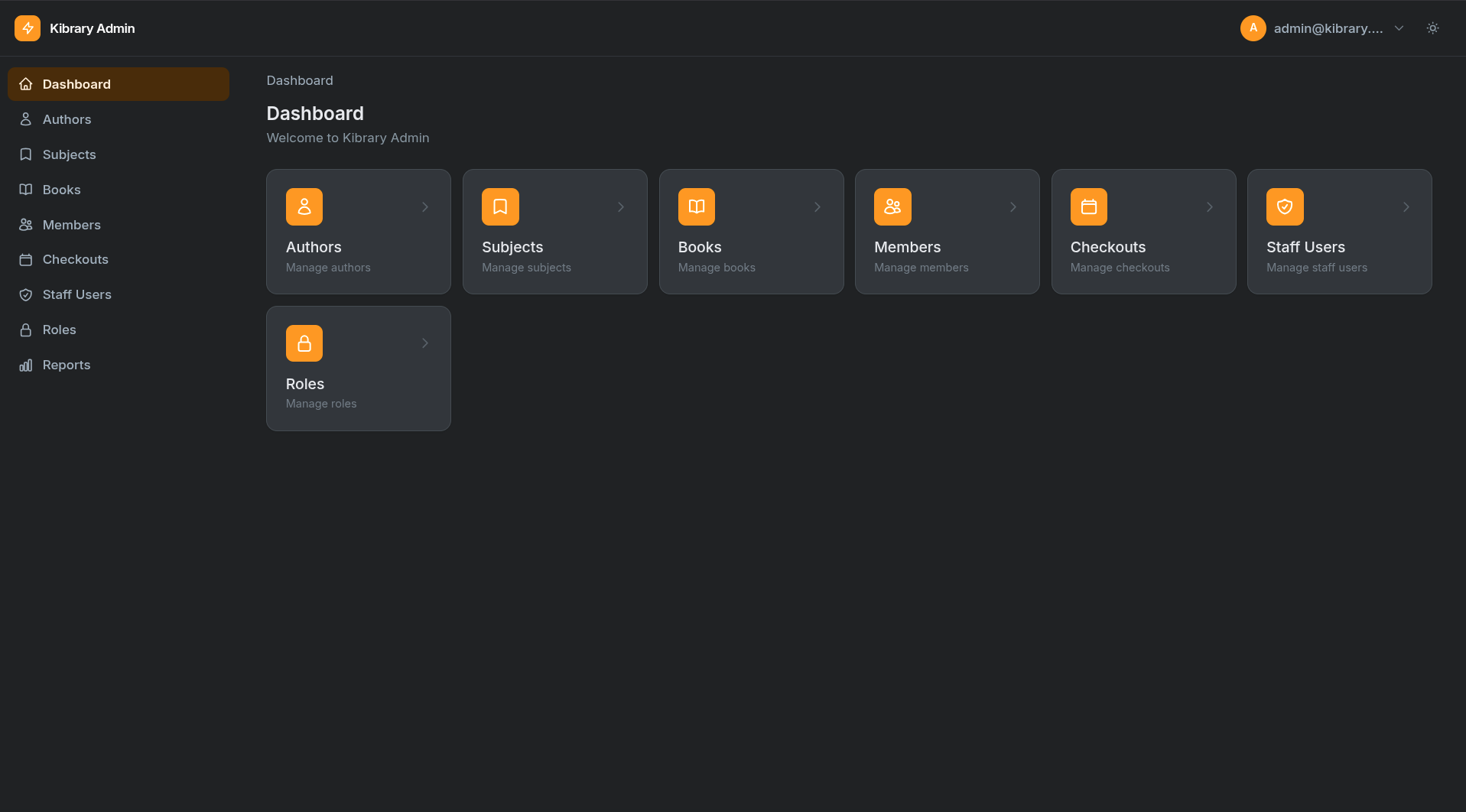
- ✅ Dark mode — built-in, localStorage-persisted
- ✅ Responsive — mobile sidebar, Tailwind CSS
- ✅ Components —
Radio,RadioButtons,Toggle,Timepickervianuru.components
What's coming
- Dashboard widgets — stat cards, line charts, pie charts
Feature plan (roadmap)
The following is a prioritized plan for the next phases of Nuru. It lists features, a short design summary for each, and recommended first steps so we can make incremental, testable progress.
-
Fields (high priority)
- File upload (
nuru/forms/file.py) — pluggable storage backend, preview, direct (AJAX) and form-submit modes. Implement a simpleLocalFileBackendand a{prefix}/_uploadendpoint. Store file reference (path/URL) on the record and provide secure preview URLs. - Image upload — build on
File, add optional thumbnail generation (Pillow optional dependency) and image previews. - Repeater — repeatable sub-forms; recommend JSON-backed client state (Alpine) to simplify server parsing and validation.
- CheckboxList / Multi-select — renderable as either native
<select multiple>or checkbox groups, returning lists of values. - Markdown & Rich text editors — thin integrations (Markdown textarea + live preview; optional Quill/Tiptap integration for rich HTML output). Provide server-side sanitization hooks.
- File upload (
-
Reactivity (client + server)
- Alpine-powered reactive form store: expose
formas an Alpine object (x-data) so fields can bind viax-model="form[key]". - Declarative field-level rules:
depends_on,visible_when,compute,set_on_change. These render as Alpine bindings (x-show, x-bind etc.) for immediate UX and are mirrored with lightweight server-side checks to prevent bypass. - Server mirror: simple rule DSL (tuples or callables) enforced during
Resource._validate_fieldsto ensure hidden/disabled fields cannot be abused.
- Alpine-powered reactive form store: expose
-
Actions & UX improvements
- Action modal validation UX — return JSON
{errors: {...}}(HTTP 422) on validation failure and display inline errors inside the Alpine modal instead of rendering a full error page. - Support for long-running action handlers (background job hooks, optional task queue integration).
- Action modal validation UX — return JSON
-
Widgets & Dashboard
- Widget API for stat cards and charts, pluggable chart adapters (default: Chart.js via CDN). Widgets register with the panel and render on a dashboard grid.
-
Polishing, Tests & Docs
- Add unit and integration tests for all new fields and validation flows (examples under
tests/). - Expand docs with examples showing File/Image uploads, Repeater, and reactive field rules.
- Add unit and integration tests for all new fields and validation flows (examples under
Recommended first task
Start with the File upload field. It unlocks image uploads and establishes patterns for storage, previews, and validation.
Minimal implementation checklist for File:
- Add
nuru/forms/file.pywithFilefield class (accept, multiple, max_size). - Add
nuru/storage/local.pyLocalFileBackendimplementingsave_upload(fileobj, filename) -> dict(url,path,meta). - Expose
AdminPanel(upload_backend=...)option and default toLocalFileBackendwith a safe project-local uploads directory. - Add an upload endpoint at
/{prefix}/_uploadthat accepts multipart uploads and returns JSON{url,path,meta}for direct/AJAX uploads. - Add
components/partials/fields/form/file.html— Alpine-powered preview and optional direct upload integration. - Update
resource.parse_formto detectUploadFileobjects and callpanel.upload_backend.save_uploadbefore validation/saving. - Add tests:
tests/test_file_field.pyfor form-submit and direct upload, and validation (content type, max size).
Timeline (rough)
- File upload (basic) + tests: 1–2 days
- Image upload + thumbnails: 1 day (+ Pillow)
- Repeater: 1–2 days
- Reactive rules + server mirror: 2–3 days
How I can proceed
If you'd like I can implement the File field now (local-only backend to start). Confirm if you want the uploads directory to be inside the project (default) or point at a specific absolute path. I will then create the files, run tests, and push the changes to the current branch.


Download files
Download the file for your platform. If you're not sure which to choose, learn more about installing packages.
Source Distribution
Built Distribution
Filter files by name, interpreter, ABI, and platform.
If you're not sure about the file name format, learn more about wheel file names.
Copy a direct link to the current filters
File details
Details for the file nuru-0.3.2.tar.gz.
File metadata
- Download URL: nuru-0.3.2.tar.gz
- Upload date:
- Size: 137.3 kB
- Tags: Source
- Uploaded using Trusted Publishing? No
- Uploaded via: twine/6.2.0 CPython/3.14.4
File hashes
| Algorithm | Hash digest | |
|---|---|---|
| SHA256 |
a3b1c9c8d171c2f0eed786c9d0a81ec5265280f715666fab3cf0c9ef996b67a8
|
|
| MD5 |
d943ac9fe90677927df7845daf5845a9
|
|
| BLAKE2b-256 |
8ef82656ae0c7300f6132ed28d543e02267a75bafb9da7152b217fb88e6951fe
|
File details
Details for the file nuru-0.3.2-py3-none-any.whl.
File metadata
- Download URL: nuru-0.3.2-py3-none-any.whl
- Upload date:
- Size: 158.5 kB
- Tags: Python 3
- Uploaded using Trusted Publishing? No
- Uploaded via: twine/6.2.0 CPython/3.14.4
File hashes
| Algorithm | Hash digest | |
|---|---|---|
| SHA256 |
08a14805f626741c818368524fa10b1dd8ec36584bccdce994b2b7d9c267e260
|
|
| MD5 |
466f11dc7587a192b59fbdd89ec10e0a
|
|
| BLAKE2b-256 |
fcae3c0a1ed1389513711391d9df8b33cdf8337b7ee8a55aa8f6da41ec026d2d
|






