
obsidian-ai-miniserver
A complete Obsidian tool in ~356 tokens! (see tool_prompt.md)
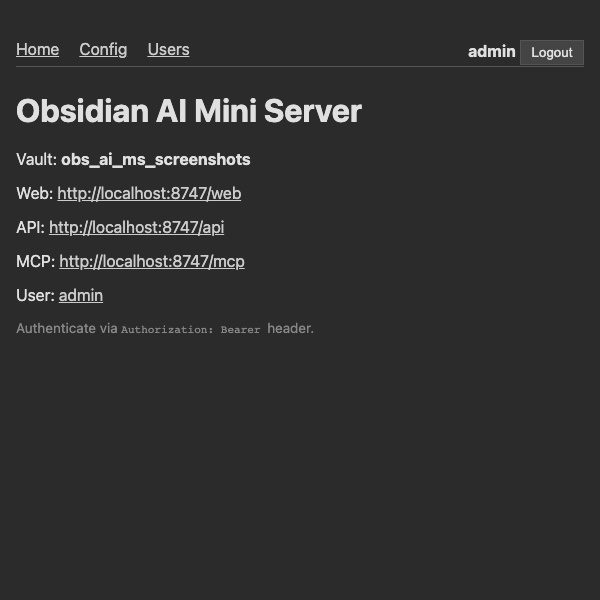
Makes one or more Obsidian vaults accessible via REST API (OpenAPI), streamable HTTP MCP server, and Web UI. Enables AI to find, read, and edit text notes across vaults. Supports multiple users with token-based auth and per-vault path-level access control.
Browse the API on Redocly or Swagger.
What's good about it
Maximum Control
- Works for any form of text files in vault — markdown, json, etc
- AI can do advanced regex searches
- Limits, Paging, Sort on all requests — AI can adjust snippet sizes on search results
- Every call is a batch — multiple operations in one round-trip by default saves time and tokens
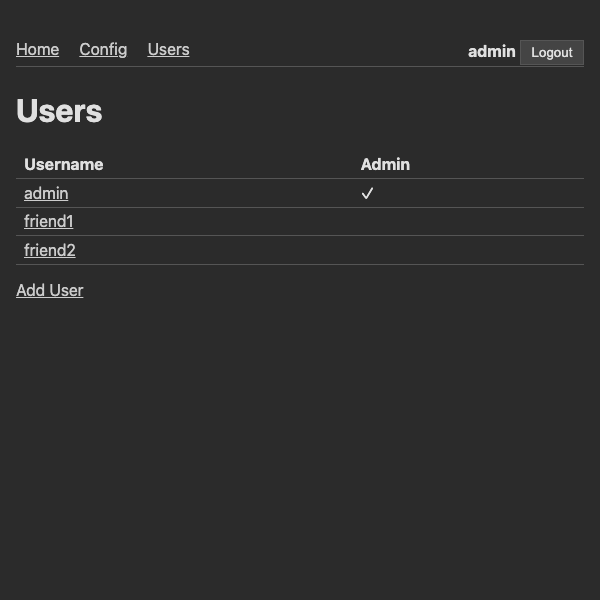
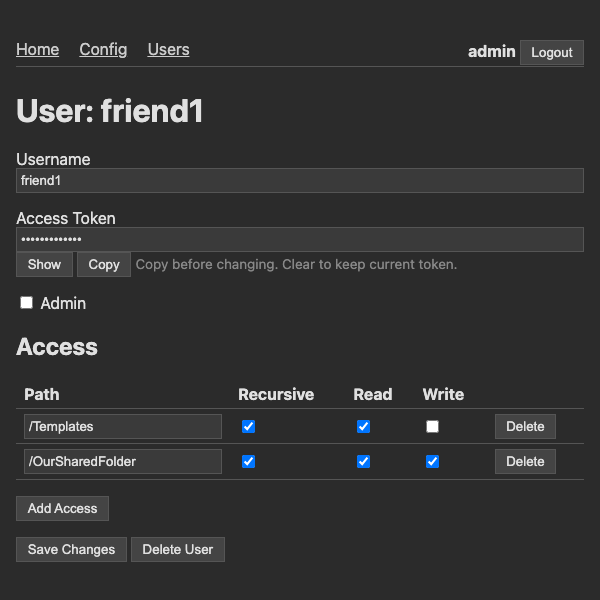
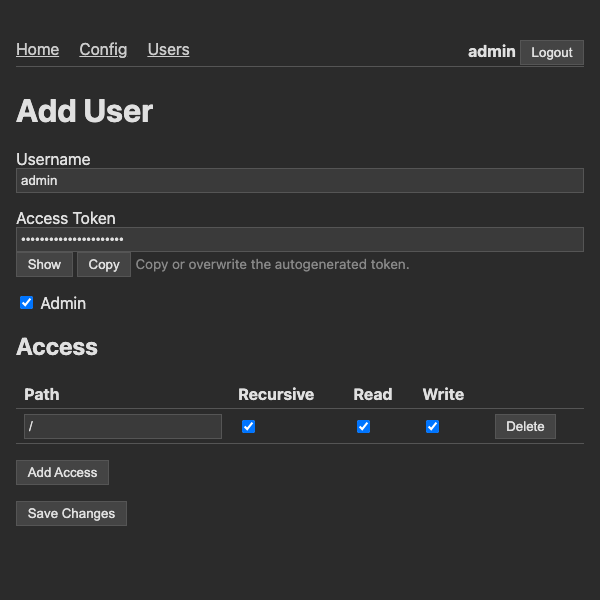
- Create multiple users with their own keys, different read/write permissions and per-vault folder access
- Multi-vault: serve multiple Obsidian vaults from one server — AI can search and move files across vaults
Maximum Flexibility
- Access anywhere — WebUI for human management, MCP http streaming for agents, OpenAPI for agents and web-app integrations
- Run anywhere — Locally on PC with Obsidian app, headless in container with multi-vault sync, with Obsidian Sync or just from folder
- Compatibility hacks pre-applied — Agent harness dropping rich parameter schemas? We collapse the schema into the function docstring and accept a plain JSON string
Maximum Token Efficiency
- Ruthless minimalism: single CLI command, single tool interface for AI, AI can perform all admin work
- Less tokens = faster and cheaper
- The entire tool schema uses ~356 tokens thanks to minimized docstrings, zero duplication or boilerplate — see tool_prompt.md
- ~50% token savings on MCP tokens after trimming FastMCP generated schemas with no information loss
- Responses with repeated keys (search results, file lists) are flattened into text formats for savings on every result — e.g.
path | modified_at | lengthandpath:line | match | context
Quick start
pip install obsidian-ai-miniserver
obs_ai_ms start --vault work:/path/to/work --vault personal:/path/to/personal
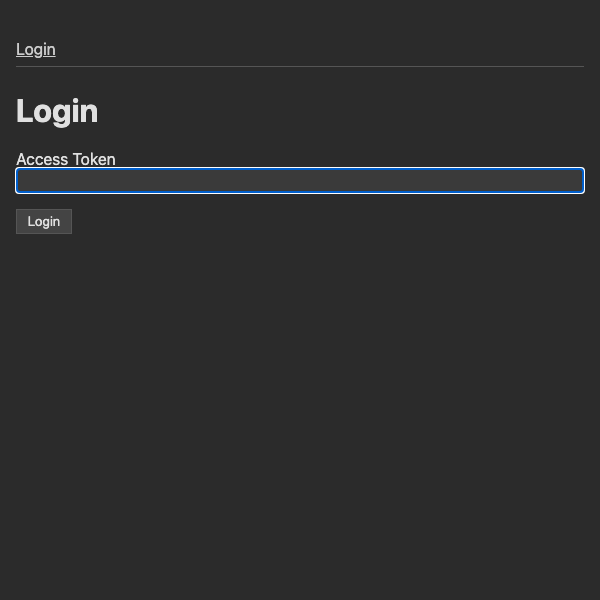
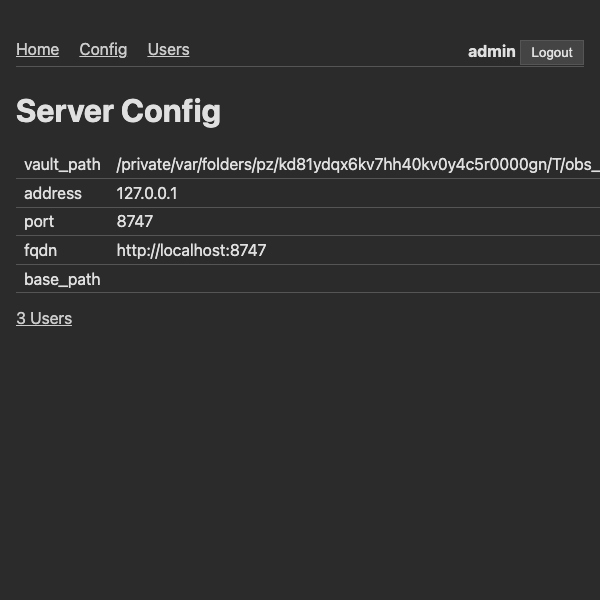
This starts the API, MCP, and Web UI servers. Connect your AI to the MCP endpoint or the REST API. Visit http://127.0.0.1:8747/web for the admin interface.
Options
| Option | Env Var | Default | Description |
|---|---|---|---|
--vault name:path |
— | (none) | Vault to register (repeatable). e.g. --vault work:/path/to/work |
--admin-token |
OBS_AI_MS_ADMIN_TOKEN |
(auto-generated) | Auth token for the admin user |
--port |
OBS_AI_MS_PORT |
8747 |
Server port |
--host |
OBS_AI_MS_HOST |
127.0.0.1 |
Host to bind to. Use 0.0.0.0 to allow remote access |
--fqdn |
OBS_AI_MS_FQDN |
(none) | Public URL for self-linking |
--base-path |
OBS_AI_MS_BASE_PATH |
(none) | Base path when behind a reverse proxy |
--config |
OBS_AI_MS_CONFIG |
(platform dir) | Path to config file |
Persistence
Config is stored in the platform application support directory — not inside any vault:
- macOS:
~/Library/Application Support/obsidian_ai_miniserver/config.json - Linux:
~/.config/obsidian_ai_miniserver/config.json
Contains vaults, users, and server settings. Override the location with --config or OBS_AI_MS_CONFIG.
Headless deployment
Run headless in a Docker container with Obsidian Headless — no desktop app needed. The docker-compose.yaml is fully self-contained: it installs everything from the internet at startup.
You can paste it directly into a container platform like Coolify — just set the environment variables:
| Env Var | Description |
|---|---|
OBSIDIAN_USERNAME |
Your Obsidian account email |
OBSIDIAN_PASSWORD |
Your Obsidian account password |
OBSIDIAN_VAULTNAME |
Name of your remote vault (synced as "default") |
OBSIDIAN_VAULTS |
Optional comma-separated name=vaultname pairs for multi-vault sync |
OBS_AI_MS_ADMIN_TOKEN |
Admin auth token |
OBS_AI_MS_HOST |
Host to bind to (default 0.0.0.0) |
OBS_AI_MS_PORT |
Server port (default 8747) |
OBS_AI_MS_FQDN |
Public URL for self-linking |
OBS_AI_MS_BASE_PATH |
Base path when behind a reverse proxy |
Or via CLI:
OBSIDIAN_USERNAME=you@example.com OBSIDIAN_PASSWORD=secret OBSIDIAN_VAULTNAME="My Vault" docker compose up
API reference
All requests go to POST /api/obsidian as a JSON array of request objects, each with a kind field that discriminates the request type. Available kinds:
get_vault_info— your vaults, daily notes folders, and user infolist_files— list files and folders at a path across vaultsread_text— read a note's textwrite_text— overwrite a noteappend_text— append to a notereplace_text— find and replace text in a notemove_file— move, copy, or delete a file (including cross-vault)search_files— regex search across notes and text files with context snippetslist_users/upsert_user— admin user managementupsert_vault— admin vault management
1 maintainer

Metadata
1 maintainer
Release files for obsidian-ai-miniserver 0.4.3
For a detailed explanation of source distributions (sdists) and built distributions (wheels), please see the package formats documentation.
Source distribution (sdist)
| File | Size | Uploaded | |
|---|---|---|---|
| obsidian_ai_miniserver-0.4.3.tar.gz | 35.2 kB | Details |
Built distribution (wheel)
| File | Interpreter | ABI | Platform | Reset |
|---|---|---|---|---|
| obsidian_ai_miniserver-0.4.3-py3-none-any.whl | Python 3 | none | any | Details |
Total release size: 63.0 kB
Release files / obsidian_ai_miniserver-0.4.3.tar.gz
| Download URL | obsidian_ai_miniserver-0.4.3.tar.gz |
|---|---|
| Size | 35.2 kB |
| Tags | Source |
|
SHA-256 checksum How to use checksums |
2de20b139e84c1d47a63fcbf68f7b69877c8d88736155d76c1e33b390c791b1e
|
|
BLAKE2b-256 checksum How to use checksums |
19bb9abfdcd12b51f9c125a7b0fd7c9bcebc6b4535d5bb9c72c5d0f3d69e236c
|
| Upload date | |
|
Uploaded using Trusted Publishing? What is trusted publishing? |
No |
| Uploaded via |
twine/6.2.0 CPython/3.13.7
|
Release files / obsidian_ai_miniserver-0.4.3-py3-none-any.whl
| Download URL | obsidian_ai_miniserver-0.4.3-py3-none-any.whl |
|---|---|
| Size | 27.8 kB |
| Tags | Python 3 |
|
SHA-256 checksum How to use checksums |
6e938b26ff180edd85d037c63b6394a8fe558d7658dad49634ae23635b421328
|
|
BLAKE2b-256 checksum How to use checksums |
98fb61a0637b01872471135a8983f8afcff22d98e656a9c20ce3f07e42d4040a
|
| Upload date | |
|
Uploaded using Trusted Publishing? What is trusted publishing? |
No |
| Uploaded via |
twine/6.2.0 CPython/3.13.7
|














