
Expose your Obsidian vault via REST API and streamable HTTP MCP server for AI tool access

Project description
obsidian-ai-miniserver
Makes your Obsidian vault accessible via REST API (OpenAPI) and a streamable HTTP MCP server. Enables AI to find, read, and edit text notes. Supports multiple users with token-based auth and path-level access control.
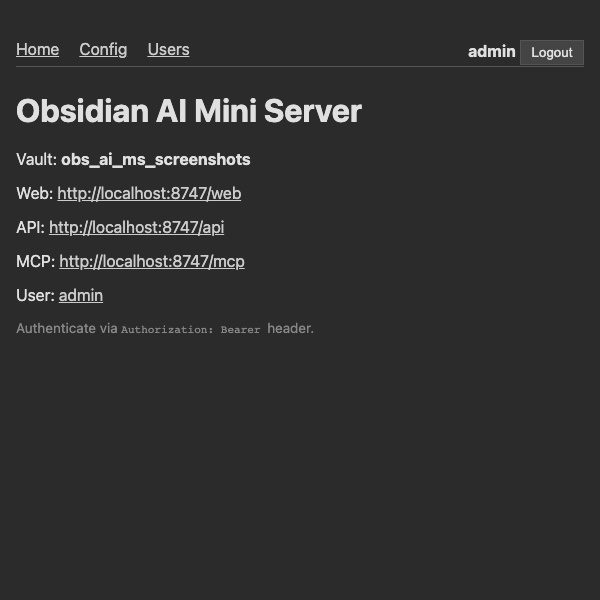
What's good about it
Access anywhere
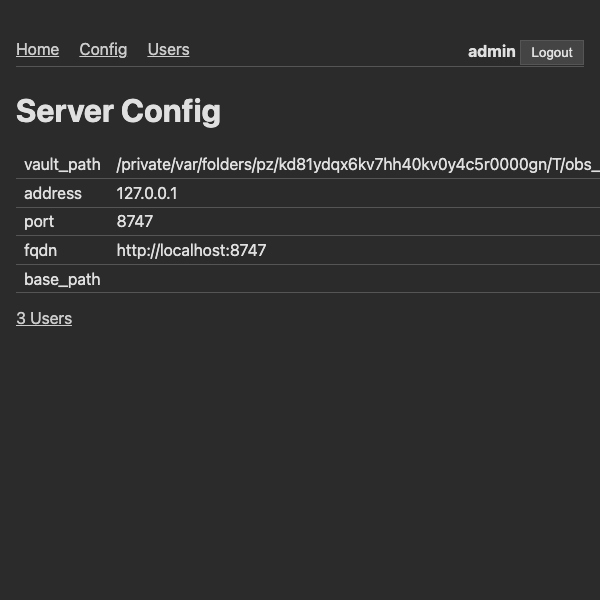
- WebUI for human to manage
- MCP http streaming for agents to use
- OpenAPI api for agents and web-app integrations
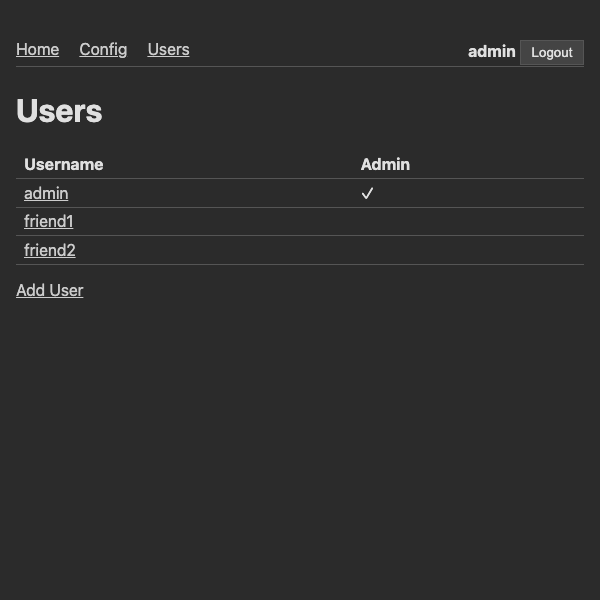
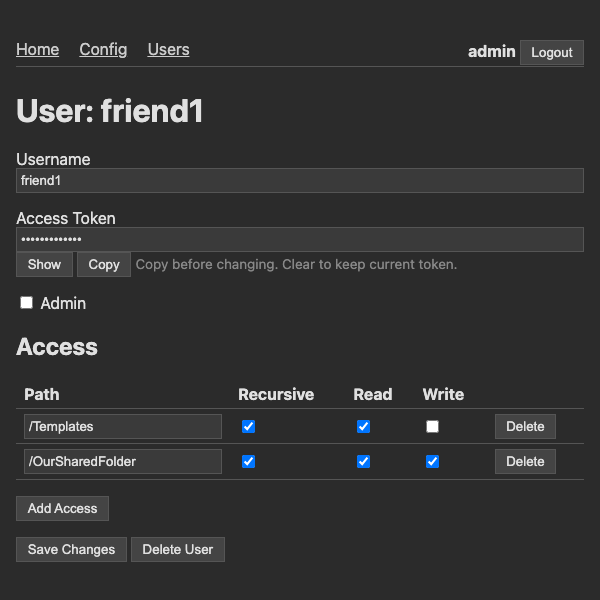
Control Access
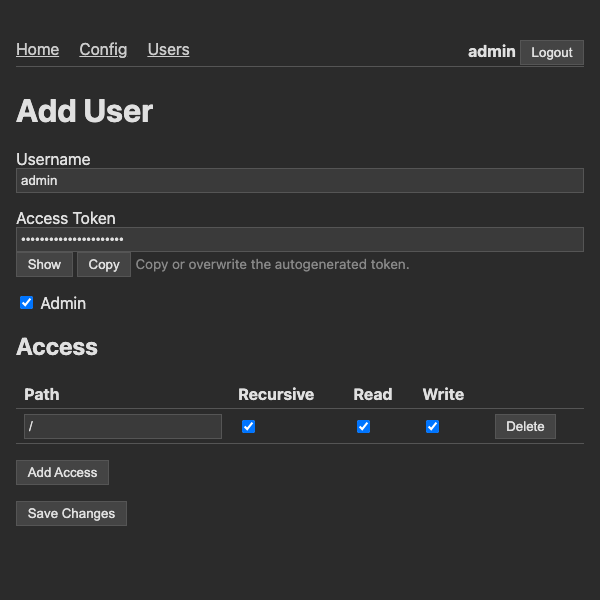
- Create multiple users with their own keys, different read/write permissions and folder access
- Keep your personal vault, personal — while enabling agents access to specific subsets
Highly Flexible
- Works for any form of text files in vault, json, etc
- AI can do advanced regex searches
Run anywhere
- Locally on PC w/ Obsidian app
- Headless in container — With ob sync or just from folder
Ruthless minimalism
- Single CLI command
- Single tool interface for AI
- AI able to perform all admin work, once AI connects it can take over setup for you
Less tokens = less cost, faster
- Maximally powerful requests to minimize request and param counts
- Batch request
- Limits, Paging, Sort on all requests, AI can adjust snippet sizes on search results, etc
- Minimized docstrings, zero duplication or boilerplate
Quick start
pip install obsidian-ai-miniserver
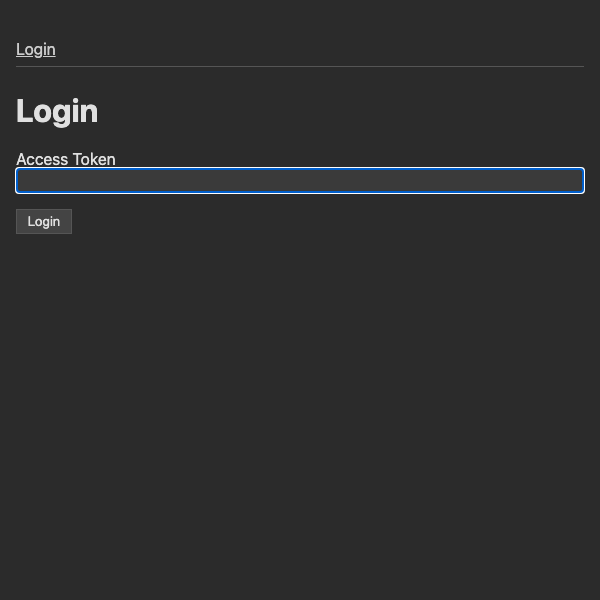
obs_ai_ms start /path/to/vault --admin-token your_token
This starts both servers on their default ports. Connect your AI to the MCP endpoint or the REST API.
Options
| Option | Env Var | Default | Description |
|---|---|---|---|
vault_path |
— | (required) | Path to the Obsidian vault |
--admin-token |
OBS_AI_MS_ADMIN_TOKEN |
(none) | Auth token for the admin user |
--port |
OBS_AI_MS_PORT |
8747 |
Server port |
--host |
OBS_AI_MS_HOST |
127.0.0.1 |
Host to bind to. Use 0.0.0.0 to allow remote access |
--fqdn |
OBS_AI_MS_FQDN |
(none) | Public URL for self-linking |
--base-path |
OBS_AI_MS_BASE_PATH |
(none) | Base path when behind a reverse proxy |
Persistence
Config is stored at .obsidian/obsidian_ai_miniserver.json inside the vault — user list with tokens and path access rules.
Headless deployment
Run headless in a Docker container with Obsidian Headless — no desktop app needed. The docker-compose.yaml is fully self-contained: it installs everything from the internet at startup.
You can paste it directly into a container platform like Coolify — just set the environment variables:
| Env Var | Description |
|---|---|
OBSIDIAN_USERNAME |
Your Obsidian account email |
OBSIDIAN_PASSWORD |
Your Obsidian account password |
OBSIDIAN_VAULTNAME |
Name of your remote vault |
OBS_AI_MS_ADMIN_TOKEN |
Admin auth token |
OBS_AI_MS_HOST |
Host to bind to (default 0.0.0.0) |
OBS_AI_MS_PORT |
Server port (default 8747) |
OBS_AI_MS_FQDN |
Public URL for self-linking |
OBS_AI_MS_BASE_PATH |
Base path when behind a reverse proxy |
Or via CLI:
OBSIDIAN_USERNAME=you@example.com OBSIDIAN_PASSWORD=secret OBSIDIAN_VAULTNAME="My Vault" docker compose up
API reference
See openapi.json for full request/response definitions.
All requests go to POST /api/obsidian with a kind field that discriminates the request type. Available kinds:
get_vault_info— vault name, daily notes folder, your user infolist_files— list files and folders at a pathread_text— read a note's textwrite_text— overwrite a noteappend_text— append to a notereplace_text— find and replace text in a notemove_file— move, copy, or delete a filesearch_files— regex search across notes and text files with context snippetsbatch— send multiple requests in one calllist_users/upsert_user— admin user management
Release history Release notifications | RSS feed


Download files
Download the file for your platform. If you're not sure which to choose, learn more about installing packages.
Source Distribution
Built Distribution
Filter files by name, interpreter, ABI, and platform.
If you're not sure about the file name format, learn more about wheel file names.
Copy a direct link to the current filters
File details
Details for the file obsidian_ai_miniserver-0.3.0.tar.gz.
File metadata
- Download URL: obsidian_ai_miniserver-0.3.0.tar.gz
- Upload date:
- Size: 22.1 kB
- Tags: Source
- Uploaded using Trusted Publishing? No
- Uploaded via: twine/6.2.0 CPython/3.13.7
File hashes
| Algorithm | Hash digest | |
|---|---|---|
| SHA256 |
29629db7f7e18d5d77720d050fd8372442dbf58f9768229bf3bd0e8776291bb7
|
|
| MD5 |
89013225f212fff4816cd75646f77f82
|
|
| BLAKE2b-256 |
73aedad45d03010201f94fabcfbac454e58020d58160801efbf7d744c8370724
|
File details
Details for the file obsidian_ai_miniserver-0.3.0-py3-none-any.whl.
File metadata
- Download URL: obsidian_ai_miniserver-0.3.0-py3-none-any.whl
- Upload date:
- Size: 17.1 kB
- Tags: Python 3
- Uploaded using Trusted Publishing? No
- Uploaded via: twine/6.2.0 CPython/3.13.7
File hashes
| Algorithm | Hash digest | |
|---|---|---|
| SHA256 |
4c14dd06d4f88ed6f5ddef0e0bcbade700a165b5cf05625ce9fb871c5ec7fe3b
|
|
| MD5 |
39ca7e7df9ec7a6f533b5d43fa2e56d4
|
|
| BLAKE2b-256 |
3f0c3e99cd11f63ab242d9ab74f7976ac97d38ae9bccec0341f75e1b596c7100
|






