
OCP FreeCAD CAM

Project description
Overview
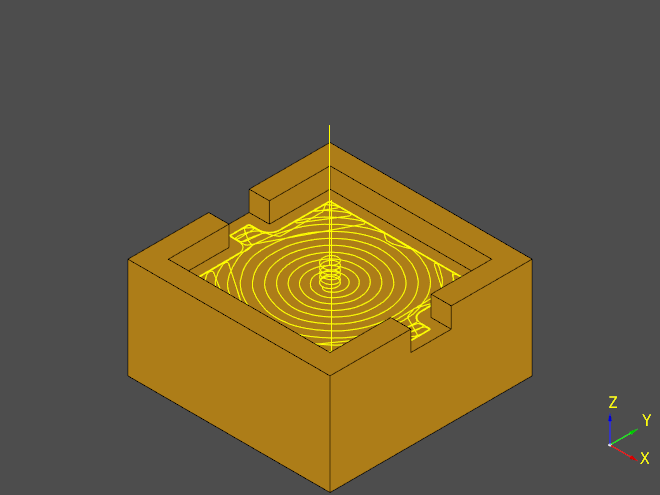
oc-freecad-cam exposes FreeCAD's Path workbench in a fluent python API that takes OCP TopoDS_Shape objects and their wrappers from CadQuery and Build123d to enable generating parametric tool paths from the comfort of your keyboard.
⚠ NOTE ⚠
This project is fairly experimental at this stage. Expect bugs and always double-check the generated gcode for naughty surprises.
Usage
See documentation at https://ocp-freecad-cam.readthedocs.io/en/latest/
Installation
ocp-freecad-cam does not attempt to install runtime dependencies. Your environment must have available CadQuery and/or Build123d, or just OCP if you're feeling raw.
ocp-freecad-cam is available on pypi: https://pypi.org/project/ocp-freecad-cam/
ocp-freecad-cam requires currently a relatively fresh build of FreeCAD, ie. weekly build from https://github.com/FreeCAD/FreeCAD-Bundle/releases/tag/weekly-builds
The Path module of FreeCAD has seen major refactorings in 2023 so older versions are not compatible.
Runtime dependencies summary
Dev dependecies
Dev dependencies are listed in requirements-dev.txt, generated from requirements-dev.in with pip-compile
Using FreeCAD AppImage
Weekly AppImage is an easy way to get started. Download the AppImage, place it in a suitable empty folder and extract it.
mkdir ~/freecad
cp ~/Downloads/FreeCAD_weekly-builds-33345-2023-06-04-conda-Linux-x86_64-py310.AppImage ~/freecad
cd ~/freecad
chmod +x ./FreeCAD_weekly-builds-33345-2023-06-04-conda-Linux-x86_64-py310.AppImage
./FreeCAD_weekly-builds-33345-2023-06-04-conda-Linux-x86_64-py310.AppImage --appimage-extract
Configuring FreeCAD paths
For this module to work, it needs to be able to find
- FreeCAD C libraries
- FreeCAD Path python libraries
- (AppImage only?) Some other Python modules located in FreeCAD's site-packages
This can be done by updating your virtual environment PYTHONPATH or by creating a pth file in site-packages.
The three paths (also contents of the .pth file) for the above AppImage example are
/home/user/freecad/squashfs-root/usr/lib
/home/user/freecad/squashfs-root/usr/Mod/Path
/home/user/freecad/squashfs-root/usr/lib/python3.10/site-packages/
in a file like
/home/user/miniconda3/envs/cq/lib/python3.10/site-packages/freecad.pth
Limitations
Pocket3D does not work, possibly related to https://github.com/FreeCAD/FreeCAD/issues/6815 - shouldn't be a big loss though, Surface3D can get the same things done IMO.
VCarve can produce unstable toolpaths, but that is probably a bug in the underlying openvoronoi library. Tweaking the job params may help.
Contributing
Contributions are welcome.
- Missing params, fixes
- Tests
- Documentation
PR's
Apply black and isort and ensure that tests pass. Preferably also include test coverage for new code.


Download files
Download the file for your platform. If you're not sure which to choose, learn more about installing packages.
Source Distribution
Built Distribution
Filter files by name, interpreter, ABI, and platform.
If you're not sure about the file name format, learn more about wheel file names.
Copy a direct link to the current filters
File details
Details for the file ocp-freecad-cam-0.9.1.tar.gz.
File metadata
- Download URL: ocp-freecad-cam-0.9.1.tar.gz
- Upload date:
- Size: 122.6 kB
- Tags: Source
- Uploaded using Trusted Publishing? No
- Uploaded via: twine/4.0.1 CPython/3.11.4
File hashes
| Algorithm | Hash digest | |
|---|---|---|
| SHA256 |
5fad38693fdbd906266d73ab2eddccdf49eb4d211b17894372e8e0ec8f24dee4
|
|
| MD5 |
f2062f319a8a3e77977446e8934a802c
|
|
| BLAKE2b-256 |
583c1aa33f2be0da2c75c924f07ba7d07980a6f4000f084576203ac0203fd7b7
|
File details
Details for the file ocp_freecad_cam-0.9.1-py3-none-any.whl.
File metadata
- Download URL: ocp_freecad_cam-0.9.1-py3-none-any.whl
- Upload date:
- Size: 29.8 kB
- Tags: Python 3
- Uploaded using Trusted Publishing? No
- Uploaded via: twine/4.0.1 CPython/3.11.4
File hashes
| Algorithm | Hash digest | |
|---|---|---|
| SHA256 |
5f3657c86b20c4f1b9b10d5cb325df57ebe4040508301b036c6a5ad2a2f81ea9
|
|
| MD5 |
f773ae486a98d646318bc5a3360cf792
|
|
| BLAKE2b-256 |
642290a475446295b4dc6e06906384d998ca93316d101350e85b8df8c0658a61
|






