

Audit Log





This module allows the administrator to log user operations performed on data models such as create, read, write and delete.
Table of contents
Usage
Go to Settings / Technical / Audit / Rules to manage audit log rules. A rule defines which operations to log for a given data model. New rules need to be enabled by ‘Subscribing’.
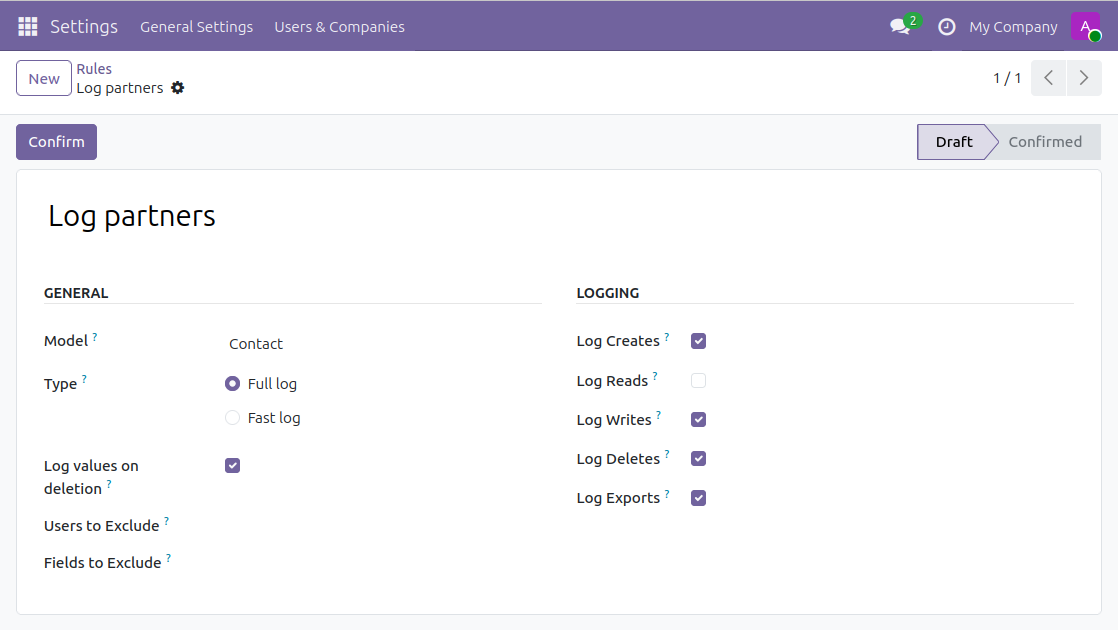
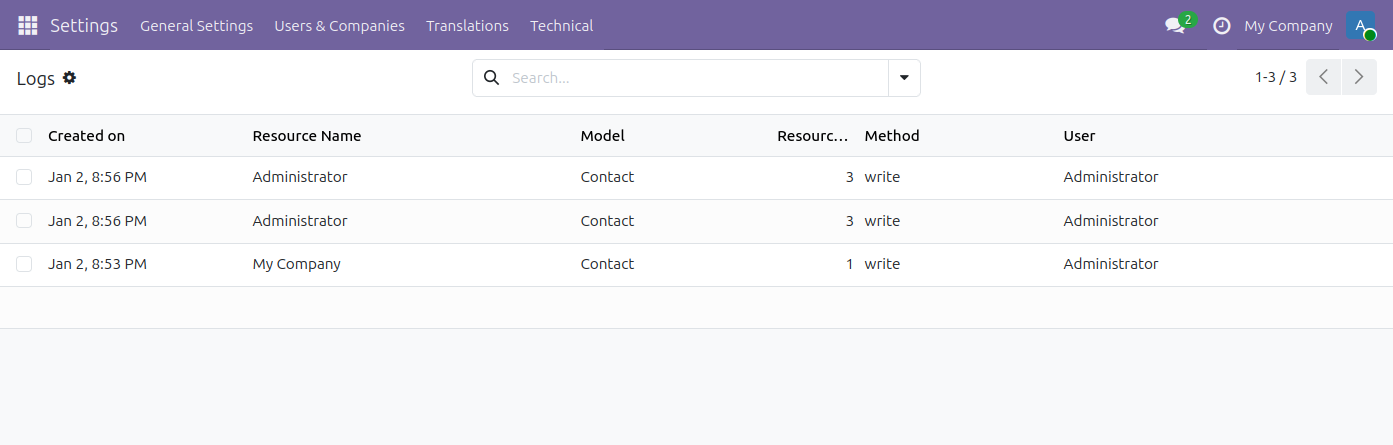
Then, check logs in the Settings / Technical / Audit / Logs menu. You can group them by user sessions, date, data model or HTTP requests:
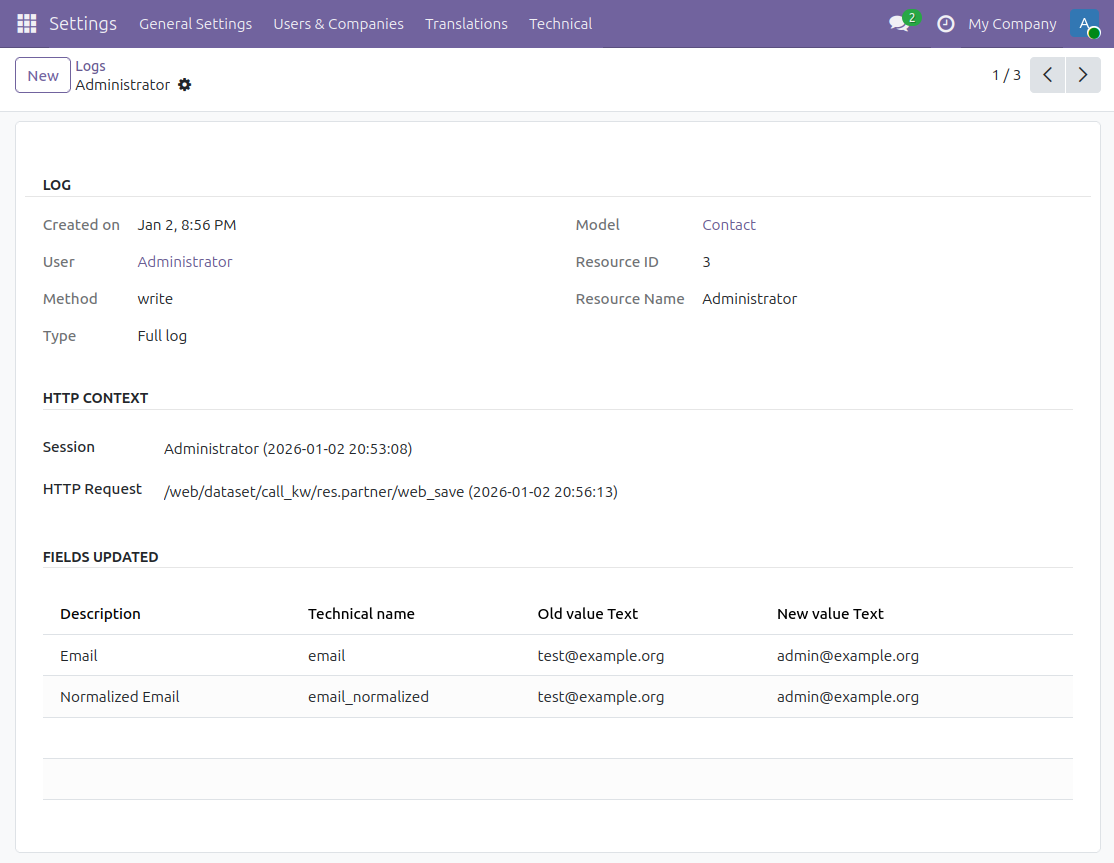
Get the details:
A scheduled action exists to delete logs older than 6 months (180 days) periodically but is not enabled by default. To activate it and/or change the delay, go to the Configuration / Technical / Automation / Scheduled Actions menu and edit the Auto-vacuum audit logs entry:
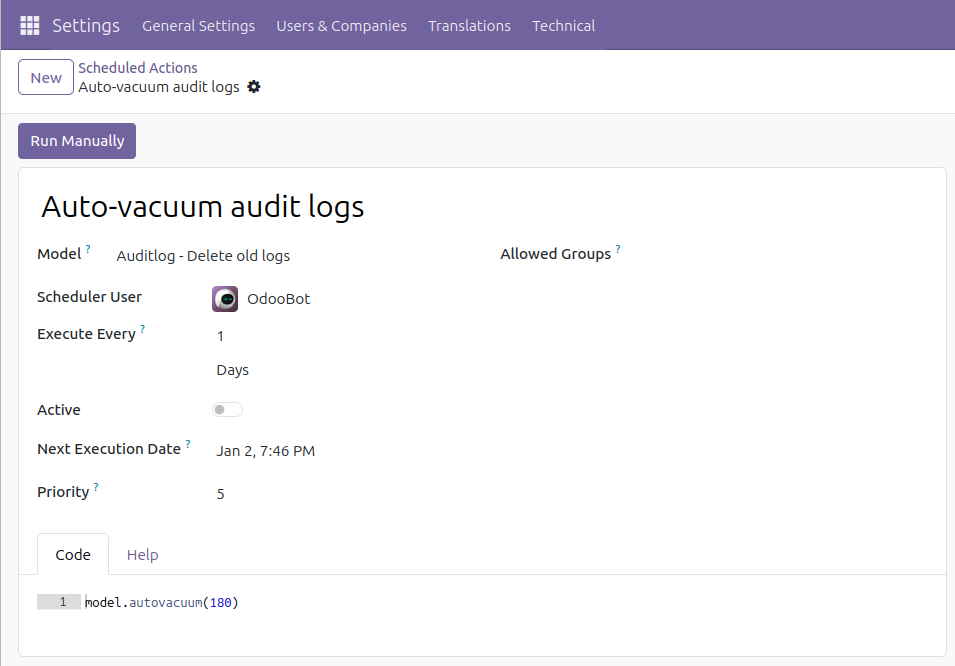
In case you’re having trouble with the amount of records to delete per run, you can pass the amount of records to delete for one model per run as the second parameter. The default is to delete all records in one go.
There are two permission groups that apply to auditlogging. The first is the Auditlog User group. This group has read-only access to the auditlogs of individual records through the View Logs action that is available on records of models that are being tracked. The second group is the Auditlog Manager group. This group has additional rights to manage the auditlog configuration rules. By default, users that are ERP Administrators are also Auditlog Managers.
Known issues / Roadmap
log only operations triggered by some users (currently it logs all users)
log read operations does not work on all data models, need investigation
Bug Tracker
Bugs are tracked on GitHub Issues. In case of trouble, please check there if your issue has already been reported. If you spotted it first, help us to smash it by providing a detailed and welcomed feedback.
Do not contact contributors directly about support or help with technical issues.
Credits
Contributors
Sebastien Alix <sebastien.alix@camptocamp.com>
Holger Brunn <hbrunn@therp.nl>
Holden Rehg <holdenrehg@gmail.com>
Eric Lembregts <eric@lembregts.eu>
Pieter Paulussen <pieter.paulussen@me.com>
Alan Ramos <alan.ramos@jarsa.com.mx>
Stefan Rijnhart <stefan@opener.amsterdam>
Bhavesh Odedra <bodedra@opensourceintegrators.com>
Hardik Suthar <hsuthar@opensourceintegrators.com>
Kitti U. <kittiu@ecosoft.co.th>
Bogdan Valentin Gabor <valentin.gabor@bt-group.com>
Dennis Sluijk d.sluijk@onestein.nl
Adam Heinz <adam.heinz@metricwise.com>
-
Hembert Iregui <<hi@oerp.ca>
Other credits
Icon: built with different icons from the Oxygen theme (LGPL)
Maintainers
This module is maintained by the OCA.

OCA, or the Odoo Community Association, is a nonprofit organization whose mission is to support the collaborative development of Odoo features and promote its widespread use.
This module is part of the OCA/server-tools project on GitHub.
You are welcome to contribute. To learn how please visit https://odoo-community.org/page/Contribute.
1 maintainer

Metadata
1 maintainer
Release files for odoo-addon-auditlog 19.0.2.0.1
For a detailed explanation of source distributions (sdists) and built distributions (wheels), please see the package formats documentation.
Built distribution (wheel)
| File | Interpreter | ABI | Platform | Reset |
|---|---|---|---|---|
| odoo_addon_auditlog-19.0.2.0.1-py3-none-any.whl | Python 3 | none | any | Details |
Release files / odoo_addon_auditlog-19.0.2.0.1-py3-none-any.whl
| Download URL | odoo_addon_auditlog-19.0.2.0.1-py3-none-any.whl |
|---|---|
| Size | 524.2 kB |
| Tags | Python 3 |
|
SHA-256 checksum How to use checksums |
57c0d0ff4ada276bc3ecbb6676ac68d40687ef01189ecc6270c575c69ed42c83
|
|
BLAKE2b-256 checksum How to use checksums |
d91e24df1fb874f3f38f87c8c973ec258fdaeb5e071e51776a524494501dc706
|
| Upload date | |
|
Uploaded using Trusted Publishing? What is trusted publishing? |
No |
| Uploaded via |
twine/7.0.0 CPython/3.14.4
|
Security for odoo-addon-auditlog 19.0.2.0.1
Provenance
Provenance describes where a file came from. On PyPI, provenance is shared via attestations, which provide a verifiable record of the build or publishing details. View details, limitations and caveats.
No provenance found
None of the files in this release were uploaded with provenance metadata.
A note on package security
PyPI is a repository for distributing packages, not a service for auditing them. While third-party security researchers and our staff do their best to detect and remove malicious packages, PyPI cannot guarantee the quality, security or suitability of any given package.














