





This module lets you define global date ranges that can be used to filter your values in tree views.
It also provides a mixin model for developers that extends the model’s search view so that date ranges can be search as any relational field.
Table of contents
Installation
The addon use the daterange method from postgres. This method is supported as of postgresql 9.2
Configuration
For regular usage, see Usage below. This section is to clarify optional functionality to developers.
To configure a model to use the Many2one style search field, make the model inherit from date.range.search.mixin:
class AccountMove(models.Model):
    _name = "account.move"
    _inherit = ["account.move", "date.range.search.mixin"]
This will make a Period field show up in the search view:
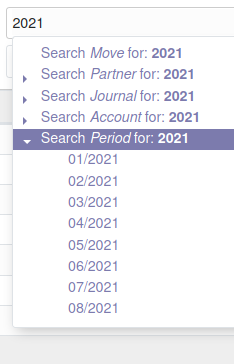
By default, the mixin works on the date field. If you want the mixin to work on a field with a different name, you can set a property on your model:
_date_range_search_field = "invoice_date"Usage
To configure this module, you need to:
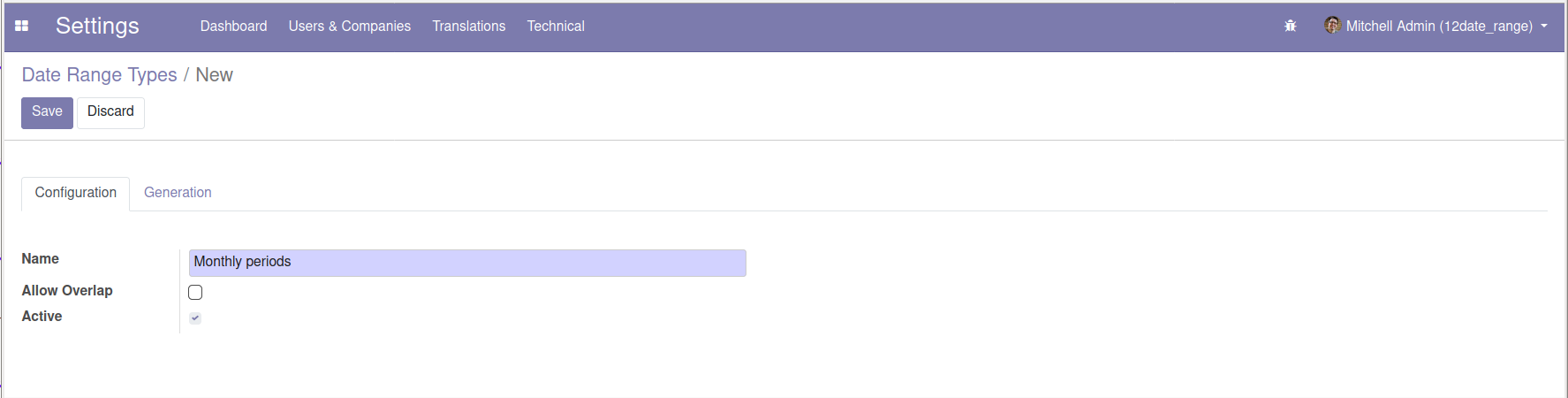
Go to Settings > Technical > Date ranges > Date Range Types where you can create types of date ranges.
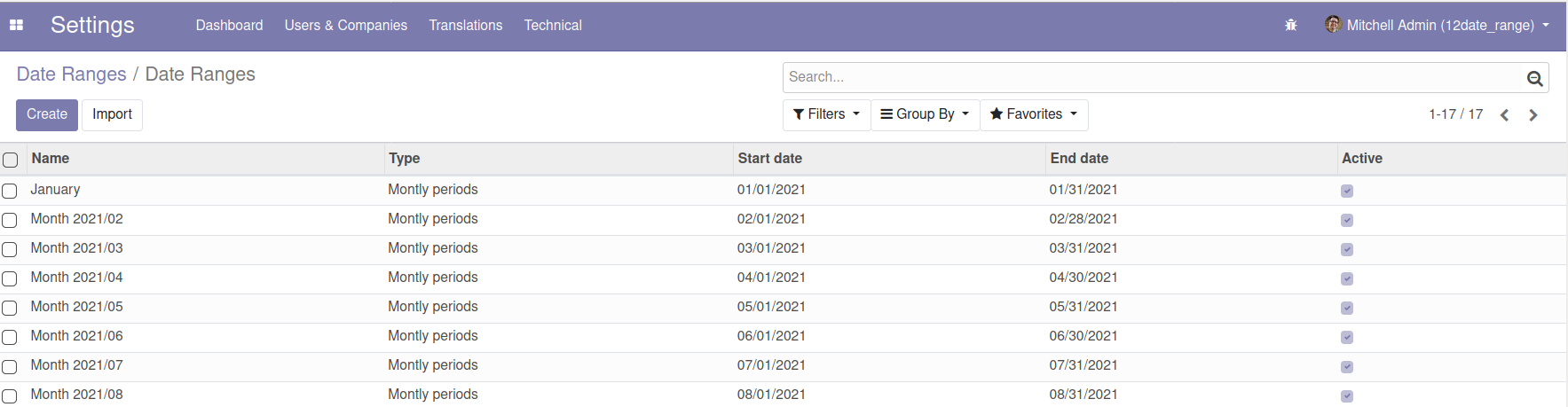
Go to Settings > Technical > Date ranges > Date Ranges where you can create date ranges.
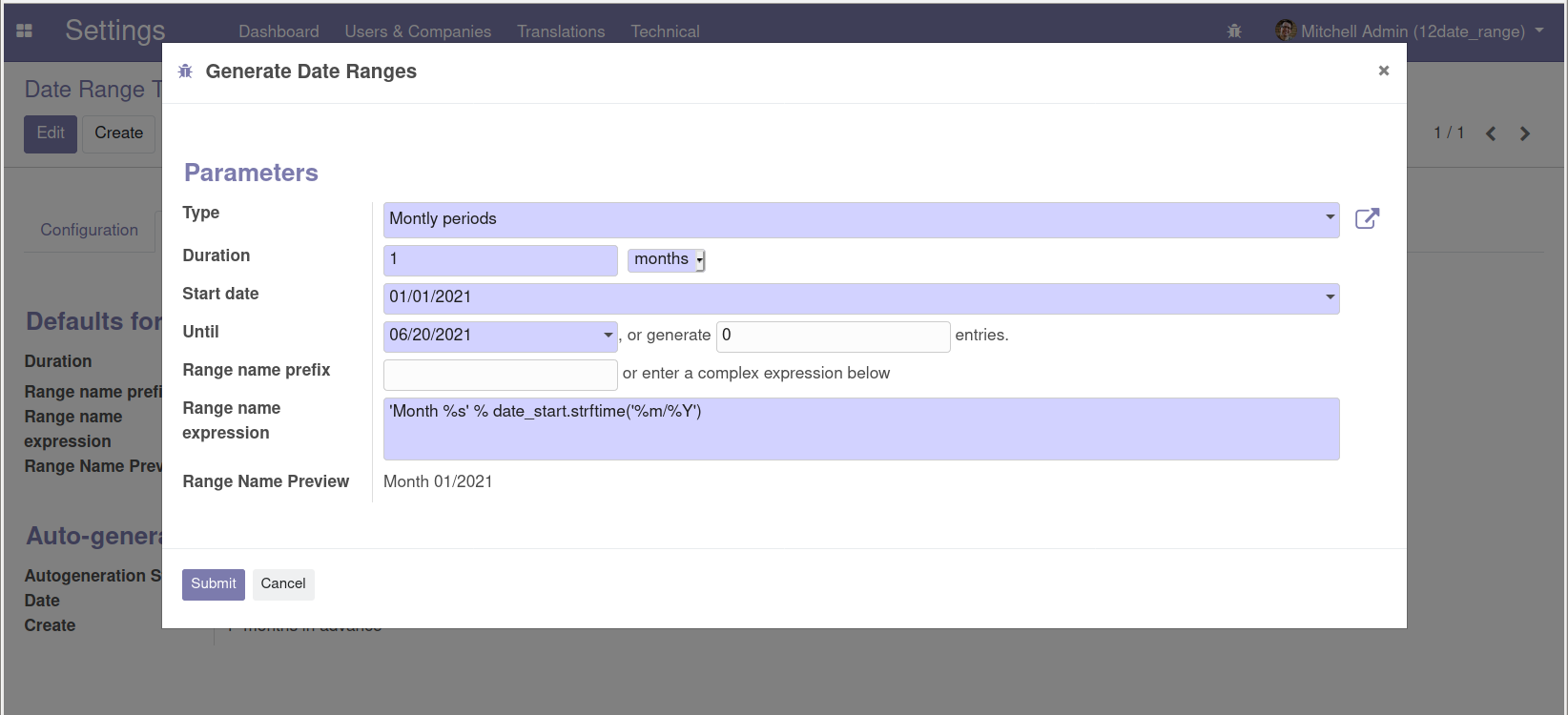
It’s also possible to launch a wizard from the ‘Generate Date Ranges’ menu.
The wizard is useful to generate recurring periods. Set an end date or enter the number of ranges to create.
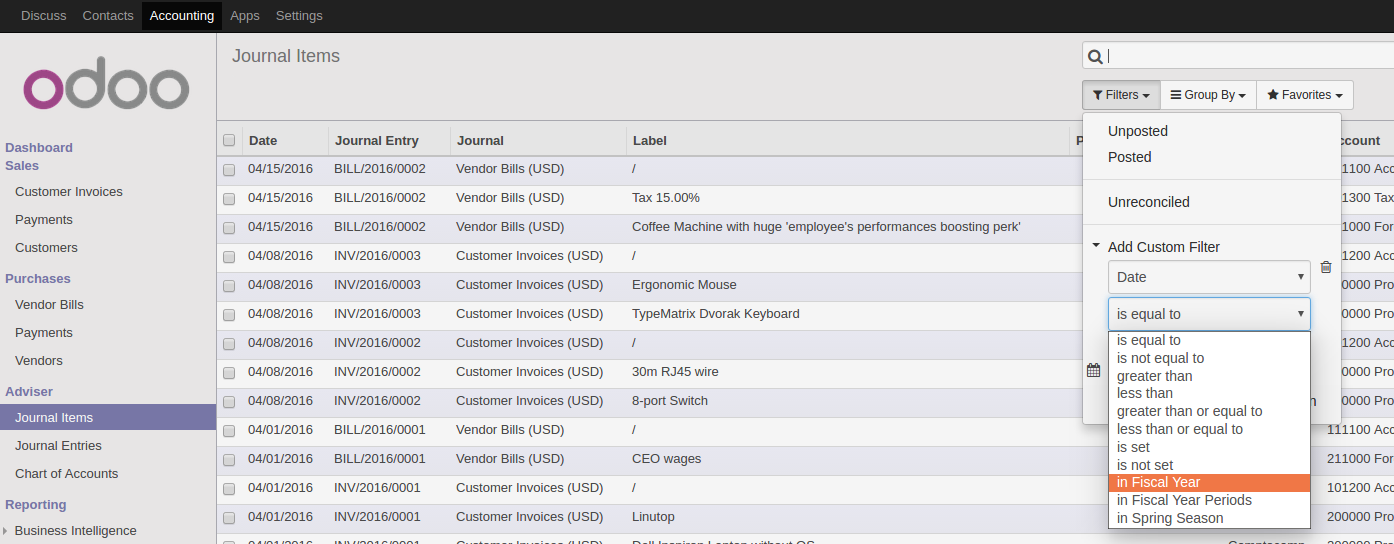
Your date ranges are now available in the search filter for any date or datetime fields
Date range types are proposed as a filter operator
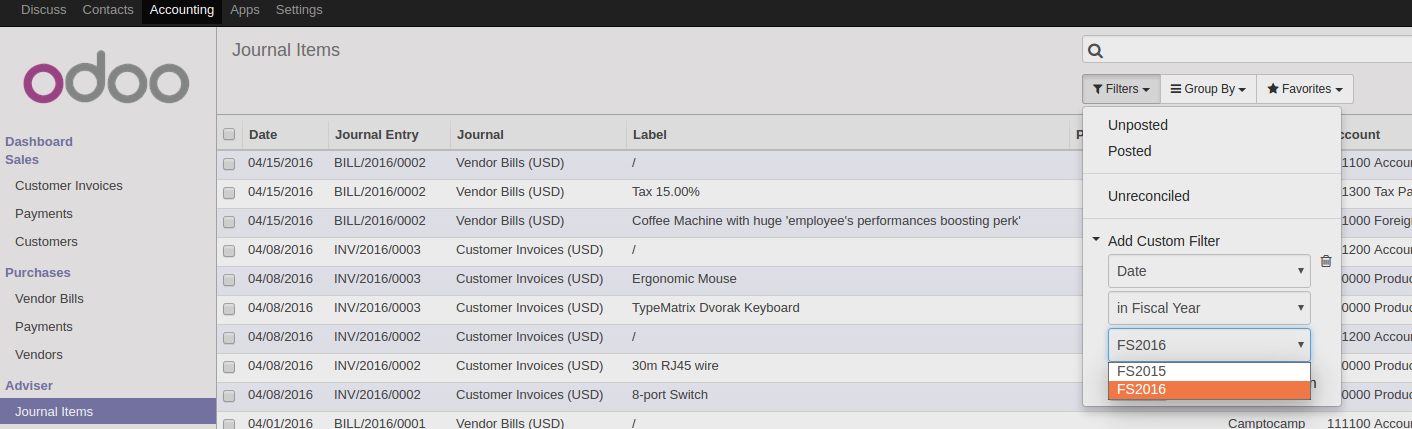
Once a type is selected, date ranges of this type are porposed as a filter value
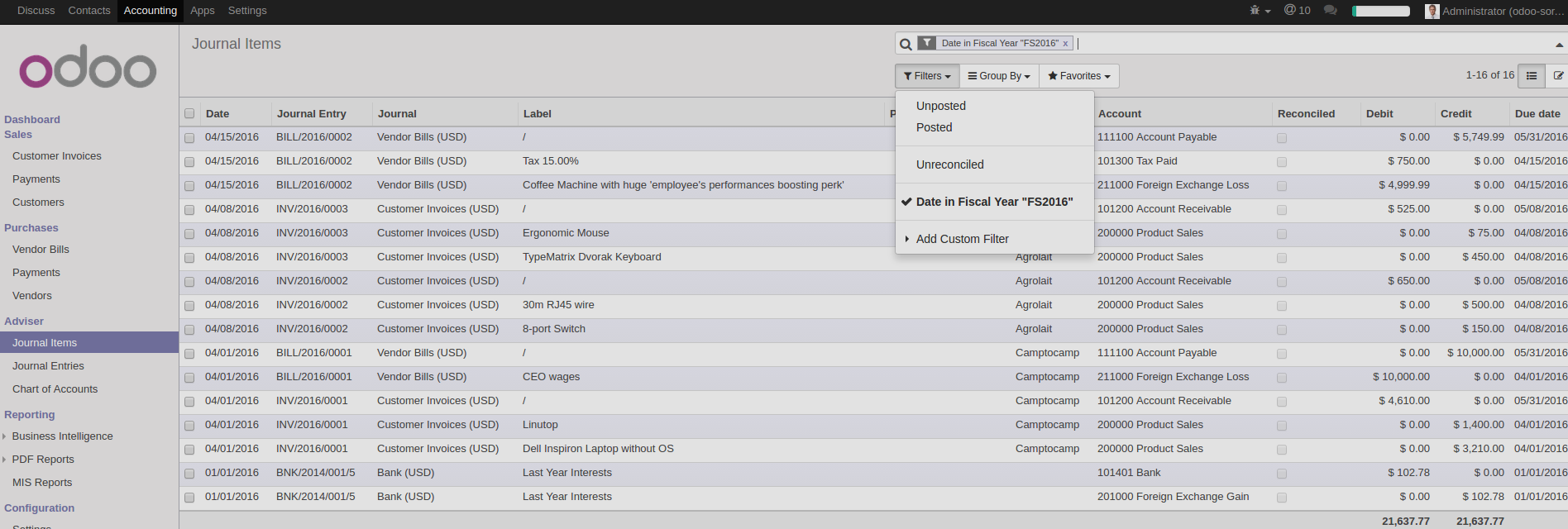
And the dates specified into the date range are used to filter your result.
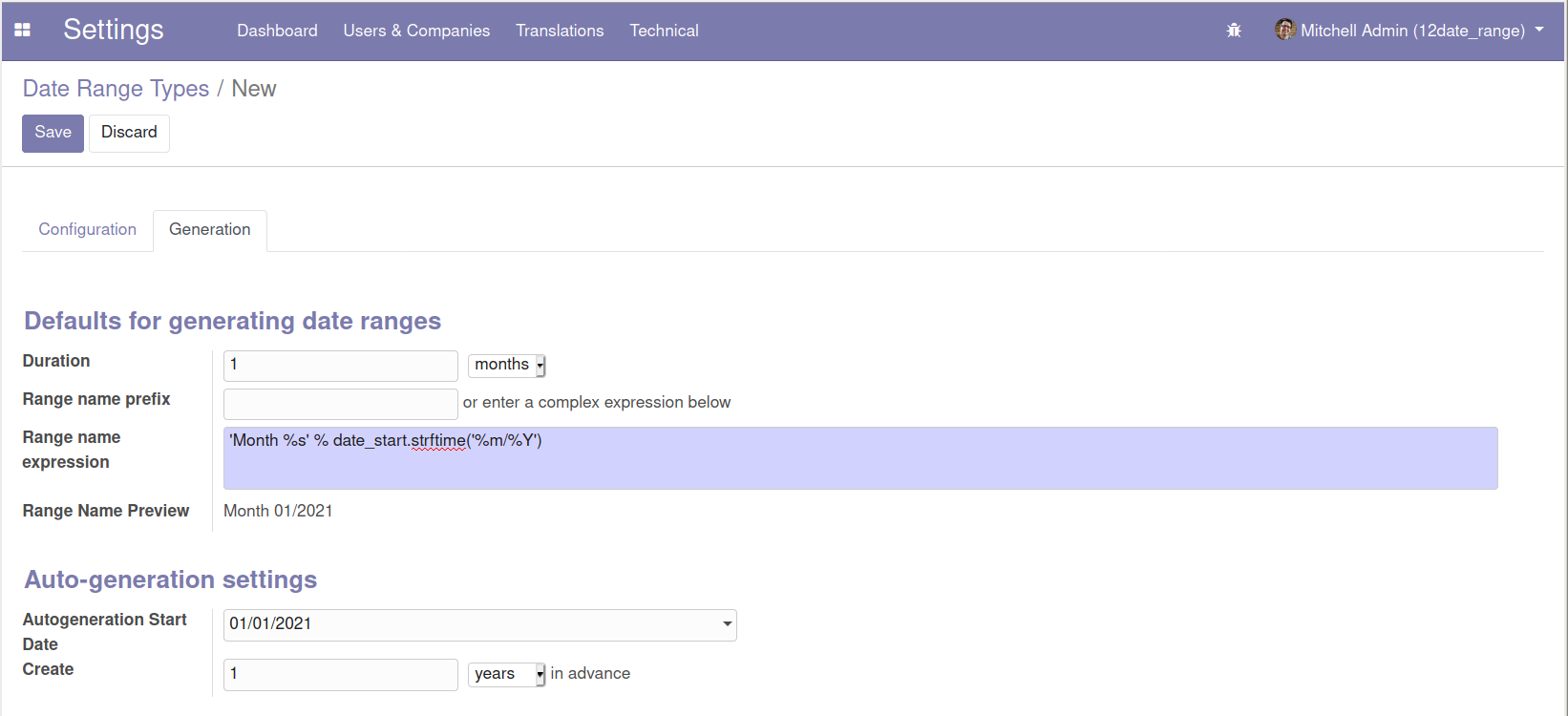
You can configure date range types with default values for the generation wizard on the Generation tab. In the same tab you can also configure date range types for auto-generation. New ranges for types configured for this are generated by a scheduled task that runs daily.

Bug Tracker
Bugs are tracked on GitHub Issues. In case of trouble, please check there if your issue has already been reported. If you spotted it first, help us to smash it by providing a detailed and welcomed feedback.
Do not contact contributors directly about support or help with technical issues.
Credits
Contributors
Laurent Mignon <laurent.mignon@acsone.eu>
Alexis de Lattre <alexis.delattre@akretion.com>
Miquel Raïch <miquel.raich@forgeflow.com>
Andrea Stirpe <a.stirpe@onestein.nl>
Stefan Rijnhart <stefan@opener.amsterdam>
Maintainers
This module is maintained by the OCA.

OCA, or the Odoo Community Association, is a nonprofit organization whose mission is to support the collaborative development of Odoo features and promote its widespread use.
Current maintainer:

This module is part of the OCA/server-ux project on GitHub.
You are welcome to contribute. To learn how please visit https://odoo-community.org/page/Contribute.
1 maintainer

Download files
Download the file for your platform. If you're not sure which to choose, learn more about installing packages.
Source Distributions
Built Distribution
Filter files by name, interpreter, ABI, and platform.
If you're not sure about the file name format, learn more about wheel file names.
Copy a direct link to the current filters
File details
Details for the file odoo_addon_date_range-16.0.1.0.9.12-py3-none-any.whl.
File metadata
- Download URL: odoo_addon_date_range-16.0.1.0.9.12-py3-none-any.whl
- Upload date:
- Size: 1.2 MB
- Tags: Python 3
- Uploaded using Trusted Publishing? No
- Uploaded via:
twine/7.0.0 CPython/3.14.4
File hashes
| Algorithm | Hash digest | |
|---|---|---|
| SHA256 |
e3de1bd98cb7779cdb6adff156ea29c2bd6d84d463b2b220a8ee79d0e13f830f
|
|
| MD5 |
bec6783e9cd40af269cd855e794856b1
|
|
| BLAKE2b-256 |
85c261a5e0da9fd1df173e28c1d6b7aa99c1f1d5e760dfebfc0e126a8258e7e4
|














