





This module allows gift cards to be applied as a payment method when customer uses it. Provides the necessary flexibility to accomplish with European Regulations (Council Directive (EU) 2016/1065 of 27 June 2016 amending Directive 2006/112/EC).
Table of contents
Configuration
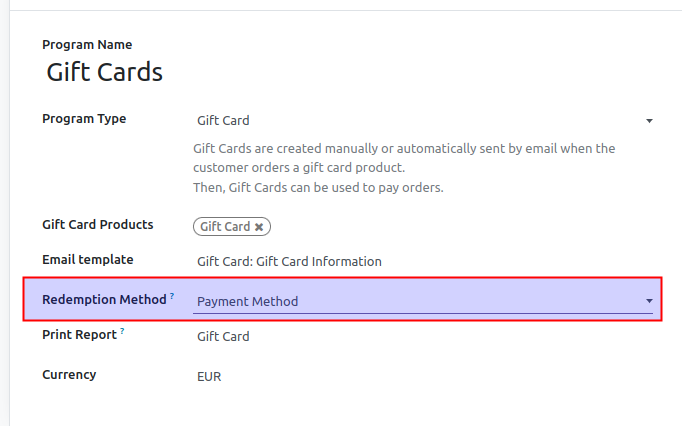
To allow a loyalty program of type Gift Card to be redeemed as a payment method, first select Payment Method as Redemption Method:
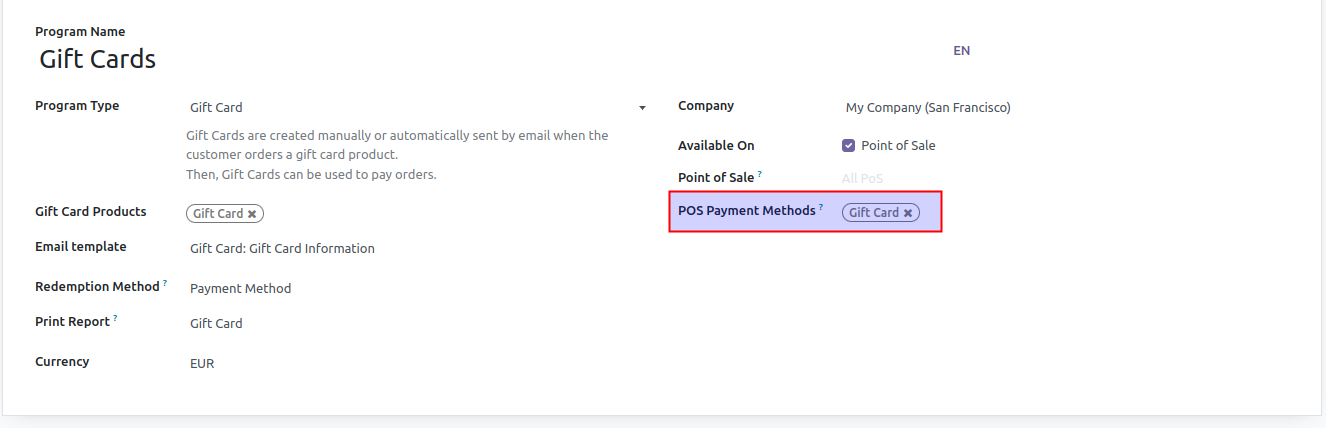
Then, choose those POS Payment Methods that will be used to redeem cards:
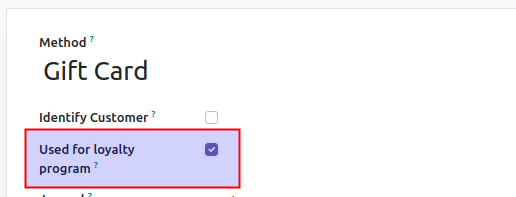
On selected payment methods, field Used for loyalty program has to be checked:
Usage
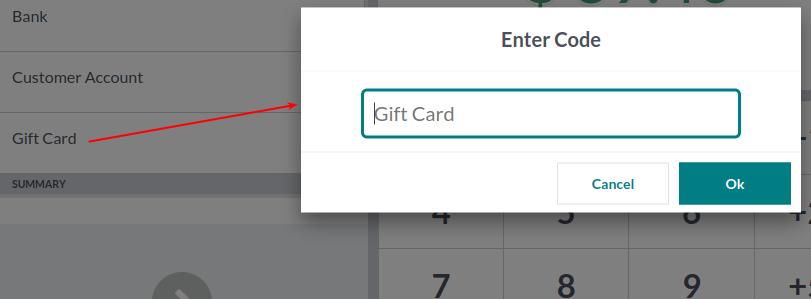
In the payment screen of PoS interface, after selecting configured payment method a popup requests loyalty card code:
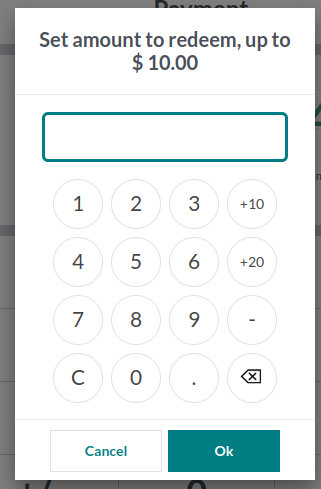
After entering card code, a new popup asks user to introduce amount to redeem:
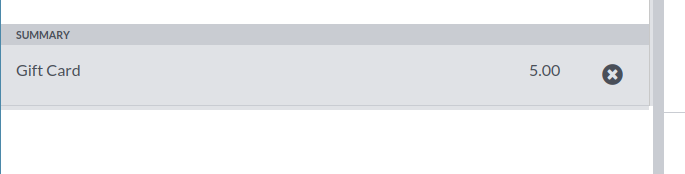
A new payment line is added with selected amount:
After order is completed, loyalty card report is downloaded with updated points.
Known issues / Roadmap
Make popup used for redeeming compatible with Mozilla Firefox. Currently CSS rules are not applied correctly to it with this navigator
Bug Tracker
Bugs are tracked on GitHub Issues. In case of trouble, please check there if your issue has already been reported. If you spotted it first, help us to smash it by providing a detailed and welcomed feedback.
Do not contact contributors directly about support or help with technical issues.
Credits
Contributors
Juan Carlos Bonilla <juancarlos.bonilla@factorlibre.com>
Pablo De Andrés <pablo.deandres@factorlibre.com>
Daniel Duque <daniel.duque@factorlibre.com>
Maintainers
This module is maintained by the OCA.

OCA, or the Odoo Community Association, is a nonprofit organization whose mission is to support the collaborative development of Odoo features and promote its widespread use.
This module is part of the OCA/pos project on GitHub.
You are welcome to contribute. To learn how please visit https://odoo-community.org/page/Contribute.
1 maintainer

Release files for odoo-addon-pos-loyalty-redeem-payment 16.0.1.0.2.7
For a detailed explanation of source distributions (sdists) and built distributions (wheels), please see the package formats documentation.
Built distribution (wheel)
| File | Interpreter | ABI | Platform | Reset |
|---|---|---|---|---|
| odoo_addon_pos_loyalty_redeem_payment-16.0.1.0.2.7-py3-none-any.whl | Python 3 | none | any | Details |
Release files / odoo_addon_pos_loyalty_redeem_payment-16.0.1.0.2.7-py3-none-any.whl
| Download URL | odoo_addon_pos_loyalty_redeem_payment-16.0.1.0.2.7-py3-none-any.whl |
|---|---|
| Size | 183.7 kB |
| Tags | Python 3 |
|
SHA-256 checksum How to use checksums |
de5902db108c02d9f79e1df6c82d7a9ea26c66bf32d4d33c80e9cc668d30f63e
|
|
BLAKE2b-256 checksum How to use checksums |
df3ffdca83dde34deed0587664c6203b02d26a6d73f2529ff6dfcb81d332714d
|
| Upload date | |
|
Uploaded using Trusted Publishing? What is trusted publishing? |
No |
| Uploaded via |
twine/6.2.0 CPython/3.12.3
|














