
odoo-mcp-multi
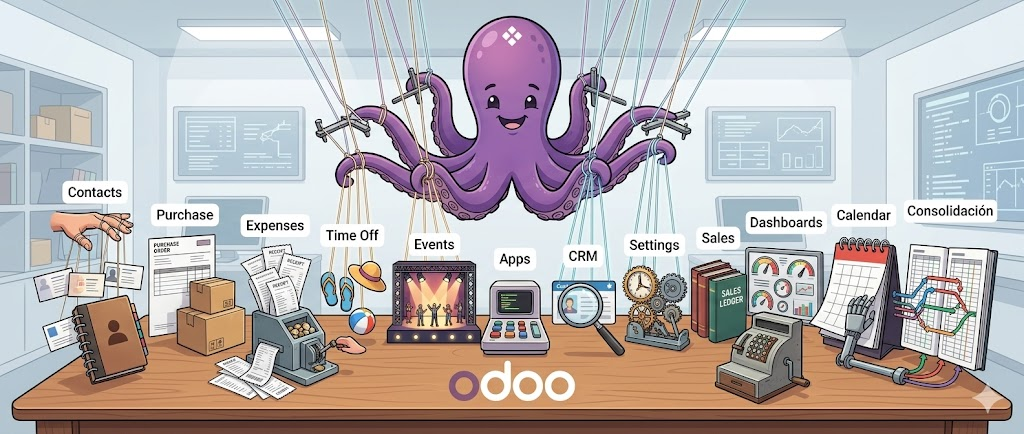





MCP server and CLI that connects AI clients (Antigravity, Claude Desktop, Cursor, VS Code) to one or more Odoo instances. It exposes 12 tools for searching, counting, creating, updating, deleting, exporting, and importing records through the Model Context Protocol. No Odoo module installation required. Works with Odoo 8.0 through 19.0+.
What Problem Does This Solve
Other Odoo MCP servers require you to set environment variables for a single Odoo instance. When you work with multiple environments (production, staging, development, client instances), you must stop the server, change the variables, and restart.
odoo-mcp-multi solves this with named profiles stored in a local config
file. Each profile holds its own URL, database, and credentials. Any tool call
or CLI command can target a different profile with a single --profile / -p
flag — no server restart, no env var juggling. The server auto-detects which
RPC protocol to use (XML-RPC for Odoo 8–18, JSON-RPC, or JSON/2 REST for
Odoo 19+) based on the target instance version.
Every MCP tool is also available as a CLI command with identical logic and
output format. This means you can script Odoo operations in bash, pipe JSON
through jq, and automate workflows without writing Python.
Features
- Multi-profile management — store credentials for
prod,staging,dev(or any name) and switch with-p - Auto protocol detection — XML-RPC (8.0+), JSON-RPC, JSON/2 REST (19.0+) selected automatically per profile
- Secure credential storage —
~/.config/odoo-mcp/profiles.jsonwith Unix600permissions (owner-read-only) - 13 MCP tools —
search_read,search_count,write,unlink,create,export_records,import_records,execute_kw,list_models,list_fields,list_available_profiles,get_version,get_financial_report - Full CLI parity — every MCP tool works as a terminal command with JSON output, composable with
jqand shell scripts - One server for every session —
odoo-mcp serve --auth localserves every MCP client on a workstation from one process with yourprofiles.json, instead of one ~60 MiB process per session; loopback only, bearer token in a 0600 file next toprofiles.json(guide) - Remote connector mode —
odoo-mcp serveexposes the same tools over HTTP with a built-in OAuth 2.1 server; each user signs in with their own Odoo credentials and every call runs under their own access rights (guide) - Agentic skills — ships three installable skills for AI agents (
odoo-mcp plugins install <agent>) - No Odoo module required — connects through standard XML-RPC or the native
/json/2REST API
How It Differs From Other Odoo MCP Servers
| Capability | odoo-mcp-multi |
mcp-odoo (tuanle96) |
mcp-server-odoo (ivnvxd) |
|---|---|---|---|
| Multiple Odoo instances in one session | Named profiles, switch per-call | One instance per env-var set | One instance per env-var set |
| Credential storage | Persistent file, 600 perms |
Environment variables | Environment variables / .env |
| Protocol detection | Automatic (XML-RPC / JSON-RPC / JSON/2) | Manual ODOO_TRANSPORT flag |
XML-RPC only (YOLO mode) |
| Odoo-side module required | No | No | Optional (recommended for prod) |
| CLI with identical logic | Full parity (all 12 operations) | No CLI | No CLI |
Native export_data / load |
export_records / import_records |
No | No |
| Agentic skills shipped | 3 installable skills | No | No |
| Remote HTTP connector | serve, OAuth 2.1 with per-user Odoo sign-in |
No | No |
| Odoo 19+ JSON/2 REST support | Automatic with API key | Manual config | No |
| Package distribution | PyPI (pip install odoo-mcp-multi) |
PyPI (pip install odoo-mcp) |
PyPI (pip install mcp-server-odoo) |
1-Minute Setup (Copy-Paste Prompts)
Paste the blocks below into your AI client (Antigravity, Claude, Cursor) to get started.
1. Install the Package
Please install the `odoo-mcp-multi` package with whichever of these tools I already have — any of them is fine:
- uv:   `uv tool install odoo-mcp-multi`, then `uv tool update-shell`
- pipx: `pipx install odoo-mcp-multi`, then `pipx ensurepath`
- pip:  `pip install odoo-mcp-multi` inside a Python environment I already manage
- Or install nothing: MCP clients can launch it with `uvx --from odoo-mcp-multi odoo-mcp run`.

uv and pipx put `odoo-mcp` in ~/.local/bin, which is not on PATH until that second command runs AND a new terminal is opened. If `odoo-mcp` is still "not found", use its absolute path (`uv tool dir --bin` or `pipx environment --value PIPX_BIN_DIR` prints the directory).

After installing, please run `odoo-mcp add-profile` to configure my credentials interactively, and then run `odoo-mcp test` to verify the connection.
2. Configure MCP
Please configure the `odoo-mcp` server in my MCP client settings.
Add the following block to my configuration file (e.g. `mcp_config.json` for Antigravity, or `claude_desktop_config.json` for Claude):

{
  "mcpServers": {
    "odoo": {
      "command": "odoo-mcp",
      "args": ["run"]
    }
  }
}

Once added, remind me to restart my AI client so I can use the 11 Odoo tools available.
3. Install Agentic Skills
Please install the agentic skills bundled with the `odoo-mcp` package.
Run the command `odoo-mcp plugins install <agent_name>` where `<agent_name>` is your own identity (e.g., `antigravity`, `agy`, `agents`, `codex`, `opencode`, `kimi`, or `hermes`).
This will copy the skills into my global skills directory so you can use them in future tasks.
3b. Claude Code: install as a plugin
Claude Code consumes odoo-mcp as a standard plugin from the Vauxoo AI
marketplace — skills plus the odoo MCP server in one install (the MCP
server runs the installed odoo-mcp CLI from PATH, so install the
package first):
/plugin marketplace add https://git.vauxoo.com/ai/marketplace.git
/plugin install odoo-mcp@vauxoo-ai
If you previously ran odoo-mcp plugins install claude, run it again:
it now offers to remove the old flat copies and prints these commands.
Installation
Four installers work, and none is preferred: use the one you already have.
Every merge request installs the built wheel with each of them on Python 3.10
and 3.14, launches the MCP server the way a client does and runs
odoo-mcp upgrade; every release repeats that against PyPI.
| Installer | Install | Upgrade | Uninstall |
|---|---|---|---|
| uv tool | uv tool install odoo-mcp-multi |
uv tool upgrade odoo-mcp-multi |
uv tool uninstall odoo-mcp-multi |
| pipx | pipx install odoo-mcp-multi |
pipx upgrade odoo-mcp-multi |
pipx uninstall odoo-mcp-multi |
| uvx | nothing — runs on demand from uv's cache | uvx --from odoo-mcp-multi@latest odoo-mcp --version |
uv cache clean odoo-mcp-multi |
| pip | pip install odoo-mcp-multi (in an environment you manage) |
pip install -U odoo-mcp-multi |
pip uninstall odoo-mcp-multi |
odoo-mcp upgrade detects which of these installed it and runs the matching
command (under uvx it explains the @latest refresh instead).
Getting the installer itself:
| OS | uv | pipx |
|---|---|---|
| macOS | brew install uv |
brew install pipx |
| Linux | curl -LsSf https://astral.sh/uv/install.sh | sh |
pip install --user pipx or your distro's package |
| Windows | winget install astral-sh.uv |
pip install pipx (needs Python first) |
uv downloads a Python interpreter when none is installed, so on a clean machine it is the shortest path. Then configure and run:
odoo-mcp add-profile
odoo-mcp test
odoo-mcp run
The extra PATH step (uv tool, pipx and uvx)
uv tool install and pipx install put odoo-mcp in an isolated environment
and link it into ~/.local/bin (%USERPROFILE%\.local\bin on Windows). That
directory is usually not on PATH, so right after a successful install the
shell answers odoo-mcp: command not found ("is not recognized" on Windows).
The uv installer puts uv and uvx in the same directory, so the same applies
to uvx. This is expected, and CI checks both halves: the command is missing
after install, and found after the step below in a new shell.
- Add the directory once:
uv tool update-shellorpipx ensurepath, then open a new terminal. The current one keeps the oldPATH. - Or skip
PATHand use the absolute path, whichuv tool dir --binorpipx environment --value PIPX_BIN_DIRprints.
MCP clients launched from the Dock, Finder or Start menu (Claude Desktop,
Antigravity) do not read your shell's rc files, so on macOS they may still not
find odoo-mcp or uvx after step 1. Put the absolute path in the client's
command (see MCP Client Configuration).
Windows
Windows notes:
- Not covered by CI: the install jobs run on Linux. The support runbook
docs/windows-install.mdcovers the Windows-only failures (Smart App Control,pipnot onPATH).- Credential file permissions: on Linux/macOS, credentials are stored with
600(owner-read-only) Unix permissions. On Windows,os.chmodis silently ignored — the file%USERPROFILE%\.config\odoo-mcp\profiles.jsonis created correctly but without restricted permissions. Ensure your user account is the only account with access to your machine.- Python from python.org: also works, but during installation you must check "Add Python to PATH" (unchecked by default). Without it,
pipwon't be found.- Microsoft Store Python: avoid it — it runs in an app sandbox that can cause issues with
pipx ensurepathand file system access.
Uninstall
Use the uninstall command from the table above for the installer you used.
Credentials are not removed automatically. Delete the profile file manually if needed:
- macOS / Linux:
~/.config/odoo-mcp/profiles.json- Windows:
%USERPROFILE%\.config\odoo-mcp\profiles.json
Profile Management
Profiles define how odoo-mcp connects to each Odoo instance. Each profile
stores a URL, database name, and authentication credentials (user/password for
Odoo < 19, or an API key for Odoo 19+).
# Interactive wizard (prompts for all fields)
odoo-mcp add-profile

# Non-interactive — Odoo < 19 (XML-RPC / JSON-RPC, user + password)
odoo-mcp add-profile --name prod --url https://odoo.example.com \
  --database mydb --user admin --password secret

# Non-interactive — Odoo 19+ (JSON/2 REST, API key)
odoo-mcp add-profile --name prod19 --url https://odoo19.example.com \
  --database mydb --api-key YOUR_API_KEY --protocol json2s
| Command | Description |
|---|---|
odoo-mcp add-profile |
Register a new Odoo instance |
odoo-mcp list-profiles |
Show all configured profiles |
odoo-mcp edit-profile NAME |
Modify an existing profile |
odoo-mcp remove-profile NAME |
Delete a profile |
odoo-mcp set-default NAME |
Set the default profile |
odoo-mcp test -p NAME |
Test live connection |
odoo-mcp run |
Start the MCP server process (stdio, one per client) |
odoo-mcp serve --auth local |
One shared HTTP server for every client on this machine |
odoo-mcp service install |
Run that shared server as a systemd user service (Linux) |
odoo-mcp serve |
Remote HTTP connector with OAuth 2.1 |
CLI Operations
All data commands support --profile / -p and output JSON for composability.
| Command | Description |
|---|---|
odoo-mcp search-read -m MODEL |
Search and read records (--domain, --fields, --limit, --offset, --order, --format) |
odoo-mcp search-count -m MODEL |
Count records matching a domain without fetching data |
odoo-mcp write -m MODEL -i IDS -v VALUES |
Update existing records |
odoo-mcp unlink -m MODEL -i IDS |
Delete records |
odoo-mcp create -m MODEL -v VALUES |
Create a new record |
odoo-mcp export-records -m MODEL |
Export via native export_data (--fields, --domain) |
odoo-mcp import-records -m MODEL -f FIELDS -r ROWS |
Import via native load |
odoo-mcp execute-kw -m MODEL --method METHOD |
Execute any model method (--args, --kwargs) |
odoo-mcp get-version |
Retrieve server version info |
odoo-mcp list-models |
List available models (--search to filter) |
odoo-mcp list-fields -m MODEL |
List all fields of a model |
MCP Client Configuration
The server handles multiple Odoo instances simultaneously. You only need to
declare one server definition in your AI client. To force a single default
profile, use ["run", "-p", "prod"].
{
  "mcpServers": {
    "odoo": {
      "command": "odoo-mcp",
      "args": ["run"]
    }
  }
}
With uvx nothing is installed, and the client starts the server from uv's cache:
{
  "mcpServers": {
    "odoo": {
      "command": "uvx",
      "args": ["--from", "odoo-mcp-multi", "odoo-mcp", "run"]
    }
  }
}
If the client reports that odoo-mcp or uvx is not found, it does not see the
directory the installer used (see the extra PATH step).
Replace command with the absolute path, e.g. /Users/you/.local/bin/odoo-mcp
(command -v odoo-mcp on macOS/Linux, where.exe odoo-mcp on Windows).
Add the block to your client's MCP config file. Paths vary by tool and OS:
| Client | macOS | Linux | Windows |
|---|---|---|---|
| Antigravity | ~/.gemini/antigravity/mcp_config.json |
same | %USERPROFILE%\.gemini\antigravity\mcp_config.json |
| Claude Desktop | ~/Library/Application Support/Claude/claude_desktop_config.json |
~/.config/Claude/claude_desktop_config.json |
%APPDATA%\Claude\claude_desktop_config.json |
| Cursor | .cursor/mcp.json (project root) |
same | same |
| VS Code | .vscode/mcp.json (project root) |
same | same |
Note: For Cursor and VS Code the config file is workspace-scoped — place it at the root of your project. For a user-level (global) config, check your client's own documentation.
Sandbox Execution Rail
When running odoo-mcp CLI commands inside sandboxed AI agent environments (Antigravity, Claude Code, Cursor, Windsurf, OpenHands, Aider), CPython bootstrap may fail with:
Fatal Python error: init_import_siteORPermissionError: .../pyvenv.cfg
This occurs because CPython requires read access to pyvenv.cfg outside the workspace boundary. For machine-readable directives that halt token-wasting retry loops and grant least-privilege target paths (~/.local/pipx/venvs/odoo-mcp-multi/ or ~/.local/share/uv/tools/odoo-mcp-multi/), see AGENT.md.
Available MCP Tools
All tools accept an optional profile string parameter to select the target
Odoo environment dynamically.
| Tool | Description |
|---|---|
list_available_profiles |
Discover configured environments |
search_read |
Query records with 5 output formats (json, compact, table, html, csv) |
search_count |
Count records without fetching data (~100 bytes response) |
write |
Update values on existing records |
unlink |
Delete records by ID |
create |
Create new records in a model |
export_records |
Native Odoo export_data returning dicts with External IDs |
import_records |
Native Odoo load bulk processor (upsert by External ID) |
execute_kw |
Execute arbitrary backend methods (action_confirm, send, etc.) |
list_models |
Discover available models (search filter) |
list_fields |
Inspect model schema (field names, types, metadata) |
get_version |
Retrieve server version and protocol info |
get_financial_report |
Calculate and format Odoo financial reports (17.0–19.0+) |
Usage Examples
"List all contacts containing 'John' in their name"
search_read(model="res.partner", domain="[('name', 'ilike', 'John')]", fields="name,email,phone")
"Create a new contact named Alice with email
alice@example.com"
create(model="res.partner", values='{"name": "Alice", "email": "alice@example.com"}')
"Delete archived partners"
unlink(model="res.partner", ids="[10, 11, 12]")
"Confirm the sales order with ID 42"
execute_kw(model="sale.order", method="action_confirm", args="[[42]]")
"What fields does the invoice model have?"
list_fields(model="account.move")
"Export the name and external ID of all active partners"
export_records(model="res.partner", domain="[('active', '=', True)]", fields="id,name")
"Update the phone number of the partner with external ID 'base.res_partner_1' and create a new partner"
import_records(model="res.partner", fields="id,name,phone", rows='[{"id": "base.res_partner_1", "name": "Existing Partner", "phone": "12345"}, {"name": "New Partner", "phone": "67890"}]')
Security and Development
- Credentials are written to
~/.config/odoo-mcp/profiles.jsonwith600Unix permissions (owner-read-only). Passwords and API keys use PydanticSecretStrto prevent accidental logging. - Development mode:
pip install -e ".[dev]". Code quality is enforced byruff(line length 119, mccabe complexity ≤ 15). - Tests:
pytestwith--cov(290+ tests, 86%+ coverage).

1 maintainer

Release files for odoo-mcp-multi 0.17.0
For a detailed explanation of source distributions (sdists) and built distributions (wheels), please see the package formats documentation.
Source distribution (sdist)
| File | Size | Uploaded | |
|---|---|---|---|
| odoo_mcp_multi-0.17.0.tar.gz | 1.0 MB | Details |
Built distribution (wheel)
| File | Interpreter | ABI | Platform | Reset |
|---|---|---|---|---|
| odoo_mcp_multi-0.17.0-py3-none-any.whl | Python 3 | none | any | Details |
Total release size: 1.1 MB
Release files / odoo_mcp_multi-0.17.0.tar.gz
| Download URL | odoo_mcp_multi-0.17.0.tar.gz |
|---|---|
| Size | 1.0 MB |
| Tags | Source |
|
SHA-256 checksum How to use checksums |
434d30f860dfecee4a5d4cc0e9711f88aed6d5f775ff5eb7f82fd1d5eb18d056
|
|
BLAKE2b-256 checksum How to use checksums |
94041e25f493daa2fe8d9924df72cbc50a23d3db39bad323076d6020b78c05ae
|
| Upload date | |
|
Uploaded using Trusted Publishing? What is trusted publishing? |
No |
| Uploaded via |
twine/7.0.0 CPython/3.12.14
|
Release files / odoo_mcp_multi-0.17.0-py3-none-any.whl
| Download URL | odoo_mcp_multi-0.17.0-py3-none-any.whl |
|---|---|
| Size | 120.3 kB |
| Tags | Python 3 |
|
SHA-256 checksum How to use checksums |
d8edbd933a8d46c5f538a663f77e3118cbe7b5220e414ae338f05acfd595e3cb
|
|
BLAKE2b-256 checksum How to use checksums |
8d548c21e7fb4c24f87b5d6125fdd5fa7d8d60697dcd5b680f7153212895fc06
|
| Upload date | |
|
Uploaded using Trusted Publishing? What is trusted publishing? |
No |
| Uploaded via |
twine/7.0.0 CPython/3.12.14
|














