
from PySide2 import QtWidgets# Welcome On Odoo Qt Project
The project intend to get a fully qt ui version for odoo, providing form a search view to be used in non web environment, like Allocation extension.

Here's an example of some Python code to show an odoo Login Form:
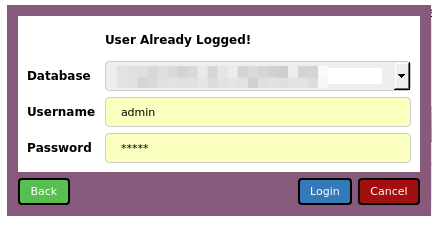
import sys
from PySide2 import QtWidgets
from OdooQtUi.connector import MainConnector

app = QtWidgets.QApplication(sys.argv)
connectorObj = MainConnector()
connectorObj.loginWithDial()    # Perform show of the login form


app.exec_()
Here's an example of some Python code to show an odoo Form:
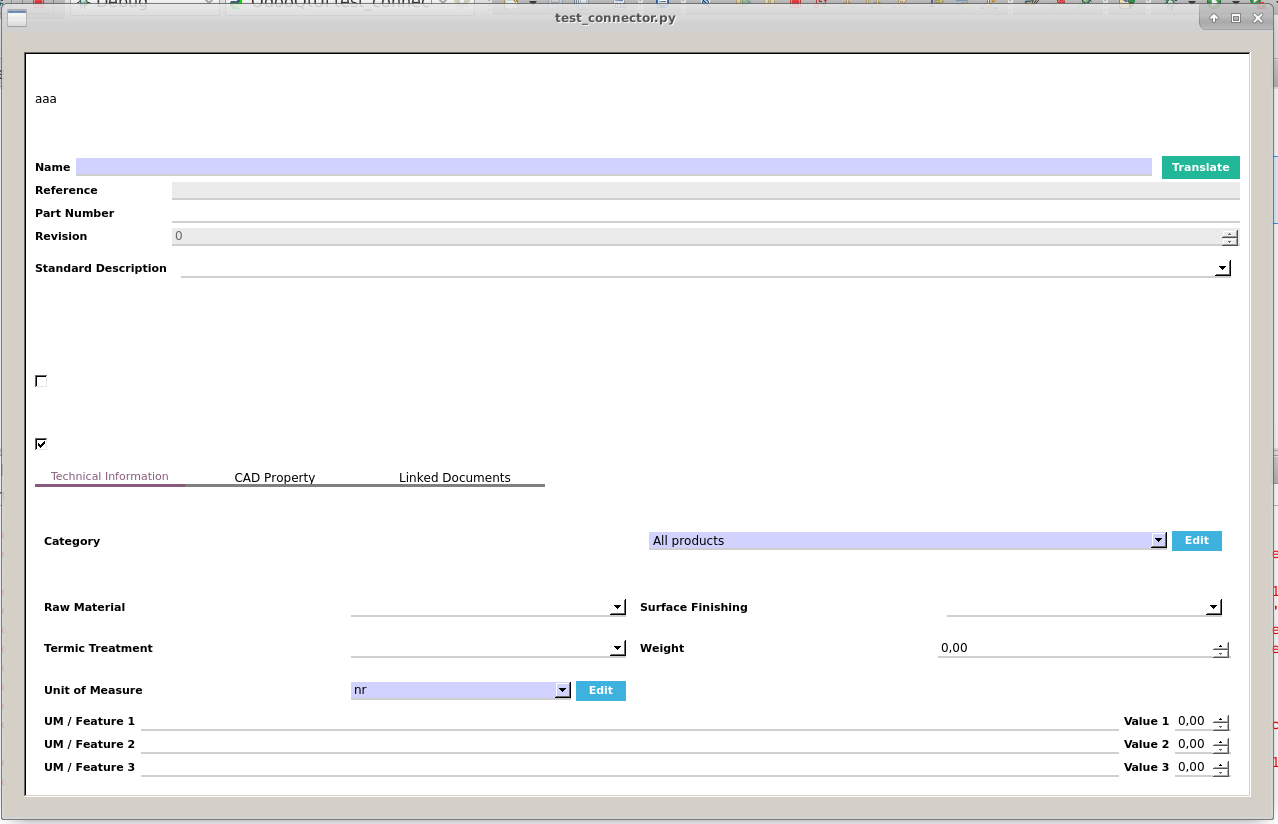
import sys
from PySide2 import QtWidgets
from OdooQtUi.connector import MainConnector

app = QtWidgets.QApplication(sys.argv)
connectorObj = MainConnector()
connectorObj.loginWithDial()    # Perform show of the login form

tmplViewObj = connectorObj.initFormViewObj('product.template')
tmplViewObj.loadIds([10])   # Edit Form on product.teplate with id =10

dialog = QtWidgets.QDialog()
lay = QtWidgets.QVBoxLayout()
lay.addWidget(tmplViewObj)
dialog.setLayout(lay)
dialog.exec_()
app.exec_()
Here's an example of some Python code to show a odoo tree view:
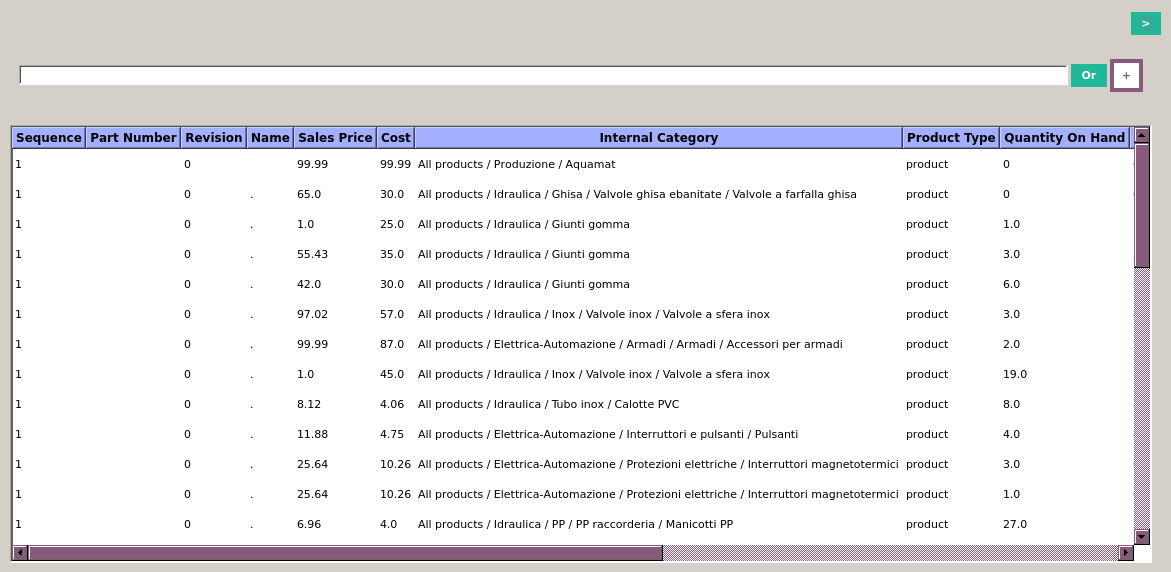
import sys
from PySide2 import QtWidgets
from OdooQtUi.connector import MainConnector

app = QtWidgets.QApplication(sys.argv)
connectorObj = MainConnector()
connectorObj.loginWithDial()    # Perform show of the login form

tmplViewObj = tryListView('product.template', viewFilter=True)

dialog = QtWidgets.QDialog()
lay = QtWidgets.QVBoxLayout()
lay.addWidget(tmplViewObj)
dialog.setLayout(lay)
dialog.exec_()
app.exec_()
Have fun!
Github-flavored Markdown to write your content.
1 maintainer

Metadata
1 maintainer
Release files for OdooQtUi 0.0.5
For a detailed explanation of source distributions (sdists) and built distributions (wheels), please see the package formats documentation.
Source distribution (sdist)
| File | Size | Uploaded | |
|---|---|---|---|
| OdooQtUi-0.0.5.tar.gz | 185.1 kB | Details |
Built distribution (wheel)
| File | Interpreter | ABI | Platform | Reset |
|---|---|---|---|---|
| OdooQtUi-0.0.5-py3-none-any.whl | Python 3 | none | any | Details |
Total release size: 392.4 kB
Release files / OdooQtUi-0.0.5.tar.gz
| Download URL | OdooQtUi-0.0.5.tar.gz |
|---|---|
| Size | 185.1 kB |
| Tags | Source |
|
SHA-256 checksum How to use checksums |
0058f933416608882967add3c52fa5778657ac5a2d9d90e1d50c78cdffd84b5d
|
|
BLAKE2b-256 checksum How to use checksums |
2154f61b5c05668816dd4e4f7c5b776b662acaa63e91145a9d688b1dcaadc546
|
| Upload date | |
|
Uploaded using Trusted Publishing? What is trusted publishing? |
No |
| Uploaded via |
twine/4.0.1 CPython/3.9.2
|
Release files / OdooQtUi-0.0.5-py3-none-any.whl
| Download URL | OdooQtUi-0.0.5-py3-none-any.whl |
|---|---|
| Size | 207.4 kB |
| Tags | Python 3 |
|
SHA-256 checksum How to use checksums |
b63f4d175f8991db7d813f2f20f0946f3f6a4d133e16cbd18d3ae8b2a474a195
|
|
BLAKE2b-256 checksum How to use checksums |
6795ef58086979b3e17fcadc68e129a94c2066917be8be0d901b18a2aa50f3c6
|
| Upload date | |
|
Uploaded using Trusted Publishing? What is trusted publishing? |
No |
| Uploaded via |
twine/4.0.1 CPython/3.9.2
|














