
OpenID Provider Mock



A mock OpenID Provider server to test and develop OpenID Connect authentication.
You can find the full documentation here.
Usage
The simplest method to run the server is
pipx:
$ pipx run oidc-provider-mock
Started OpenID provider http://localhost:9400
Alternatively, you can run the server as a container:
docker run -p 9400:9400 ghcr.io/geigerzaehler/oidc-provider-mock
See the “Usage” documentation for details.
Now, configure your OpenID Connect client library in your app to use
http://localhost:9400 as the issuer URL. By default, you can use any client ID
and client secret with the provider.
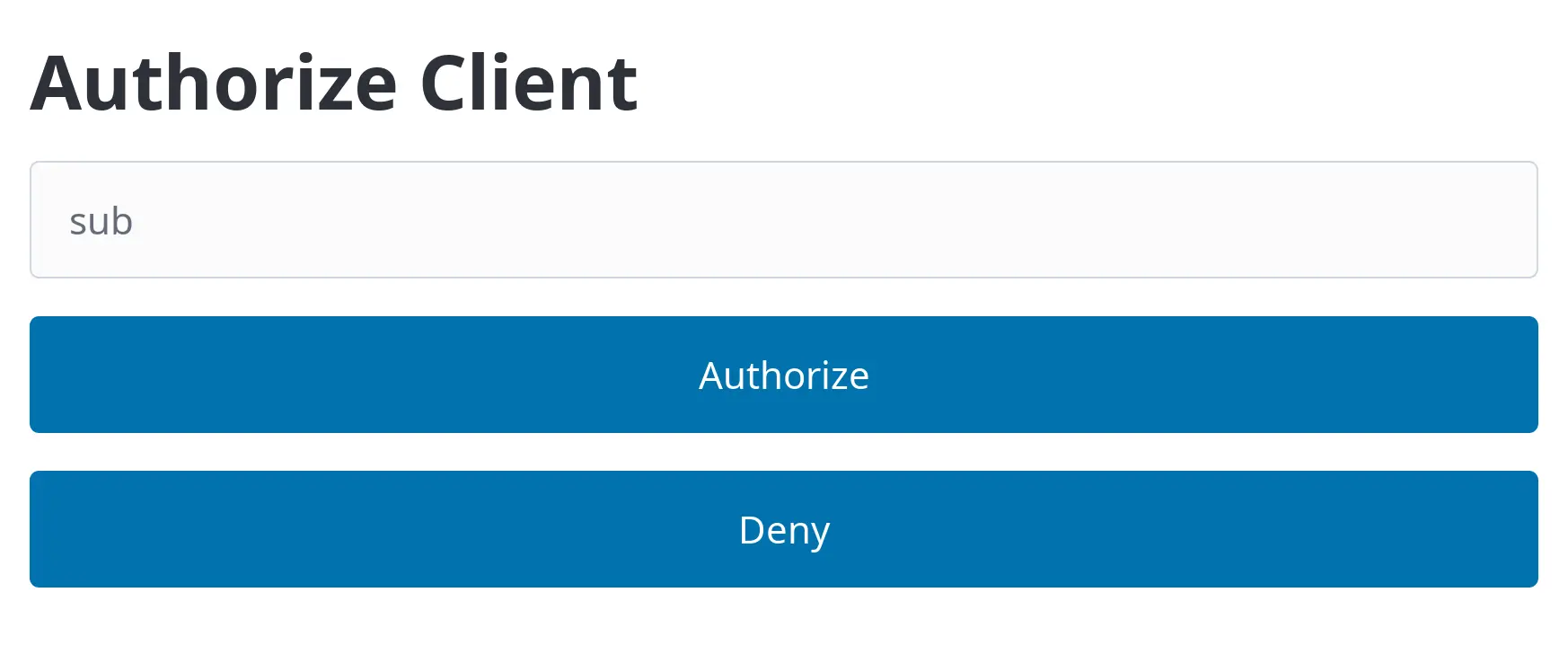
Finally, you can authenticate against the app (the Relying Party) through the mock provider’s login form:
Take a look at the following example that uses the server in a test for a Flask-OIDC app.
@pytest.fixture
def oidc_server():
    with oidc_provider_mock.run_server_in_thread() as server:
        yield f"http://localhost:{server.server_port}"


def test_auth_code_login(client: flask.testing.FlaskClient, oidc_server: str):
    # Add OIDC claims for the user we want to authenticate
    response = httpx2.put(
        f"{oidc_server}/users/{quote('alice@example.com')}",
        json={"email": "alice@example.com", "name": "Alice", "custom": ["foo", "bar"]},
    )
    assert response.status_code == 204

    # Start login on the client and get the authorization URL
    response = client.get("/login")
    assert response.location

    # Authorize the client by POSTing to the authorization URL.
    response = httpx2.post(response.location, data={"sub": "alice@example.com"})

    # Go back to the client with the authorization code
    assert response.has_redirect_location
    response = client.get(response.headers["location"], follow_redirects=True)

    # Check that we have been authenticated
    assert response.text == "Welcome Alice (alice@example.com)"
For all full testing example, see
examples/flask_oidc_example.py. You can find
more advanced tests in
tests/flask_advanced_test.py.
If you’re using Playwright for end-to-end tests, a login test looks like this:
def test_auth_code_login_playwright(
    live_server: LiveServer, oidc_server: str, page: Page
):
    # Let the OIDC provider know about the user’s email and name
    response = httpx2.put(
        f"{oidc_server}/users/{quote('alice@example.com')}",
        json={"email": "alice@example.com", "name": "Alice"},
    )
    assert response.status_code == 204

    # Start login and be redirected to the provider
    page.goto(live_server.url("/login"))

    # Authorize with the provider
    page.get_by_label("Subject").fill("alice@example.com")
    page.get_by_role("button", name="Authorize", exact=True).click()

    # Verify that we’re logged in
    expect(page.locator("body")).to_contain_text("Welcome Alice (alice@example.com)")
You can find a full example at
examples/flask_oidc_example.py, too.
Alternatives
There already exist a couple of OpendID provider servers for testing. This is how they differ from this project (to the best of my knowledge):
- Does not offer a HTML login form where the subject can be input or authorization denied.
- Behavior can only be customized through the JavaScript API.
- Identities (users) and clients must be statically configured.
- Requires a non-trivial amount of configuration before it can be used.
- Does not have a CLI, only available as a Go library
https://oauth.wiremockapi.cloud/
- Only a hosted version exists
- Claims and user info cannot be customized
- Cannot simulate errors
1 maintainer

Metadata
1 maintainer
Release files for oidc-provider-mock 0.4.8
For a detailed explanation of source distributions (sdists) and built distributions (wheels), please see the package formats documentation.
Source distribution (sdist)
| File | Size | Uploaded | |
|---|---|---|---|
| oidc_provider_mock-0.4.8.tar.gz | 173.4 kB | Details |
Built distribution (wheel)
| File | Interpreter | ABI | Platform | Reset |
|---|---|---|---|---|
| oidc_provider_mock-0.4.8-py3-none-any.whl | Python 3 | none | any | Details |
Total release size: 199.7 kB
Release files / oidc_provider_mock-0.4.8.tar.gz
| Download URL | oidc_provider_mock-0.4.8.tar.gz |
|---|---|
| Size | 173.4 kB |
| Tags | Source |
|
SHA-256 checksum How to use checksums |
eae354224e7d729fac4ae1bff16de4fc7ae5f75f9c3670205e74cf63602e04de
|
|
BLAKE2b-256 checksum How to use checksums |
03e61b318d92f48b747de7c3f268fee066fada2b14150bd4ab7dddd19785090f
|
| Upload date | |
|
Uploaded using Trusted Publishing? What is trusted publishing? |
Yes |
| Uploaded via |
twine/7.0.0 CPython/3.13.14
|
Provenance
Provenance describes where a file came from. On PyPI, provenance is shared via attestations, which provide a verifiable record of the build or publishing details. View details, limitations and caveats.


PyPI Publish Attestation
PyPI verified that this artifact, at this checksum, originated from the publisher listed below.
Signed by GitHub Actions, verified by PyPI on Oct 4, 2026.
Transparency logRelease files / oidc_provider_mock-0.4.8-py3-none-any.whl
| Download URL | oidc_provider_mock-0.4.8-py3-none-any.whl |
|---|---|
| Size | 26.3 kB |
| Tags | Python 3 |
|
SHA-256 checksum How to use checksums |
2c4cc5933f91748f5961f9828426741f777af71ee55d4ffd30141dd1bf864030
|
|
BLAKE2b-256 checksum How to use checksums |
8418cdf789afd136250bc5a07cc2e5d7f06dbe755afaa704532ee499deaee1b2
|
| Upload date | |
|
Uploaded using Trusted Publishing? What is trusted publishing? |
Yes |
| Uploaded via |
twine/7.0.0 CPython/3.13.14
|
Provenance
Provenance describes where a file came from. On PyPI, provenance is shared via attestations, which provide a verifiable record of the build or publishing details. View details, limitations and caveats.
PyPI Publish Attestation
PyPI verified that this artifact, at this checksum, originated from the publisher listed below.
Signed by GitHub Actions, verified by PyPI on Oct 4, 2026.
Transparency log













