
Framework for Image Precompensation
Verified details
These details have been verified by PyPIProject links
GitHub Statistics
Maintainers

Project description
Pyolimp
This project provides a machine learning-based framework for image precompensation targeting vision defects, specifically color vision deficiencies (CVD) and refractive visual impairments (RVI). The framework incorporates both neural network and non-neural network modules to address precompensation effectively across different approaches.
Project Overview
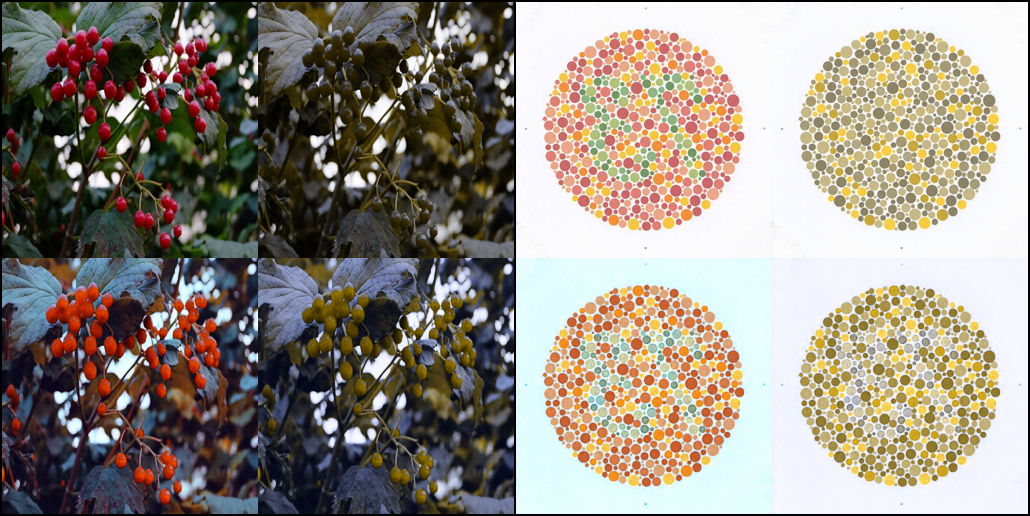
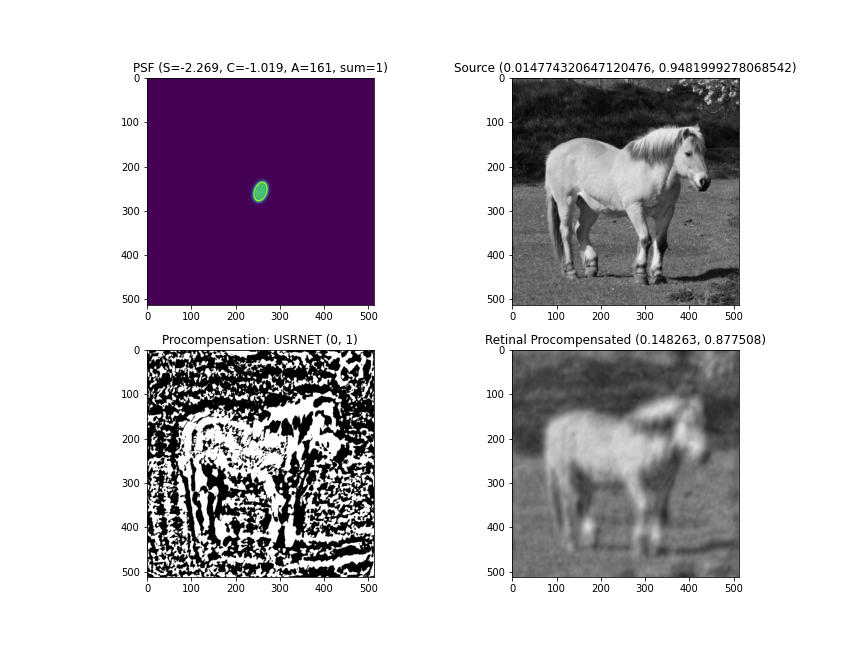
This project focuses on precompensating for visual impairments using machine learning techniques. It includes a comprehensive framework that supports both neural network (NN) and non-neural network (non-NN) methods to restore image quality for those affected by:
- Color Vision Deficiencies (CVD): Compensates for color blindness (e.g., protanopia, deuteranopia).
- Refractive Visual Impairments (RVI): Addresses distortions caused by refractive errors, improving clarity and sharpness.
Requirements
- Python 3.10+
- Pytorch 2.4+
- Additional dependencies listed in pyproject.toml
Installation
pip install olimp
or
pip install git+https://github.com/pyolimp/pyolimp.git
Usage
1. Non-Neural Network Modules for CVD and RVI Precompensation
To run the RVI optimization algorithm for precompensation using the Bregman-Jumbo method, execute:
python3 -m olimp.precompensation.optimization.bregman_jumbo
To run the RVI optimization algorithm for precompensation using the Montalto method, execute:
python3 -m olimp.precompensation.optimization.montalto
To run the CVD optimization algorithm for precompensation using the Tennenholtz Zachevsky method, execute:
python3 -m olimp.precompensation.optimization.tennenholtz_zachevsky
You can also call examples from the directory olimp.precompensation.basic
and olimp.precompensation.analytics as in the examples given.
2. Neural Network Modules for CVD and RVI Precompensation
To run the RVI nn model for precompensation using the USRNET method, execute:
python3 -m olimp.precompensation.nn.models.usrnet
To run the CVD nn model for precompensation using the USRNET method, execute:
python3 -m olimp.precompensation.nn.models.cvd_swin.Generator_transformer_pathch4_844_48_3_nouplayer_server5
3. Training models
To train neural network models for precompensation, use the following command:
python3 -m olimp.precompensation.nn.train.train --config ./olimp/precompensation/nn/pipeline/usrnet.json
you can also train other models, please see olimp/precompensation/nn/pipeline. Also we have json schema and you can generate it, use the following command:
python3 -m olimp.precompensation.nn.train.train --update-schema
Examples
CVD demo example
RVI demo example
Project details
Verified details
These details have been verified by PyPIProject links
GitHub Statistics
Maintainers
Release history Release notifications | RSS feed


Download files
Download the file for your platform. If you're not sure which to choose, learn more about installing packages.
Source Distribution
Built Distribution
Filter files by name, interpreter, ABI, and platform.
If you're not sure about the file name format, learn more about wheel file names.
Copy a direct link to the current filters
File details
Details for the file olimp-0.1.3.tar.gz.
File metadata
- Download URL: olimp-0.1.3.tar.gz
- Upload date:
- Size: 85.2 kB
- Tags: Source
- Uploaded using Trusted Publishing? Yes
- Uploaded via: twine/6.1.0 CPython/3.10.16
File hashes
| Algorithm | Hash digest | |
|---|---|---|
| SHA256 |
e63f9b09d532c504907cb780495c5609700c2b96c3c3916d927120fd16c1b1fb
|
|
| MD5 |
827c42530944b8e72a335d3fa6864aed
|
|
| BLAKE2b-256 |
d8ad9a9548291cd5c1ed85e3ebf3ef1e3eca9092f4fe920073a5410fd8b10070
|
File details
Details for the file olimp-0.1.3-py3-none-any.whl.
File metadata
- Download URL: olimp-0.1.3-py3-none-any.whl
- Upload date:
- Size: 151.8 kB
- Tags: Python 3
- Uploaded using Trusted Publishing? Yes
- Uploaded via: twine/6.1.0 CPython/3.10.16
File hashes
| Algorithm | Hash digest | |
|---|---|---|
| SHA256 |
0eb106858a5d3a145f6141e67b6b1c4fc339c2ef4bf78b88e3625128f49bb18b
|
|
| MD5 |
30dddbcb01b99638d6863fcb480bebfe
|
|
| BLAKE2b-256 |
07a0dd5f189a48a8bef797e092707f8d5e2e285c8cd9350750f48687f7cb5101
|






