
🚀 open-responses-server
A plug-and-play server that speaks OpenAI’s Responses API—no matter which AI backend you’re running.
Ollama? vLLM? LiteLLM? Even OpenAI itself?
This server bridges them all to the OpenAI ChatCompletions & Responses API interface.
In plain words:
👉 Want to run OpenAI’s Coding Assistant (Codex) or other OpenAI API clients against your own models?
👉 Want to experiment with self-hosted LLMs but keep OpenAI’s API compatibility?
This project makes it happen.
It handles stateful chat, tool calls, and future features like file search & code interpreter—all behind a familiar OpenAI API.
⸻
✨ Why use this?
✅ Acts as a drop-in replacement for OpenAI’s Responses API.
✅ Lets you run any backend AI (Ollama, vLLM, Groq, etc.) with OpenAI-compatible clients.
✅ MCP support around both Chat Completions and Responses APIs
✅ Supports OpenAI’s new Coding Assistant / Codex that requires Responses API.
✅ Built for innovators, researchers, OSS enthusiasts.
✅ Enterprise-ready: scalable, reliable, and secure for production workloads.
⸻
🔥 What’s in & what’s next?
✅ Done 📝 Coming soon
- ✅ Tool call support .env file support
- ✅ Manual & pipeline tests
- ✅ Docker image build
- ✅ PyPI release
- 📝 Persistent state (not just in-memory)
- ✅ CLI validation
- 📝 hosted tools:
- ✅ MCPs support
- 📝 Web search: crawl4ai
- 📝 File upload + search: graphiti
- 📝 Code interpreter
- 📝 Computer use APIs
⸻
🏗️ Quick Install
Latest release on PyPI:
pip install open-responses-server
Or install from source:
pip install uv
uv venv
uv pip install .
uv pip install -e ".[dev]"  # dev dependencies
Run the server:
# Using CLI tool (after installation)
otc start

# Or directly from source
uv run src/open_responses_server/cli.py start
Docker deployment:
# Run with Docker
docker run -p 8080:8080 \
  -e OPENAI_BASE_URL_INTERNAL=http://your-llm-api:8000 \
  -e OPENAI_BASE_URL=http://localhost:8080 \
  -e OPENAI_API_KEY=your-api-key \
  ghcr.io/teabranch/open-responses-server:latest
Works great with docker-compose.yaml for Codex + your own model.
⸻
🛠️ Configure
Minimal config to connect your AI backend:
OPENAI_BASE_URL_INTERNAL=http://localhost:11434  # Ollama, vLLM, Groq, etc.
OPENAI_BASE_URL=http://localhost:8080            # This server's endpoint
OPENAI_API_KEY=sk-mockapikey123456789            # Mock key tunneled to backend
MCP_SERVERS_CONFIG_PATH=./mcps.json              # Path to mcps servers json file
Server binding:
API_ADAPTER_HOST=0.0.0.0
API_ADAPTER_PORT=8080
Optional logging:
LOG_LEVEL=INFO
LOG_FILE_PATH=./log/api_adapter.log
Configure with CLI tool:
# Interactive configuration setup
otc configure
Verify setup:
# Check if the server is working
curl http://localhost:8080/v1/models
⸻
💬 We’d love your support!
If you think this is cool:
⭐ Star the repo.
🐛 Open an issue if something’s broken.
🤝 Suggest a feature or submit a pull request!
This is early-stage but already usable in real-world demos.
Let’s build something powerful—together.
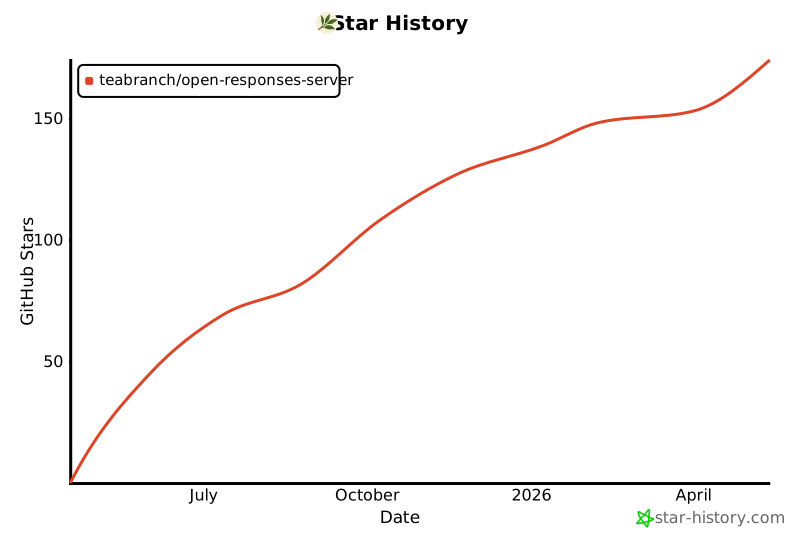
Star History
Projects using this middleware
- Agentic Developer MCP Server - a wrapper around Codex, transforming Codex into an agentic developer node over a folder. Together with this (ORS) repo, it becomes a link in a tree/chain of developers.
- Nvidia jetson devices - docker compose with ollama
⸻
📚 Citations & inspirations
Referenced projects
- SearXNG MCP
- UncleCode. (2024). Crawl4AI: Open-source LLM Friendly Web Crawler & Scraper [Computer software]. GitHub. Crawl4AI repo
Cite this project
Code citation
@software{open-responses-server,
  author = {TeaBranch},
  title = {open-responses-server: Open-source server bridging any AI provider to OpenAI’s Responses API},
  year = {2025},
  publisher = {GitHub},
  journal = {GitHub Repository},
  howpublished = {\url{https://github.com/teabranch/open-responses-server}},
  commit = {use the commit hash you’re working with}
}
Text citation
TeaBranch. (2025). open-responses-server: Open-source server the serves any AI provider with OpenAI ChatCompletions as OpenAI's Responses API and hosted tools. [Computer software]. GitHub. https://github.com/teabranch/open-responses-server
Links:
Naming history
This repo had changed names:
- openai-responses-server (Changed to avoid brand name OpenAI)
- open-responses-server
Release files for open-responses-server 0.4.3
For a detailed explanation of source distributions (sdists) and built distributions (wheels), please see the package formats documentation.
Source distribution (sdist)
| File | Size | Uploaded | |
|---|---|---|---|
| open_responses_server-0.4.3.tar.gz | 51.2 kB | Details |
Built distribution (wheel)
| File | Interpreter | ABI | Platform | Reset |
|---|---|---|---|---|
| open_responses_server-0.4.3-py3-none-any.whl | Python 3 | none | any | Details |
Total release size: 82.1 kB
Release files / open_responses_server-0.4.3.tar.gz
| Download URL | open_responses_server-0.4.3.tar.gz |
|---|---|
| Size | 51.2 kB |
| Tags | Source |
|
SHA-256 checksum How to use checksums |
396b6ea184a4029251cac74b76f2cc2ba091e1bc4ca87a51f59447f75f78a38d
|
|
BLAKE2b-256 checksum How to use checksums |
cfc54dc0f37d7d452f65a3a1e90124539d73275eef79769fbb730c3975c7c039
|
| Upload date | |
|
Uploaded using Trusted Publishing? What is trusted publishing? |
Yes |
| Uploaded via |
twine/6.1.0 CPython/3.13.7
|
Provenance
Provenance describes where a file came from. On PyPI, provenance is shared via attestations, which provide a verifiable record of the build or publishing details. View details, limitations and caveats.


PyPI Publish Attestation
PyPI verified that this artifact, at this checksum, originated from the publisher listed below.
Signed by GitHub Actions, verified by PyPI on Mar 30, 2026.
Transparency logRelease files / open_responses_server-0.4.3-py3-none-any.whl
| Download URL | open_responses_server-0.4.3-py3-none-any.whl |
|---|---|
| Size | 30.9 kB |
| Tags | Python 3 |
|
SHA-256 checksum How to use checksums |
34300e28b7dfb4ec9ab45cc66d51b916caf110de123a516ba50b2925c9fd44d7
|
|
BLAKE2b-256 checksum How to use checksums |
0266f02e111b63fa69788c0de52a3320c00c6edb8326ed8800a3f2ed847b62ca
|
| Upload date | |
|
Uploaded using Trusted Publishing? What is trusted publishing? |
Yes |
| Uploaded via |
twine/6.1.0 CPython/3.13.7
|
Provenance
Provenance describes where a file came from. On PyPI, provenance is shared via attestations, which provide a verifiable record of the build or publishing details. View details, limitations and caveats.
PyPI Publish Attestation
PyPI verified that this artifact, at this checksum, originated from the publisher listed below.
Signed by GitHub Actions, verified by PyPI on Mar 30, 2026.
Transparency log













