
A remote terminal API.

Project description
⚡ Open Terminal
A lightweight, self-hosted terminal that gives AI agents and automation tools a dedicated environment to run commands, manage files, and execute code — all through a simple API.
Why Open Terminal?
AI assistants are great at writing code, but they need somewhere to run it. Open Terminal is that place — a remote shell with file management, search, and more, accessible over a simple REST API.
You can run it two ways:
- Docker (sandboxed) — runs in an isolated container with a full toolkit pre-installed: Python, Node.js, git, build tools, data science libraries, ffmpeg, and more. Great for giving AI agents a safe playground without touching your host system.
- Bare metal — install it directly with
pipand run it anywhere Python runs. Commands execute on your machine, so you get full access to your local environment.
Getting Started
Docker (recommended)
docker run -d --name open-terminal --restart unless-stopped -p 8000:8000 -v open-terminal:/home/user -e OPEN_TERMINAL_API_KEY=your-secret-key ghcr.io/open-webui/open-terminal
That's it — you're up and running at http://localhost:8000.
[!TIP] If you don't set an API key, one is generated automatically. Grab it with
docker logs open-terminal.
Customizing the Docker Environment
The default image ships with a broad set of tools, but you can tailor it to your needs. Fork the repo, edit the Dockerfile to add or remove system packages, Python libraries, or language runtimes, then build your own image:
docker build -t my-terminal .
docker run -d --name open-terminal -p 8000:8000 my-terminal
Bare Metal
No Docker? No problem. Open Terminal is a standard Python package:
# One-liner with uvx (no install needed)
uvx open-terminal run --host 0.0.0.0 --port 8000 --api-key your-secret-key

# Or install globally with pip
pip install open-terminal
open-terminal run --host 0.0.0.0 --port 8000 --api-key your-secret-key
[!CAUTION] On bare metal, commands run directly on your machine with your user's permissions. Use Docker if you want sandboxed execution.
Using with Open WebUI
Open Terminal integrates directly with Open WebUI, giving your AI assistants the ability to run commands, manage files, and interact with the terminal — right from the chat interface.
Once connected, you get:
- 🤖 AI tool access — your models can execute commands, read/write files, and search your codebase as part of a conversation
- 📁 Built-in file browser — browse, upload, download, and manage files on the terminal instance directly from the Open WebUI sidebar
Setup
- Start an Open Terminal instance (see Getting Started above)
- In Open WebUI, go to User Settings → Integrations
- Under Open Terminal, click the + button to add a connection
- Enter the URL (e.g.
http://localhost:8000) and your API key - Enable the connection — only one terminal can be active at a time
That's it — your AI assistants now have access to the terminal, and you can browse files from the sidebar.
API Docs
Full interactive API documentation is available at http://localhost:8000/docs once your instance is running.
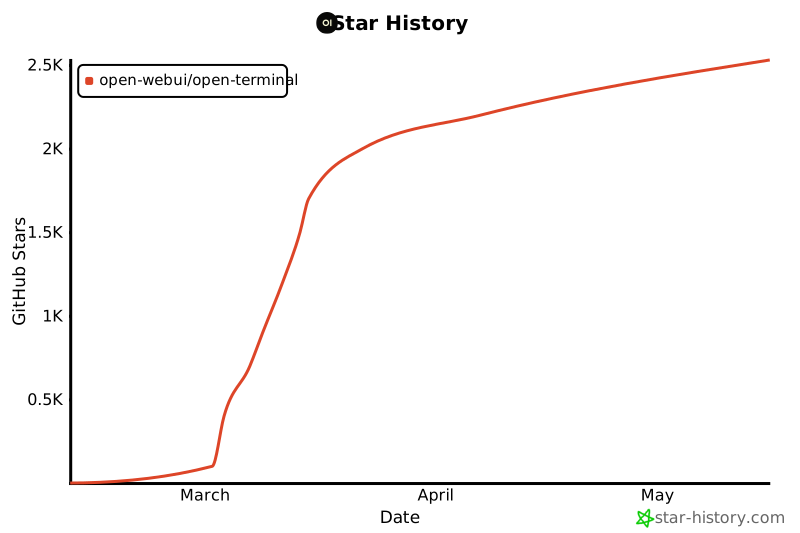
Star History
License
MIT — see LICENSE for details.
Release history Release notifications | RSS feed


Download files
Download the file for your platform. If you're not sure which to choose, learn more about installing packages.
Source Distribution
Built Distribution
Filter files by name, interpreter, ABI, and platform.
If you're not sure about the file name format, learn more about wheel file names.
Copy a direct link to the current filters
File details
Details for the file open_terminal-0.3.0.tar.gz.
File metadata
- Download URL: open_terminal-0.3.0.tar.gz
- Upload date:
- Size: 20.1 kB
- Tags: Source
- Uploaded using Trusted Publishing? No
- Uploaded via: uv/0.8.0
File hashes
| Algorithm | Hash digest | |
|---|---|---|
| SHA256 |
e8f8ac1c3624f261ce1568d8f6dd08518cd8e7f96b2d32572a460caf577cf092
|
|
| MD5 |
6a64e76248b795ea312172118171b824
|
|
| BLAKE2b-256 |
902f76c42eadd6cbc01a090a35268aa4b24906a34f083c10a23d6f3ddfe2918a
|
File details
Details for the file open_terminal-0.3.0-py3-none-any.whl.
File metadata
- Download URL: open_terminal-0.3.0-py3-none-any.whl
- Upload date:
- Size: 17.0 kB
- Tags: Python 3
- Uploaded using Trusted Publishing? No
- Uploaded via: uv/0.8.0
File hashes
| Algorithm | Hash digest | |
|---|---|---|
| SHA256 |
bdf90c128452b2a01c4735ef0f2d7b83f0c8502a653f983dda26933936f6420f
|
|
| MD5 |
cef97fc3478ee8298350dfd0489f512e
|
|
| BLAKE2b-256 |
64eb07157008f0a17444d5f1cd5192f2548fa148f4b8c95b7b6a7edc77fab16a
|






