
OpenAI Agents SDK
Verified details
These details have been verified by PyPIProject links
Owner
GitHub Statistics
Maintainers


Project description
OpenAI Agents SDK 
The OpenAI Agents SDK is a lightweight yet powerful framework for building multi-agent workflows. It is provider-agnostic, supporting the OpenAI Responses and Chat Completions APIs, as well as 100+ other LLMs.
[!NOTE] Looking for the JavaScript/TypeScript version? Check out Agents SDK JS/TS.
Core concepts:
- Agents: LLMs configured with instructions, tools, guardrails, and handoffs
- Sandbox Agents: Agents preconfigured to work with a container to perform work over long time horizons.
- Agents as tools / Handoffs: Delegating to other agents for specific tasks
- Tools: Various Tools let agents take actions (functions, MCP, hosted tools)
- Guardrails: Configurable safety checks for input and output validation
- Human in the loop: Built-in mechanisms for involving humans across agent runs
- Sessions: Automatic conversation history management across agent runs
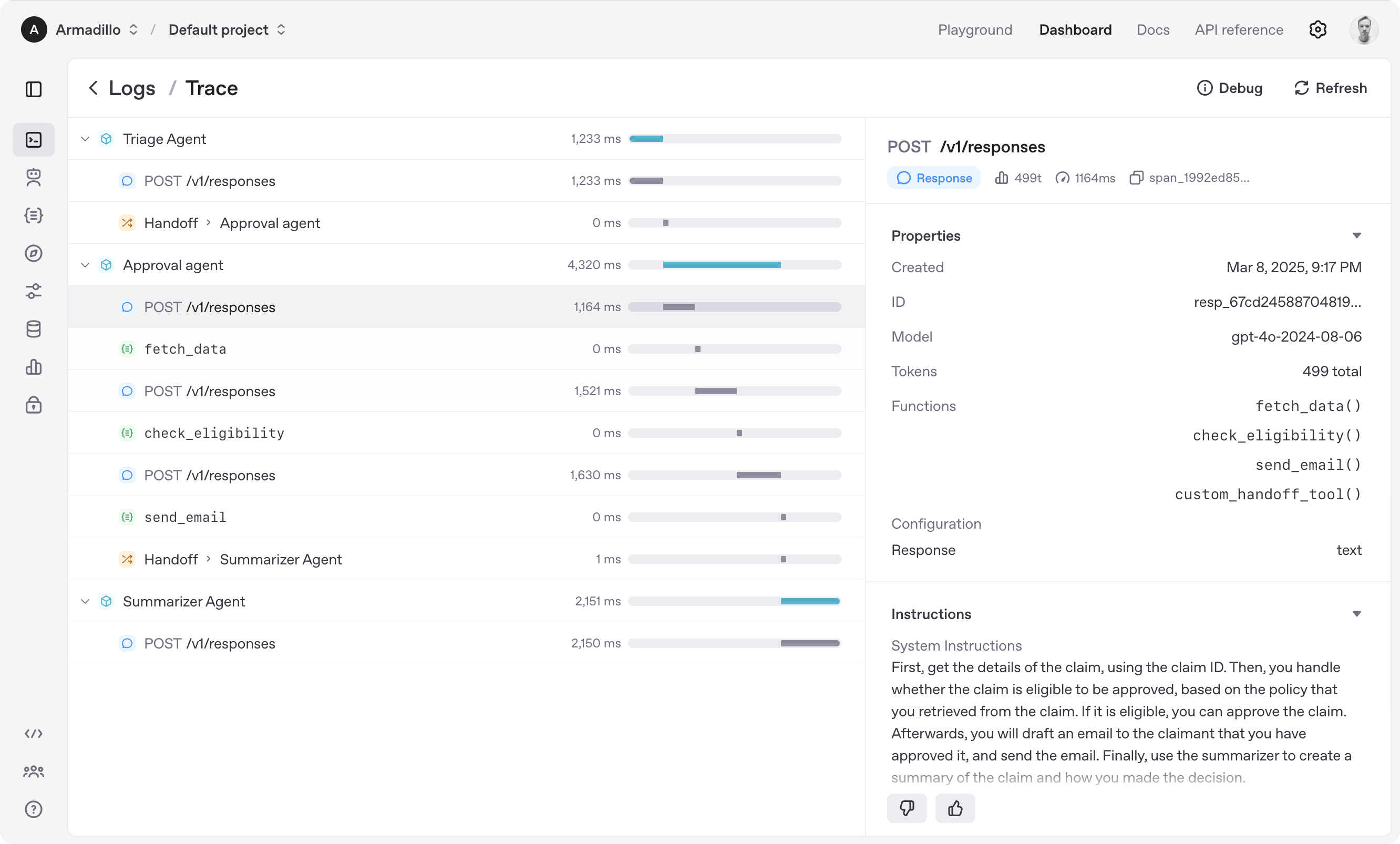
- Tracing: Built-in tracking of agent runs, allowing you to view, debug and optimize your workflows
- Realtime Agents: Build powerful voice agents with
gpt-realtime-1.5and full agent features
Explore the examples directory to see the SDK in action, and read our documentation for more details.
Get started
To get started, set up your Python environment (Python 3.10 or newer required), and then install OpenAI Agents SDK package.
venv
python -m venv .venv
source .venv/bin/activate  # On Windows: .venv\Scripts\activate
pip install openai-agents
For voice support, install with the optional voice group: pip install 'openai-agents[voice]'. For Redis session support, install with the optional redis group: pip install 'openai-agents[redis]'.
uv
If you're familiar with uv, installing the package would be even easier:
uv init
uv add openai-agents
For voice support, install with the optional voice group: uv add 'openai-agents[voice]'. For Redis session support, install with the optional redis group: uv add 'openai-agents[redis]'.
Run your first Sandbox Agent
Sandbox Agents are new in version 0.14.0. A sandbox agent is an agent that uses a computer environment to perform real work with a filesystem, in an environment you configure and control. Sandbox agents are useful when the agent needs to inspect files, run commands, apply patches, or carry workspace state across longer tasks.
from agents import Runner
from agents.run import RunConfig
from agents.sandbox import Manifest, SandboxAgent, SandboxRunConfig
from agents.sandbox.entries import GitRepo
from agents.sandbox.sandboxes import UnixLocalSandboxClient

agent = SandboxAgent(
    name="Workspace Assistant",
    instructions="Inspect the sandbox workspace before answering.",
    default_manifest=Manifest(
        entries={
            "repo": GitRepo(repo="openai/openai-agents-python", ref="main"),
        }
    ),
)

result = Runner.run_sync(
    agent,
    "Inspect the repo README and summarize what this project does.",
    # Run this agent on the local filesystem
    run_config=RunConfig(sandbox=SandboxRunConfig(client=UnixLocalSandboxClient())),
)
print(result.final_output)

# This project provides a Python SDK for building multi-agent workflows.
(If running this, ensure you set the OPENAI_API_KEY environment variable)
(For Jupyter notebook users, see hello_world_jupyter.ipynb)
Explore the examples directory to see the SDK in action, and read our documentation for more details.
Acknowledgements
We'd like to acknowledge the excellent work of the open-source community, especially:
This library has these optional dependencies:
We also rely on the following tools to manage the project:
We're committed to continuing to build the Agents SDK as an open source framework so others in the community can expand on our approach.
Project details
Verified details
These details have been verified by PyPIProject links
Owner
GitHub Statistics
Maintainers
Release history Release notifications | RSS feed


Download files
Download the file for your platform. If you're not sure which to choose, learn more about installing packages.
Source Distribution
Built Distribution
Filter files by name, interpreter, ABI, and platform.
If you're not sure about the file name format, learn more about wheel file names.
Copy a direct link to the current filters
File details
Details for the file openai_agents-0.14.1.tar.gz.
File metadata
- Download URL: openai_agents-0.14.1.tar.gz
- Upload date:
- Size: 5.3 MB
- Tags: Source
- Uploaded using Trusted Publishing? Yes
- Uploaded via: twine/6.1.0 CPython/3.13.7
File hashes
| Algorithm | Hash digest | |
|---|---|---|
| SHA256 |
7baac1b4c0a171d32c82eb6e9c207fd010e0d08dd39a5e8cd762ee27969457dc
|
|
| MD5 |
9fc1cf4d3bfec924bfb8e8d0ea60a40c
|
|
| BLAKE2b-256 |
16ae8af117a3a4a06ad72b4a60759fbab98a7158f0eb36c47d90d5d883610781
|
Provenance
The following attestation bundles were made for openai_agents-0.14.1.tar.gz:
Publisher:
publish.yml on openai/openai-agents-python
-
Statement:
-
Statement type:
https://in-toto.io/Statement/v1 -
Predicate type:
https://docs.pypi.org/attestations/publish/v1 -
Subject name:
openai_agents-0.14.1.tar.gz -
Subject digest:
7baac1b4c0a171d32c82eb6e9c207fd010e0d08dd39a5e8cd762ee27969457dc - Sigstore transparency entry: 1311225826
- Sigstore integration time:
-
Permalink:
openai/openai-agents-python@3dffa4ba9351ee38b964af43b50a2fe70f1a89f6 -
Branch / Tag:
refs/tags/v0.14.1 - Owner: https://github.com/openai
-
Access:
public
-
Token Issuer:
https://token.actions.githubusercontent.com -
Runner Environment:
github-hosted -
Publication workflow:
publish.yml@3dffa4ba9351ee38b964af43b50a2fe70f1a89f6 -
Trigger Event:
release
-
Statement type:
File details
Details for the file openai_agents-0.14.1-py3-none-any.whl.
File metadata
- Download URL: openai_agents-0.14.1-py3-none-any.whl
- Upload date:
- Size: 797.5 kB
- Tags: Python 3
- Uploaded using Trusted Publishing? Yes
- Uploaded via: twine/6.1.0 CPython/3.13.7
File hashes
| Algorithm | Hash digest | |
|---|---|---|
| SHA256 |
09ea6e9c49c785dc490e071e17ea3a0b0cce9c5f97daeb50ee6dc8fb490dc817
|
|
| MD5 |
0c9ac53dc061b79d6f6612ae6e9366e0
|
|
| BLAKE2b-256 |
ac1c98efddc1e10b23a397ca901b6f6d251908be2e6a30a92e0c25fb5dff6348
|
Provenance
The following attestation bundles were made for openai_agents-0.14.1-py3-none-any.whl:
Publisher:
publish.yml on openai/openai-agents-python
-
Statement:
-
Statement type:
https://in-toto.io/Statement/v1 -
Predicate type:
https://docs.pypi.org/attestations/publish/v1 -
Subject name:
openai_agents-0.14.1-py3-none-any.whl -
Subject digest:
09ea6e9c49c785dc490e071e17ea3a0b0cce9c5f97daeb50ee6dc8fb490dc817 - Sigstore transparency entry: 1311225893
- Sigstore integration time:
-
Permalink:
openai/openai-agents-python@3dffa4ba9351ee38b964af43b50a2fe70f1a89f6 -
Branch / Tag:
refs/tags/v0.14.1 - Owner: https://github.com/openai
-
Access:
public
-
Token Issuer:
https://token.actions.githubusercontent.com -
Runner Environment:
github-hosted -
Publication workflow:
publish.yml@3dffa4ba9351ee38b964af43b50a2fe70f1a89f6 -
Trigger Event:
release
-
Statement type:






