
OpenAI API Server via Codex



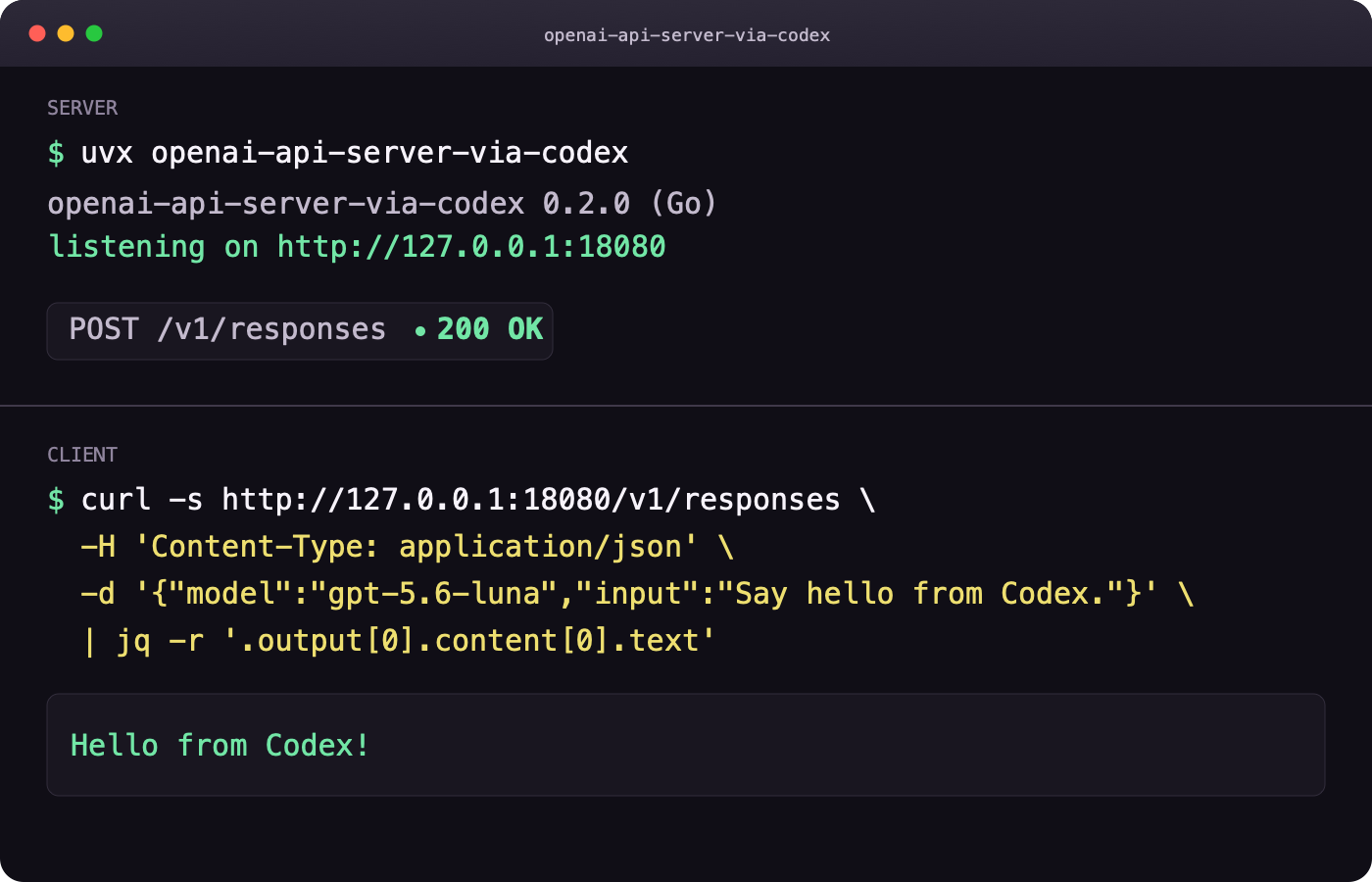
💰 Your ChatGPT subscription includes Codex, but that backend normally only
talks to Codex clients. This server puts an OpenAI-compatible API in front of
it, so tools that already speak to api.openai.com can use it by changing one
environment variable.
Within your Codex usage limits, no real OpenAI Platform API key is required, and there are no additional per-token charges.
Quick start
Sign in once if ~/.codex/auth.json does not exist:
$ codex login
Start the server in one terminal. The recommended installation requires only
uv:
$ uvx openai-api-server-via-codex
Prefer another installation method? Every option runs the same Go server:
- Standalone binary: download the archive for Linux, macOS, or Windows (x86_64 or ARM64) from the latest GitHub Release.
- Docker: pull the public image with
docker pull ghcr.io/hotchpotch/openai-api-server-via-codex:latest. - Go: build and install directly from the public module with
go install github.com/hotchpotch/openai-api-server-via-codex/cmd/openai-api-server-via-codex@latest. - Source checkout: clone the repository and build it locally.
See Installation options for complete commands, checksums, platform details, and Docker volume configuration.
Point an existing OpenAI client at it from another terminal:
$ export OPENAI_BASE_URL=http://127.0.0.1:18080/v1
$ # This server requires no key by default, but the OpenAI SDK requires a value.
$ export OPENAI_API_KEY=dummy-not-a-real-openai-api-key
Existing OpenAI SDK code keeps working as written:
from openai import OpenAI

client = OpenAI()
response = client.responses.create(
    model="gpt-6-luna",
    input="Hello",
    reasoning={"effort": "low"},
)
print(response.output_text)
Save it as example.py and run it without permanently installing the SDK:
$ uv run --with openai python example.py
Use Docker instead
The public image does not require a registry login:
$ docker pull ghcr.io/hotchpotch/openai-api-server-via-codex:latest
$ docker run --rm -p 127.0.0.1:18080:18080 \
    -v ~/.codex:/home/app/.codex \
    ghcr.io/hotchpotch/openai-api-server-via-codex:latest
The auth directory is mounted read-write so refreshed tokens can be saved. See the Docker guide for Windows, permissions, Compose, and login instructions.
PowerShell environment variables
$env:OPENAI_BASE_URL = "http://127.0.0.1:18080/v1"
$env:OPENAI_API_KEY = "dummy-not-a-real-openai-api-key"
uv run --with openai python example.py
Why use it?
This server is useful when you want to:
- connect an OpenAI-compatible application to your authorized Codex access;
- reuse code written for
openai-python, LangChain, LiteLLM, or another client that supports a custom base URL; - run a lightweight local proxy without a Python web-server runtime; or
- expose one consistent local API to tools that cannot call the Codex backend directly.
| Capability | What you get |
|---|---|
| Subscription-backed access | Use the Codex allowance included in your ChatGPT plan without separate Platform API token charges |
| OpenAI compatibility | Responses, Chat Completions, streaming, tools, structured output, images, and audio |
| Small Go runtime | About 8.3 MiB idle RSS and 10 ms startup in the recorded Linux proxy benchmark |
| Portable distribution | Wheels and archives for Linux, macOS, and Windows on x86_64 and ARM64 |
| Local-first defaults | Loopback binding, auth preflight, redacted logs, and optional incoming API-key protection |
| Multiple installation paths | uvx, standalone archives, Docker/GHCR, go install, or a local source build |
Installation options
| Method | Requirement | Best for |
|---|---|---|
uvx openai-api-server-via-codex |
uv and a Codex login |
Most users |
| GitHub Release archive | A Codex login | A standalone executable without Python or uv |
| GHCR image | Docker and a Codex login | Containers and reproducible deployment |
go install ...@latest |
Go 1.23+ and a Codex login | Go users |
| Build from a checkout | Go 1.23+ and a Codex login | Development and customization |
Install with uvx or uv tool
Published wheels contain the Go executable for:
- Linux x86_64 and ARM64
- macOS Intel and Apple silicon
- Windows x86_64 and ARM64
Run without a permanent installation:
$ uvx openai-api-server-via-codex
Or install it on your user tool path:
$ uv tool install openai-api-server-via-codex
$ openai-api-server-via-codex --version
There is no Python server fallback and no generic source distribution. Build the Go executable directly on an unsupported platform.
Download a standalone release archive
Each GitHub Release includes versioned archives for Linux, macOS, and Windows
on x86_64 and ARM64, together with checksums.txt. Unix archives use .tar.gz;
Windows archives use .zip.
For example, on an Apple silicon Mac:
$ curl -LO https://github.com/hotchpotch/openai-api-server-via-codex/releases/download/v0.2.2/openai-api-server-via-codex_0.2.2_darwin_arm64.tar.gz
$ curl -LO https://github.com/hotchpotch/openai-api-server-via-codex/releases/download/v0.2.2/checksums.txt
$ grep 'darwin_arm64.tar.gz' checksums.txt | shasum -a 256 --check
$ tar -xzf openai-api-server-via-codex_0.2.2_darwin_arm64.tar.gz
$ ./openai-api-server-via-codex --version
The stable archive URLs and SHA-256 checksums are suitable for Homebrew
Formulae. Installing a historical version through Homebrew requires a tap to
retain a versioned Formula such as openai-api-server-via-codex@0.2.2.
Run the published Docker image or build it locally
Stable Linux x86_64 and ARM64 images are published at
ghcr.io/hotchpotch/openai-api-server-via-codex. latest tracks the newest
stable release. Exact tags such as v0.2.2 provide reproducible deployments;
prereleases publish only their exact version tag.
The final Alpine image contains the Go server and CA certificates, but no Python runtime or Go toolchain. On amd64, local measurements show about 7 MB of compressed registry layers, a 21 MB local image, and roughly 4–7 MiB of idle memory. Exact values depend on the release, architecture, and container runtime.
$ docker pull ghcr.io/hotchpotch/openai-api-server-via-codex:latest
$ docker run --rm -p 127.0.0.1:18080:18080 \
    -v ~/.codex:/home/app/.codex \
    ghcr.io/hotchpotch/openai-api-server-via-codex:latest
Or build from this checkout:
$ docker compose run --rm --service-ports codex-login  # only if auth.json is missing
$ docker compose up --build -d
$ curl http://127.0.0.1:18080/healthz
The container runs as a non-root user. See the Docker guide for complete usage and troubleshooting.
Install with Go or build from a checkout
Go can download and install the command from its public module path:
$ go install github.com/hotchpotch/openai-api-server-via-codex/cmd/openai-api-server-via-codex@latest
$ "$(go env GOPATH)/bin/openai-api-server-via-codex" --version
The executable is installed under GOBIN, or under $(go env GOPATH)/bin
when GOBIN is unset.
To build from a checkout:
$ go build -trimpath -o ./bin/openai-api-server-via-codex ./cmd/openai-api-server-via-codex
$ ./bin/openai-api-server-via-codex --version
$ ./bin/openai-api-server-via-codex serve
This path does not require Python or uv. See
Building the Go binary from source for version
stamping, installation, Windows commands, static builds, and cross-compilation.
Authentication and security
There are two separate authentication layers:
| Layer | Default | Purpose |
|---|---|---|
| Server → Codex | Required | Uses the ChatGPT login in ~/.codex/auth.json |
| Client → local server | Disabled | Optionally protects incoming /v1/... requests with --api-key |
Codex authentication
serve and start validate the Codex auth file before binding the HTTP port.
Missing, invalid, expired, or unrefreshable credentials fail startup with a
redacted error, a stable reason code, and a suggested action.
The server notices external changes to auth.json without a restart. If Codex
returns 401 Unauthorized before a streaming response begins, the server
clears its credential cache, reloads the file, and retries once. A second 401
is returned without another retry.
Select another auth file when needed:
$ openai-api-server-via-codex --auth-json /path/to/auth.json
$ OPENAI_VIA_CODEX_AUTH_JSON=/path/to/auth.json openai-api-server-via-codex
Protecting the local API
Configure an incoming API key when other machines or untrusted processes can reach the server:
$ openai-api-server-via-codex \
    --host 0.0.0.0 \
    --api-key local-secret
Clients must then send Authorization: Bearer local-secret. /healthz remains
unauthenticated.
Incoming API keys, cookies, and Authorization headers are never forwarded to
Codex. Normal logs include authentication failure reason codes and upstream
401 retry decisions, but never raw credentials, tokens, or upstream response
bodies. --verbose adds deeper redacted diagnostics.
Troubleshooting
| Symptom or reason code | What to do |
|---|---|
auth_file_not_found |
Run codex login, or pass the correct path with --auth-json |
invalid_auth_json or unsupported_auth_mode |
Run codex login again and confirm the login uses ChatGPT mode |
expired_without_refresh_token |
Run codex login again to create refreshable credentials |
token_refresh_failed |
Check network access and retry codex login if the failure persists |
auth_file_write_failed in Docker |
Mount /home/app/.codex read-write and check host UID/GID permissions |
Repeated upstream 401 |
Check the auth reason logs, refresh the Codex login, and avoid multiple servers sharing rotating credentials |
| Address already in use | Stop the existing server or choose another port with --port |
An official OpenAI SDK requires OPENAI_API_KEY |
Some official OpenAI SDK clients, including the Python client, require a non-empty OPENAI_API_KEY. Set a harmless placeholder such as dummy-not-a-real-openai-api-key to use the library normally with this server. |
For container-specific problems, see the Docker guide.
Usage examples
Chat Completions
from openai import OpenAI

client = OpenAI()
chat = client.chat.completions.create(
    model="gpt-6-luna",
    messages=[{"role": "user", "content": "Hello"}],
    reasoning_effort="low",
)
print(chat.choices[0].message.content)
Streaming Responses and Chat Completions
Responses:
stream = client.responses.create(
    model="gpt-6-luna",
    input="Stream a short reply.",
    stream=True,
    reasoning={"effort": "low"},
)

for event in stream:
    if event.type == "response.output_text.delta":
        print(event.delta, end="")
Chat Completions:
stream = client.chat.completions.create(
    model="gpt-6-luna",
    messages=[{"role": "user", "content": "Stream a short reply."}],
    stream=True,
    reasoning_effort="low",
)

for chunk in stream:
    if chunk.choices and chunk.choices[0].delta.content:
        print(chunk.choices[0].delta.content, end="")
Image input and image generation
Image input:
response = client.responses.create(
    model="gpt-6-luna",
    input=[
        {
            "role": "user",
            "content": [
                {"type": "input_text", "text": "Describe this image."},
                {
                    "type": "input_image",
                    "image_url": "data:image/png;base64,...",
                },
            ],
        }
    ],
)
Image generation:
import base64

image = client.images.generate(
    model="gpt-image-2",
    prompt="A cozy pixel art bowl of ramen, no text.",
    size="1024x1024",
    quality="medium",
    output_format="png",
)

with open("ramen.png", "wb") as file:
    file.write(base64.b64decode(image.data[0].b64_json))
Image generation returns data[].b64_json. URL results, image editing, and
streamed partial images are not implemented.
Function tool calling
response = client.responses.create(
    model="gpt-6-luna",
    input="What is the weather in Tokyo?",
    tools=[
        {
            "type": "function",
            "name": "get_weather",
            "description": "Get the weather for a city.",
            "parameters": {
                "type": "object",
                "properties": {"city": {"type": "string"}},
                "required": ["city"],
                "additionalProperties": False,
            },
            "strict": True,
        }
    ],
)
API compatibility
Supported behavior
- sync and async
openai-pythonclients - non-streaming and streaming Responses and Chat Completions
- Responses WebSocket relay with upstream conversation state, async tools, and mid-turn steering (usage and Codex limitations)
previous_response_idbacked by bounded local context- stored Chat list/retrieve/update/delete/messages APIs
- Responses retrieve streaming, delete, cancel, and input-token count
- function/tool calling and streamed tool arguments
- JSON mode and structured outputs
- URL and data-URL image input
- hosted image generation translated through a Codex Responses tool
- optional incoming API-key authentication
- bounded request concurrency and in-memory stores
At the Codex HTTP boundary, requests are normalized to stream=true, store=false,
low text verbosity by default, Codex-compatible tool defaults, and encrypted
reasoning content. Public storage compatibility is implemented in the server's
bounded in-memory stores.
Model listing is best-effort. A model can sometimes accept direct requests even
when it is absent from the upstream catalog returned by /v1/models.
Implemented endpoints
| Method | Path |
|---|---|
GET |
/healthz |
GET |
/v1/models |
GET (WebSocket upgrade) |
/v1/responses |
POST |
/v1/responses |
GET |
/v1/responses/{response_id} |
DELETE |
/v1/responses/{response_id} |
POST |
/v1/responses/{response_id}/cancel |
POST |
/v1/responses/input_tokens |
POST |
/v1/audio/transcriptions |
POST |
/v1/images/generations |
POST |
/v1/chat/completions |
GET |
/v1/chat/completions |
GET |
/v1/chat/completions/{completion_id} |
POST |
/v1/chat/completions/{completion_id} |
DELETE |
/v1/chat/completions/{completion_id} |
GET |
/v1/chat/completions/{completion_id}/messages |
WebSocket responses stay on the upstream connection and are not registered with
the local HTTP retrieve/cancel helpers. Codex currently rejects Background mode
and named WebSocket streams (stream_id); these features are not emulated.
Unknown /v1/... requests use a best-effort fallback proxy. The server
forwards the method, path, query, safe OpenAI-style headers, and body with its
own Codex credentials. Upstream support determines whether an unknown endpoint
returns 2xx, 400, 403, or 404.
Operations and configuration
Configuration file and important settings
Generate a configuration file:
$ openai-api-server-via-codex config-generate
$ openai-api-server-via-codex config-generate --stdout
The default path is
$XDG_CONFIG_HOME/openai-api-server-via-codex/config.toml, falling back to
~/.config/openai-api-server-via-codex/config.toml.
Settings resolve in this order:
CLI flag -> environment variable -> config file -> default
Example configuration using gpt-6-luna:
[server]
host = "127.0.0.1"
port = 18080
default_model = "gpt-6-luna"
timeout = 300.0
verbose = false
max_stored_items = 1000
max_concurrent_requests = 10
# api_key = "change-me"

[codex]
auth_json = "~/.codex/auth.json"
backend_base_url = "https://chatgpt.com/backend-api/codex"
client_version = "1.0.0"

[compat]
drop_params = []

[daemon]
state_dir = "~/.config/openai-api-server-via-codex/run"
stop_timeout = 10.0
| Setting | Default | Purpose |
|---|---|---|
server.host |
127.0.0.1 |
HTTP bind address |
server.port |
18080 |
HTTP port |
server.default_model |
gpt-5.6-luna |
Model used when a request omits one |
server.api_key |
unset | Protect incoming /v1/... requests |
server.max_stored_items |
1000 |
Bound local stores; 0 disables storage |
server.max_concurrent_requests |
10 |
Bound HTTP requests/streams and open WebSocket connections; full capacity returns 503 with Retry-After; 0 disables the cap |
server.timeout |
300.0 |
Codex backend timeout in seconds |
server.verbose |
false |
Enable redacted application diagnostics |
codex.auth_json |
~/.codex/auth.json |
Codex OAuth file |
compat.drop_params |
[] |
Top-level request fields removed before forwarding |
Examples:
$ openai-api-server-via-codex --port 19090 --verbose
$ OPENAI_VIA_CODEX_MAX_CONCURRENT_REQUESTS=20 openai-api-server-via-codex
$ openai-api-server-via-codex --config ./config.toml
Use drop_params only for parameters known to be rejected by Codex:
[compat]
drop_params = ["temperature", "top_p"]
prompt_cache_breakpoint on input content parts is always removed because Codex rejects it; prompt_cache_key is still forwarded.
Background daemon commands
The Go executable implements foreground and daemon lifecycle commands:
$ openai-api-server-via-codex start
$ openai-api-server-via-codex status
$ openai-api-server-via-codex stop
PID and log files default to:
~/.config/openai-api-server-via-codex/run/
On Linux and macOS, stop drains in-flight HTTP requests up to
--stop-timeout. Windows terminates the daemon process tree on a best-effort
basis, so an active stream may be interrupted.
Docker should run serve in the foreground and let the container runtime manage
restarts; do not use start inside a container.
Logging behavior
Normal operation logs one completion line per API request with its method,
redacted path, status, response size, and duration. Routine /healthz probes
stay quiet.
Verbose logs additionally include request starts and redacted query strings, resolved settings, endpoint summaries, and Codex stream/auth activity. Raw credentials and token-like values are redacted.
Development
Build, test, and release documentation
The HTTP server, backend integration, auth, configuration, stores, daemon, and
redaction logic are implemented in Go under cmd/ and internal/. Python is
used only for the uvx launcher, the official openai-python consumer
contract, and release tooling.
Requirements:
- Go 1.23 or newer
- Python 3.10 or newer
uv
Run the complete deterministic validation suite:
$ uv run tox
Focused Go validation:
$ go test ./internal/app
$ go test ./test/e2e -v
$ go test ./...
$ go vet ./...
$ go test -race ./...
OpenAI SDK consumer compatibility:
$ uv run python -m pytest tests/test_openai_client_contract.py -q
Real Codex tests are opt-in because they use the current login, network, model allowance, and image quota:
$ RUN_CODEX_LIVE_TESTS=1 uv run python -m pytest tests/test_live_astra_websocket.py -q -s
$ RUN_CODEX_LIVE_TESTS=1 go test ./test/live -v -count=1 -timeout=20m
$ RUN_CODEX_LIVE_TESTS=1 uv run python -m pytest tests/test_live_integration.py -q -s
$ RUN_CODEX_LIVE_TESTS=1 uv run python -m pytest tests/test_live_codex_http_compatibility.py -q -s
Releases are prepared on a release/vX.Y.Z branch and reviewed through a PR.
Merging the PR does not publish artifacts; pushing the annotated vX.Y.Z tag
on the merged commit starts the release workflow.
Further documentation:
Disclaimer
Use this project at your own risk. It is not the official OpenAI Platform API
and is not endorsed or supported by OpenAI. It forwards requests to the Codex
HTTP backend used by the Codex CLI and ChatGPT subscription flow instead of
api.openai.com; that backend may change without notice.
Use the server only with accounts and subscriptions you are authorized to use. Do not evade limits, share account access, resell access, or expose the service to untrusted networks without authentication. Follow OpenAI's Terms of Use and Usage Policies.
License
Apache License 2.0. See LICENSE.
Acknowledgements
- Simon Willison's article, A pelican for GPT-5.5 via the semi-official Codex backdoor API, and the implementation described there were the key references for this project. Without that article, this approach likely would not have been implemented here. Thank you to Simon for documenting the route clearly.
- OpenClaw was a useful reference for understanding Codex backend integration patterns.
- Pi Monorepo was a useful reference for Codex backend API behavior and compatibility details.
Author
- Yuichi Tateno (@hotchpotch)

1 maintainer

Metadata
1 maintainer
Release files for openai-api-server-via-codex 0.2.2
For a detailed explanation of source distributions (sdists) and built distributions (wheels), please see the package formats documentation.
Built distributions (wheels)
| File | Reset | |||
|---|---|---|---|---|
| openai_api_server_via_codex-0.2.2-py3-none-win_arm64.whl | Python 3 | none | Windows ARM64 | Details |
| openai_api_server_via_codex-0.2.2-py3-none-win_amd64.whl | Python 3 | none | Windows x86-64 | Details |
| openai_api_server_via_codex-0.2.2-py3-none-manylinux_2_17_x86_64.whl | Python 3 | none | Linux glibc 2.17+ x86-64 | Details |
| openai_api_server_via_codex-0.2.2-py3-none-manylinux_2_17_aarch64.whl | Python 3 | none | Linux glibc 2.17+ ARM64 | Details |
| openai_api_server_via_codex-0.2.2-py3-none-macosx_11_0_arm64.whl | Python 3 | none | macOS 11.0+ ARM64 | Details |
| openai_api_server_via_codex-0.2.2-py3-none-macosx_10_15_x86_64.whl | Python 3 | none | macOS 10.15+ x86-64 | Details |
Total release size: 17.4 MB
Release files / openai_api_server_via_codex-0.2.2-py3-none-win_arm64.whl
| Download URL | openai_api_server_via_codex-0.2.2-py3-none-win_arm64.whl |
|---|---|
| Size | 2.8 MB |
| Tags | Python 3 Windows ARM64 |
|
SHA-256 checksum How to use checksums |
25780c5ad3a69b580fb9dc019f710cfdb2f759115e09f42fbf4111826808d27e
|
|
BLAKE2b-256 checksum How to use checksums |
015b8a353c264b6b8f0de3e6cbc111b1bbf0072b6b48be8adad8e508c286ad14
|
| Upload date | |
|
Uploaded using Trusted Publishing? What is trusted publishing? |
Yes |
| Uploaded via |
twine/6.1.0 CPython/3.13.13
|
Provenance
Provenance describes where a file came from. On PyPI, provenance is shared via attestations, which provide a verifiable record of the build or publishing details. View details, limitations and caveats.


PyPI Publish Attestation
PyPI verified that this artifact, at this checksum, originated from the publisher listed below.
Signed by GitHub Actions, verified by PyPI on Oct 10, 2026.
Transparency logRelease files / openai_api_server_via_codex-0.2.2-py3-none-win_amd64.whl
| Download URL | openai_api_server_via_codex-0.2.2-py3-none-win_amd64.whl |
|---|---|
| Size | 3.1 MB |
| Tags | Python 3 Windows x86-64 |
|
SHA-256 checksum How to use checksums |
f4e354255c6ebf26e0fd3198898857dc6211906495a1a093c22cdb1479d96518
|
|
BLAKE2b-256 checksum How to use checksums |
f4942b07c3c70a7f20a7b4dd10ab48133ece647b127d9b0cff945b056239c705
|
| Upload date | |
|
Uploaded using Trusted Publishing? What is trusted publishing? |
Yes |
| Uploaded via |
twine/6.1.0 CPython/3.13.13
|
Provenance
Provenance describes where a file came from. On PyPI, provenance is shared via attestations, which provide a verifiable record of the build or publishing details. View details, limitations and caveats.
PyPI Publish Attestation
PyPI verified that this artifact, at this checksum, originated from the publisher listed below.
Signed by GitHub Actions, verified by PyPI on Oct 10, 2026.
Transparency logRelease files / openai_api_server_via_codex-0.2.2-py3-none-manylinux_2_17_x86_64.whl
| Download URL | openai_api_server_via_codex-0.2.2-py3-none-manylinux_2_17_x86_64.whl |
|---|---|
| Size | 3.0 MB |
| Tags | Linux glibc 2.17+ x86-64 Python 3 |
|
SHA-256 checksum How to use checksums |
729707af685883463f821a5c35e9597b46947c8f0d62ede2283cb267df0df7f3
|
|
BLAKE2b-256 checksum How to use checksums |
aebc50bc00571383bd70877f30f5479ef44954c959f372c52d8c4ebef4273ea6
|
| Upload date | |
|
Uploaded using Trusted Publishing? What is trusted publishing? |
Yes |
| Uploaded via |
twine/6.1.0 CPython/3.13.13
|
Provenance
Provenance describes where a file came from. On PyPI, provenance is shared via attestations, which provide a verifiable record of the build or publishing details. View details, limitations and caveats.
PyPI Publish Attestation
PyPI verified that this artifact, at this checksum, originated from the publisher listed below.
Signed by GitHub Actions, verified by PyPI on Oct 10, 2026.
Transparency logRelease files / openai_api_server_via_codex-0.2.2-py3-none-manylinux_2_17_aarch64.whl
| Download URL | openai_api_server_via_codex-0.2.2-py3-none-manylinux_2_17_aarch64.whl |
|---|---|
| Size | 2.7 MB |
| Tags | Linux glibc 2.17+ ARM64 Python 3 |
|
SHA-256 checksum How to use checksums |
da3fc8a7b0e3e88f98459be4134464daa130a0065b6eb36755837ea331d874ff
|
|
BLAKE2b-256 checksum How to use checksums |
fb5831d2d5d4be64d4ac871c5fcf8d521ad476a61432a1dfe85ef6c909c8cba5
|
| Upload date | |
|
Uploaded using Trusted Publishing? What is trusted publishing? |
Yes |
| Uploaded via |
twine/6.1.0 CPython/3.13.13
|
Provenance
Provenance describes where a file came from. On PyPI, provenance is shared via attestations, which provide a verifiable record of the build or publishing details. View details, limitations and caveats.
PyPI Publish Attestation
PyPI verified that this artifact, at this checksum, originated from the publisher listed below.
Signed by GitHub Actions, verified by PyPI on Oct 10, 2026.
Transparency logRelease files / openai_api_server_via_codex-0.2.2-py3-none-macosx_11_0_arm64.whl
| Download URL | openai_api_server_via_codex-0.2.2-py3-none-macosx_11_0_arm64.whl |
|---|---|
| Size | 2.8 MB |
| Tags | Python 3 macOS 11.0+ ARM64 |
|
SHA-256 checksum How to use checksums |
cfb3f41035907f2272e9c6d2087409549434d24cecf34f7aabb0c23574e0b7f0
|
|
BLAKE2b-256 checksum How to use checksums |
771e73a26020331ed48a3736b689981a1559b563cf0bea54e4803db0fdd83094
|
| Upload date | |
|
Uploaded using Trusted Publishing? What is trusted publishing? |
Yes |
| Uploaded via |
twine/6.1.0 CPython/3.13.13
|
Provenance
Provenance describes where a file came from. On PyPI, provenance is shared via attestations, which provide a verifiable record of the build or publishing details. View details, limitations and caveats.
PyPI Publish Attestation
PyPI verified that this artifact, at this checksum, originated from the publisher listed below.
Signed by GitHub Actions, verified by PyPI on Oct 10, 2026.
Transparency logRelease files / openai_api_server_via_codex-0.2.2-py3-none-macosx_10_15_x86_64.whl
| Download URL | openai_api_server_via_codex-0.2.2-py3-none-macosx_10_15_x86_64.whl |
|---|---|
| Size | 3.0 MB |
| Tags | Python 3 macOS 10.15+ x86-64 |
|
SHA-256 checksum How to use checksums |
6ab0cb458f1826e8b2ab73dd88602870507c8274f20319431ffe84e448b9a619
|
|
BLAKE2b-256 checksum How to use checksums |
a9cda115603b8de934e6196ffcc7d8429df6460e37f4fe2162f1ab0d25efbe81
|
| Upload date | |
|
Uploaded using Trusted Publishing? What is trusted publishing? |
Yes |
| Uploaded via |
twine/6.1.0 CPython/3.13.13
|
Provenance
Provenance describes where a file came from. On PyPI, provenance is shared via attestations, which provide a verifiable record of the build or publishing details. View details, limitations and caveats.
PyPI Publish Attestation
PyPI verified that this artifact, at this checksum, originated from the publisher listed below.
Signed by GitHub Actions, verified by PyPI on Oct 10, 2026.
Transparency log













