
Transcribe (whisper) and translate (gpt) voice into LRC file.

Project description
Open-Lyrics




Open-Lyrics is a Python library that transcribes voice files using
faster-whisper, and translates/polishes the resulting text
into .lrc files in the desired language using OpenAI-GPT.
Installation
-
Please install CUDA and cuDNN first according to https://opennmt.net/CTranslate2/installation.html to enable
faster-whisper. -
Add your OpenAI API key to environment variable
OPENAI_API_KEY. -
Install PyTorch:
pip install torch torchvision torchaudio --index-url https://download.pytorch.org/whl/cu118
-
Install latest fast-whisper
pip install git+https://github.com/guillaumekln/faster-whisper
-
(Optional) If you want to process videos, install ffmpeg and add
bindirectory to yourPATH. -
This project can be installed from PyPI:
pip install openlrc
or install directly from GitHub:
pip install git+https://github.com/zh-plus/Open-Lyrics
-
Go to Spacy to install the required package using
spacy download xxx. For example, you needspacy download ja_core_news_smif the source language is japanese.
Usage
from openlrc import LRCer

lrcer = LRCer()

# Single file
lrcer.run('./data/test.mp3', target_lang='zh-cn')  # Generate translated ./data/test.lrc with default translate prompt.

# Multiple files
lrcer.run(['./data/test1.mp3', './data/test2.mp3'], target_lang='zh-cn')
# Note we run the transcription sequentially, but run the translation concurrently for each file.

# Path can contain video
lrcer.run(['./data/test_audio.mp3', './data/test_video.mp4'], target_lang='zh-cn')
# Generate translated ./data/test_audio.lrc and ./data/test_video.srt

# Use context.yaml to improve translation
lrcer.run('./data/test.mp3', target_lang='zh-cn', context_path='./data/context.yaml')

# To skip translation process
lrcer.run('./data/test.mp3', target_lang='en', skip_trans=True)

# Change asr_options or vad_options, check openlrc.defaults for details
vad_options = {"threshold": 0.1}
lrcer = LRCer(vad_options=vad_options)
lrcer.run('./data/test.mp3', target_lang='zh-cn')

# Enhance the audio using noise suppression (consume more time).
lrcer.run('./data/test.mp3', target_lang='zh-cn', noise_suppress=True)
Context
Utilize the available context to enhance the quality of your translation.
Save them as context.yaml in the same directory as your audio file.
background: "This is a multi-line background.
This is a basic example."
audio_type: Movie
description_map: {
  movie_name1 (without extension): "This
  is a multi-line description for movie1.",
  movie_name2 (without extension): "This
  is a multi-line description for movie2.",
  movie_name3 (without extension): "This is a single-line description for movie 3.",
}
Todo
- [Efficiency] Batched translate/polish for GPT request (enable contextual ability).
- [Efficiency] Concurrent support for GPT request.
- [Translation Quality] Make translate prompt more robust according to https://github.com/openai/openai-cookbook.
- [Feature] Automatically fix json encoder error using GPT.
- [Efficiency] Asynchronously perform transcription and translation for multiple audio inputs.
- [Quality] Improve batched translation/polish prompt according to gpt-subtrans.
- [Feature] Input video support.
- [Feature] Multiple output format support.
- [Quality] Speech enhancement for input audio.
- [Feature] Align ground-truth transcription with audio.
- [Quality] Use multilingual language model to assess translation quality.
- [Efficiency] Add Azure OpenAI Service support.
- [Quality] Use claude for translation.
- [Feature] Add local LLM support.
- [Feature] Multiple translate engine (Microsoft, DeepL, Google, etc.) support.
- [Feature] Build a electron + fastapi GUI for cross-platform application.
- Add fine-tuned whisper-large-v2 models for common languages.
- [Others] Add transcribed examples.
- Song
- Podcast
- Audiobook
Credits
- https://github.com/guillaumekln/faster-whisper
- https://github.com/m-bain/whisperX
- https://github.com/openai/openai-python
- https://github.com/openai/whisper
- https://github.com/machinewrapped/gpt-subtrans
- https://github.com/MicrosoftTranslator/Text-Translation-API-V3-Python
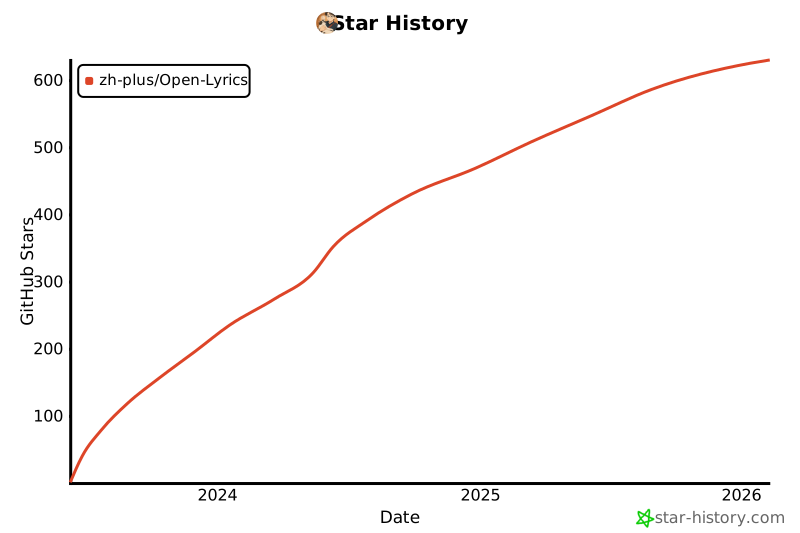
Star History
Release history Release notifications | RSS feed


Download files
Download the file for your platform. If you're not sure which to choose, learn more about installing packages.
Source Distribution
Built Distribution
Filter files by name, interpreter, ABI, and platform.
If you're not sure about the file name format, learn more about wheel file names.
Copy a direct link to the current filters
File details
Details for the file openlrc-0.2.3.tar.gz.
File metadata
- Download URL: openlrc-0.2.3.tar.gz
- Upload date:
- Size: 24.8 kB
- Tags: Source
- Uploaded using Trusted Publishing? No
- Uploaded via: poetry/1.5.1 CPython/3.10.11 Windows/10
File hashes
| Algorithm | Hash digest | |
|---|---|---|
| SHA256 |
ff8ff37c1930679ef85edbd786fe08e5f99b2212f12470ab4db5576cd823b41f
|
|
| MD5 |
aa73cb6e82bd30d4de35fd81c5435880
|
|
| BLAKE2b-256 |
18655e6afebd486c31415234cdd189198a7b1ca70a23e6aed30b7dc3327d0b70
|
File details
Details for the file openlrc-0.2.3-py3-none-any.whl.
File metadata
- Download URL: openlrc-0.2.3-py3-none-any.whl
- Upload date:
- Size: 29.3 kB
- Tags: Python 3
- Uploaded using Trusted Publishing? No
- Uploaded via: poetry/1.5.1 CPython/3.10.11 Windows/10
File hashes
| Algorithm | Hash digest | |
|---|---|---|
| SHA256 |
7c8fd0990608e865d73b1b4dfe54a7a288c8b4815d74c195deb007b508ad6383
|
|
| MD5 |
b7d186c19ff49c312d605c70c5cbbd0d
|
|
| BLAKE2b-256 |
6f621c56bb6ff54c602999fc3f9b067377da0a0c50af4205b7aebba693283fa7
|






