

A GUI for Open PIV
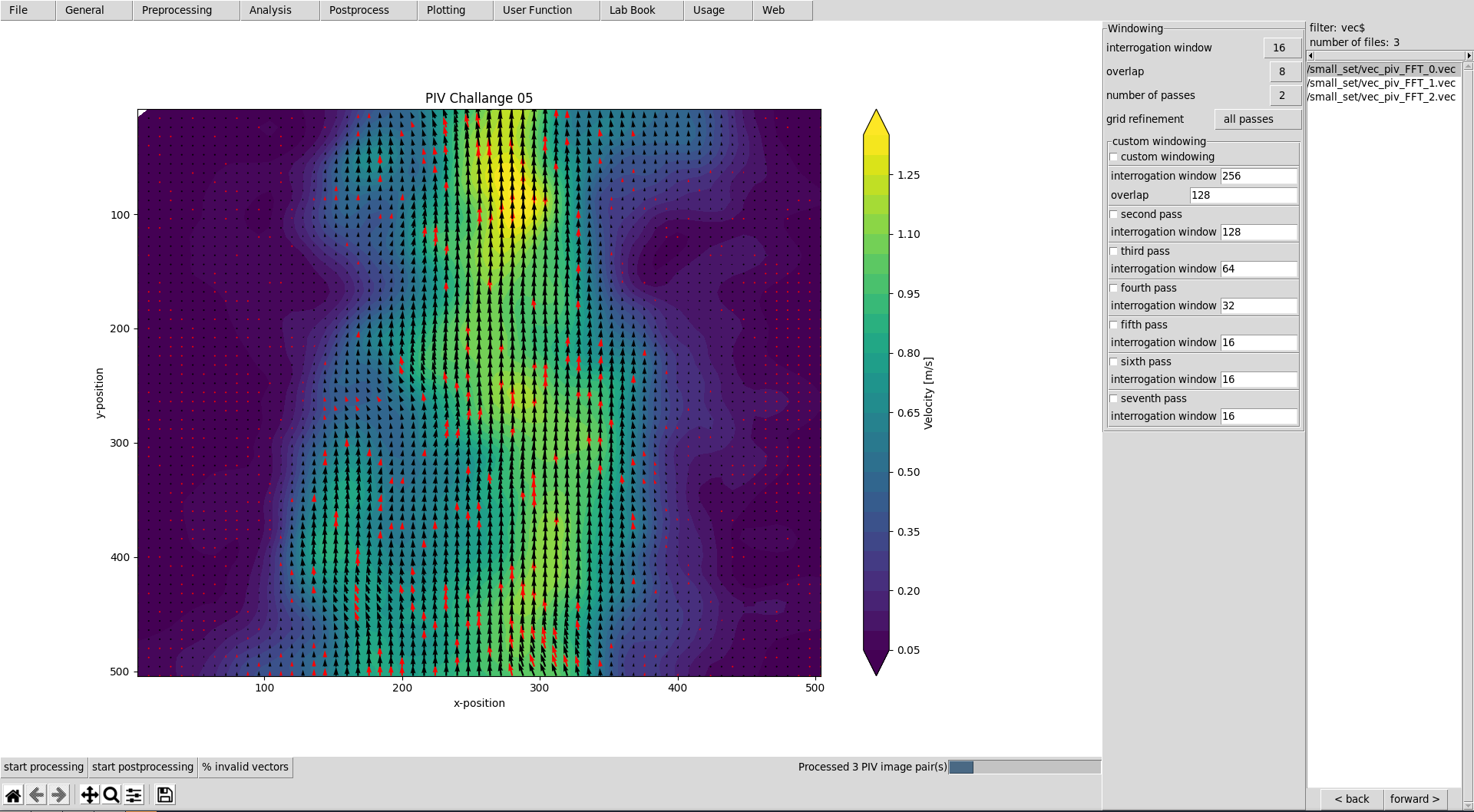
This graphical user interface provides an efficient workflow for evaluating and postprocessing particle image velocimetry (PIV) images. OpenPivGui relies on the Python libraries provided by the OpenPIV project.
Installation
You may use Pip to install OpenPivGui:
pip3 install openpivgui
Alternatively, Conda may also work:
conda install -c conda-forge openpivgui
Launching
Launch OpenPivGui by executing:
python3 -m openpivgui.OpenPivGui
Usage
- Press the button »open directory«. Choose a directory that contains PIV images. Use the »back« or »forward« button to filter the directory content, until there is a list of images in the file list on the right side of the OpenPivGui.
- To inspect the images, click on the links in the file-list.
- Walk through the riders, select the desired functions, and edit the corresponding parameters.
- Press »start processing« to start the evaluation.
- Inspect the results by clicking on the links in the file-list.
- Use the »back« and »forward« buttons to inspect intermediate results.
- Use »dump settings« to document your project. You can recall the settings anytime by pressing »load settings«.
Video tutorial
Learn how to use and extend OpenPivGui watching a less than eight minute video tutorial.
Documentation
Find the detailed documentation on readthedocs.io.
Contribution
Contributions are very welcome! Please follow the step by step guide in the documentation.
Related
Also check out JPIV.
1 maintainer

Metadata
1 maintainer
Release files for openpivgui 0.4.14
For a detailed explanation of source distributions (sdists) and built distributions (wheels), please see the package formats documentation.
Source distribution (sdist)
| File | Size | Uploaded | Provenance | Actions |
|---|---|---|---|---|
| openpivgui-0.4.14.tar.gz | 50.5 kB | Without provenance | Details for openpivgui-0.4.14.tar.gz |
Built distribution (wheel)
| File | Interpreter | ABI | Platform | Actions Reset |
|---|---|---|---|---|
| openpivgui-0.4.14-py3-none-any.whl | Python 3 | none | any | Details for openpivgui-0.4.14-py3-none-any.whl |
Total release size: 111.3 kB
Release files / openpivgui-0.4.14.tar.gz
| Download URL | openpivgui-0.4.14.tar.gz |
|---|---|
| Size | 50.5 kB |
| Tags | Source |
|
SHA-256 checksum How to use checksums |
c49aed71dea094186f1553bcb9b43714578fb87f03c12593ce84e58ca5424899
|
|
BLAKE2b-256 checksum How to use checksums |
699aa0e24b614df396502fc2d7e5c34a0960e88249cd11b364ede2e41cbdaecf
|
| Upload date | |
|
Uploaded using Trusted Publishing? What is trusted publishing? |
No |
| Uploaded via |
twine/4.0.2 CPython/3.11.2
|
Release files / openpivgui-0.4.14-py3-none-any.whl
| Download URL | openpivgui-0.4.14-py3-none-any.whl |
|---|---|
| Size | 60.9 kB |
| Tags | Python 3 |
|
SHA-256 checksum How to use checksums |
ed647508e199a1ba4f7739c63297c49c168e2a1dc47797906cd67029fc7990e1
|
|
BLAKE2b-256 checksum How to use checksums |
6360b6da8f85b8dc228279e4e5aee75656647180d351d1335ff1a49e42263f95
|
| Upload date | |
|
Uploaded using Trusted Publishing? What is trusted publishing? |
No |
| Uploaded via |
twine/4.0.2 CPython/3.11.2
|
Security for openpivgui 0.4.14
Provenance
Provenance describes where a file came from. On PyPI, provenance is shared via attestations, which provide a verifiable record of the build or publishing details. View details, limitations and caveats.
No provenance found
None of the files in this release were uploaded with provenance metadata.
A note on package security
PyPI is a repository for distributing packages, not a service for auditing them. While third-party security researchers and our staff do their best to detect and remove malicious packages, PyPI cannot guarantee the quality, security or suitability of any given package.
To learn more about protecting yourself from malicious actors, visit our package security documentation.














