
A simple GUI for Open PIV.

Project description

A GUI for Open PIV
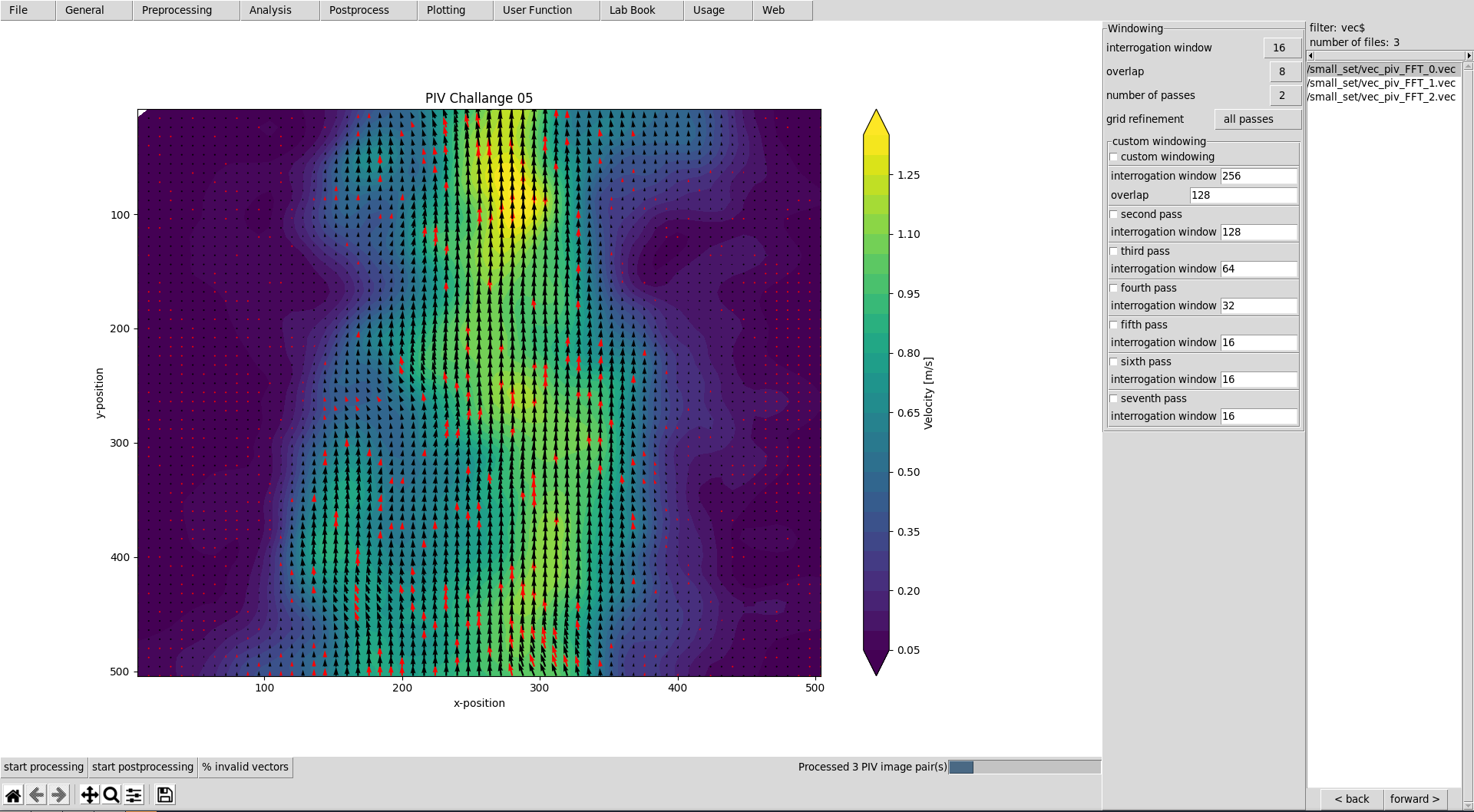
This graphical user interface provides an efficient workflow for evaluating and postprocessing particle image velocimetry (PIV) images. OpenPivGui relies on the Python libraries provided by the OpenPIV project.
Installation
You may use Pip to install OpenPivGui:
pip3 install openpivgui
Launching
Launch OpenPivGui by executing:
python3 -m openpivgui.OpenPivGui
Usage
- Press the button »open directory«. Choose a directory that contains PIV images. Use the »back« or »forward« button to filter the directory content, until there is a list of images in the file list on the right side of the OpenPivGui.
- To inspect the images, click on the links in the file-list.
- Walk through the riders, select the desired functions, and edit the corresponding parameters.
- Press »start processing« to start the evaluation.
- Inspect the results by clicking on the links in the file-list.
- Use the »back« and »forward« buttons to inspect intermediate results.
- Use »dump settings« to document your project. You can recall the settings anytime by pressing »load settings«.
Video tutorial
Learn how to use and extend OpenPivGui watching a less than eight minute video tutorial.
Documentation
Find the detailed documentation on readthedocs.io.
Contribution
Contributions are very welcome! Please follow the step by step guide in the documentation.
Related
Also check out JPIV.
Release history Release notifications | RSS feed


Download files
Download the file for your platform. If you're not sure which to choose, learn more about installing packages.
Source Distribution
Built Distribution
Filter files by name, interpreter, ABI, and platform.
If you're not sure about the file name format, learn more about wheel file names.
Copy a direct link to the current filters
File details
Details for the file openpivgui-0.4.4.tar.gz.
File metadata
- Download URL: openpivgui-0.4.4.tar.gz
- Upload date:
- Size: 43.4 kB
- Tags: Source
- Uploaded using Trusted Publishing? No
- Uploaded via: twine/3.4.1 importlib_metadata/4.0.1 pkginfo/1.7.0 requests/2.25.1 requests-toolbelt/0.9.1 tqdm/4.60.0 CPython/3.9.4
File hashes
| Algorithm | Hash digest | |
|---|---|---|
| SHA256 |
e85e5d77f2b760d42f0ad23c45c39bdfe6daf999dac27e54a9f51316e337b09e
|
|
| MD5 |
7ee322e9b018d8520baddde2a67ff0c5
|
|
| BLAKE2b-256 |
4d69b8daaa220f08ecb28ef2e6d357ac477e4e7896cb96b52de91d54d16f5d68
|
File details
Details for the file openpivgui-0.4.4-py3-none-any.whl.
File metadata
- Download URL: openpivgui-0.4.4-py3-none-any.whl
- Upload date:
- Size: 47.3 kB
- Tags: Python 3
- Uploaded using Trusted Publishing? No
- Uploaded via: twine/3.4.1 importlib_metadata/4.0.1 pkginfo/1.7.0 requests/2.25.1 requests-toolbelt/0.9.1 tqdm/4.60.0 CPython/3.9.4
File hashes
| Algorithm | Hash digest | |
|---|---|---|
| SHA256 |
cd0d3893c221dc5575158de4ee99c58417ae18abf6f8673c7407ebc7bc8a75ae
|
|
| MD5 |
59196ccff8d97380cff668e537bea060
|
|
| BLAKE2b-256 |
e0a29cd741994a12809b5326d2f13a5e214c36417c94e91f727e54acf0d18fb6
|






