
Modular agent orchestrator for reasoning pipelines

Project description
OrKa



Orchestrator Kit for Agentic Reasoning - OrKa is a modular AI orchestration system that transforms Large Language Models (LLMs) into composable agents capable of reasoning, fact-checking, and constructing answers with transparent traceability.
🚀 Features
- Modular Agent Orchestration: Define and manage agents using intuitive YAML configurations.
- Configurable Reasoning Paths: Utilize Redis streams to set up dynamic reasoning workflows.
- Comprehensive Logging: Record and trace every step of the reasoning process for transparency.
- Built-in Integrations: Support for OpenAI agents, web search functionalities, routers, and validation mechanisms.
- Command-Line Interface (CLI): Execute YAML-defined workflows with ease.
🎥 OrKa Video Overview
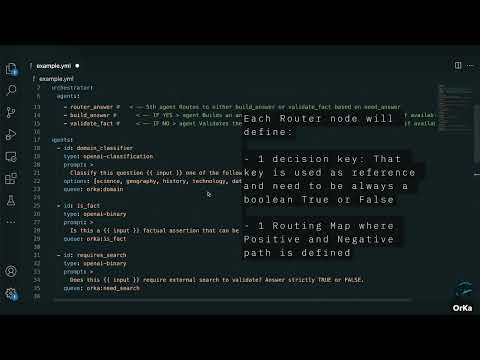
Click the thumbnail above to watch a quick video demo of OrKa in action — how it uses YAML to orchestrate agents, log reasoning, and build transparent LLM workflows.
🛠️ Installation
-
Ensure you have Python and Redis installed on your system.
-
Ensure redis is up and running
PIP
- Clone the Repository:
pip install orka-reasoning- Build your orkestrator
orchestrator: id: fact-checker strategy: decision-tree queue: orka:fact-core agents: - domain_classifier - is_fact - validate_fact agents: - id: domain_classifier type: openai-classification prompt: > Classify this question into one of the following domains: - science, geography, history, technology, date check, general options: [science, geography, history, technology, date check, general] queue: orka:domain - id: is_fact type: openai-binary prompt: > Is this a {{ input }} factual assertion that can be verified externally? Answer TRUE or FALSE. queue: orka:is_fact - id: validate_fact type: openai-binary prompt: | Given the fact "{{ input }}", and the search results "{{ previous_outputs.duck_search }}"? queue: validation_queue- Test Sctipr
  import orka.orka_cli

  if __name__ == "__main__":
  # Path to your YAML orchestration config
  config_path = "example.yml"

  # Input to be passed to the orchestrator
  input_text = "What is the capital of France?"

  # Run the orchestrator with logging
  orka.orka_cli.run_cli_entrypoint(
      config_path=config_path,
      input_text=input_text,
      log_to_file=True
  )
OR
-
Clone the Repository:
git clone https://github.com/marcosomma/orka.git
cd orka
-
Install Dependencies:
pip install -e .
!IMPORTANT¡ Create a .env file in the root directory with your API credentials and settings:
OPENAI_API_KEY=your_openai_api_key
BASE_OPENAI_MODEL=gpt-4o-mini
GOOGLE_API_KEY=sksdsadasqwdad....
GOOGLE_CSE_ID=1234
📄 Usage
📄 OrKa Nodes and Agents Documentation
📊 Agents
BinaryAgent
- Purpose: Classify an input into TRUE/FALSE.
- Input: A dict containing a string under "input" key.
- Output: A boolean value.
- Typical Use: "Is this sentence a factual statement?"
ClassificationAgent
- Purpose: Classify input text into predefined categories.
- Input: A dict with "input".
- Output: A string label from predefined options.
- Typical Use: "Classify a sentence as science, history, or nonsense."
OpenAIBinaryAgent
- Purpose: Use an LLM to binary classify a prompt into TRUE/FALSE.
- Input: A dict with "input".
- Output: A boolean.
- Typical Use: "Is this a question?"
OpenAIClassificationAgent
- Purpose: Use an LLM to classify input into multiple labels.
- Input: Dict with "input".
- Output: A string label.
- Typical Use: "What domain does this question belong to?"
OpenAIAnswerBuilder
- Purpose: Build a detailed answer from a prompt, usually enriched by previous outputs.
- Input: Dict with "input" and "previous_outputs".
- Output: A full textual answer.
- Typical Use: "Answer a question combining search results and classifications."
DuckDuckGoAgent
- Purpose: Perform a real-time web search using DuckDuckGo.
- Input: Dict with "input" (the query string).
- Output: A list of search result strings.
- Typical Use: "Search for latest information about OrKa project."
🧵 Nodes
RouterNode
- Purpose: Dynamically route execution based on a prior decision output.
- Input: Dict with "previous_outputs".
- Routing Logic: Matches a decision_key's value to a list of next agent ids.
- Typical Use: "Route to search agents if external lookup needed; otherwise validate directly."
FailoverNode
- Purpose: Execute multiple child agents in sequence until one succeeds.
- Input: Dict with "input".
- Behavior: Tries each child agent. If one crashes/fails, moves to next.
- Typical Use: "Try web search with service A; if unavailable, fallback to service B."
FailingNode
- Purpose: Intentionally fail. Used to simulate errors during execution.
- Input: Dict with "input".
- Output: Always throws an Exception.
- Typical Use: "Test failover scenarios or resilience paths."
ForkNode
- Purpose: Split execution into multiple parallel agent branches.
- Input: Dict with "input" and "previous_outputs".
- Behavior: Launches multiple child agents simultaneously. Supports sequential (default) or full parallel execution.
- Options:
targets: List of agents to fork.mode: "sequential" or "parallel".- Typical Use: "Validate topic and check if a summary is needed simultaneously.
JoinNode
- Purpose: Wait for multiple forked agents to complete, then merge their outputs.
- Input: Dict including
fork_group_id(forked group name). - Behavior: Suspends execution until all required forked agents have completed. Then aggregates their outputs.
- Typical Use: "Wait for parallel validations to finish before deciding next step."”
📊 Summary Table
| Name | Type | Core Purpose |
|---|---|---|
| BinaryAgent | Agent | True/False classification |
| ClassificationAgent | Agent | Category classification |
| OpenAIBinaryAgent | Agent | LLM-backed binary decision |
| OpenAIClassificationAgent | Agent | LLM-backed category decision |
| OpenAIAnswerBuilder | Agent | Compose detailed answer |
| DuckDuckGoAgent | Agent | Perform web search |
| RouterNode | Node | Dynamically route next steps |
| FailoverNode | Node | Resilient sequential fallback |
| FailingNode | Node | Simulate failure |
| WaitForNode | Node | Wait for multiple dependencies |
| ForkNode | Node | Parallel execution split |
| JoinNode | Node | Parallel execution merge |
🚀 Quick Usage Tip
Each agent and node in OrKa follows a simple run pattern:
output = agent_or_node.run(input_data)
Where input_data includes "input" (the original query) and "previous_outputs" (completed agent results).
This consistent interface is what makes OrKa composable and powerful.
OrKa operates based on YAML configuration files that define the orchestration of agents.
- Prepare a YAML Configuration: Create a YAML file (e.g.,
example.yml) that outlines your agentic workflow. - Run OrKa with the Configuration:
python -m orka.orka_cli ./example.yml "Your input question" --log-to-file
This command processes the input question through the defined workflow and logs the reasoning steps.
📝 YAML Configuration Structure
The YAML file specifies the agents and their interactions. Below is an example configuration:
orchestrator:
  id: fact-checker
  strategy: decision-tree
  queue: orka:fact-core
  agents:
    - domain_classifier
    - is_fact
    - validate_fact

agents:
  - id: domain_classifier
    type: openai-classification
    prompt: >
      Classify this question into one of the following domains:
      - science, geography, history, technology, date check, general
    options: [science, geography, history, technology, date check, general]
    queue: orka:domain

  - id: is_fact
    type: openai-binary
    prompt: >
      Is this a {{ input }} factual assertion that can be verified externally? Answer TRUE or FALSE.
    queue: orka:is_fact

  - id: validate_fact
    type: openai-binary
    prompt: |
      Given the fact "{{ input }}", and the search results "{{ previous_outputs.duck_search }}"?
    queue: validation_queue
Key Sections
-
agents: Defines the individual agents involved in the workflow. Each agent has:
- name: Unique identifier for the agent.
- type: Specifies the agent's function (e.g.,
search,llm).
-
workflow: Outlines the sequence of interactions between agents:
- from: Source agent or input.
- to: Destination agent or output.
Settings such as the model and API keys are loaded from the .env file, keeping your configuration secure and flexible.
🧪 Example
To see OrKa in action, use the provided example.yml configuration:
python -m orka.orka_cli ./example.yml "What is the capital of France?" --log-to-file
This will execute the workflow defined in example.yml with the input question, logging each reasoning step.
📚 Documentation
🤝 Contributing
We welcome contributions! Please see our CONTRIBUTING.md for guidelines.
📜 License & Attribution
This project is licensed under the CC BY-NC 4.0 License. For more details, refer to the LICENSE file.
Release history Release notifications | RSS feed


Download files
Download the file for your platform. If you're not sure which to choose, learn more about installing packages.
Source Distribution
Built Distribution
Filter files by name, interpreter, ABI, and platform.
If you're not sure about the file name format, learn more about wheel file names.
Copy a direct link to the current filters
File details
Details for the file orka_reasoning-0.3.3.tar.gz.
File metadata
- Download URL: orka_reasoning-0.3.3.tar.gz
- Upload date:
- Size: 25.5 kB
- Tags: Source
- Uploaded using Trusted Publishing? No
- Uploaded via: twine/6.1.0 CPython/3.11.12
File hashes
| Algorithm | Hash digest | |
|---|---|---|
| SHA256 |
612eb1596483104733ba7014de54d16fee02d6a96c46afab65e1a1ca78854457
|
|
| MD5 |
2209028992df3ced96f06444f1111150
|
|
| BLAKE2b-256 |
f02d9da7f952746a31b2e23a5881c07a0c73aeb1f8424c2b7ae75d56bf0549ce
|
File details
Details for the file orka_reasoning-0.3.3-py3-none-any.whl.
File metadata
- Download URL: orka_reasoning-0.3.3-py3-none-any.whl
- Upload date:
- Size: 25.2 kB
- Tags: Python 3
- Uploaded using Trusted Publishing? No
- Uploaded via: twine/6.1.0 CPython/3.11.12
File hashes
| Algorithm | Hash digest | |
|---|---|---|
| SHA256 |
5e7fb0fe2535287f2ffccc226514b23a200ea244a3aa7680fc34cb43b94e6baf
|
|
| MD5 |
24374d3ac80f17196fc1ec2d82bf73ea
|
|
| BLAKE2b-256 |
6ce0a435cc8438302f875786e88535cbb2c77c4eb7f9dc1e83a24426c6c2c2e0
|






