
Modular agent orchestrator for reasoning pipelines

Project description
OrKa-Reasoning












Orchestrator Kit for Agentic Reasoning - OrKa is a modular AI orchestration system that transforms Large Language Models (LLMs) into composable agents capable of reasoning, fact-checking, and constructing answers with transparent traceability.
📋 Table of Contents
- 🚀 Features
- 🎥 OrKa Video Overview
- 🏆 Why Choose OrKa?
- ⚡ 5-Minute Quickstart
- 🛠️ Installation
- 🧠 Intelligent Memory System
- 📚 Common Patterns & Recipes
- ⚙️ Agent Configuration Examples
- 📝 YAML Configuration Structure
- 🧪 Example
- 🔧 Requirements
- 📄 Usage
- 🔍 Troubleshooting
- 📊 Performance & Scalability
- 🏢 Case Studies & Success Stories
- 📚 Documentation
- 🤝 Contributing
- 📜 License & Attribution
🚀 Features
- Modular Agent Orchestration: Define and manage agents using intuitive YAML configurations.
- Intelligent Memory System: Advanced memory management with context-aware search, intelligent decay, and automatic classification.
- Configurable Reasoning Paths: Utilize Redis streams to set up dynamic reasoning workflows.
- Context-Aware Memory Retrieval: Enhanced memory reader with semantic similarity, keyword matching, and temporal ranking.
- Automatic Memory Decay: Smart memory lifecycle management with short-term and long-term retention policies.
- Comprehensive Logging: Record and trace every step of the reasoning process for transparency.
- Built-in Integrations: Support for OpenAI agents, web search functionalities, routers, and validation mechanisms.
- Command-Line Interface (CLI): Execute YAML-defined workflows with ease and monitor memory usage in real-time.
🎥 OrKa Video Overview
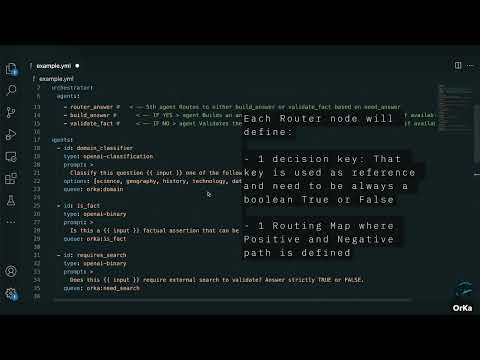
Click the thumbnail above to watch a quick video demo of OrKa in action — how it uses YAML to orchestrate agents, log reasoning, and build transparent LLM workflows.
🏆 Why Choose OrKa?
OrKa stands out from other AI orchestration tools by focusing on transparency, modularity, and cognitive science-inspired workflows.
OrKa vs. Alternatives
| Feature | OrKa | LangChain | CrewAI | LlamaIndex |
|---|---|---|---|---|
| Focus | Transparent reasoning | Chaining LLM calls | Multi-agent simulation | RAG & indexing |
| Configuration | YAML-driven | Python code | Python code | Python code |
| Traceability | Complete Redis logs | Limited | Basic | Limited |
| Modularity | Fully modular | Semi-modular | Agent-centric | Index-centric |
| Workflow Viz | Built-in (OrkaUI) | Third-party | Limited | Limited |
| Learning Curve | Low (YAML) | Medium | Medium | Medium |
| Reasoning Patterns | Decision trees, fork/join | Sequential | Role-based | Query-focused |
Architecture Overview
OrKa uses a modular architecture with clear separation of concerns:
┌─────────────┐     ┌─────────────────┐     ┌─────────────┐
│   YAML      │     │  Orchestrator   │     │   Agents    │
│ Definition  ├────►│  (Control Flow) ├────►│ (Reasoning) │
└─────────────┘     └────────┬────────┘     └──────┬──────┘
                             │                     │
                     ┌───────▼─────────────────────▼───────┐
                     │        Redis/Kafka Streams          │
                     │  (Message Passing & Observability)  │
                     └───────────────────────────────────┬─┘
                                                         │
                                                 ┌───────▼────────┐
                                                 │   OrKa UI      │
                                                 │  (Monitoring)  │
                                                 └────────────────┘
⚡ 5-Minute Quickstart
Get OrKa running in 5 minutes:
# Install via pip
pip install orka-reasoning

# Create a simple test.yml file
cat > test.yml << EOF
orchestrator:
  id: simple-test
  strategy: sequential
  queue: orka:test
  agents:
    - classifier
    - answer_builder

agents:
  - id: classifier
    type: openai-classification
    prompt: Classify this as [tech, science, other]
    options: [tech, science, other]
    queue: orka:classify

  - id: answer_builder
    type: openai-answer
    prompt: |
      Topic: {{ previous_outputs.classifier }}
      Generate a paragraph about: {{ input }}
    queue: orka:answer
EOF

# Set up your OpenAI key
export OPENAI_API_KEY=your-key-here

# Run OrKa with your test input
python -m orka.orka_cli ./test.yml "Quantum computing applications"
This will classify your input and generate a response based on the classification.
🛠️ Installation
PIP Installation
-
Install the Package:
pip install orka-reasoning
-
Add ENV variables:
export OPENAI_API_KEY=<your opena AI key>
-
Install Additional Dependencies:
pip install fastapi uvicorn
-
Start the Services:
python -m orka.orka_start
Local Development Installation
-
Clone the Repository:
git clone https://github.com/marcosomma/orka-resoning.git
cd orka
-
Install Dependencies:
pip install -e .
pip install fastapi uvicorn
-
Start the Services:
python -m orka.orka_start
Running OrkaUI Locally
To run the OrkaUI locally and connect it with your local OrkaBackend:
-
Pull the OrkaUI Docker image:
docker pull marcosomma/orka-ui:latest
-
Run the OrkaUI container:
docker run -d \
  -p 8080:80 \
  -e VITE_API_URL_LOCAL=http://localhost:8000/api/run@dist  \
  --name orka-ui \
  marcosomma/orka-ui:latest
This will start the OrkaUI on port 8080, connected to your local OrkaBackend running on port 8000.
🧠 Intelligent Memory System
OrKa's memory system is one of its most powerful features, providing cognitive science-inspired memory management that makes your AI agents truly intelligent and contextually aware.
🎯 Why Memory Matters
Traditional AI systems are stateless - they forget everything between interactions. OrKa's memory system enables:
- Contextual Conversations: Agents remember previous interactions and build on them
- Learning from Experience: Agents improve responses based on past successes and failures
- Efficient Processing: Avoid re-computing the same information repeatedly
- Transparent Reasoning: Full audit trail of how decisions were made
- Intelligent Forgetting: Automatic cleanup of outdated or irrelevant information
🔄 Intelligent Memory Decay
OrKa implements a sophisticated memory decay system inspired by human cognitive science:
orchestrator:
  id: smart-assistant
  strategy: sequential
  memory_config:
    decay:
      enabled: true
      default_short_term_hours: 2      # Temporary working memory
      default_long_term_hours: 168     # Long-term knowledge (1 week)
      check_interval_minutes: 30       # How often to clean up
      importance_rules:
        critical_info: 2.0             # Keep critical information longer
        user_feedback: 1.5             # Value user corrections
        routine_query: 0.8             # Routine queries decay faster
        error_event: 0.5               # Errors decay quickly
Memory Types Explained:
- Short-term Memory: Temporary context (conversations, intermediate results)
- Long-term Memory: Important knowledge (facts, successful patterns, user preferences)
- Auto-classification: OrKa automatically determines memory type based on content (when memory_type is not specified)
📊 Memory Backends
Choose the right backend for your needs:
| Backend | Best For | Features |
|---|---|---|
| Redis | Development, Single-node | Fast, Full features, Easy setup |
| Kafka | Production, Distributed | Scalable, Event streaming, Fault-tolerant |
Redis Setup (Recommended for getting started):
# Install Redis
brew install redis  # macOS
sudo apt install redis-server  # Ubuntu

# Start Redis
redis-server

# Configure OrKa
export ORKA_MEMORY_BACKEND=redis
export REDIS_URL=redis://localhost:6379/0
Kafka Setup (For production):
# Using Docker Compose
version: '3.8'
services:
  kafka:
    image: confluentinc/cp-kafka:latest
    environment:
      KAFKA_ZOOKEEPER_CONNECT: zookeeper:2181
      KAFKA_ADVERTISED_LISTENERS: PLAINTEXT://localhost:9092
    ports:
      - "9092:9092"

# Configure OrKa
export ORKA_MEMORY_BACKEND=kafka
export KAFKA_BOOTSTRAP_SERVERS=localhost:9092
🔍 Context-Aware Memory Search
OrKa's memory search is incredibly sophisticated, using multiple relevance factors:
agents:
  - id: smart_memory_search
    type: memory-reader
    namespace: knowledge_base
    params:
      limit: 10                        # Max memories to retrieve
      enable_context_search: true      # Use conversation context
      context_weight: 0.4              # How much context matters (40%)
      temporal_weight: 0.3             # How much recency matters (30%)
      similarity_threshold: 0.7        # Minimum relevance score
      enable_temporal_ranking: true    # Boost recent memories
      context_window_size: 5           # Look at last 5 agent outputs
    prompt: |
      Find information relevant to: {{ input }}

      Consider the recent conversation context when searching.
Search Algorithm:
- Semantic Similarity: Vector embeddings match meaning, not just keywords
- Keyword Matching: TF-IDF scoring for exact term matches
- Context Overlap: How well memories relate to recent conversation
- Temporal Decay: Recent memories get boosted relevance
- Importance Scoring: Critical information ranks higher
💾 Memory Storage Patterns
🚨 Important: Every
memory-writeragent MUST include metadata that gets stored with the memory. This metadata enables enhanced search, analytics, decay management, and debugging capabilities.
Pattern 1: Conversation Memory
- id: conversation_memory
  type: memory-writer
  namespace: chat_sessions
  params:
            # memory_type automatically classified based on content and importance
    vector: true                   # Enable semantic search
    key_template: "chat_{timestamp}_{user_id}"
    metadata:
      interaction_type: "{{ previous_outputs.context_classifier }}"
      user_id: "{{ user_id | default('anonymous') }}"
      session_id: "{{ session_id | default('unknown') }}"
      timestamp: "{{ now() }}"
      response_quality: "pending_feedback"
  decay_config:
    enabled: true
    default_short_term_hours: 2    # Conversations fade after 2 hours
    default_long_term_hours: 72    # Important conversations last 3 days
  prompt: |
    Store this interaction:
    User: {{ input }}
    Assistant: {{ previous_outputs.response_generator }}
    Context: {{ previous_outputs.context_classifier }}
Pattern 2: Knowledge Base
- id: knowledge_storage
  type: memory-writer
  namespace: knowledge_base
  params:
    memory_type: long_term         # Force long-term storage
    vector: true
    metadata:
      source: "user_input"
      confidence: "{{ previous_outputs.fact_checker }}"
  decay_config:
    enabled: true
    default_long_term_hours: 720   # Keep knowledge for 30 days
  prompt: |
    Store this verified information:
    Topic: {{ previous_outputs.topic_classifier }}
    Fact: {{ input }}
    Verification: {{ previous_outputs.fact_checker }}
Pattern 3: Learning from Mistakes
- id: error_learning
  type: memory-writer
  namespace: error_patterns
  params:
    memory_type: short_term        # Errors are temporary
    vector: true
    metadata:
      error_type: "{{ previous_outputs.error_handler.type | default('unknown') }}"
      correction_applied: "{{ previous_outputs.correction_agent | length > 0 }}"
      severity: "{{ previous_outputs.error_handler.severity | default('medium') }}"
      timestamp: "{{ now() }}"
      input_length: "{{ input | length }}"
  decay_config:
    enabled: true
    default_short_term_hours: 24   # Learn from errors for 1 day
  prompt: |
    Record this error pattern for learning:
    Input: {{ input }}
    Error: {{ previous_outputs.error_handler }}
    Correction: {{ previous_outputs.correction_agent }}
🎛️ Memory Management CLI
OrKa provides powerful CLI tools for memory management:
# Real-time memory monitoring (like 'top' for memory)
orka memory watch

# Detailed memory statistics
orka memory stats
# Output:
# === OrKa Memory Statistics ===
# Backend: redis
# Total Streams: 15
# Total Entries: 1,247
# Expired Entries: 23
#
# Entries by Type:
#   success: 892
#   error: 12
#   classification: 343
#
# Memory Types:
#   short_term: 156 (12.5%)
#   long_term: 1,091 (87.5%)

# Manual cleanup of expired memories
orka memory cleanup

# View current configuration
orka memory configure
🔄 Memory Lifecycle Example
Here's how memory works in a real conversation:
orchestrator:
  id: conversational-ai
  strategy: sequential
  memory_config:
    decay:
      enabled: true
      default_short_term_hours: 1
      default_long_term_hours: 168

agents:
  # 1. Retrieve relevant conversation history
  - id: conversation_context
    type: memory-reader
    namespace: user_conversations
    params:
      limit: 5
      enable_context_search: true
      temporal_weight: 0.4
    prompt: "Find relevant conversation history for: {{ input }}"

  # 2. Classify the current interaction
  - id: interaction_classifier
    type: openai-classification
    prompt: |
      Based on conversation history: {{ previous_outputs.conversation_context }}
      Current input: {{ input }}

      Classify this interaction:
    options: [question, followup, correction, new_topic, feedback]

  # 3. Generate contextually aware response
  - id: response_generator
    type: openai-answer
    prompt: |
      Conversation history: {{ previous_outputs.conversation_context }}
      Interaction type: {{ previous_outputs.interaction_classifier }}
      Current input: {{ input }}

      Generate a response that:
      - Acknowledges the conversation history
      - Addresses the current input appropriately
      - Maintains conversation continuity

  # 4. Store the interaction with intelligent classification
  - id: memory_storage
    type: memory-writer
    namespace: user_conversations
    params:
              # memory_type automatically classified based on content and importance
      vector: true
      metadata:
        interaction_type: "{{ previous_outputs.interaction_classifier }}"
        response_length: "{{ previous_outputs.response_generator | length }}"
        has_history: "{{ previous_outputs.conversation_context | length > 0 }}"
        timestamp: "{{ now() }}"
        session_id: "{{ session_id | default('unknown') }}"
    prompt: |
      User: {{ input }}
      Type: {{ previous_outputs.interaction_classifier }}
      Assistant: {{ previous_outputs.response_generator }}
What happens behind the scenes:
- First interaction: No history found, creates new memory entry (short-term)
- Follow-up questions: Finds relevant history, builds on context
- Important information: Auto-promoted to long-term memory
- Routine queries: Remain short-term, automatically cleaned up
- User corrections: Stored as high-importance, longer retention
🎯 Advanced Memory Patterns
Pattern 1: Multi-Agent Memory Sharing
# Agent A stores information
- id: researcher
  type: openai-answer
  # ... research logic ...

- id: research_storage
  type: memory-writer
  namespace: shared_research
  params:
    memory_type: long_term
    vector: true
    metadata:
      agent: "researcher"
      topic: "{{ previous_outputs.topic_classifier }}"
      research_phase: "initial"
      confidence: "{{ previous_outputs.researcher.confidence | default('medium') }}"
      timestamp: "{{ now() }}"
      source_count: "{{ previous_outputs.researcher.sources | length | default(0) }}"

# Agent B retrieves shared information
- id: writer
  type: memory-reader
  namespace: shared_research
  params:
    enable_context_search: true
  # ... uses research for writing ...
Pattern 2: Hierarchical Memory Organization
# Top-level topics
- id: topic_memory
  type: memory-writer
  namespace: topics
  params:
    memory_type: long_term

# Detailed information under topics
- id: detail_memory
  type: memory-writer
  namespace: "topic_{{ previous_outputs.topic_classifier }}"
  params:
    # memory_type automatically classified based on content and importance
Pattern 3: Memory-Driven Routing
- id: experience_router
  type: router
  params:
    decision_key: memory_search
    routing_map:
      "high_confidence": [direct_answer]
      "medium_confidence": [verify_and_answer]
      "low_confidence": [research_and_answer]
This intelligent memory system makes OrKa agents truly cognitive, enabling them to learn, remember, and improve over time while automatically managing information lifecycle for optimal performance.
📚 Common Patterns & Recipes
1. Question-Answering with Web Search
orchestrator:
  id: qa-system
  strategy: sequential
  agents:
    - search_needed
    - router
    - web_search
    - answer_builder

agents:
  - id: search_needed
    type: openai-binary
    prompt: Does this question require recent information? Return true/false.

  - id: router
    type: router
    params:
      decision_key: search_needed
      routing_map:
        "true": [web_search, answer_builder]
        "false": [answer_builder]

  - id: web_search
    type: duckduckgo
    prompt: Search for information about this query

  - id: answer_builder
    type: openai-answer
    prompt: |
      Build an answer using:
      {% if previous_outputs.search_needed == "true" %}
      Search results: {{ previous_outputs.web_search }}
      {% endif %}
2. Memory-Enhanced Conversational System
orchestrator:
  id: memory-conversation
  strategy: sequential
  memory_config:
    decay:
      enabled: true
      default_short_term_hours: 2
      default_long_term_hours: 168  # 1 week
  agents:
    - memory_reader
    - context_classifier
    - memory_writer
    - response_generator

agents:
  - id: memory_reader
    type: memory-reader
    namespace: conversation
    params:
      limit: 5
      enable_context_search: true
      context_weight: 0.3
      temporal_weight: 0.2
      enable_temporal_ranking: true
    prompt: Find relevant memories about this conversation topic

  - id: context_classifier
    type: openai-classification
    prompt: |
      Based on the conversation context and memories:
      Memories: {{ previous_outputs.memory_reader }}

      Classify this interaction as:
    options: [question, followup, new_topic, clarification]

  - id: memory_writer
    type: memory-writer
    namespace: conversation
    params:
              # memory_type automatically classified as short-term or long-term
      vector: true       # Enable semantic search
      metadata:
        interaction_type: "{{ previous_outputs.context_classifier }}"
        has_context: "{{ previous_outputs.memory_reader | length > 0 }}"
        timestamp: "{{ now() }}"
        confidence: "auto_classified"
    prompt: |
      Store this interaction:
      User: {{ input }}
      Context: {{ previous_outputs.context_classifier }}

  - id: response_generator
    type: openai-answer
    prompt: |
      Generate a response using:
      - Current input: {{ input }}
      - Relevant memories: {{ previous_outputs.memory_reader }}
      - Interaction type: {{ previous_outputs.context_classifier }}

      Provide a contextually aware response.
3. Content Moderation Pipeline
orchestrator:
  id: content-moderation
  strategy: sequential
  agents:
    - toxic_check
    - sentiment
    - fork_analysis
    - join_analysis
    - final_decision

agents:
  - id: toxic_check
    type: openai-binary
    prompt: Is this content toxic or harmful? Return true/false.

  - id: fork_analysis
    type: fork
    targets:
      - [sentiment_analysis]
      - [bias_check]
      - [fact_validation]

  # ... other agents
4. Intelligent Knowledge Base with Memory Decay
orchestrator:
  id: knowledge-base
  strategy: sequential
  memory_config:
    decay:
      enabled: true
      default_short_term_hours: 24
      default_long_term_hours: 720  # 30 days
      importance_rules:
        critical_info: 2.0
        user_feedback: 1.5
        routine_query: 0.8
  agents:
    - query_analyzer
    - memory_search
    - knowledge_updater
    - response_builder

agents:
  - id: query_analyzer
    type: openai-classification
    prompt: Analyze this query type
    options: [factual_lookup, how_to_guide, troubleshooting, feedback]

  - id: memory_search
    type: memory-reader
    namespace: knowledge_base
    params:
      limit: 10
      enable_context_search: true
      enable_temporal_ranking: true
      context_window_size: 5
    prompt: |
      Search for relevant information about: {{ input }}
      Query type: {{ previous_outputs.query_analyzer }}

  - id: knowledge_updater
    type: memory-writer
    namespace: knowledge_base
    params:
      memory_type: long_term
      vector: true
      metadata:
        query_type: "{{ previous_outputs.query_analyzer }}"
        knowledge_found: "{{ previous_outputs.memory_search | length > 0 }}"
        confidence: "high"
        source: "knowledge_base_update"
        timestamp: "{{ now() }}"
    decay_config:
      enabled: true
      default_long_term: true  # Force important queries to long-term
    prompt: |
      Store this knowledge interaction:
      Query: {{ input }}
      Type: {{ previous_outputs.query_analyzer }}
      Retrieved: {{ previous_outputs.memory_search }}

  - id: response_builder
    type: openai-answer
    prompt: |
      Build a comprehensive response using:
      - Query: {{ input }}
      - Query type: {{ previous_outputs.query_analyzer }}
      - Knowledge base results: {{ previous_outputs.memory_search }}

      If no relevant information found, indicate that clearly.
5. Complex Decision Tree
orchestrator:
  id: approval-workflow
  strategy: decision-tree
  agents:
    - initial_check
    - router_approval

agents:
  - id: router_approval
    type: router
    params:
      decision_key: initial_check
      routing_map:
        "approved": [notify_success]
        "needs_revision": [request_changes]
        "rejected": [notify_rejection]
⚙️ Agent Configuration Examples
Basic Agent Types
# Binary Classification
- id: fact_checker
  type: openai-binary
  prompt: "Is this statement factually accurate? Return TRUE or FALSE: {{ input }}"
  queue: orka:facts

# Multi-class Classification
- id: topic_classifier
  type: openai-classification
  prompt: "Classify this into one category"
  options: [science, technology, history, politics]
  queue: orka:classify

# Local LLM Processing
- id: local_summarizer
  type: local_llm
  prompt: "Summarize this text: {{ input }}"
  model: "llama3.2:latest"
  model_url: "http://localhost:11434/api/generate"
  provider: "ollama"
  temperature: 0.7
  queue: orka:local

# Answer Generation
- id: answer_builder
  type: openai-answer
  prompt: |
    Based on the classification: {{ previous_outputs.topic_classifier }}
    And search results: {{ previous_outputs.web_search }}
    Provide a comprehensive answer to: {{ input }}
  queue: orka:answer
Memory Management
# Memory Reader with Context Enhancement
- id: context_memory
  type: memory-reader
  namespace: conversations
  params:
    limit: 10
    enable_context_search: true
    context_weight: 0.3
    temporal_weight: 0.2
    enable_temporal_ranking: true
    similarity_threshold: 0.7
  prompt: "Find relevant memories about: {{ input }}"

# Memory Writer with Decay Configuration
- id: store_interaction
  type: memory-writer
  namespace: user_sessions
  params:
    # memory_type automatically classified based on content and importance
    vector: true
    metadata:
      interaction_type: "user_session"
      timestamp: "{{ now() }}"
      session_duration: "{{ session_duration | default('unknown') }}"
      user_id: "{{ user_id | default('anonymous') }}"
      confidence: "auto_classified"
  decay_config:
    enabled: true
    default_long_term: true
    default_long_term_hours: 720  # 30 days
  prompt: "Store this interaction: {{ input }}"
Advanced Nodes
# Dynamic Routing
- id: content_router
  type: router
  params:
    decision_key: content_type
    routing_map:
      "question": [search_agent, answer_builder]
      "statement": [fact_checker, validator]
      "request": [task_processor]

# Parallel Processing
- id: multi_validator
  type: fork
  targets:
    - [sentiment_check]
    - [toxicity_check]
    - [fact_validation]
  mode: parallel

# Results Aggregation
- id: validation_merger
  type: join
  prompt: "Combine validation results from parallel checks"

# Resilient Processing
- id: search_with_fallback
  type: failover
  children:
    - id: primary_search
      type: duckduckgo
      prompt: "Search: {{ input }}"
    - id: backup_search
      type: duckduckgo
      prompt: "Backup search: {{ input }}"
      params:
        region: "us-en"
📝 YAML Configuration Structure
The YAML file specifies the agents and their interactions. Below is an example configuration:
orchestrator:
  id: fact-checker
  strategy: decision-tree
  queue: orka:fact-core
  agents:
    - domain_classifier
    - is_fact
    - validate_fact

agents:
  - id: domain_classifier
    type: openai-classification
    prompt: >
      Classify this question into one of the following domains:
      - science, geography, history, technology, date check, general
    options: [science, geography, history, technology, date check, general]
    queue: orka:domain

  - id: is_fact
    type: openai-binary
    prompt: >
      Is this a {{ input }} factual assertion that can be verified externally? Answer TRUE or FALSE.
    queue: orka:is_fact

  - id: validate_fact
    type: openai-binary
    prompt: |
      Given the fact "{{ input }}", and the search results "{{ previous_outputs.duck_search }}"?
    queue: validation_queue
For a comprehensive guide with detailed examples of all agent types, node configurations, and advanced patterns, see our YAML Configuration Guide.
From Monolithic Prompts to Agent Networks
OrKa helps you transform complex prompts like:
Classify this input as science/history/tech, then if it's a factual question requiring
research, search the web, extract relevant info, and compose a detailed answer using
correct formatting and citing sources.
Into a clear, maintainable agent network:
Input → Classification → Search Need Check → Router → Web Search → Answer Builder → Output
This provides transparency, reusability, and easier debugging at each step.
Key Sections
-
agents: Defines the individual agents involved in the workflow. Each agent has:
- name: Unique identifier for the agent.
- type: Specifies the agent's function (e.g.,
search,llm).
-
workflow: Outlines the sequence of interactions between agents:
- from: Source agent or input.
- to: Destination agent or output.
Settings such as the model and API keys are loaded from the .env file, keeping your configuration secure and flexible.
🧪 Example
To see OrKa in action, use the provided example.yml configuration:
python -m orka.orka_cli ./example.yml "What is the capital of France?" --log-to-file
This will execute the workflow defined in example.yml with the input question, logging each reasoning step.
🔧 Requirements
- Python 3.8 or higher
- Redis server
- Docker (for containerized deployment)
- Required Python packages:
- fastapi
- uvicorn
- redis
- pyyaml
- litellm
- jinja2
- google-api-python-client
- duckduckgo-search
- python-dotenv
- openai
- async-timeout
- pydantic
- httpx
📄 Usage
📄 OrKa Nodes and Agents Documentation
📊 Agents
BinaryAgent
- Purpose: Classify an input into TRUE/FALSE.
- Input: A dict containing a string under "input" key.
- Output: A boolean value.
- Typical Use: "Is this sentence a factual statement?"
ClassificationAgent
- Purpose: Classify input text into predefined categories.
- Input: A dict with "input".
- Output: A string label from predefined options.
- Typical Use: "Classify a sentence as science, history, or nonsense."
OpenAIBinaryAgent
- Purpose: Use an LLM to binary classify a prompt into TRUE/FALSE.
- Input: A dict with "input".
- Output: A boolean.
- Typical Use: "Is this a question?"
OpenAIClassificationAgent
- Purpose: Use an LLM to classify input into multiple labels.
- Input: Dict with "input".
- Output: A string label.
- Typical Use: "What domain does this question belong to?"
OpenAIAnswerBuilder
- Purpose: Build a detailed answer from a prompt, usually enriched by previous outputs.
- Input: Dict with "input" and "previous_outputs".
- Output: A full textual answer.
- Typical Use: "Answer a question combining search results and classifications."
DuckDuckGoTool
- Purpose: Perform a real-time web search using DuckDuckGo.
- Input: Dict with "input" (the query string).
- Output: A list of search result strings.
- Typical Use: "Search for latest information about OrKa project."
LocalLLMAgent
- Purpose: Interface with locally running large language models (Ollama, LM Studio, etc.).
- Input: Dict with "input" (text to process) and optional model parameters.
- Output: Generated response from the local model with confidence score and reasoning.
- Configuration:
model: Model name (e.g., "llama3.2:latest", "mistral")model_url: Local endpoint URL (e.g., "http://localhost:11434/api/generate")provider: "ollama", "lm_studio", or "openai_compatible"temperature: Sampling temperature (0.0-1.0)
- Typical Use: "Generate responses using privacy-preserving local models without cloud dependencies."
ValidationAndStructuringAgent
- Purpose: Validate answers for correctness and structure them into memory objects.
- Input: Dict with "input" (question) and "previous_outputs" containing context and answers.
- Output: Dict with validation status, reason, and structured memory object.
- Configuration:
store_structure: Optional template for memory object structure
- Typical Use: "Validate generated answers before storing them in memory with proper structure."
Memory Agent (Read Operation)
- Purpose: Search and retrieve relevant memories from the memory backend using advanced context-aware algorithms.
- Type:
memorywithconfig.operation: read - Input: Dict with "input" (search query) and optional "previous_outputs" for context enhancement.
- Output: A list of relevant memory entries ranked by relevance score.
- Configuration:
namespace: Memory namespace to search inconfig.limit: Maximum number of memories to return (default: 10)config.enable_context_search: Use conversation history for enhanced search (default: false)config.context_weight: Weight for context similarity in scoring (default: 0.3)config.temporal_weight: Weight for temporal decay in scoring (default: 0.2)config.enable_temporal_ranking: Enable time-based ranking (default: false)config.similarity_threshold: Minimum similarity score for retrieval (default: 0.6)
- Typical Use: "Find relevant past conversations about machine learning topics."
Memory Agent (Write Operation)
- Purpose: Store information in the memory backend with intelligent decay management.
- Type:
memorywithconfig.operation: write - Input: Dict with "input" and "previous_outputs" to store as memory.
- Output: Confirmation of memory storage with metadata.
- Configuration:
namespace: Memory namespace to store inconfig.memory_type: "short_term" or "long_term" (omit for automatic classification)config.vector: Enable vector embeddings for semantic search (default: false)key_template: Template for generating memory keysmetadata: Additional metadata to store with memorydecay_config: Agent-specific decay settings that override global configuration
- Typical Use: "Store user interaction with classification for future reference."
🔧 Tools
DuckDuckGoTool
- Purpose: Perform real-time web search using DuckDuckGo search engine.
- Input: Dict with "input" (the search query string).
- Output: A list of search result strings with titles, snippets, and URLs.
- Configuration:
num_results: Number of search results to return (default: 5)region: Search region (e.g., "us-en", "uk-en")safe_search: Safe search setting ("on", "moderate", "off")
- Typical Use: "Search for latest information about quantum computing developments."
🧵 Nodes
RouterNode
- Purpose: Dynamically route execution based on a prior decision output.
- Input: Dict with "previous_outputs".
- Routing Logic: Matches a decision_key's value to a list of next agent ids.
- Typical Use: "Route to search agents if external lookup needed; otherwise validate directly."
FailoverNode
- Purpose: Execute multiple child agents in sequence until one succeeds.
- Input: Dict with "input".
- Behavior: Tries each child agent. If one crashes/fails, moves to next.
- Typical Use: "Try web search with service A; if unavailable, fallback to service B."
FailingNode
- Purpose: Intentionally fail. Used to simulate errors during execution.
- Input: Dict with "input".
- Output: Always throws an Exception.
- Typical Use: "Test failover scenarios or resilience paths."
ForkNode
- Purpose: Split execution into multiple parallel agent branches.
- Input: Dict with "input" and "previous_outputs".
- Behavior: Launches multiple child agents simultaneously. Supports sequential (default) or full parallel execution.
- Options:
targets: List of agents to fork.mode: "sequential" or "parallel".- Typical Use: "Validate topic and check if a summary is needed simultaneously.
JoinNode
- Purpose: Wait for multiple forked agents to complete, then merge their outputs.
- Input: Dict including
fork_group_id(forked group name). - Behavior: Suspends execution until all required forked agents have completed. Then aggregates their outputs.
- Typical Use: "Wait for parallel validations to finish before deciding next step."
RAGNode
- Purpose: Perform Retrieval-Augmented Generation (RAG) operations with vector search and LLM generation.
- Input: Dict with "query" for the search question.
- Output: Dict with generated answer and source documents.
- Configuration:
top_k: Number of documents to retrieve (default: 5)score_threshold: Minimum similarity score for retrieval (default: 0.7)
- Behavior: Searches memory using embeddings, formats context, and generates answers using LLM.
- Typical Use: "Answer questions using relevant documents from a knowledge base."
📊 Summary Table
| Name | Type | Core Purpose |
|---|---|---|
| BinaryAgent | Agent | True/False classification |
| ClassificationAgent | Agent | Category classification (deprecated) |
| OpenAIBinaryAgent | Agent | LLM-backed binary decision |
| OpenAIClassificationAgent | Agent | LLM-backed category decision |
| OpenAIAnswerBuilder | Agent | Compose detailed answer |
| LocalLLMAgent | Agent | Local LLM inference |
| ValidationAndStructuringAgent | Agent | Answer validation and structuring |
| DuckDuckGoTool | Tool | Perform web search |
| Memory (read) | Node | Context-aware memory retrieval |
| Memory (write) | Node | Intelligent memory storage |
| RAGNode | Node | Retrieval-augmented generation |
| RouterNode | Node | Dynamically route next steps |
| FailoverNode | Node | Resilient sequential fallback |
| FailingNode | Node | Simulate failure |
| ForkNode | Node | Parallel execution split |
| JoinNode | Node | Parallel execution merge |
🔍 Troubleshooting
Common Issues
| Problem | Solution |
|---|---|
| "Cannot connect to Redis" | Ensure Redis is running: redis-cli ping should return PONG. Start Redis with redis-server if needed. |
| Agent returns unexpected results | Check the agent's prompt in your YAML file. Make sure it's clear and specific. You can also check Redis logs: redis-cli xrevrange orka:memory + - COUNT 5 |
| Binary agents return strings instead of booleans | As of latest version, binary agents return "true" or "false" as strings. Update your router's routing_map to use string values: "true": instead of true: |
| Templating errors in prompts | Verify your Jinja2 syntax: {{ previous_outputs.agent_id }} is correct format. Make sure the referenced agent has already executed. |
| Execution stops unexpectedly | Check for errors in Redis logs. Ensure all required agents are defined. Try adding a fallback path with failover nodes. |
Debugging Tips
-
Enable detailed logging:
python -m orka.orka_cli ./your_config.yml "Your input" --log-to-file --verbose
-
Inspect Redis streams for exact agent outputs:
redis-cli xrevrange orka:your_agent_id + - COUNT 1
-
Test agents individually using the testing tools in
orka.agent_test -
Common timeout issues: Increase timeouts for web search or complex reasoning agents in your YAML config.
📊 Performance & Scalability
OrKa is designed to scale with your needs:
- Single-server deployment: Handles hundreds of requests per minute
- Clustered deployment: With Redis Cluster and multiple OrKa instances, can scale to thousands of requests
- Resource Utilization:
- Memory: ~100MB base + ~10MB per concurrent request
- CPU: Minimal, mostly I/O bound
- Network: Depends on LLM API usage
Optimization tips:
- Use appropriate timeouts for each agent type
- Implement caching for repetitive requests
- For high-volume scenarios, consider Redis Cluster
- Scale horizontally with multiple OrKa instances behind a load balancer
🏢 Case Studies & Success Stories
Enterprise Knowledge Base Assistant
A Fortune 500 company implemented OrKa to build a knowledge base assistant that:
- Classifies questions into 20+ categories
- Routes to appropriate search strategies based on question type
- Provides transparent reasoning paths for compliance
- Reduced average response time by 40% compared to monolithic prompt approach
Academic Research Tool
Research teams use OrKa to:
- Create reproducible literature analysis workflows
- Document reasoning paths for peer review
- Chain specialized tools in transparent pipelines
- Generate research summaries with clear attribution
Content Moderation System
A content platform used OrKa to build a moderation system that:
- Parallelizes content checks across multiple dimensions
- Provides clear explanation for moderation decisions
- Achieves 99.7% agreement with human moderators
- Scales to handle thousands of submissions per hour
📚 Documentation
- 📚 Online Documentation - Full API reference and guides
- 📘 Idea Manifesto - Core philosophy and design principles
- 📝 YAML Configuration Guide - Detailed examples for all agent types and nodes
🤝 Contributing
We welcome contributions! Please see our CONTRIBUTING.md for guidelines.
📜 License & Attribution
This project is licensed under the Apache 2.0 License. For more details, refer to the LICENSE file.
Release history Release notifications | RSS feed


Download files
Download the file for your platform. If you're not sure which to choose, learn more about installing packages.
Source Distribution
Built Distribution
Filter files by name, interpreter, ABI, and platform.
If you're not sure about the file name format, learn more about wheel file names.
Copy a direct link to the current filters
File details
Details for the file orka_reasoning-0.6.5.tar.gz.
File metadata
- Download URL: orka_reasoning-0.6.5.tar.gz
- Upload date:
- Size: 292.2 kB
- Tags: Source
- Uploaded using Trusted Publishing? No
- Uploaded via: twine/6.1.0 CPython/3.13.1
File hashes
| Algorithm | Hash digest | |
|---|---|---|
| SHA256 |
8760fab89126efadda5326830e96c33d6355d3da4d579d3729ca2215f4360ed9
|
|
| MD5 |
5f89c1f1d0511191e898e123e35c751d
|
|
| BLAKE2b-256 |
b2ef512254592ef1fa20255148605b36868716e6f1d40c9f28d4ef1710f1ba9a
|
File details
Details for the file orka_reasoning-0.6.5-py3-none-any.whl.
File metadata
- Download URL: orka_reasoning-0.6.5-py3-none-any.whl
- Upload date:
- Size: 191.1 kB
- Tags: Python 3
- Uploaded using Trusted Publishing? No
- Uploaded via: twine/6.1.0 CPython/3.13.1
File hashes
| Algorithm | Hash digest | |
|---|---|---|
| SHA256 |
edcc872ff8b496a4a6924997ea9555ea713109cbc6a4cbe2649ae2875e48b20e
|
|
| MD5 |
9368f36395ba37fbd622f82b6d3261f0
|
|
| BLAKE2b-256 |
290cf0a571f1684038f77681a909df8488a8f5687a95a4b97d117a90921dab3c
|






