
A Dear ImGui backend for Python-based Panda3D projects with built-in utilities.

Project description
panda3d-imgui
A Dear ImGui backend for Python-based Panda3D projects with built-in utilities (based on DIRECT Tools).
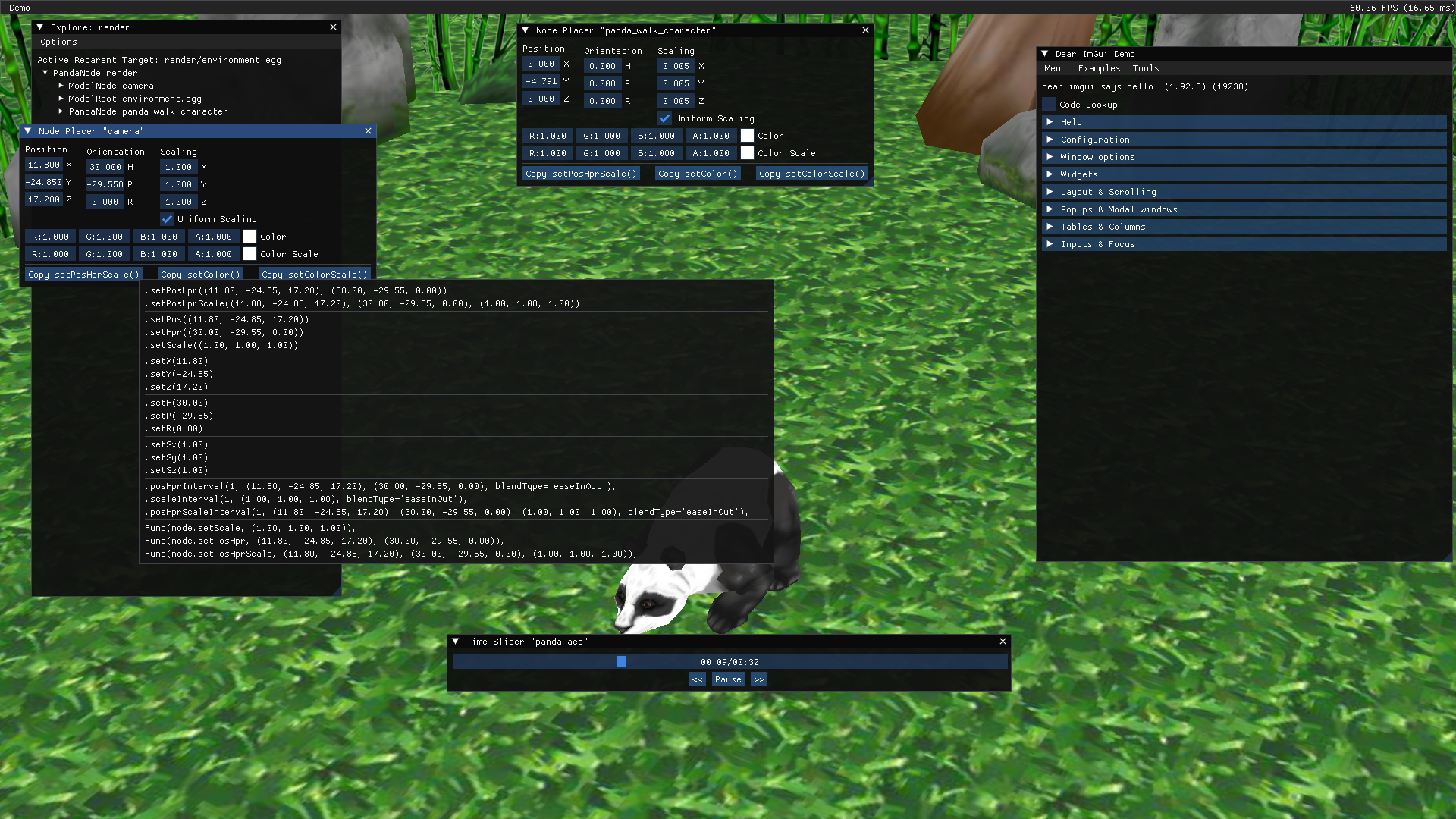
This module will allow you to use and create Dear ImGui user interfaces within a Panda3D window, preferbly used to create content creation/debugging tools. (It uses Dear ImGui Bundle which contains not only the Python bindings for Dear ImGui, but with other goodies as well.
How to use
You can install the module through pip:
pip install panda3d-imgui
And you can import this module as p3dimgui
import p3dimgui
It has a helper method called init which you can easlily add in your ShowBase class. This will create a ImGuiBackend object into base.imgui
and initialize it, along side the built-in ultilities.
from direct.showbase.ShowBase import ShowBase

from imgui_bundle import imgui

import p3dimgui

class MyApp(ShowBase):
    def  __init__(self):
        ShowBase.__init__(self)

        # Install Dear ImGui
        p3dimgui.init()
Once initalized, it will send an event called imgui-new-frame every frame. You can accept this event whenever you want to draw with ImGui:
def draw(self):
   # Show the demo window.
   imgui.show_demo_window()

self.accept('imgui-new-frame', self.draw)
Combine all this and you would have something like this, which will start up a new Panda3D window and shows the Dear ImGui demo window.
from direct.showbase.ShowBase import ShowBase

from imgui_bundle import imgui

import p3dimgui

class MyApp(ShowBase):
    def  __init__(self):
        ShowBase.__init__(self)

        # Install Dear ImGui
        p3dimgui.init()

        self.accept('imgui-new-frame', self.draw)

    def draw(self):
        # Show the demo window.
        imgui.show_demo_window()

app = MyApp()
app.run()
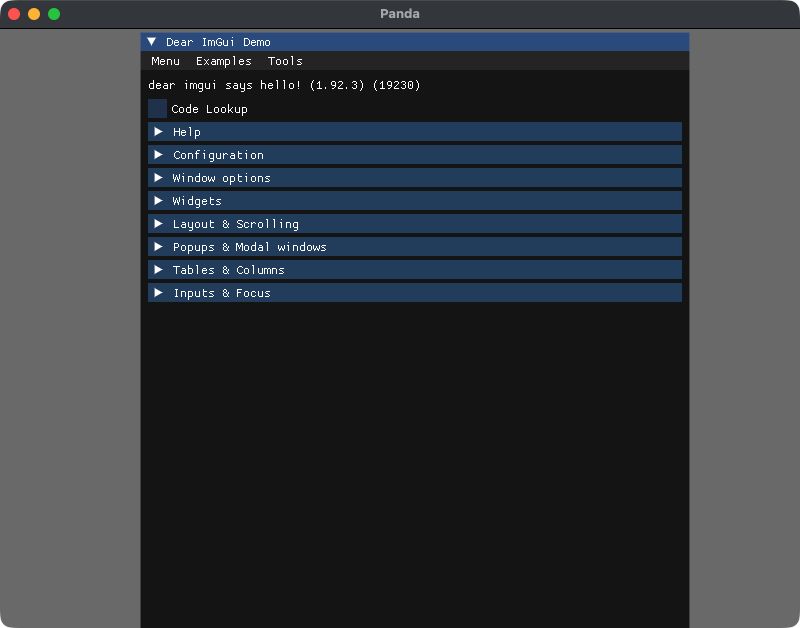
For a more better demo which showcases all the built-in utilities aviliable (like the screenshot at the top), see the demo.py file.


Download files
Download the file for your platform. If you're not sure which to choose, learn more about installing packages.
Source Distribution
Built Distribution
Filter files by name, interpreter, ABI, and platform.
If you're not sure about the file name format, learn more about wheel file names.
Copy a direct link to the current filters
File details
Details for the file panda3d_imgui-1.0.0.tar.gz.
File metadata
- Download URL: panda3d_imgui-1.0.0.tar.gz
- Upload date:
- Size: 15.0 kB
- Tags: Source
- Uploaded using Trusted Publishing? No
- Uploaded via: twine/6.2.0 CPython/3.13.0
File hashes
| Algorithm | Hash digest | |
|---|---|---|
| SHA256 |
ea2fabaa59e4b6f823ed3cc89ee1850ed2acfd4f8571e17ec5ee21b9abdd254c
|
|
| MD5 |
3cf4db5f3801b90f9e89e4e4aec15845
|
|
| BLAKE2b-256 |
228933105d34c2edeba25c79f1e1aeef2705a946f0cfed47d0c48a812669909e
|
File details
Details for the file panda3d_imgui-1.0.0-py3-none-any.whl.
File metadata
- Download URL: panda3d_imgui-1.0.0-py3-none-any.whl
- Upload date:
- Size: 15.4 kB
- Tags: Python 3
- Uploaded using Trusted Publishing? No
- Uploaded via: twine/6.2.0 CPython/3.13.0
File hashes
| Algorithm | Hash digest | |
|---|---|---|
| SHA256 |
1c372a09f9394d163f14231f97dd65a1e575fde410b1b98df8a8952d9810a98e
|
|
| MD5 |
70d70867bc6359bc877f7400b78acd30
|
|
| BLAKE2b-256 |
9277bb3df9346dc1c9781bb3328d65d03d09abd8f8fc7682a7f6c4367230d278
|






