
✨ panel-live-server




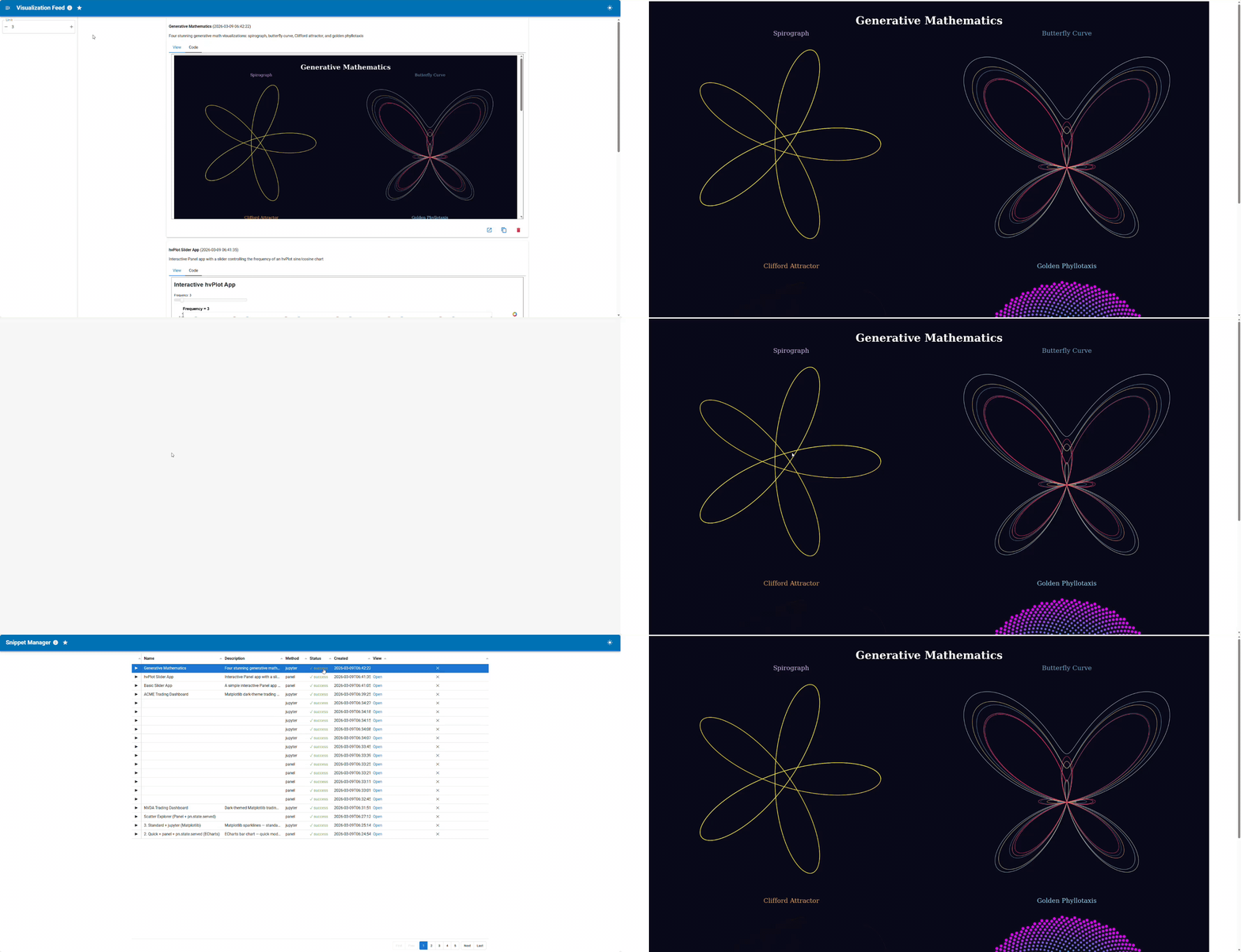
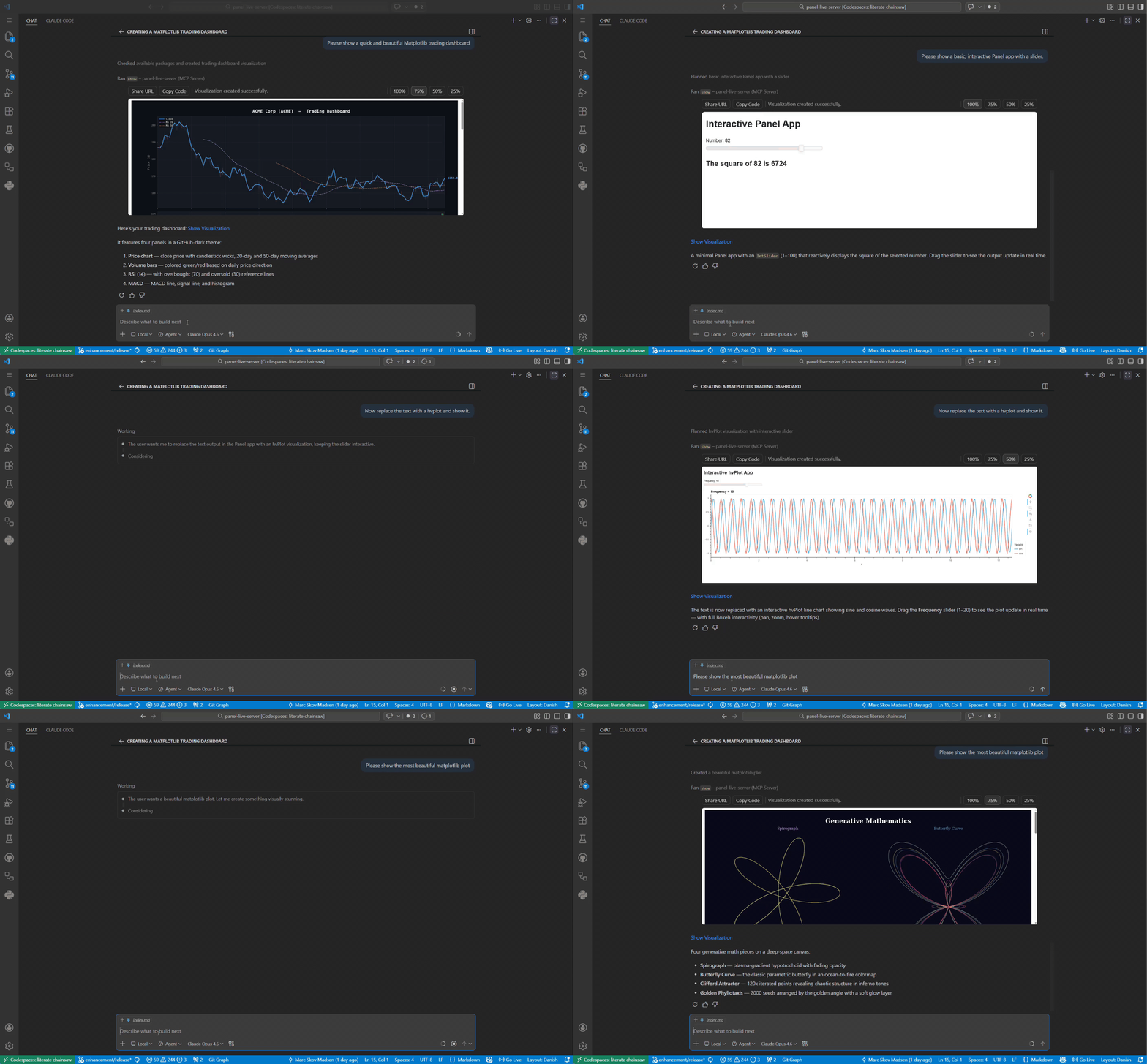
Panel Live Server is a local Panel web server and MCP server that executes Python code snippets and renders the resulting visualizations as live, interactive web pages — enabling humans and AI assistants to display and inspect Python outputs in real time.
Features
- Two interfaces —
pls serve(standalone browser UI) andpls mcp(MCP server for AI assistants) - Any visualization library — hvplot · plotly · altair · matplotlib · seaborn · holoviews · bokeh · and more
- Validate before render — syntax, security, package, and extension checks before any rendering happens
- Visual validation —
screenshotMCP tool lets the AI inspect the rendered output visually before presenting it - Persistent storage — SQLite database with full-text search; every snippet gets its own permanent URL
- Auto-restart — Panel subprocess is health-monitored and automatically restarted on failure
- Works everywhere — local, JupyterHub, GitHub Codespaces; URLs externalized automatically
Installation
Install via uv, pip, or pixi — see the Installation guide for full instructions including how to find your pls path.
uv tool install "panel-live-server[pydata]"
Pin your version — this project is in its early stages. Pin to a specific version to avoid unexpected changes:
uv tool install "panel-live-server[pydata]==0.1.0a1"
Connect to your AI assistant
Use the absolute path printed by which pls above — not just pls.
Full setup instructions for each client: docs → Connect to your MCP client
| Client | Config location |
|---|---|
| VS Code | .vscode/mcp.json |
| Cursor | ~/.cursor/mcp.json |
| Claude Desktop | claude_desktop_config.json |
| Claude Code | claude mcp add panel-live-server -- /path/to/pls mcp |
| claude.ai | HTTP transport + tunnel — see docs |
Usage
$ pls

 Usage: pls [OPTIONS] COMMAND [ARGS]...

 Panel Live Server - Execute and visualize Python code snippets.

╭─ Options ────────────────────────────────────────────────────────────────────────────────────────────╮
│ --version  -V        Show version and exit.                                                          │
│ --help               Show this message and exit.                                                     │
╰──────────────────────────────────────────────────────────────────────────────────────────────────────╯
╭─ Commands ───────────────────────────────────────────────────────────────────────────────────────────╮
│ serve   Start the Panel Live Server directly.                                                        │
│ mcp     Start as an MCP server for AI assistants.                                                    │
│ status  Check whether the Panel server is running.                                                   │
│ list    List resources (packages, etc.).                                                             │
╰──────────────────────────────────────────────────────────────────────────────────────────────────────╯
You can also use panel-live-server but pls is shorter and easier to remember.
Development
See the Contributing guide for the full setup (fork, install, connect to MCP client, run tests).
❤️ Contributing
Contributions are welcome! Please follow these steps:
- Fork the repository.
- Create a new branch:
git checkout -b feature/YourFeature. - Make your changes and commit them:
git commit -m 'Add some feature'. - Push to the branch:
git push origin feature/YourFeature. - Open a pull request.
Please ensure your code passes all tests and linting before submitting.
1 maintainer

Download files
Download the file for your platform. If you're not sure which to choose, learn more about installing packages.
Source Distribution
Built Distribution
Filter files by name, interpreter, ABI, and platform.
If you're not sure about the file name format, learn more about wheel file names.
Copy a direct link to the current filters
File details
Details for the file panel_live_server-0.1.0.tar.gz.
File metadata
- Download URL: panel_live_server-0.1.0.tar.gz
- Upload date:
- Size: 19.8 MB
- Tags: Source
- Uploaded using Trusted Publishing? Yes
- Uploaded via:
twine/6.1.0 CPython/3.13.7
File hashes
| Algorithm | Hash digest | |
|---|---|---|
| SHA256 |
4cfb7aeddd5bc85850efa8a18ab657bfa752871063647636400f133f3418ffd8
|
|
| MD5 |
1348c3f723b2ad8b86a51121a0b9d802
|
|
| BLAKE2b-256 |
40e196bd229e39636ce25c9d7d5b85464a7b46f7ca55caa72fbf36358758f825
|
Provenance
The following attestation bundles were made for panel_live_server-0.1.0.tar.gz:
Publisher:
build.yml on panel-extensions/panel-live-server
-
Statement:
-
Statement type:
https://in-toto.io/Statement/v1 -
Predicate type:
https://docs.pypi.org/attestations/publish/v1 -
Subject name:
panel_live_server-0.1.0.tar.gz -
Subject digest:
4cfb7aeddd5bc85850efa8a18ab657bfa752871063647636400f133f3418ffd8 - Sigstore transparency entry: 1971818424
- Sigstore integration time:
-
Permalink:
panel-extensions/panel-live-server@699b41a595e541410971108dacf569cf96efa75e -
Branch / Tag:
refs/tags/0.1.0 - Owner: https://github.com/panel-extensions
-
Access:
public
-
Token Issuer:
https://token.actions.githubusercontent.com -
Runner Environment:
github-hosted -
Publication workflow:
build.yml@699b41a595e541410971108dacf569cf96efa75e -
Trigger Event:
push
-
Statement type:
File details
Details for the file panel_live_server-0.1.0-py3-none-any.whl.
File metadata
- Download URL: panel_live_server-0.1.0-py3-none-any.whl
- Upload date:
- Size: 64.0 kB
- Tags: Python 3
- Uploaded using Trusted Publishing? Yes
- Uploaded via:
twine/6.1.0 CPython/3.13.7
File hashes
| Algorithm | Hash digest | |
|---|---|---|
| SHA256 |
627c36b7f74355e1d3792b36fb8bcf242e4c542a67109fe6391c29f7f7518ca4
|
|
| MD5 |
9bf425a7f090c644e2479e51720a204f
|
|
| BLAKE2b-256 |
3d7e9ca453e62a5dcec629d4feb0a705347c5023b780244ab64236abb644a22b
|
Provenance
The following attestation bundles were made for panel_live_server-0.1.0-py3-none-any.whl:
Publisher:
build.yml on panel-extensions/panel-live-server
-
Statement:
-
Statement type:
https://in-toto.io/Statement/v1 -
Predicate type:
https://docs.pypi.org/attestations/publish/v1 -
Subject name:
panel_live_server-0.1.0-py3-none-any.whl -
Subject digest:
627c36b7f74355e1d3792b36fb8bcf242e4c542a67109fe6391c29f7f7518ca4 - Sigstore transparency entry: 1971818482
- Sigstore integration time:
-
Permalink:
panel-extensions/panel-live-server@699b41a595e541410971108dacf569cf96efa75e -
Branch / Tag:
refs/tags/0.1.0 - Owner: https://github.com/panel-extensions
-
Access:
public
-
Token Issuer:
https://token.actions.githubusercontent.com -
Runner Environment:
github-hosted -
Publication workflow:
build.yml@699b41a595e541410971108dacf569cf96efa75e -
Trigger Event:
push
-
Statement type:







