
This release is a pre-release and may not be stable for production use.

Build data apps with the Python tools you know
Panel is an open-source library for interactive dashboards and web apps. Widgets, plots and layouts are ordinary Python objects that you connect to your data and models, pass between functions and classes, and test like the rest of your code. There are no string IDs to match up and no script that reruns on every click.







Home | Getting started | Components | App gallery | API | Support
pip install panel
or conda install -c conda-forge panel.
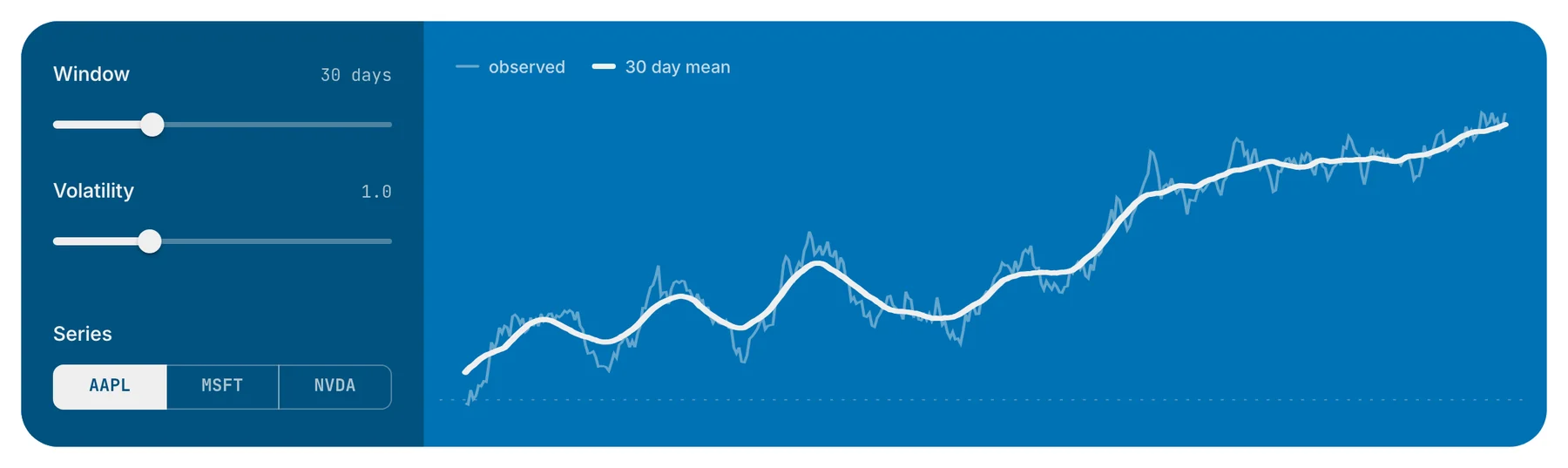
Create the controls, define the plot, then connect the controls and arrange the app. The same code renders in a notebook cell and serves as an app with panel serve app.py.
import numpy as np, panel as pn
import holoviews as hv

pn.extension()

window = pn.ui.IntSlider(name="Window", value=30, start=5, end=90)
sigma  = pn.ui.FloatSlider(name="Volatility", value=1.0, start=0.2, end=3)
ticker = pn.ui.RadioButtonGroup(name="Series", options=["AAPL", "MSFT", "NVDA"])

def series(window, sigma, ticker):
    rng = np.random.default_rng(sum(map(ord, ticker)))
    walk = np.cumsum(rng.normal(0, sigma, 400))
    smooth = np.convolve(walk, np.ones(window) / window, "same")
    return hv.Curve(walk).opts(alpha=0.4) * hv.Curve(smooth)

plot = pn.bind(series, window, sigma, ticker)
pn.ui.Row(pn.ui.Column(window, sigma, ticker), plot).servable()
Update only what needs to change
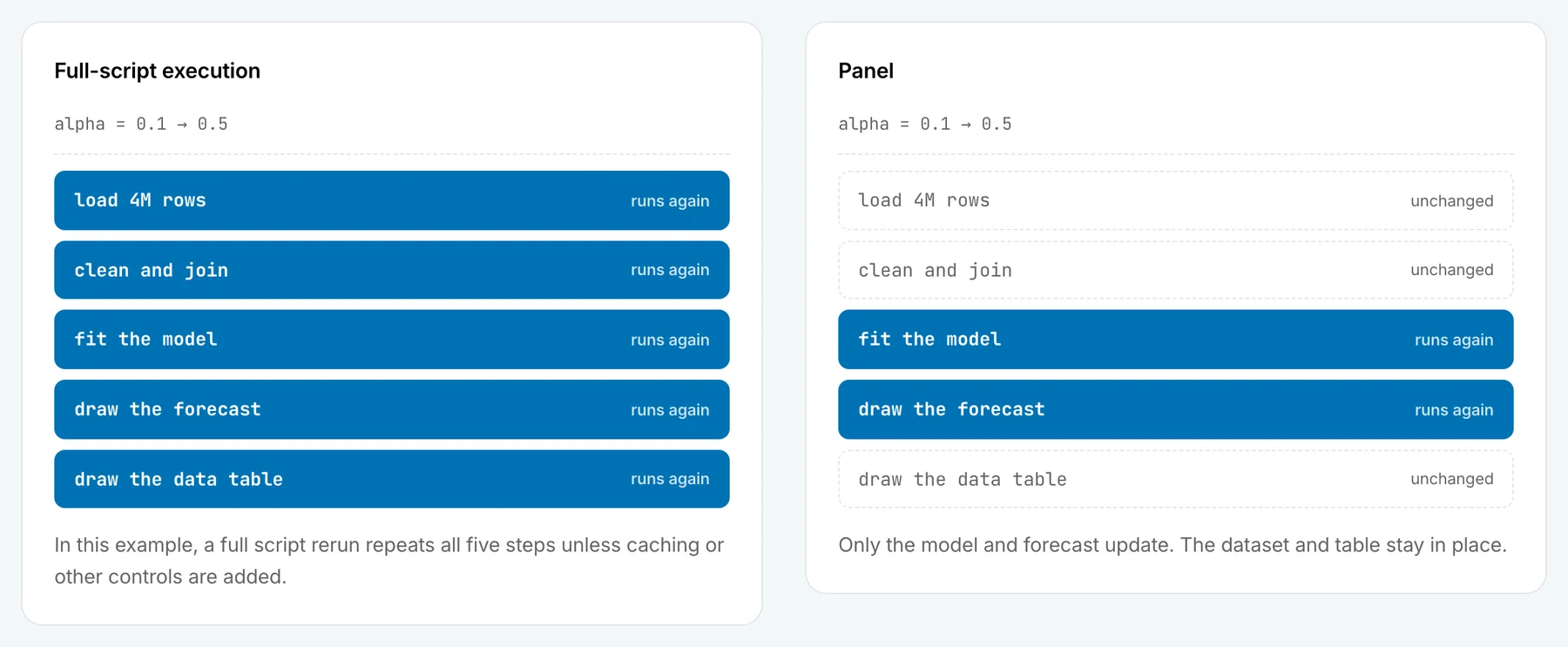
When a user changes a control, Panel runs only the code connected to it. In a small app, rerunning everything is cheap and the difference is hard to notice. In a real application that loads large datasets, fits models and keeps user state, it determines how quickly the app responds and how much caching and state management you have to write to keep it that way.
Built with Panel
Explore example apps for science, finance and machine learning. Each includes source code you can run and adapt.
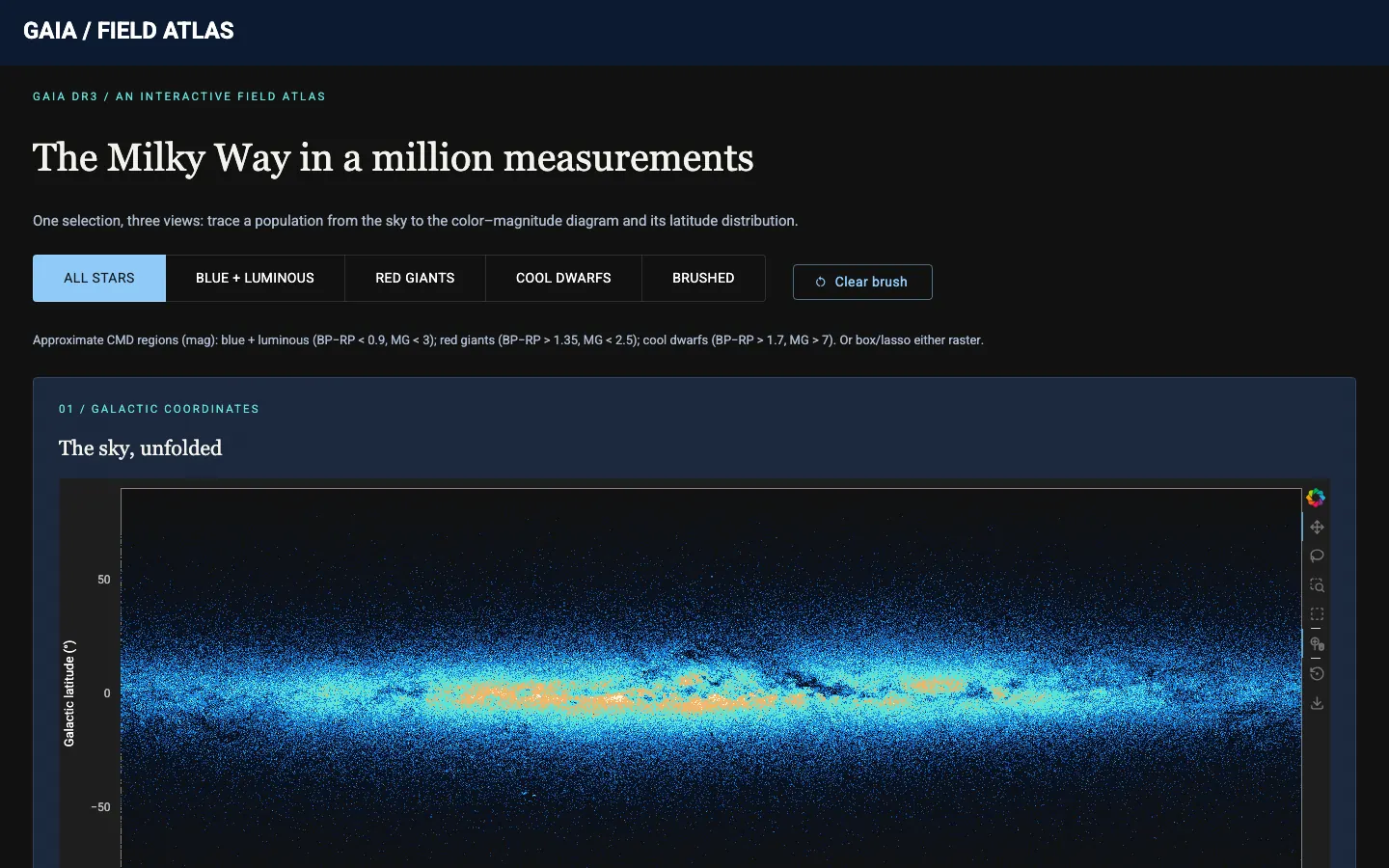 Gaia million star atlas Explore a million stars with linked views of their positions, brightness and color |
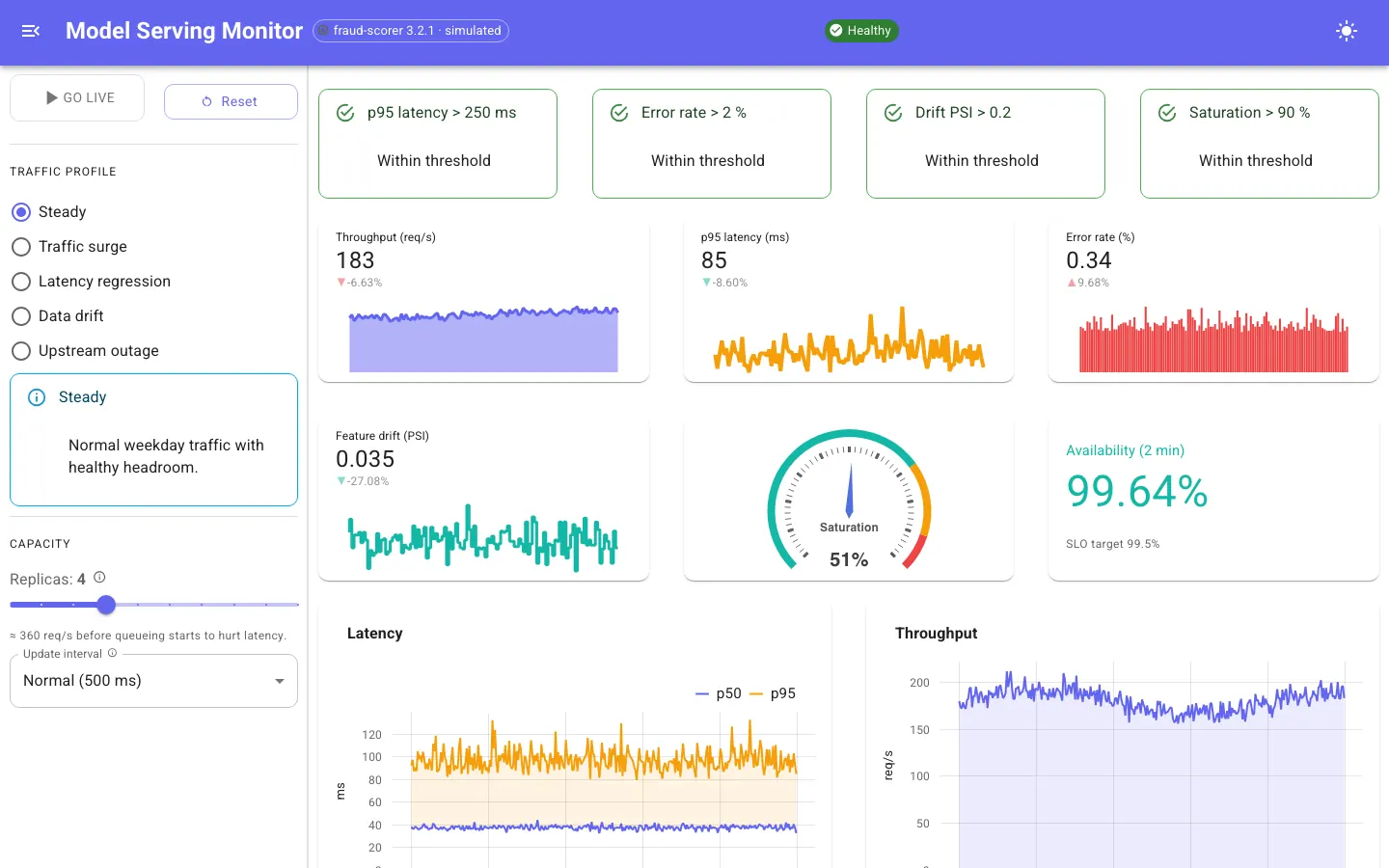 Model serving monitor Monitor model response times, drift and alerts |
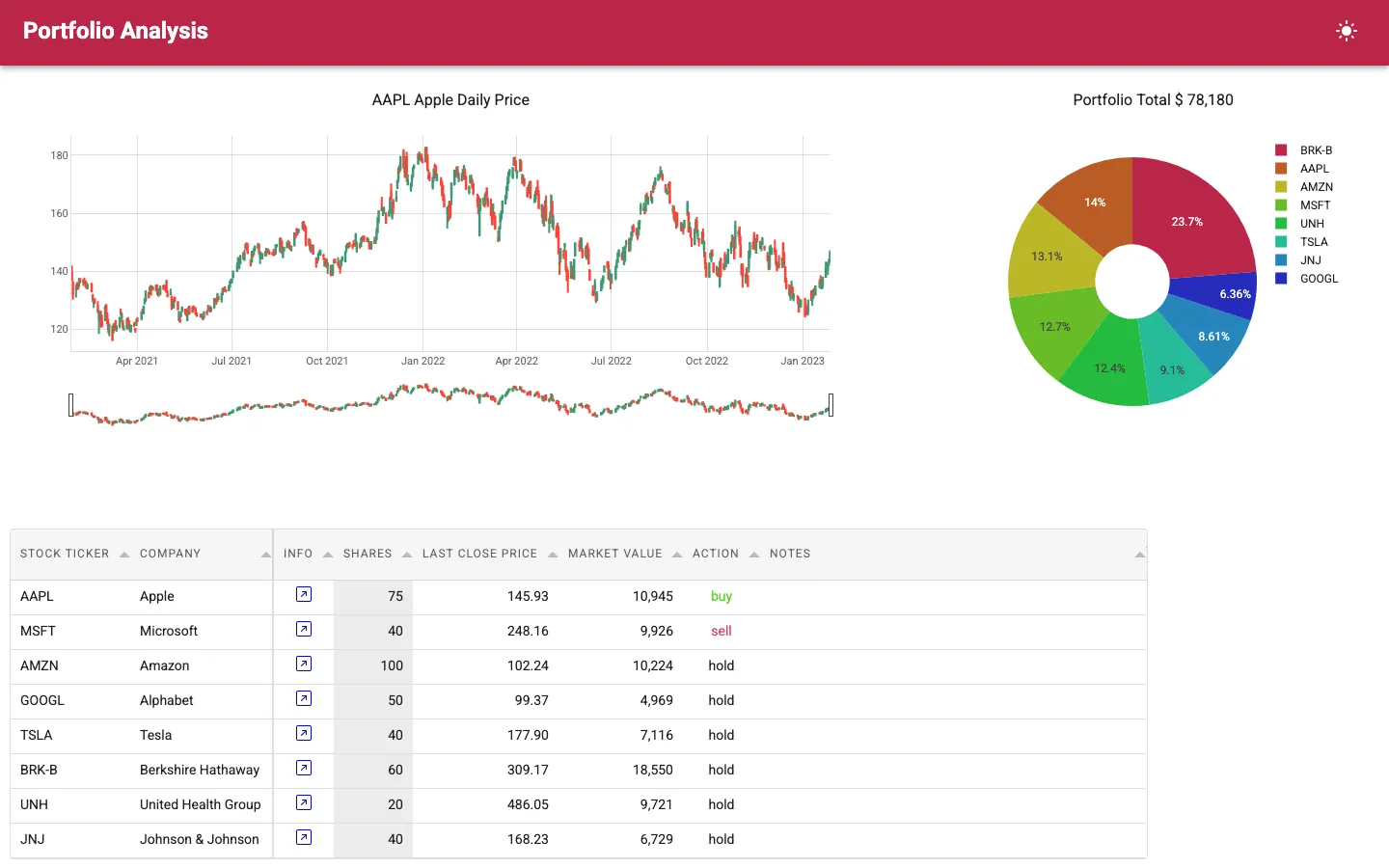 Portfolio analyzer Explore investments with linked tables and price charts |
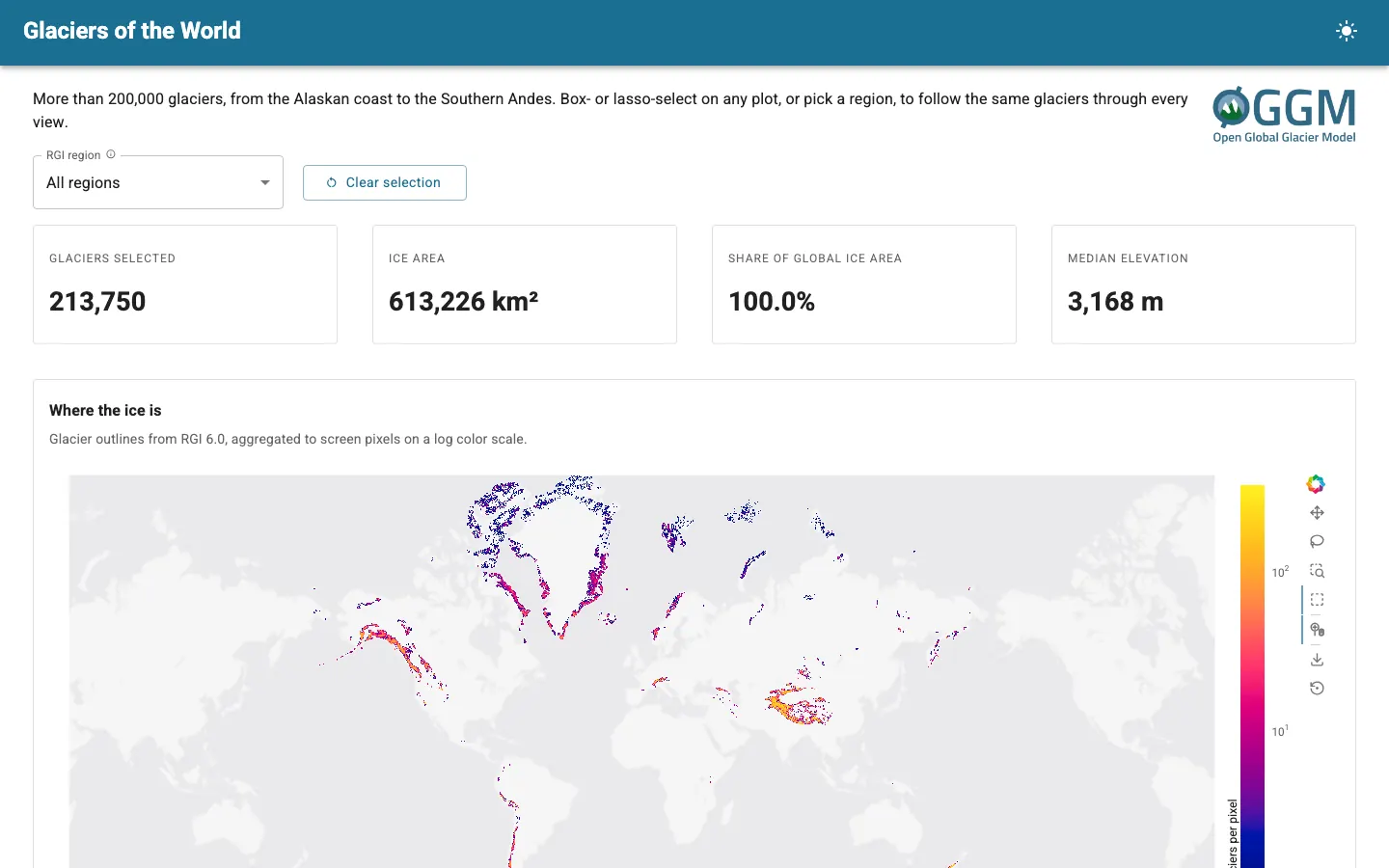 Glaciers of the world Filter and explore data on 200,000 glaciers |
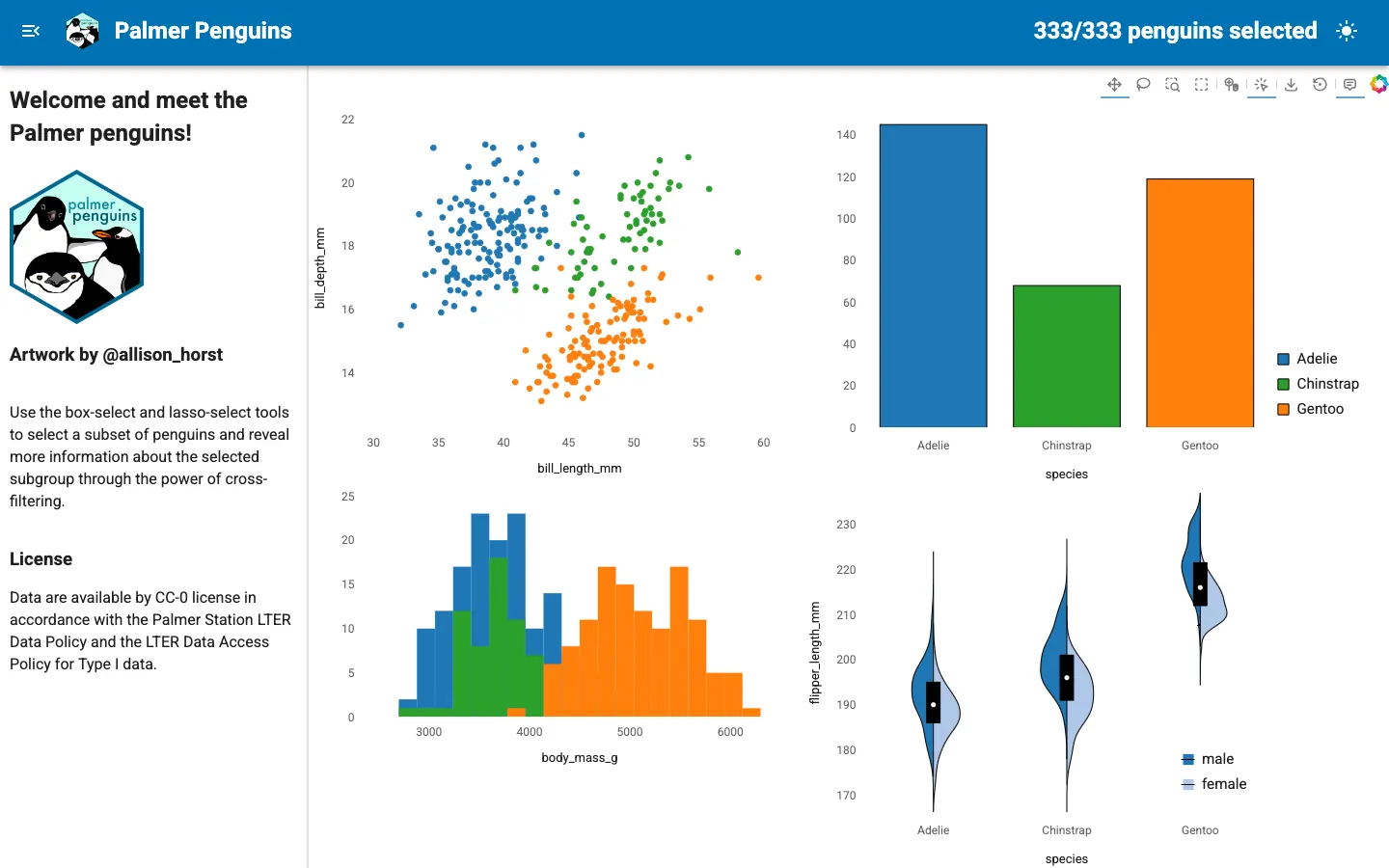 Penguin crossfilter Explore penguin data across four linked plots |
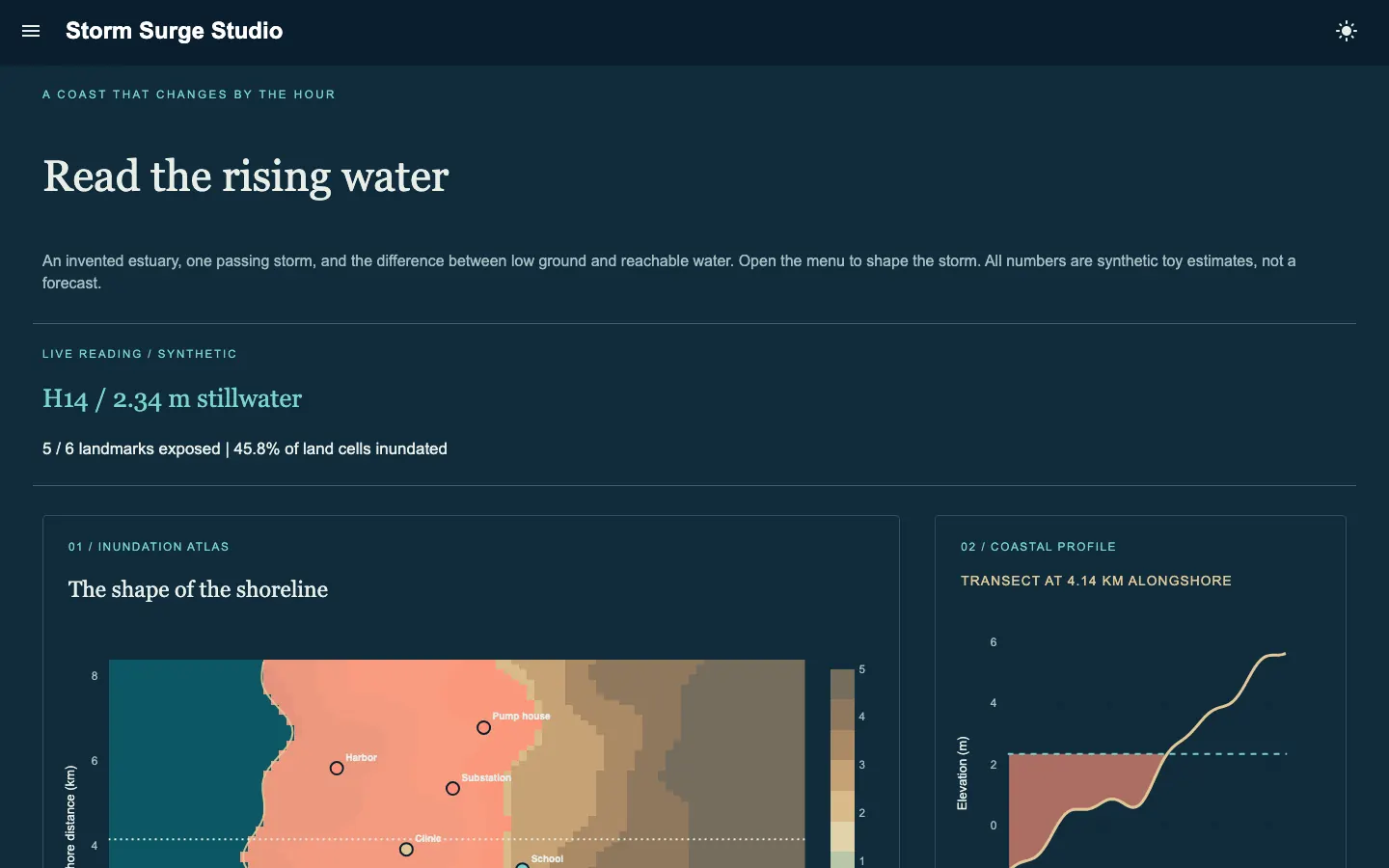 Storm surge studio Explore a flood model with interactive controls |
AI tools for developers and users
Use HoloViz skills to help coding assistants work with Panel, and Lumen to add an assistant to your app.
Build with coding assistants. HoloViz skills give coding assistants guidance on building, reviewing, debugging and testing Panel apps with current APIs. Install them for Claude Code, Codex, Copilot, Cursor, Gemini CLI and other supported tools.
pip install holoviz-skills
holoviz-skills install
Let users explore through chat. Lumen lets users change filters and adjust views through plain-language requests. The assistant works with the app's existing controls and respects their available options and limits.
from lumen.ai import Planner
from lumen.ai.agents import ChatAgent, ComponentControlAgent
from lumen.ai.llm import OpenAI

agent = ComponentControlAgent(components=page)
assistant = Planner(agents=[ChatAgent, agent], llm=OpenAI())
drawer = pn.ui.Drawer(assistant, anchor="right", variant="docked")
page.main.append(drawer)
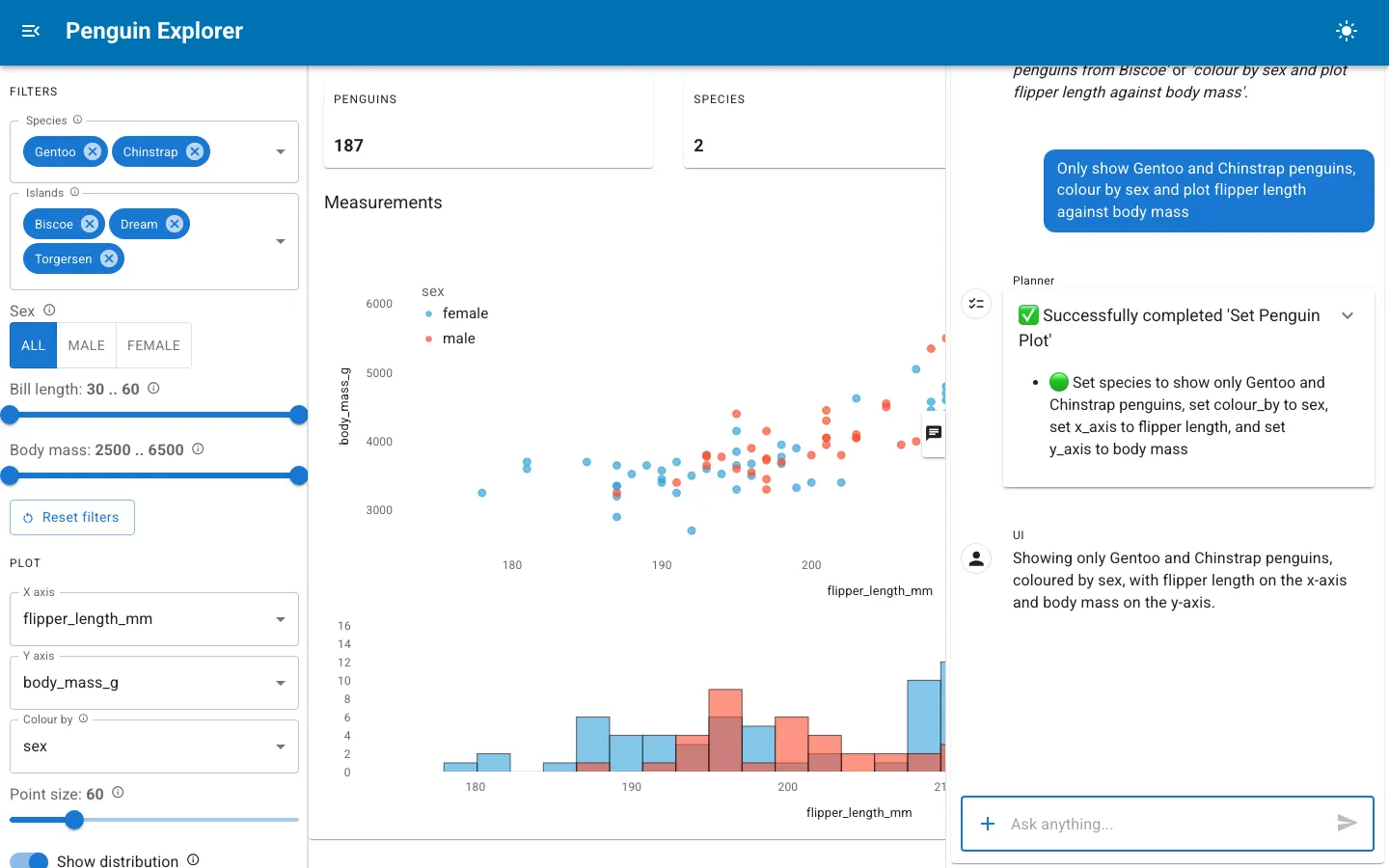
One request updates the species filter, x-axis and color setting in Lumen's penguin copilot.
Organize your app as it grows
Connect widgets to functions for a simple app, or use reusable components to organize a larger one. Both approaches work together. Use pn.bind to connect a Python function to widgets, group data, settings and behavior in a component, and build pages from smaller components that share data and stay in sync. Param lets you define valid values and how changes affect the app, making components easier to reuse and test.
class Explorer(pn.viewable.Viewer):
    data = param.DataFrame(allow_refs=True)
    window = param.Integer(30, bounds=(5, 90))

    @param.depends("data", "window")
    def plot(self):
        return view(self.data, self.window)

class Dashboard(pn.viewable.Viewer):
    data = param.DataFrame()

    def __panel__(self):
        ref = self.param.data
        return pn.ui.Tabs(
            ("Explore", Explorer(data=ref)),
            ("Report", Report(data=ref)),
        )
Built this way, Panel apps run in production as multi-page internal platforms with authentication, editable tables, review workflows and chat assistants used by whole teams. Lumen, a complete AI data exploration application, is built entirely with Panel. Because Panel keeps a live Python session for every visitor, it suits apps built around data, models and computation. A consumer product such as a public message board or a full word processor is better served by a general-purpose web framework, which can still embed Panel apps through FastAPI or Django.
Choosing between functions and classes
From development to deployment
Work in a notebook or your preferred editor, then deploy the same app for others to use.
- In a notebook. Explore data with live widgets and plots in Jupyter, JupyterLab, VS Code, Colab or marimo.
- From your editor. Build your app in a Python file, mark the layout with
.servable()and runpanel serve app.py --dev. Development mode reloads the app as you edit. - In production. Host your app on your own infrastructure, add authentication, or integrate it with FastAPI or Django. Compatible apps can also run entirely in the browser with WebAssembly via
panel convert app.py.
Use your preferred plotting library
Display your existing plots in Panel and connect them to interactive controls. Where supported, selections and clicks in a plot can update the rest of the app. Panel works with Matplotlib (including Seaborn and Plotnine), Plotly, Bokeh, hvPlot and HoloViews, Altair and Vega, ECharts, Deck.gl, Vizzu, VTK, Folium and ipywidgets.
Tables, chat, editors and more
Panel includes more than 130 components for building app interfaces, with documentation and examples for each, from Tabulator for sorting, filtering and editing large tables to ChatInterface for streaming responses, a Terminal and Perspective pivot tables. Browse all components
Extend your app
Handle live data, add custom interfaces and manage access to your app.
- Live data and streaming. Update charts as new data arrives or display results as they become available. Panel supports asynchronous functions, scheduled updates and streaming responses.
- Custom components. Build components in React, Vue or JavaScript and use them alongside Panel's existing widgets.
- Run apps in the browser. Package compatible apps to run entirely in the browser with WebAssembly, without a separate Python server.
- Authentication and performance. Control access with OAuth, cache expensive computations and use Panel's admin tools to inspect performance.
Community and support
Panel has been developed in the open, since its first release in 2018. It is maintained by a team at Anaconda together with contributors from research labs, banks, and instrument makers, and is part of HoloViz, a set of Python tools for working with data.
- Ask usage questions on Discourse or Discord.
- Report bugs and request features in GitHub issues.
- See the contributing guide to get involved.
Panel is free and open-source under the BSD 3-Clause License.
Sponsors
The Panel project is grateful for the sponsorship by the organizations and companies below:

|

|

|

|


Release files for panel 1.10.0b2
For a detailed explanation of source distributions (sdists) and built distributions (wheels), please see the package formats documentation.
Source distribution (sdist)
| File | Size | Uploaded | |
|---|---|---|---|
| panel-1.10.0b2.tar.gz | 22.6 MB | Details |
Built distribution (wheel)
| File | Interpreter | ABI | Platform | Reset |
|---|---|---|---|---|
| panel-1.10.0b2-py3-none-any.whl | Python 3 | none | any | Details |
Total release size: 43.2 MB
Release files / panel-1.10.0b2.tar.gz
| Download URL | panel-1.10.0b2.tar.gz |
|---|---|
| Size | 22.6 MB |
| Tags | Source |
|
SHA-256 checksum How to use checksums |
55fe9770c83d8f712a3f23fd6506bbd2f5666dc842ec7ac36cb0008397f1bf99
|
|
BLAKE2b-256 checksum How to use checksums |
ed2043e2a874d5ab4bdca311b671a03d9013bb16bffca5650f17523f761595ed
|
| Upload date | |
|
Uploaded using Trusted Publishing? What is trusted publishing? |
Yes |
| Uploaded via |
twine/7.0.0 CPython/3.13.14
|
Provenance
Provenance describes where a file came from. On PyPI, provenance is shared via attestations, which provide a verifiable record of the build or publishing details. View details, limitations and caveats.


PyPI Publish Attestation
PyPI verified that this artifact, at this checksum, originated from the publisher listed below.
Signed by GitHub Actions, verified by PyPI on Oct 12, 2026.
Transparency logRelease files / panel-1.10.0b2-py3-none-any.whl
| Download URL | panel-1.10.0b2-py3-none-any.whl |
|---|---|
| Size | 20.6 MB |
| Tags | Python 3 |
|
SHA-256 checksum How to use checksums |
427c3a9f2d566b321809378a964e483f7cb8648b243f87591d2972bb55f3aec0
|
|
BLAKE2b-256 checksum How to use checksums |
030249e5b6be72f9bfabbbc5b8ce0c664b1b12d23e24ddeb59d391349c195968
|
| Upload date | |
|
Uploaded using Trusted Publishing? What is trusted publishing? |
Yes |
| Uploaded via |
twine/7.0.0 CPython/3.13.14
|
Provenance
Provenance describes where a file came from. On PyPI, provenance is shared via attestations, which provide a verifiable record of the build or publishing details. View details, limitations and caveats.
PyPI Publish Attestation
PyPI verified that this artifact, at this checksum, originated from the publisher listed below.
Signed by GitHub Actions, verified by PyPI on Oct 12, 2026.
Transparency log













