
Macro components for ParaView


Project description
ParaView Trame Components
This project gather helper classes that can be used with ParaView to create quickly and simply web solution for interacting with your data.
Usage example
The ./examples/ directory gather simple Python scripts using ParaView and exposing them as standalone trame applications.
Virtual Environment setup
Since ParaView does not come with trame, you need to create a virtual environment that brings all the missing dependency for paraview to use.
# Create and activate venv
python3.10 -m venv .venv
source .venv/bin/activate

# Install published package
pip install paraview-trame-components

# Let ParaView know about the location of that venv
export PV_VENV=$PWD/.venv
Running examples
# Adjust path to point to your ParaView executable
export PVPYTHON=/Applications/ParaView-5.12.0.app/Contents/bin/pvpython

# Run the scripts
$PVPYTHON --force-offscreen-rendering ./examples/cone.py
$PVPYTHON --force-offscreen-rendering ./examples/cone-with-slider.py
$PVPYTHON --force-offscreen-rendering ./examples/wavelet-contour-state.py
$PVPYTHON --force-offscreen-rendering ./examples/pipeline.py
$PVPYTHON --force-offscreen-rendering ./examples/selection.py
Scripts structure
Each script add import paraview.web.venv at the top to enable your virtual environment via the PV_VENV environment variable.
Then we use the ptc (ParaView Trame Components) package to quickly create a trame application to view the data.
The wavelet-contour-state.py script was created by ParaView when saving its state as a Python file. Then we added few lines at the end to create an interactive web viewer.
Check code
# one time
pip install ".[dev]"
pre-commit install

# check but automatic on commit
pre-commit run --all-files
ParaView code example
import paraview.web.venv
from ptc import Viewer
from paraview import simple

cone = simple.Cone()
simple.Show()
simple.Render()

# Make it a web app
web_app = Viewer()
web_app.start()
And if you want to add some UI
import paraview.web.venv
from paraview import simple

from ptc import Viewer
from trame.widgets.vuetify3 import VSlider

cone = simple.Cone()
simple.Show()
simple.Render()

# Make it a web app
web_app = Viewer()

with web_app.side_top:
    VSlider(
        v_model=("resolution", 6),
        min=3, max=60, step=1,
    )

@web_app.state.change("resolution")
def on_resolution_change(resolution, **kwargs):
    cone.Resolution = resolution
    web_app.update()

web_app.start()
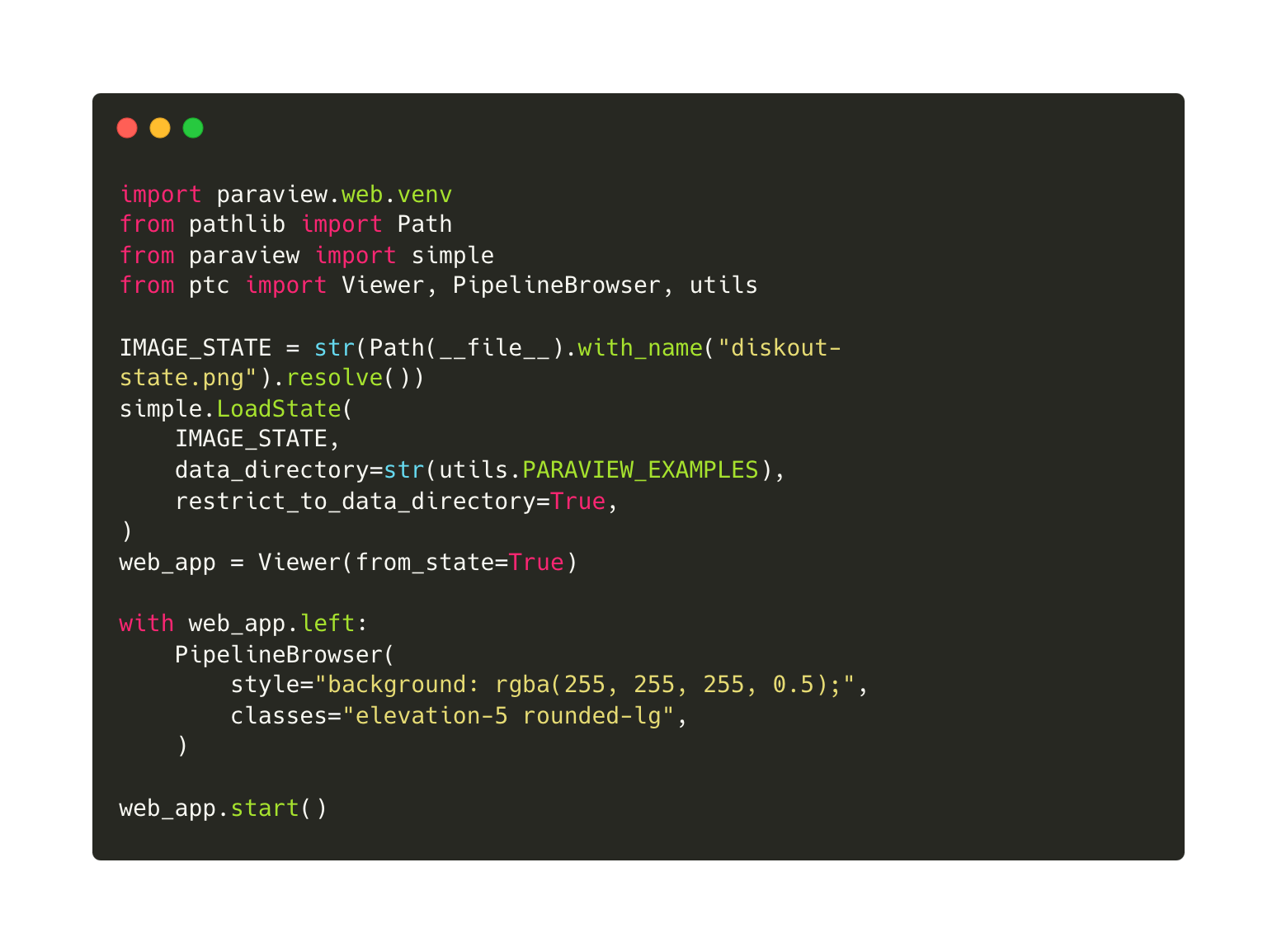
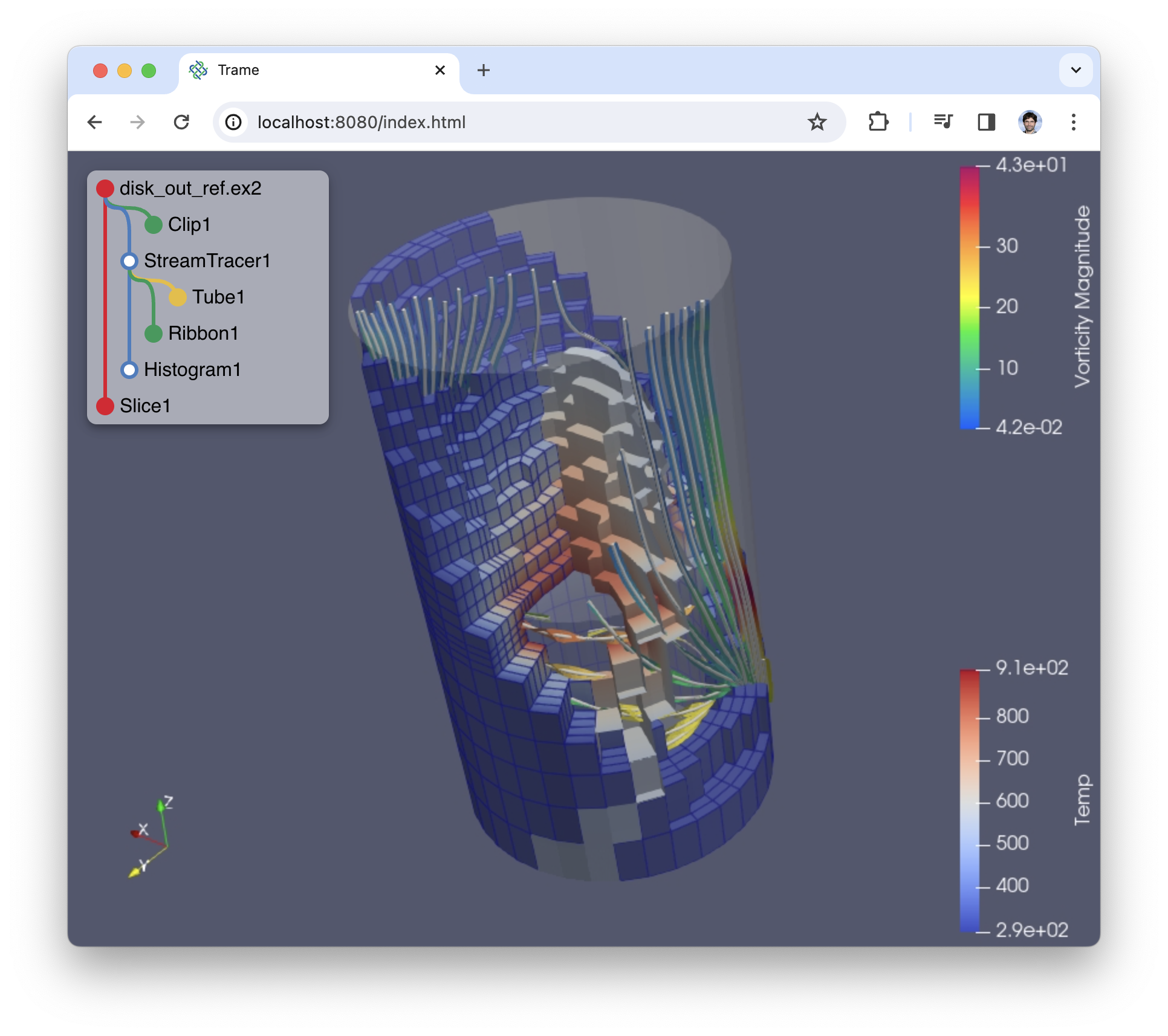
Example in image
 |
 |
|---|---|
| Write some python code | And get a web app |
Release history Release notifications | RSS feed


Download files
Download the file for your platform. If you're not sure which to choose, learn more about installing packages.
Source Distribution
Built Distribution
Filter files by name, interpreter, ABI, and platform.
If you're not sure about the file name format, learn more about wheel file names.
Copy a direct link to the current filters
File details
Details for the file paraview_trame_components-0.16.0.tar.gz.
File metadata
- Download URL: paraview_trame_components-0.16.0.tar.gz
- Upload date:
- Size: 37.0 kB
- Tags: Source
- Uploaded using Trusted Publishing? No
- Uploaded via: twine/6.1.0 CPython/3.13.7
File hashes
| Algorithm | Hash digest | |
|---|---|---|
| SHA256 |
53629e8eba2662eaac2dd007c70af44b1966c31a5573350fce8e39aa6adad515
|
|
| MD5 |
5ba801a2f2cf21eb1e8261092cc099c7
|
|
| BLAKE2b-256 |
469124dbe046c9b3a61fda33808ae39fd84e94c1c953c64f2a5216ad361412f4
|
File details
Details for the file paraview_trame_components-0.16.0-py3-none-any.whl.
File metadata
- Download URL: paraview_trame_components-0.16.0-py3-none-any.whl
- Upload date:
- Size: 45.3 kB
- Tags: Python 3
- Uploaded using Trusted Publishing? No
- Uploaded via: twine/6.1.0 CPython/3.13.7
File hashes
| Algorithm | Hash digest | |
|---|---|---|
| SHA256 |
dd9932e11053e25061933fe6ff300ad42de703d04d2bf141536c079ebbc282ea
|
|
| MD5 |
977dd65e8fa5ba2df72de5c9a1ebfe80
|
|
| BLAKE2b-256 |
87e097bfeab1900e390836b9b174d7f216d80376698272611ca441798cd5c78f
|






