
parsli




Introduction
Parsli is a VTK+trame based viewer for fault system kinematics that enables fast exploration and export of time animation.
Getting started
First you should setup a virtual environment for this Python Application. You
can use conda, uv or anything else for managing your Python runtime. For the
following commands, we will be using uv with Python 3.10.
uv venv -p 3.10
source .venv/bin/activate
uv pip install parsli
Once your environment is loaded, you can start the viewer by running the following command:
# use remote rendering
python -m parsli.viewer --data ./data/model_0000000881_multi.hdf5

# use wasm for local rendering
python -m parsli.viewer --data ./data/model_0000000881_multi.hdf5 --wasm

# use shorthand executable
parsli --data ./data/model_0000000881_multi.hdf5
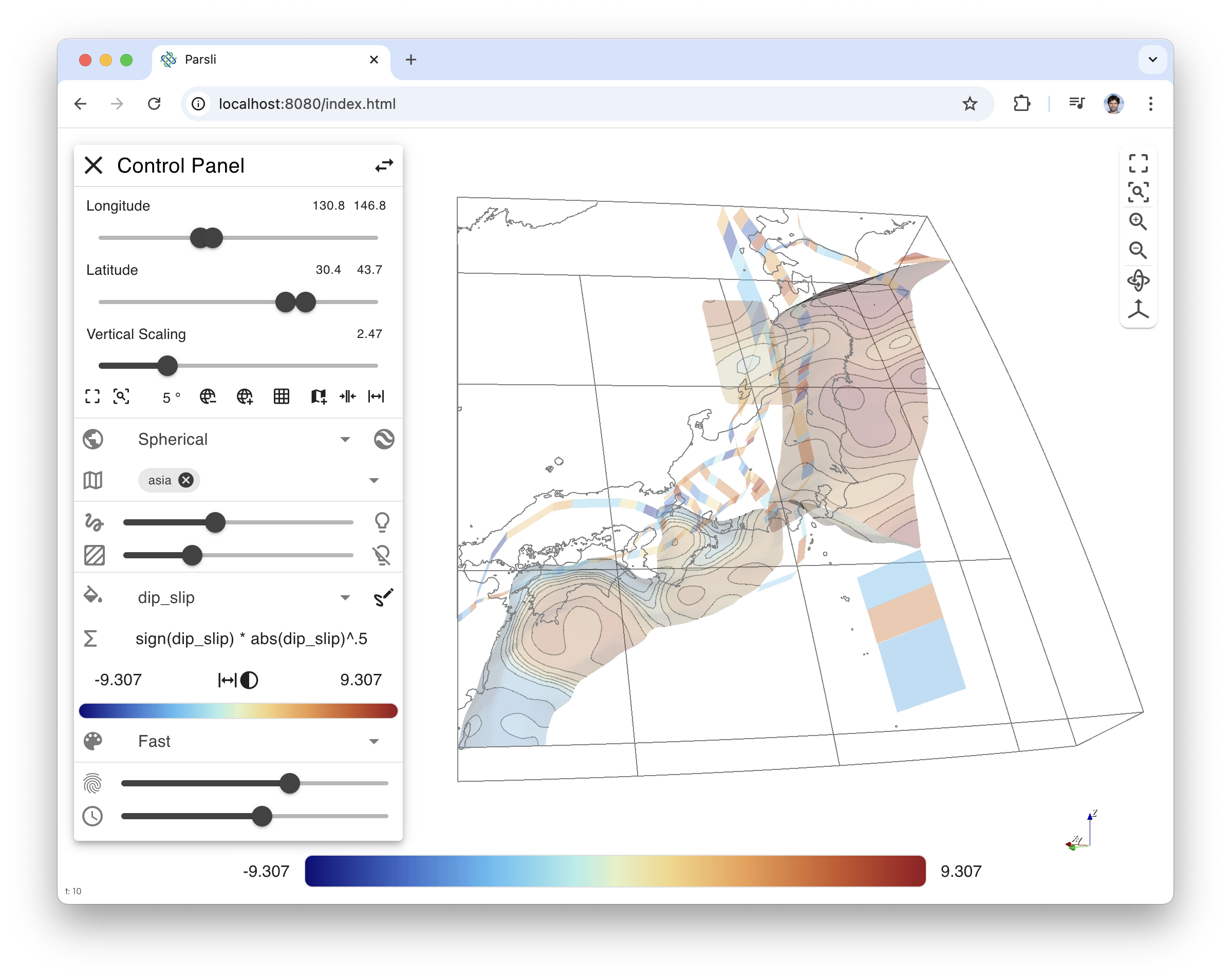
Keyboard binding
- left/right/up/down arrow: Rotate camera by 1°. Modifier x5
<alt>. - -/+: Zoom out / Zoom in.
- r: Reset camera to data
- t: Snap view up to true vertical.
- f: Focus to the mesh bounds
- home: Go to first timestep
- end: Go to last timestep
- space: Toggle play/stop animation
- </>: Previous/Next timestep. Modifiers x10
altorshift, x100alt+shift.
Once you've exported a couple of time animations, you can play them back using
the player. Just add all the paths you want to see after the --data argument.
parsli-player --data ./export/dip_slip ./export/strike_slip ./export/dip_slip_formula ./export/strike_slip_formula
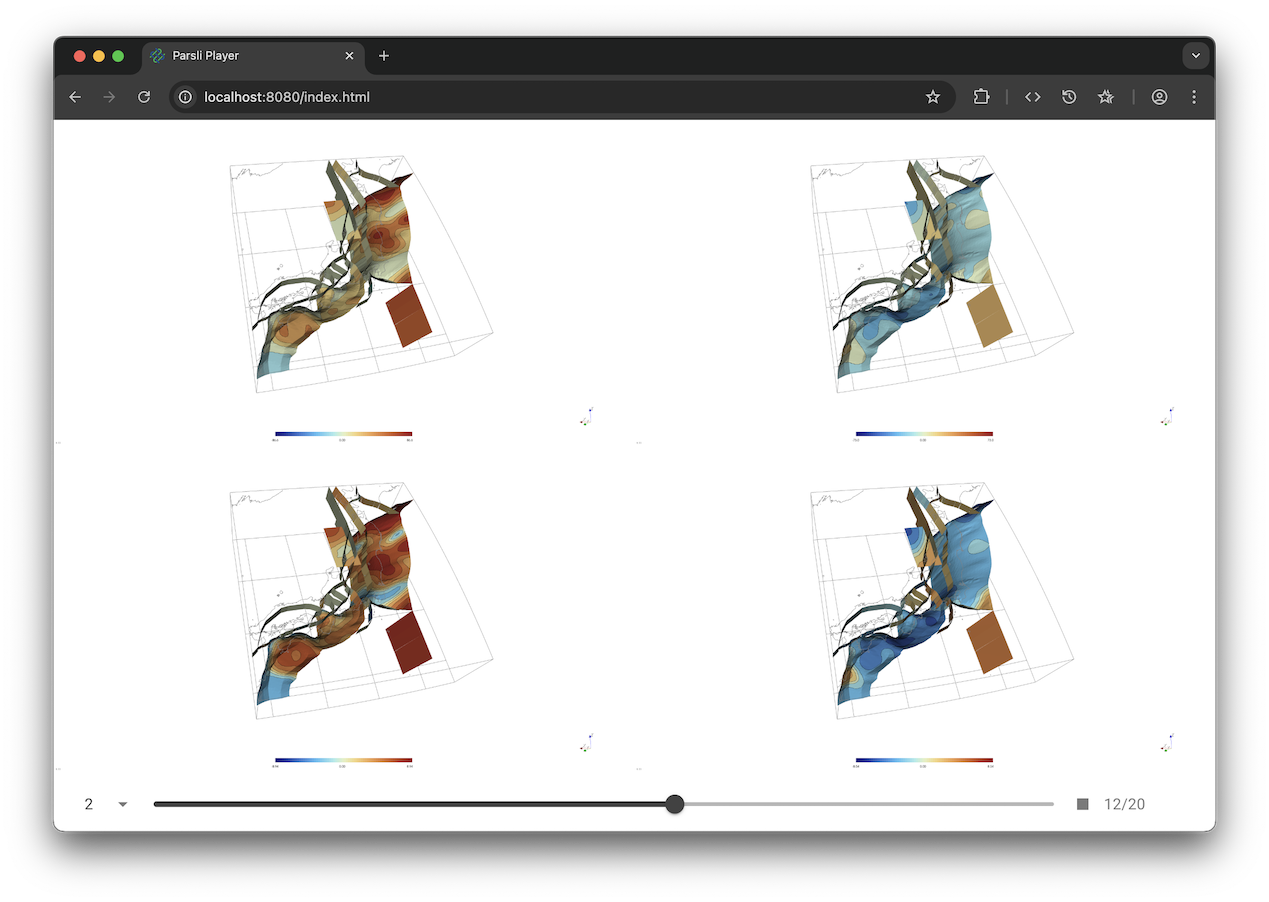
Keyboard binding
- right arrow: Go to next timestep
- left arrow: Go to previous timestep
- home: Go to first timestep
- end: Go to last timestep
- space: Toggle play/stop animation
Development setup
We assume your virtual environment is activated
uv pip install -e ".[dev]"
pre-commit install
This will automatically format and some static checking on the code at commit time, but you can also run it by hand using the following command line.
pre-commit run --all-files
Nox can also be used for running tests or linting the code.
# run everything
nox

# run just the linting
nox -s lint
Commit message convention
Semantic release rely on conventional commits to generate new releases and changelog.
3 maintainers


Metadata
3 maintainers
Release files for parsli 1.2.5
For a detailed explanation of source distributions (sdists) and built distributions (wheels), please see the package formats documentation.
Source distribution (sdist)
| File | Size | Uploaded | |
|---|---|---|---|
| parsli-1.2.5.tar.gz | 43.6 MB | Details |
Built distribution (wheel)
| File | Interpreter | ABI | Platform | Reset |
|---|---|---|---|---|
| parsli-1.2.5-py3-none-any.whl | Python 3 | none | any | Details |
Total release size: 87.1 MB
Release files / parsli-1.2.5.tar.gz
| Download URL | parsli-1.2.5.tar.gz |
|---|---|
| Size | 43.6 MB |
| Tags | Source |
|
SHA-256 checksum How to use checksums |
59d903d81d0c882ade1c45d4fc92068133cc8f632baedcfe21f40411977b3553
|
|
BLAKE2b-256 checksum How to use checksums |
bf608f7c4efc5f4b9f53c6e31673c4429b44a44911a817b94441b1729e9c1a03
|
| Upload date | |
|
Uploaded using Trusted Publishing? What is trusted publishing? |
Yes |
| Uploaded via |
twine/6.1.0 CPython/3.12.9
|
Provenance
Provenance describes where a file came from. On PyPI, provenance is shared via attestations, which provide a verifiable record of the build or publishing details. View details, limitations and caveats.


PyPI Publish Attestation
PyPI verified that this artifact, at this checksum, originated from the publisher listed below.
Signed by GitHub Actions, verified by PyPI on Jun 9, 2025.
Transparency logRelease files / parsli-1.2.5-py3-none-any.whl
| Download URL | parsli-1.2.5-py3-none-any.whl |
|---|---|
| Size | 43.6 MB |
| Tags | Python 3 |
|
SHA-256 checksum How to use checksums |
efd388d22305b325f6f39240e218d9884a3f873fd8761c6b03a27acfe2de91e5
|
|
BLAKE2b-256 checksum How to use checksums |
be73e99858fba2f02fafe3424edd96ccc0c4bf4ef51724191b897b0ed7fdc36c
|
| Upload date | |
|
Uploaded using Trusted Publishing? What is trusted publishing? |
Yes |
| Uploaded via |
twine/6.1.0 CPython/3.12.9
|
Provenance
Provenance describes where a file came from. On PyPI, provenance is shared via attestations, which provide a verifiable record of the build or publishing details. View details, limitations and caveats.
PyPI Publish Attestation
PyPI verified that this artifact, at this checksum, originated from the publisher listed below.
Signed by GitHub Actions, verified by PyPI on Jun 9, 2025.
Transparency log













