
Earth data viewers
Verified details
These details have been verified by PyPIProject links
GitHub Statistics
Maintainers


Project description
parsli




Introduction
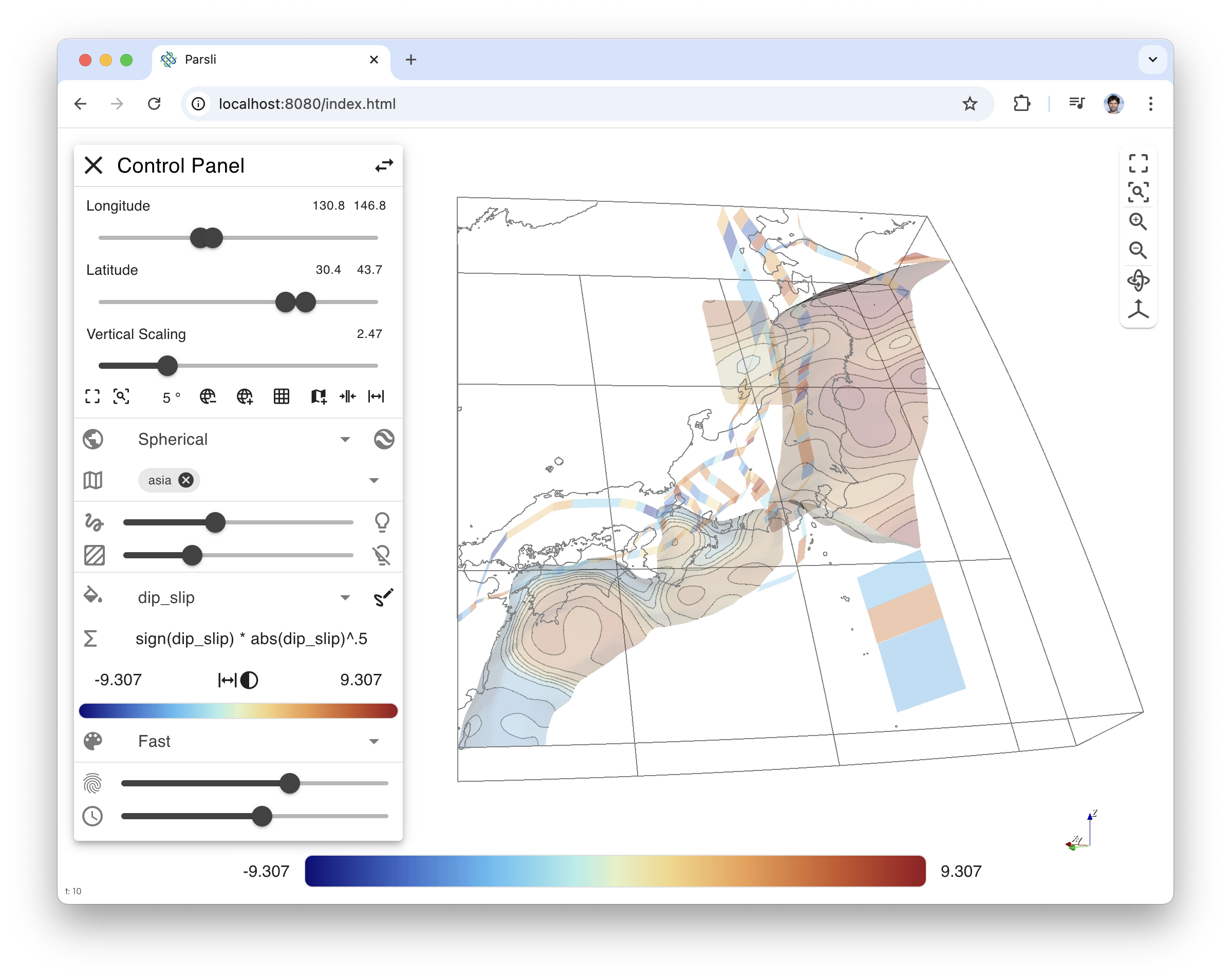
Parsli is a VTK+trame based viewer for fault system kinematics that enables fast exploration and export of time animation.
Getting started
First you should setup a virtual environment for this Python Application. You
can use conda, uv or anything else for managing your Python runtime. For the
following commands, we will be using uv with Python 3.10.
uv venv -p 3.10
source .venv/bin/activate
uv pip install parsli
Once your environment is loaded, you can start the viewer by running the following command:
# use remote rendering
python -m parsli.viewer --data ./data/model_0000000881_multi.hdf5

# use wasm for local rendering
python -m parsli.viewer --data ./data/model_0000000881_multi.hdf5 --wasm

# use shorthand executable
parsli --data ./data/model_0000000881_multi.hdf5
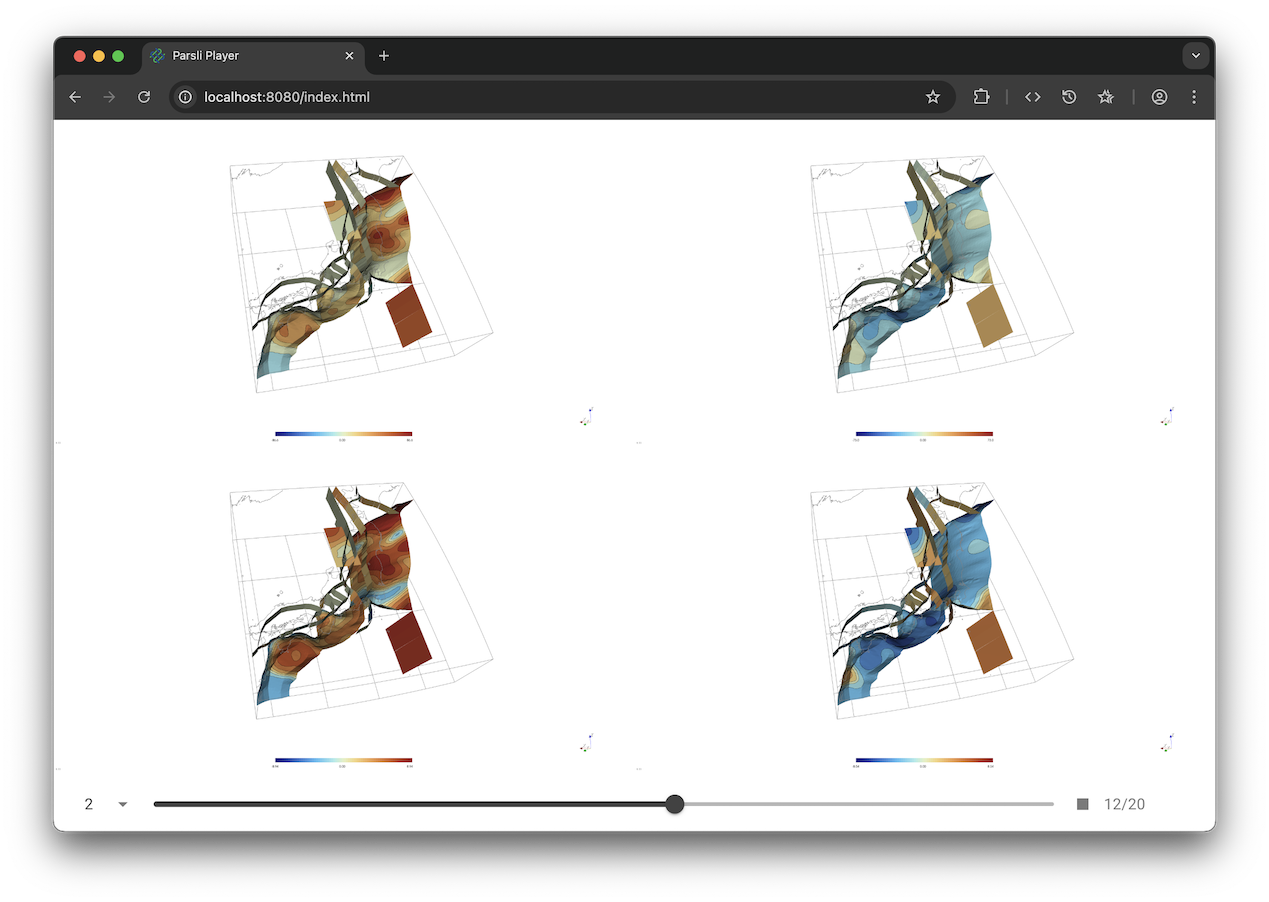
Once you've exported a couple of time animations, you can play them back using
the player. Just add all the paths you want to see after the --data argument.
parsli-player --data ./export/dip_slip ./export/strike_slip ./export/dip_slip_formula ./export/strike_slip_formula
Keyboard binding
- right arrow: Go to next timestep
- left arrow: Go to previous timestep
- home: Go to first timestep
- end: Go to last timestep
- space: Toggle play/stop animation
Development setup
We assume your virtual environment is activated
uv pip install -e ".[dev]"
pre-commit install
This will automatically format and some static checking on the code at commit time, but you can also run it by hand using the following command line.
pre-commit run --all-files
Nox can also be used for running tests or linting the code.
# run everything
nox

# run just the linting
nox -s lint
Commit message convention
Semantic release rely on conventional commits to generate new releases and changelog.
Project details
Verified details
These details have been verified by PyPIProject links
GitHub Statistics
Maintainers
Release history Release notifications | RSS feed


Download files
Download the file for your platform. If you're not sure which to choose, learn more about installing packages.
Source Distribution
Built Distribution
Filter files by name, interpreter, ABI, and platform.
If you're not sure about the file name format, learn more about wheel file names.
Copy a direct link to the current filters
File details
Details for the file parsli-1.0.5.tar.gz.
File metadata
- Download URL: parsli-1.0.5.tar.gz
- Upload date:
- Size: 51.8 kB
- Tags: Source
- Uploaded using Trusted Publishing? Yes
- Uploaded via: twine/6.1.0 CPython/3.12.9
File hashes
| Algorithm | Hash digest | |
|---|---|---|
| SHA256 |
d83b5f2f924e4bcb9ed3e371069c1249d06a3ce2a7798363eee800f65f9d69df
|
|
| MD5 |
aa6774f70f314bca24752e3911e706d1
|
|
| BLAKE2b-256 |
1104c761023491cd3e4d13d754f9c445b3b8d1b368e28341b439c5cb3d229e09
|
Provenance
The following attestation bundles were made for parsli-1.0.5.tar.gz:
Publisher:
test_and_release.yml on brendanjmeade/parsli
-
Statement:
-
Statement type:
https://in-toto.io/Statement/v1 -
Predicate type:
https://docs.pypi.org/attestations/publish/v1 -
Subject name:
parsli-1.0.5.tar.gz -
Subject digest:
d83b5f2f924e4bcb9ed3e371069c1249d06a3ce2a7798363eee800f65f9d69df - Sigstore transparency entry: 198575031
- Sigstore integration time:
-
Permalink:
brendanjmeade/parsli@a1b1b872a18015431a8bc9c32b9b13a061a071a6 -
Branch / Tag:
refs/heads/main - Owner: https://github.com/brendanjmeade
-
Access:
public
-
Token Issuer:
https://token.actions.githubusercontent.com -
Runner Environment:
github-hosted -
Publication workflow:
test_and_release.yml@a1b1b872a18015431a8bc9c32b9b13a061a071a6 -
Trigger Event:
push
-
Statement type:
File details
Details for the file parsli-1.0.5-py3-none-any.whl.
File metadata
- Download URL: parsli-1.0.5-py3-none-any.whl
- Upload date:
- Size: 58.2 kB
- Tags: Python 3
- Uploaded using Trusted Publishing? Yes
- Uploaded via: twine/6.1.0 CPython/3.12.9
File hashes
| Algorithm | Hash digest | |
|---|---|---|
| SHA256 |
cee2f0b6c79ec07f18302fcde0f17ce345c14d9412ef1d2bf2826a4f3f9b5082
|
|
| MD5 |
039af6f3fe07871e86558a83f4e30ec6
|
|
| BLAKE2b-256 |
261c0045fa594302decb35c8352a341d24ae66cd821f4aa32ae56bc4c6b1cf19
|
Provenance
The following attestation bundles were made for parsli-1.0.5-py3-none-any.whl:
Publisher:
test_and_release.yml on brendanjmeade/parsli
-
Statement:
-
Statement type:
https://in-toto.io/Statement/v1 -
Predicate type:
https://docs.pypi.org/attestations/publish/v1 -
Subject name:
parsli-1.0.5-py3-none-any.whl -
Subject digest:
cee2f0b6c79ec07f18302fcde0f17ce345c14d9412ef1d2bf2826a4f3f9b5082 - Sigstore transparency entry: 198575048
- Sigstore integration time:
-
Permalink:
brendanjmeade/parsli@a1b1b872a18015431a8bc9c32b9b13a061a071a6 -
Branch / Tag:
refs/heads/main - Owner: https://github.com/brendanjmeade
-
Access:
public
-
Token Issuer:
https://token.actions.githubusercontent.com -
Runner Environment:
github-hosted -
Publication workflow:
test_and_release.yml@a1b1b872a18015431a8bc9c32b9b13a061a071a6 -
Trigger Event:
push
-
Statement type:






