
CLI KeePass client with dmenu support

Project description

passhole is a commandline password manager for KeePass inspired by pass.
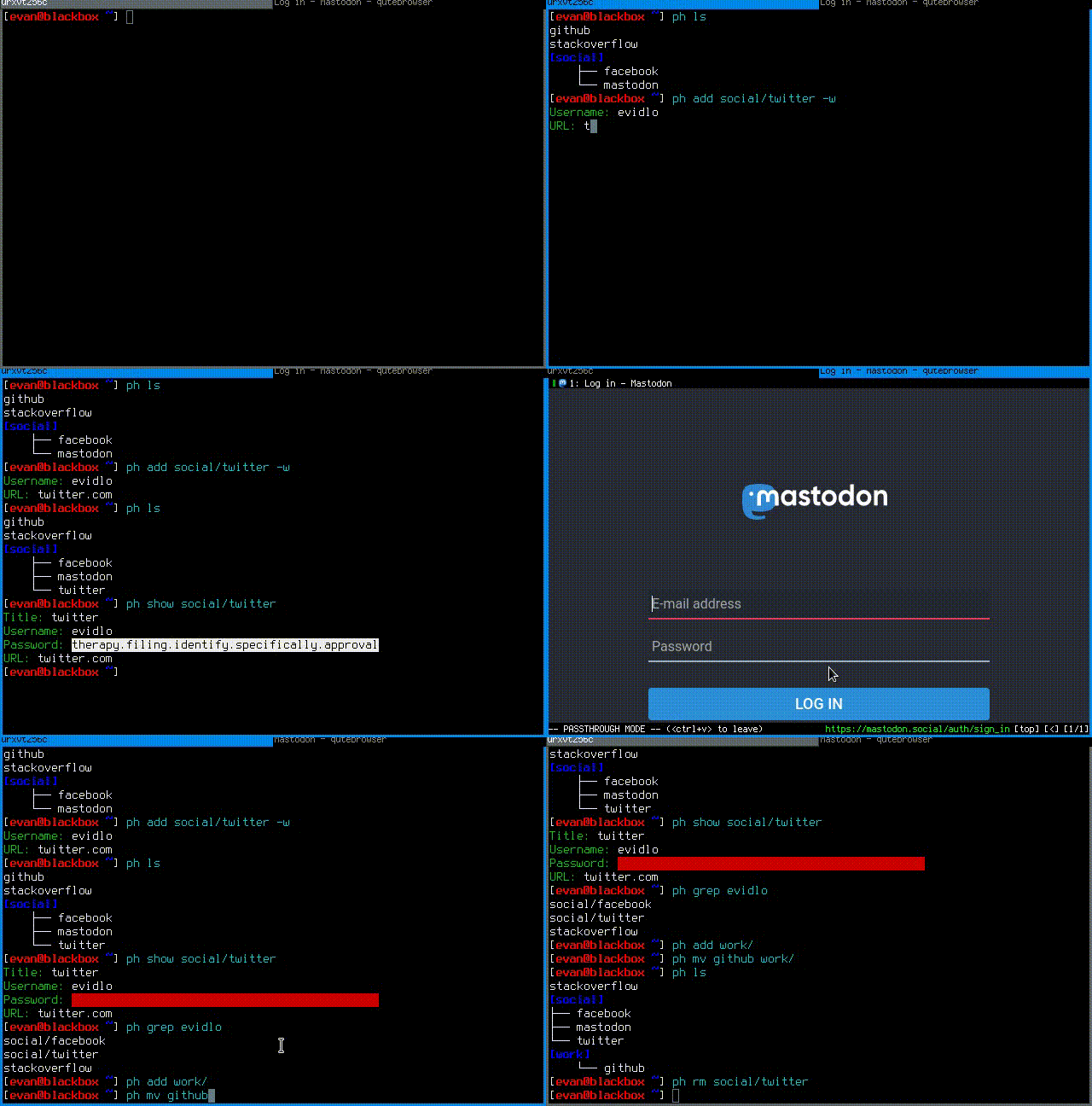
Features
fill user/pass field in any application via keyboard shortcut
add, delete, move, edit, rename entries and groups
generate alphanumeric, symbolic, or correct horse battery staple style passwords
temporarily cache database password (by default for 10 minutes)
multiple databases
supports KeePass v3 and v4 databases
supports TOTP
See below for examples and the manual (or man passhole) for a complete list of commands and options.
Setup
pip install passhole
ph init

# optionally install zenity for graphical password prompt
sudo apt install zenity
Example Usage
# add a new entry with manually created password
$ ph add github
Username: Evidlo
Password:
Confirm:
URL: github.com

# add an entry with a generated alphanumeric password
$ ph add neopets -a
Username: Evidlo
URL: neopets.com

# add a new group
$ ph add social/

# add an entry to `social/` with a 32 character password (alphanumeric + symbols)
$ ph add social/facebook -s 32
Username: evan@evanw.org
URL: facebook.com

# add an entry to `social/` with a correct-horse-battery-staple type password
$ ph add social/twitter -w
Username: evan@evanw.org
URL: twitter.com

# list all entries
$ ph list
github
neopets
[social]
├── facebook
└── twitter

# display contents of entry
$ ph show social/twitter
Title: twitter
Username: Evidlo
Password: inns.ambien.travelling.throw.force
URL: twitter.com

# retrieve contents of specific field for use in scripts
$ ph show social/twitter --field password
inns.ambien.travelling.throw.force
Example i3wm Keybindings
# select entry using dmenu, then send password to keyboard
bindsym $mod+p exec "ph type --prog dmenu"

# select entry using dmenu, then send username + password to keyboard
bindsym $mod+Shift+p exec "ph type --tabbed --prog dmenu"
Testing and Development
Running tests
# from repo root dir:
python test/tests.py
Isolated install in Docker
# debian
make docker_debian
Building manpage and packaging
make man
make dist
See also
Build Dependencies
Alpine
apk add gcc libffi-dev py3-lxml py3-pip python3-dev libc-dev
Release history Release notifications | RSS feed


Download files
Download the file for your platform. If you're not sure which to choose, learn more about installing packages.
Source Distribution
File details
Details for the file passhole-1.10.1.tar.gz.
File metadata
- Download URL: passhole-1.10.1.tar.gz
- Upload date:
- Size: 65.4 kB
- Tags: Source
- Uploaded using Trusted Publishing? No
- Uploaded via: twine/6.1.0 CPython/3.11.8
File hashes
| Algorithm | Hash digest | |
|---|---|---|
| SHA256 |
e71f110391f40f100023475e2d78544b2faae6f1a2c4258753877d1585d171d1
|
|
| MD5 |
961a7c841026b9650ae540fc81077d2c
|
|
| BLAKE2b-256 |
435c996e762e83b7a26f381d961a50d3f39da157877ef4e7b0b72c0e3722c843
|






