
Anti-detect browser automation CLI using Patchright (undetected Playwright fork)

Project description
patchright-cli
Anti-detect browser automation CLI. Same command interface as Microsoft's playwright-cli but using Patchright (undetected Playwright fork) to bypass bot detection.
Why
Regular Playwright and Chrome DevTools get blocked by Akamai, Cloudflare, and other anti-bot systems. Patchright patches Chromium's detection vectors (navigator.webdriver, WebGL fingerprints, etc.) so automated browsers look like real users.
This CLI wraps Patchright in the same command interface as playwright-cli, so AI agents (Claude Code, etc.) can automate anti-bot-protected sites with the same workflow they'd use for regular Playwright.
Install
For Humans
Just tell your AI agent:
Install and set up patchright-cli by following the instructions here: https://raw.githubusercontent.com/AhaiMk01/patchright-cli/main/docs/installation.md
Seriously — let the agent do it. It handles configs better than you.
For LLM Agents
curl -s https://raw.githubusercontent.com/AhaiMk01/patchright-cli/main/docs/installation.md
Manual Install
# With pip
pip install patchright-cli

# With uv (recommended)
uv tool install patchright-cli

# Run without installing (like npx)
uvx patchright-cli open https://example.com
From Source
git clone https://github.com/AhaiMk01/patchright-cli.git
cd patchright-cli
uv venv && uv pip install -e .
Quick Start
# Launch undetected Chrome and navigate
patchright-cli open https://example.com

# Take a snapshot to see interactive elements with refs
patchright-cli snapshot

# Interact using refs from the snapshot
patchright-cli click e2
patchright-cli fill e5 "search query"
patchright-cli press Enter

# Take a screenshot
patchright-cli screenshot

# Close the browser
patchright-cli close
Architecture
graph LR
    A[CLI Client<br/>cli.py] -->|TCP/JSON<br/>localhost:9321| B[Daemon<br/>daemon.py]
    B -->|Patchright<br/>CDP| C[Chrome<br/>stealth]
- Daemon (
daemon.py): Long-running Python process managing browser sessions via Patchright. Listens onlocalhost:9321. Auto-starts on firstopencommand. - CLI (
cli.py): Thin client. Parses args, sends JSON to daemon, prints result. Each invocation connects and disconnects — the browser stays open between commands. - Snapshot (
snapshot.py): Walks the DOM withTreeWalkerin document order, assignsdata-patchright-refattributes, outputs a flat YAML list of interactive elements.
Commands
Core
patchright-cli open [url]              # Launch browser
patchright-cli open --persistent       # With persistent profile
patchright-cli goto <url>              # Navigate
patchright-cli click <ref>             # Click element
patchright-cli dblclick <ref>          # Double-click
patchright-cli fill <ref> <value>      # Fill text input
patchright-cli type <text>             # Type via keyboard
patchright-cli hover <ref>             # Hover over element
patchright-cli select <ref> <value>    # Select dropdown option
patchright-cli check <ref>             # Check checkbox
patchright-cli uncheck <ref>           # Uncheck checkbox
patchright-cli drag <from> <to>        # Drag and drop
patchright-cli snapshot                # Accessibility snapshot
patchright-cli snapshot --filename=f   # Save to custom path
patchright-cli eval <expr>             # Run JavaScript
patchright-cli screenshot              # Full page screenshot
patchright-cli screenshot <ref>        # Element screenshot
patchright-cli screenshot --filename=f # Save to custom path
patchright-cli close                   # Close session
Navigation
patchright-cli go-back
patchright-cli go-forward
patchright-cli reload
Keyboard / Mouse
patchright-cli press Enter
patchright-cli keydown Shift
patchright-cli keyup Shift
patchright-cli mousemove 150 300
patchright-cli mousedown [button]
patchright-cli mouseup [button]
patchright-cli mousewheel 0 100
Dialog
patchright-cli dialog-accept [text]    # Accept next alert/confirm/prompt
patchright-cli dialog-dismiss          # Dismiss next dialog
Upload / Resize
patchright-cli upload ./file.pdf       # Upload to first file input
patchright-cli upload ./file.pdf e5    # Upload to specific input
patchright-cli resize 1920 1080        # Resize viewport
Tabs
patchright-cli tab-list
patchright-cli tab-new [url]
patchright-cli tab-select <index>
patchright-cli tab-close [index]
State Persistence
patchright-cli state-save [file]       # Save cookies + localStorage
patchright-cli state-load <file>       # Restore saved state
Storage
# Cookies
patchright-cli cookie-list
patchright-cli cookie-list --domain=example.com
patchright-cli cookie-get <name>
patchright-cli cookie-set <name> <value>
patchright-cli cookie-set <name> <value> --domain=example.com --httpOnly --secure
patchright-cli cookie-delete <name>
patchright-cli cookie-clear

# localStorage
patchright-cli localstorage-list
patchright-cli localstorage-get <key>
patchright-cli localstorage-set <key> <value>
patchright-cli localstorage-delete <key>
patchright-cli localstorage-clear

# sessionStorage
patchright-cli sessionstorage-list
patchright-cli sessionstorage-get <key>
patchright-cli sessionstorage-set <key> <value>
patchright-cli sessionstorage-delete <key>
patchright-cli sessionstorage-clear
Request Mocking
patchright-cli route "**/*.jpg" --status=404
patchright-cli route "https://api.example.com/**" --body='{"mock":true}'
patchright-cli route-list
patchright-cli unroute "**/*.jpg"
patchright-cli unroute                 # Remove all routes
Tracing / PDF
patchright-cli tracing-start
patchright-cli tracing-stop            # Saves .zip trace file
patchright-cli pdf --filename=page.pdf
DevTools
patchright-cli console                 # All console messages
patchright-cli console warning         # Filter by level
patchright-cli network                 # Network request log
Sessions
patchright-cli -s=mysession open https://example.com --persistent
patchright-cli -s=mysession click e6
patchright-cli -s=mysession close
patchright-cli list                    # List all sessions
patchright-cli close-all
patchright-cli kill-all
patchright-cli delete-data             # Delete persistent profile
Snapshots
After each state-changing command, the CLI outputs page info and a YAML snapshot:
### Page
- Page URL: https://example.com/
- Page Title: Example Domain
### Snapshot
[Snapshot](.patchright-cli/page-1774376207818.yml)
The snapshot lists interactive elements with refs:
- ref: e1
  role: heading
  name: Example Domain
  level: 1
- ref: e2
  role: link
  name: Learn more
  url: "https://iana.org/domains/example"
Use refs in commands: patchright-cli click e2, patchright-cli fill e5 "text".
Anti-Detect Features
- Real Chrome browser (not Chromium)
- Patchright patches
navigator.webdriverand other detection vectors - Persistent profiles maintain cookies/sessions across runs
- No custom user-agent or headers (natural fingerprint)
- Headed by default (headless is more detectable)
Claude Code Integration
Add the skill to your project:
cp -r skills/patchright-cli ~/.claude/skills/
Then use in Claude Code:
patchright-cli open https://protected-site.com
patchright-cli snapshot
patchright-cli fill e3 "username"
patchright-cli fill e4 "password"
patchright-cli click e5
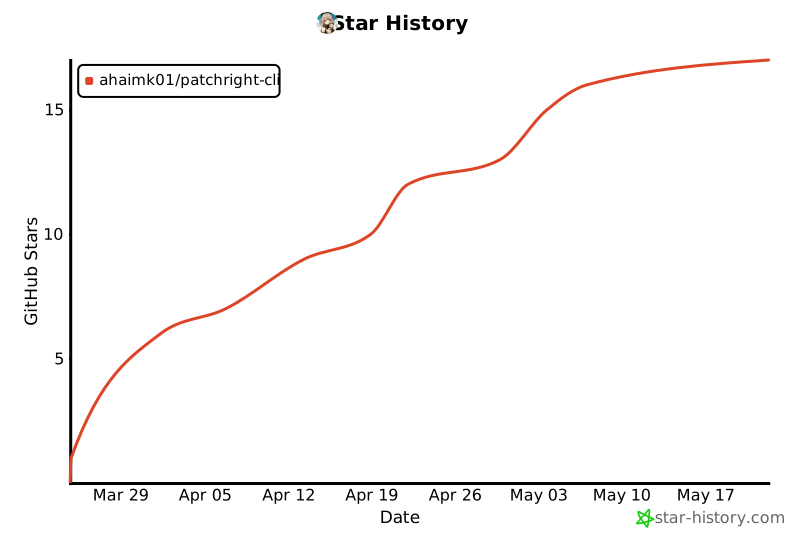
Star History
License
Apache 2.0 — same as playwright-cli


Download files
Download the file for your platform. If you're not sure which to choose, learn more about installing packages.
Source Distribution
Built Distribution
Filter files by name, interpreter, ABI, and platform.
If you're not sure about the file name format, learn more about wheel file names.
Copy a direct link to the current filters
File details
Details for the file patchright_cli-0.1.0.tar.gz.
File metadata
- Download URL: patchright_cli-0.1.0.tar.gz
- Upload date:
- Size: 37.9 kB
- Tags: Source
- Uploaded using Trusted Publishing? No
- Uploaded via: uv/0.11.0 {"installer":{"name":"uv","version":"0.11.0","subcommand":["publish"]},"python":null,"implementation":{"name":null,"version":null},"distro":{"name":"Ubuntu","version":"24.04","id":"noble","libc":null},"system":{"name":null,"release":null},"cpu":null,"openssl_version":null,"setuptools_version":null,"rustc_version":null,"ci":true}
File hashes
| Algorithm | Hash digest | |
|---|---|---|
| SHA256 |
58211fb613990240a3cd773d8a5f2e08e75d8a0ee123a3776681ed855df1b379
|
|
| MD5 |
e661af0a7c008bd567402c659e9afdba
|
|
| BLAKE2b-256 |
ce8e5342ac8005e4154032925bae723fae9a04d1aaf07b6744babd7e30878713
|
File details
Details for the file patchright_cli-0.1.0-py3-none-any.whl.
File metadata
- Download URL: patchright_cli-0.1.0-py3-none-any.whl
- Upload date:
- Size: 24.1 kB
- Tags: Python 3
- Uploaded using Trusted Publishing? No
- Uploaded via: uv/0.11.0 {"installer":{"name":"uv","version":"0.11.0","subcommand":["publish"]},"python":null,"implementation":{"name":null,"version":null},"distro":{"name":"Ubuntu","version":"24.04","id":"noble","libc":null},"system":{"name":null,"release":null},"cpu":null,"openssl_version":null,"setuptools_version":null,"rustc_version":null,"ci":true}
File hashes
| Algorithm | Hash digest | |
|---|---|---|
| SHA256 |
b67e7d6a3adcd5e99b116889a01d89445947df0606d311240d759b83b8ea064c
|
|
| MD5 |
670d5a53e022d4eac2e160c7d41743f0
|
|
| BLAKE2b-256 |
ffca5f864c89ba5e8ad0de6457f6f3fc58ea4a487fe56e57d0ff12bfd98fa78d
|






